Location-based tasks
Create each task at the exact point where the work needs to happen.
 Start free
ScanTrack connects every task to an exact location inside the 3D tour of a real site. Review the asset remotely, coordinate internal teams and contractors, and track delivery in one shared visual workspace.
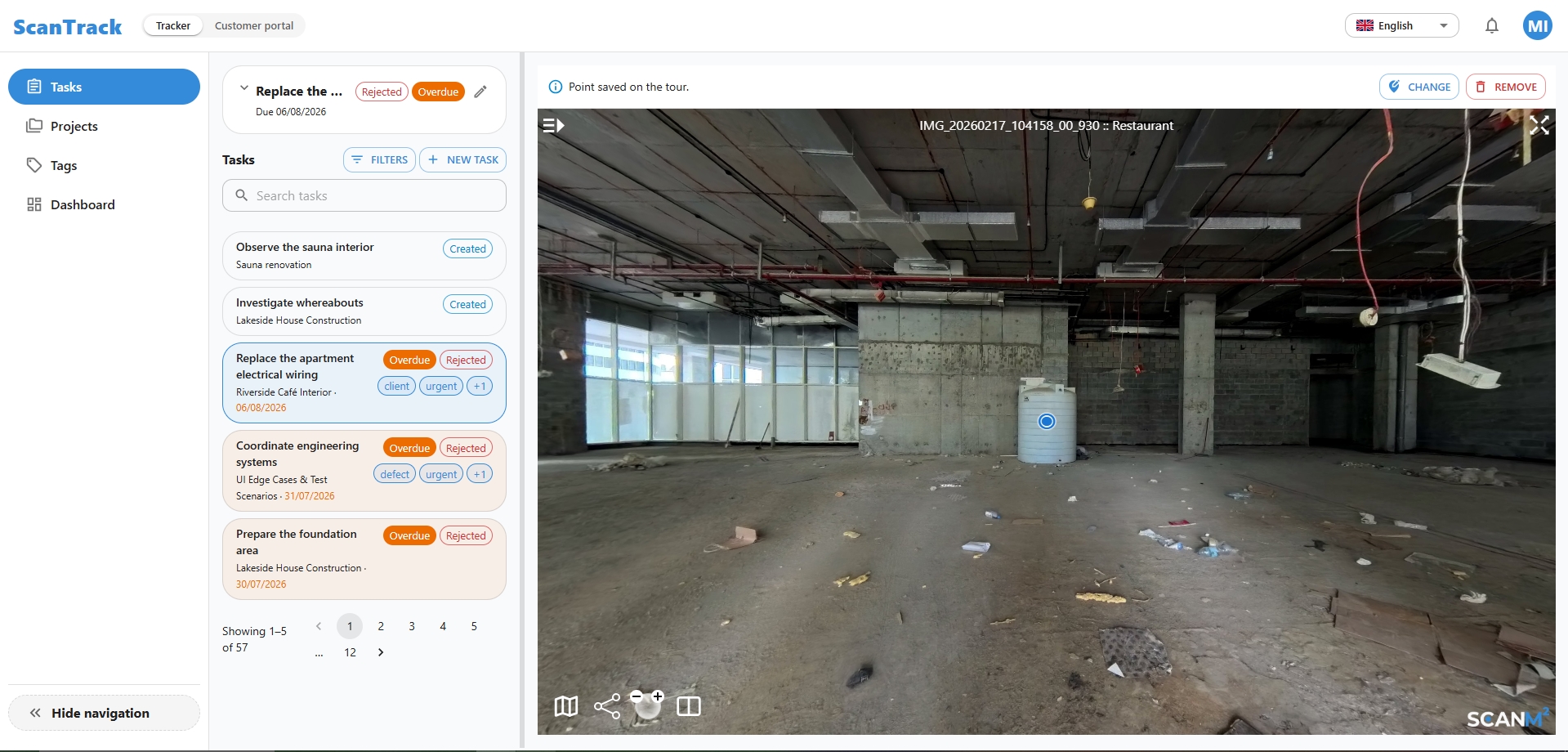
No more searching through photos, drawings or long descriptions to identify the right area. ScanTrack brings the physical site and task management into one visual workflow.
Create each task at the exact point where the work needs to happen.
Keep instructions, files, comments and the full activity history together.
Track progress and verify outcomes without unnecessary site visits.


Due dates, ownership, comments and change history stay out of scattered chats, email threads and spreadsheets.
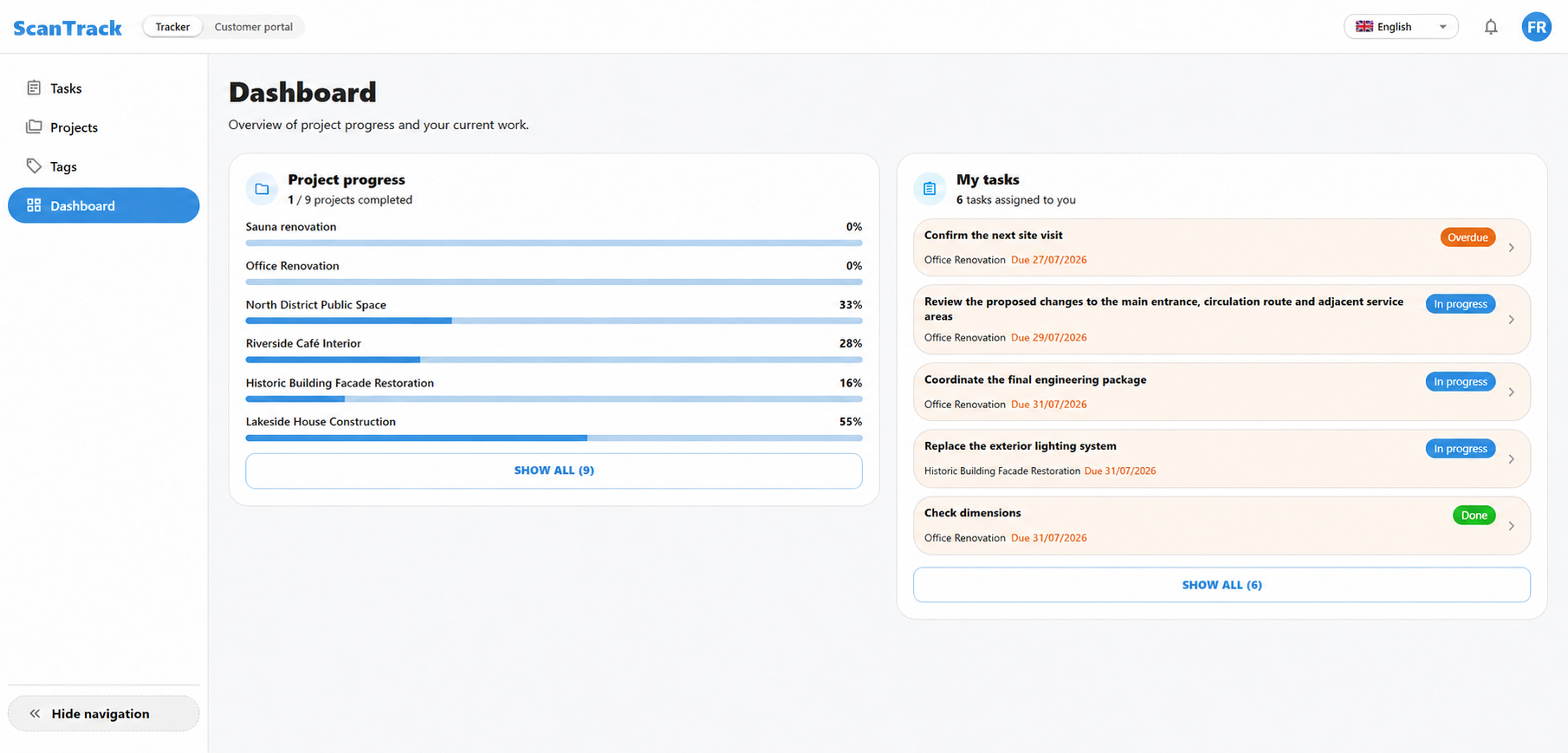
The entire workflow is built around the 3D tour of the real site:

The full workflow—from recording an issue to approving the completed work—stays in one task linked to its exact location in the 3D tour.
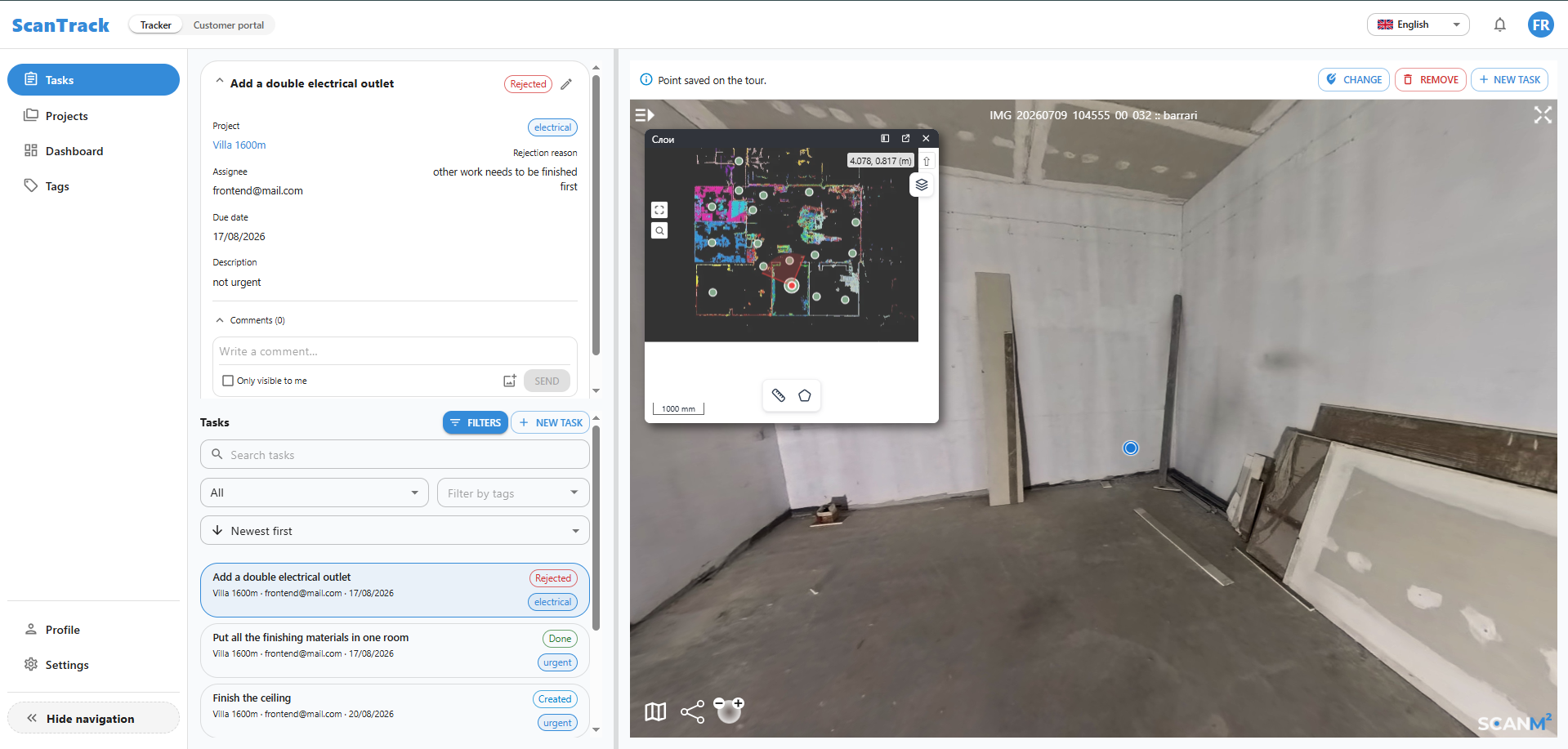
The project lead marks the issue at its exact location in the 3D tour.
Instructions, ownership and the required completion date are added.
The assignee completes the work and attaches evidence of the result.
The project lead reviews the outcome remotely and closes the task.
Oversee work and contractors across industrial and operational facilities.
Carry out design reviews and technical supervision remotely.
Coordinate construction, fit-out, installation and remedial work.
Maintain clear visibility across construction and refurbishment projects.
Review implementation, resolve site questions and approve changes.
Manage maintenance tasks across buildings and building systems.
Built for construction, industrial, commercial, residential and infrastructure projects that require clear remote visibility into tasks and delivery.
Project users are unlimited. Commercial terms after the free trial are agreed individually.
In a conventional task manager, the task is separated from the physical asset. In ScanTrack, the assignee sees the exact location, current site context and all related information immediately.
Every assignee sees the exact location, instructions and site context.
Project leads can review progress and outcomes remotely.
Comments, supporting files and approvals stay with the task.
Statuses, ownership and activity history remain fully traceable.
Create an account, upload your own 3D tour and test the core ScanTrack workflow with your team during the free trial.
Start free →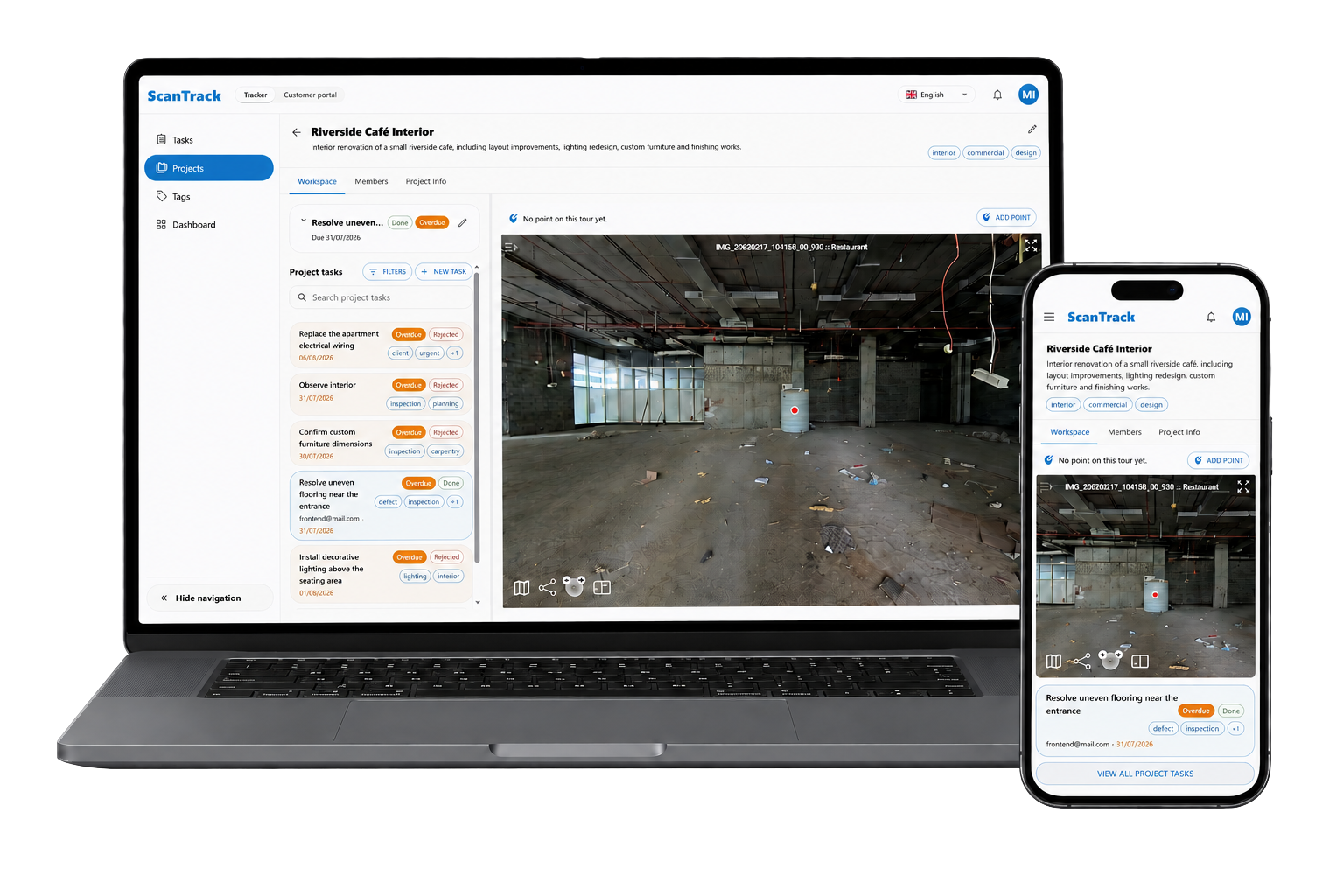
Upload your own 3D tour, invite the project team and validate the ScanTrack workflow on an active site.
Commercial terms after the free trial are agreed individually.
ScanTrack is a task management platform built around the 3D tour of a real site or facility. Every task is tied to a precise location, giving the assignee immediate visual context for the work.
ScanTrack can be used across construction sites, industrial facilities, commercial and residential properties, infrastructure assets and building operations.
Yes. Owners, project managers, engineers, designers and contractors can review the site, assign work and verify progress without being continuously present on location.
There is no fixed user limit. Internal teams, contractors, clients and other project stakeholders can all be invited.
ScanTrack supports push, SMS and email notifications, allowing users to receive task updates through the channel that works best for them.
Conventional task managers organise work in lists and cards. ScanTrack anchors each task to the exact place inside a 3D tour, keeping the physical site at the centre of the workflow.
Create an account, upload your own 3D tour and begin the free trial. You can then create location-based tasks, invite stakeholders and test the workflow on a real project.
Yes. ScanTrack is available free for 14 days. Commercial terms after the trial are agreed individually.

Try ScanTrack free for 14 days. Commercial terms after the trial are agreed individually.