VISUAL CONSTRUCTION INSPECTIONS
Construction Inspection Software for Visual Site Reviews
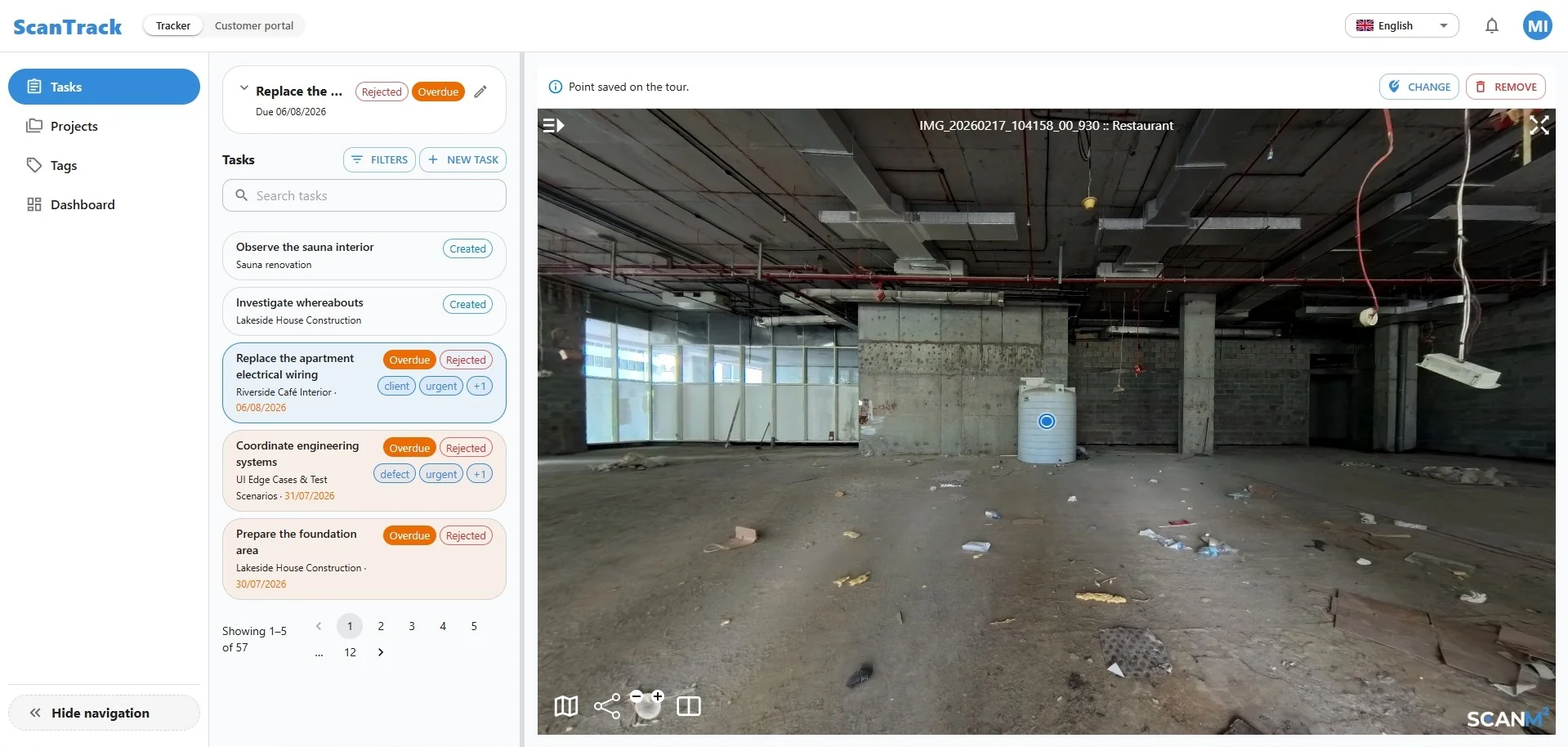
Inspect construction work in its real spatial context. ScanTrack connects observations, corrective tasks and follow-up reviews to precise locations inside interactive 3D site tours.
Instead of relying on disconnected photos, spreadsheets and lengthy explanations, your team can open the relevant location, see what needs attention and track the issue through resolution.
- Visual issue locations
- Assigned corrective tasks
- Clear task statuses
- Remote follow-up reviews
Turn Site Observations Into Actionable Inspection Tasks
A construction inspection is only useful when every finding can be understood, assigned and followed up. ScanTrack helps teams connect site observations with the actual place where work needs attention.
-
01
Review the Site
Open an interactive 3D tour and navigate to the relevant area of the construction project.
-
02
Mark the Issue
Place a point at the location that needs attention, giving the team a clear visual reference.
-
03
Assign the Follow-Up
Create a task, add the necessary details and assign responsibility for the corrective work.
-
04
Check the Outcome
Review task status and return to the relevant location to evaluate whether the issue has been addressed.
The result is a more structured inspection workflow, with less ambiguity about where a problem was identified and what needs to happen next.
Inspect Construction Sites With the Location in View
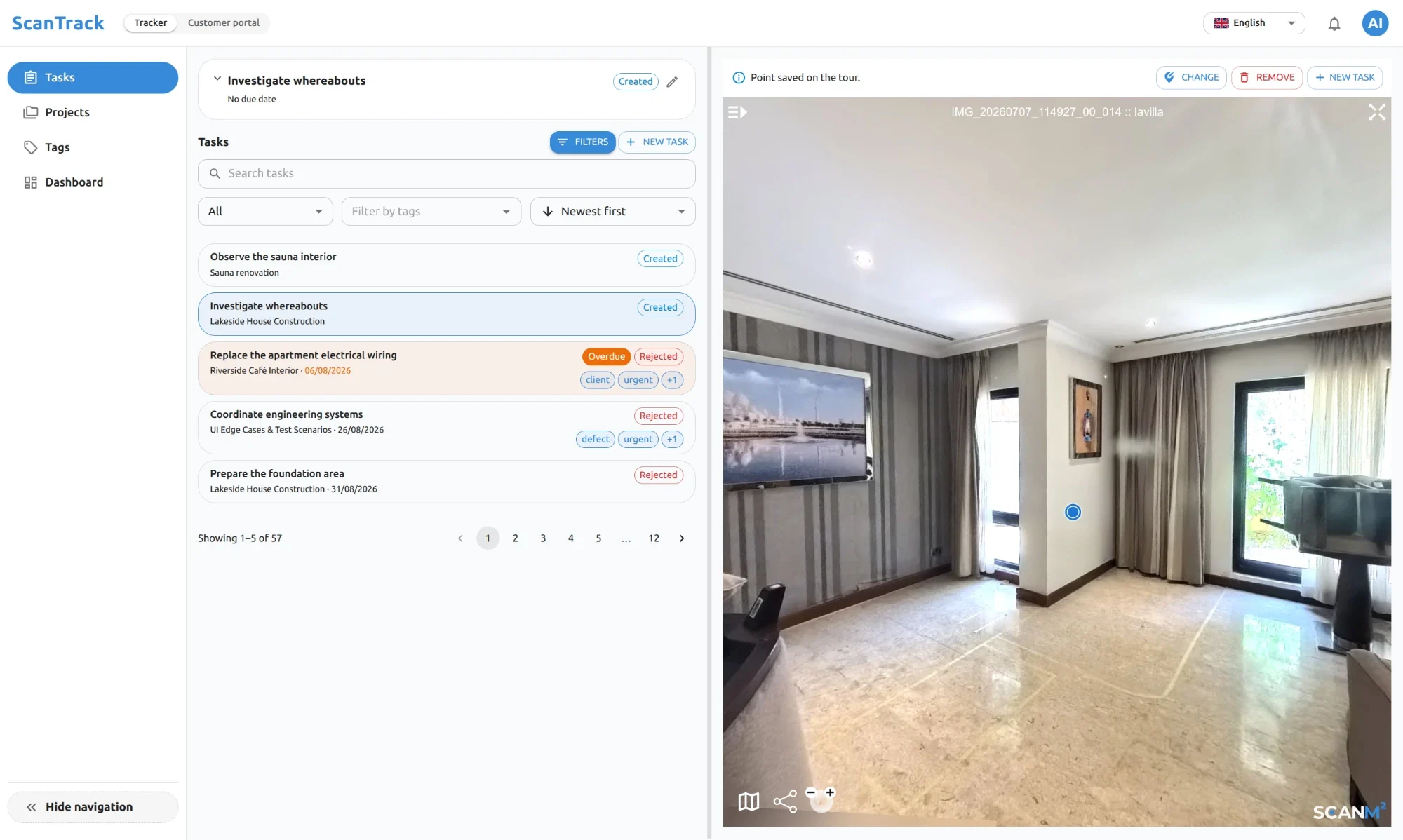
A written description such as “check the installation near the ceiling” may not provide enough context on a complex construction site. With ScanTrack, the inspection task is connected to a point inside the 3D tour.
Teams can navigate through the site, identify the relevant area and understand the surrounding conditions before taking action. This is especially useful when multiple trades are working in the same space or when a reviewer is not physically present.
Visual Context for Every Finding
Linking tasks to site locations makes it easier to communicate observations about installation work, finishes, equipment areas and other visible construction conditions.
Remote Reviews Without Guesswork
Project managers and other authorized participants can revisit the available 3D tour to examine a location and review the related task information without relying solely on standalone photographs.
The tour reflects the site at the time it was captured. ScanTrack does not replace physical inspections, current site verification or professional judgment.
Keep Inspection Findings Under Control
Recording an issue is the beginning of the process. Teams also need a reliable way to see what remains open, what has been completed and what requires another review.
-
Track Open and Overdue Tasks
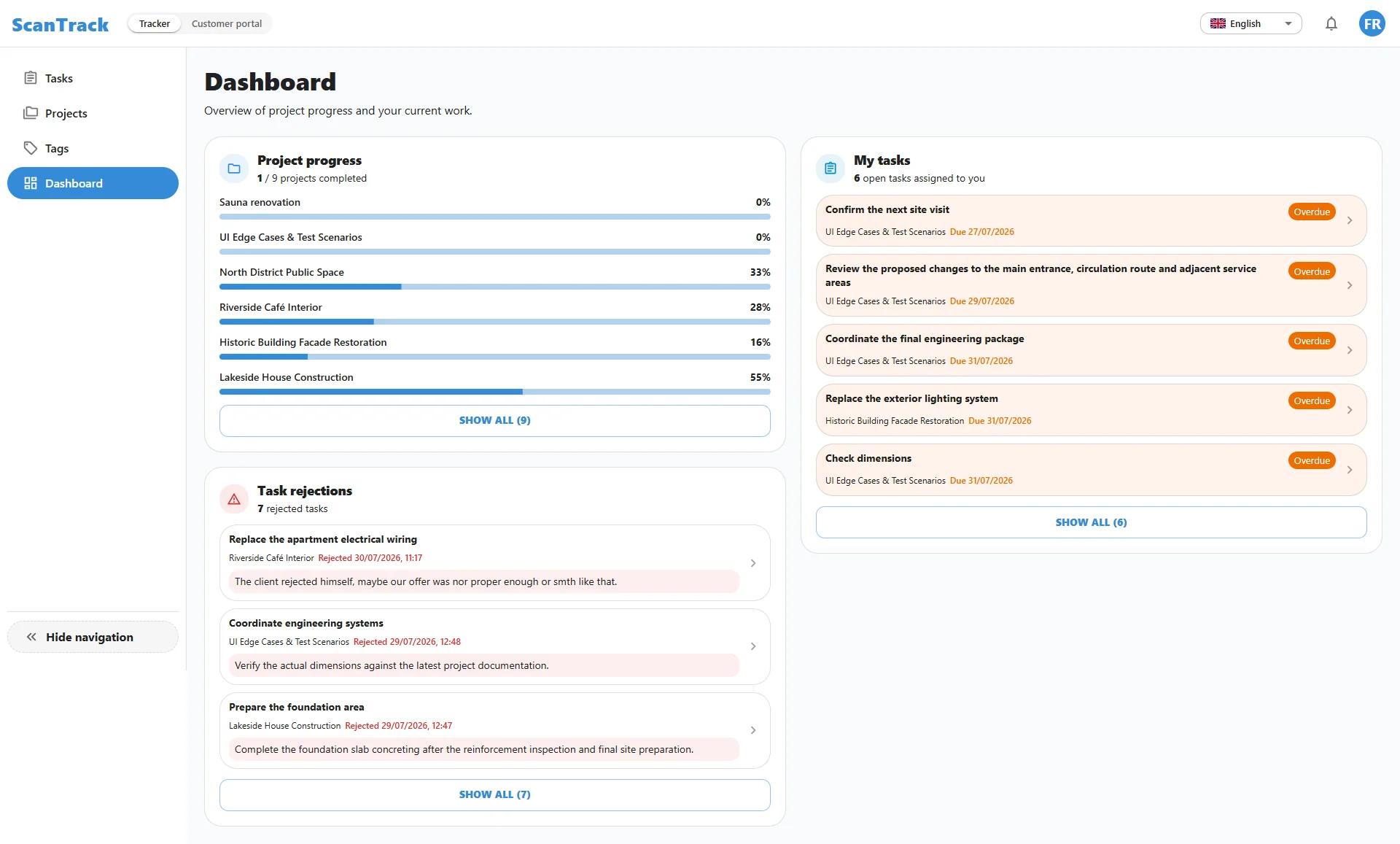
Use task lists and dashboard views to identify outstanding work and prioritize issues that need attention.
-
Review Rejected Work
When a submitted result is rejected, the task remains visible for further action rather than disappearing from the inspection workflow.
-
Understand Project-Level Progress
Project dashboards provide a consolidated view of task activity and progress, helping teams organize follow-up work across active projects.
Keep the inspection conversation connected to tasks, statuses and locations.
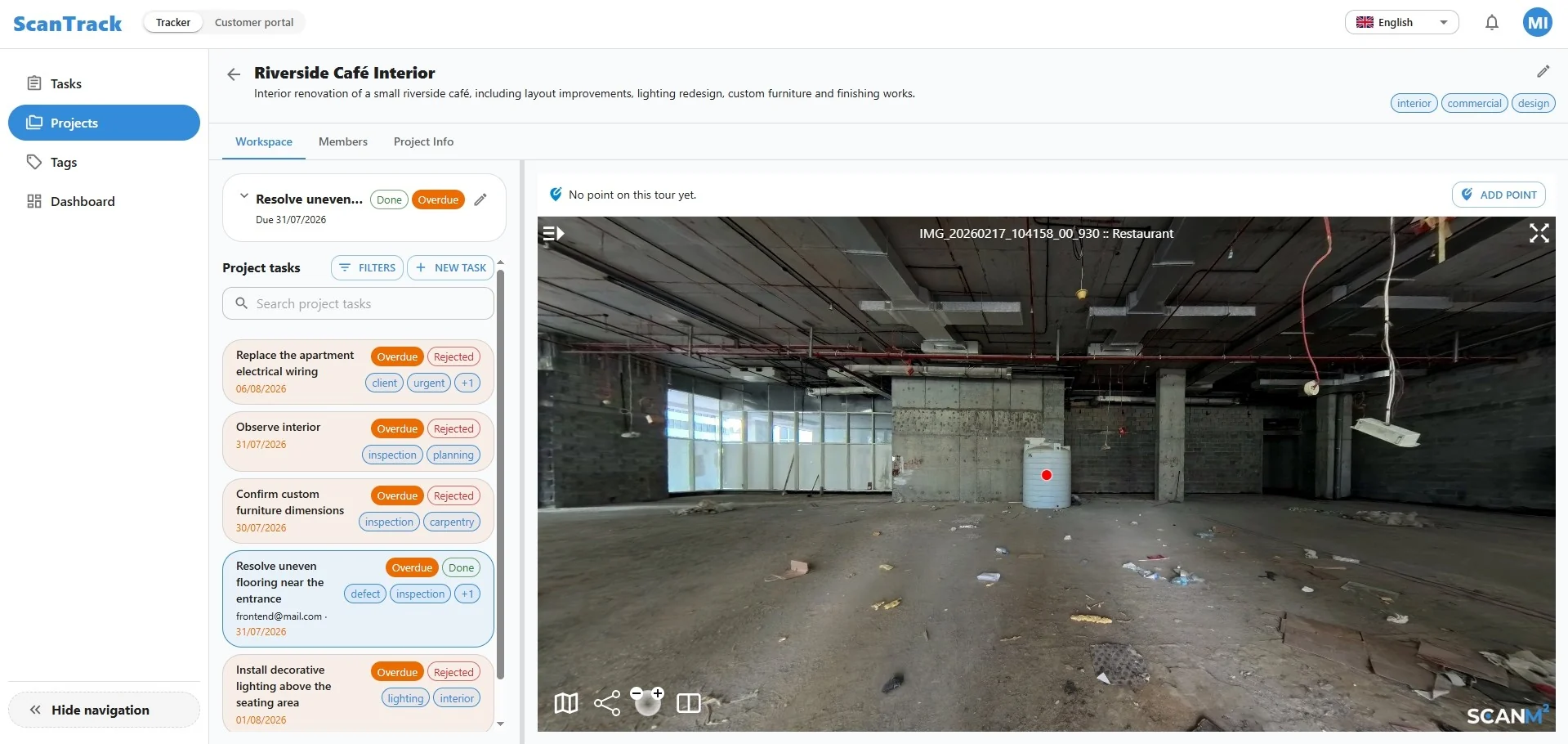
A Shared Inspection Workflow for Construction Teams
Different project participants need different information, but they all benefit from a clear reference to the same site location and issue.
Construction Managers
Coordinate inspection findings, monitor unresolved tasks and keep corrective work moving across the project.
Site Supervisors
Document observations, clarify the location of required work and review task statuses during follow-up.
Contractors and Trade Teams
Understand where an issue was identified, review the assigned work and communicate progress through the task workflow.
Owners and Project Representatives
Review relevant project information and follow-up activity with additional visual context, subject to their access permissions.
One visual workspace helps reduce misunderstandings between the people who identify issues and those responsible for resolving them.
From a 3D Site Tour to a More Organized Inspection Process
Construction inspections often involve repeated visits, photographs, messages and status updates. ScanTrack brings location-based tasks into the 3D environment so teams can work with a more consistent reference point.
See where an observation was made.
Keep related tasks organized by project.
Identify outstanding and rejected work.
Revisit locations during follow-up reviews.
Give distributed teams a shared visual reference.
ScanTrack is designed to support construction inspection coordination and issue follow-up. It is not an automated defect-detection engine or a substitute for code-compliance inspections.
FAQ
Frequently Asked Questions
What is construction inspection software?
Construction inspection software helps teams record site observations, organize follow-up actions and monitor issues identified during construction. ScanTrack adds a visual layer by linking tasks to locations inside interactive 3D site tours.
Can ScanTrack be used for remote construction site inspections?
Yes. Team members can review available 3D site tours and related tasks remotely. The accuracy of a remote review depends on the available imagery and when the site was captured, so some findings still require on-site verification.
How are inspection issues recorded in ScanTrack?
Users can select a location in the 3D tour, add a task and provide the information needed for follow-up. This gives the assigned team a visual reference to the area requiring attention.
Can contractors see where corrective work is needed?
Tasks associated with points in the 3D tour help contractors understand the relevant location and surrounding conditions, subject to the access permissions configured for the project.
Can project managers monitor unresolved inspection tasks?
ScanTrack provides task lists, statuses and dashboard views that help project managers identify outstanding work, overdue tasks and rejected submissions.
Does ScanTrack automatically detect construction defects?
No. ScanTrack supports the documentation and coordination of inspection findings. Identifying defects and evaluating compliance remain the responsibility of qualified project participants.
Does ScanTrack replace an on-site construction inspection?
No. It helps organize visual information and follow-up work, but it does not replace physical site checks, required inspections or professional assessment.
Can ScanTrack support multiple construction projects?
Yes. Its project-based workspace helps teams organize tasks and review progress across different projects.

Make Construction Inspections Easier to Follow Up
Give every inspection finding a clearer location, an actionable task and a visible path toward resolution. Explore how ScanTrack connects construction site reviews with day-to-day project coordination.