01
Site issues and corrective work
Record an issue at its exact location, explain what needs to change and assign the responsible contractor.
CONSTRUCTION PROJECT TRACKING IN VISUAL CONTEXT
ScanTrack connects construction tasks, issues and completion evidence to exact locations inside a 3D tour of the real site. Give project owners, managers and contractors the same visual context and keep delivery visible from assignment to approval.
MORE THAN DATES AND PERCENTAGES
Construction project tracking often depends on schedules, spreadsheets, meeting notes, messaging apps and folders of site photographs. Each tool may contain part of the story, but the project team still has to work out which room, installation or building element an update refers to.
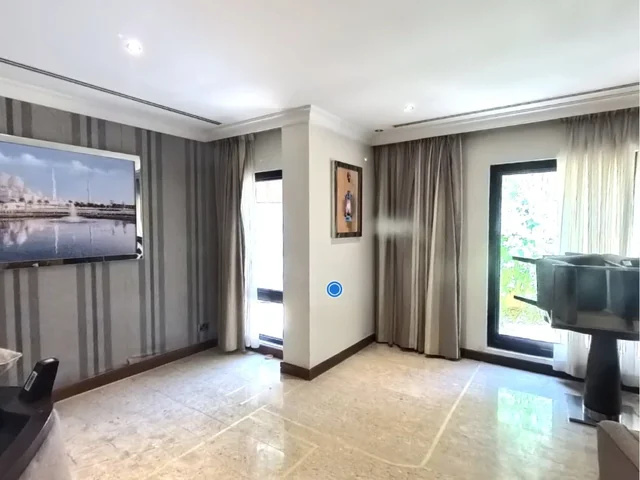
ScanTrack keeps the physical site at the centre of the workflow. A task is not only marked as open, in progress or completed. It is connected to the exact location where the work must be performed and to the evidence submitted afterward.
ONE VISUAL PROJECT RECORD
Use ScanTrack to organise location-specific work that needs a clear owner, a deadline and visible proof of completion.
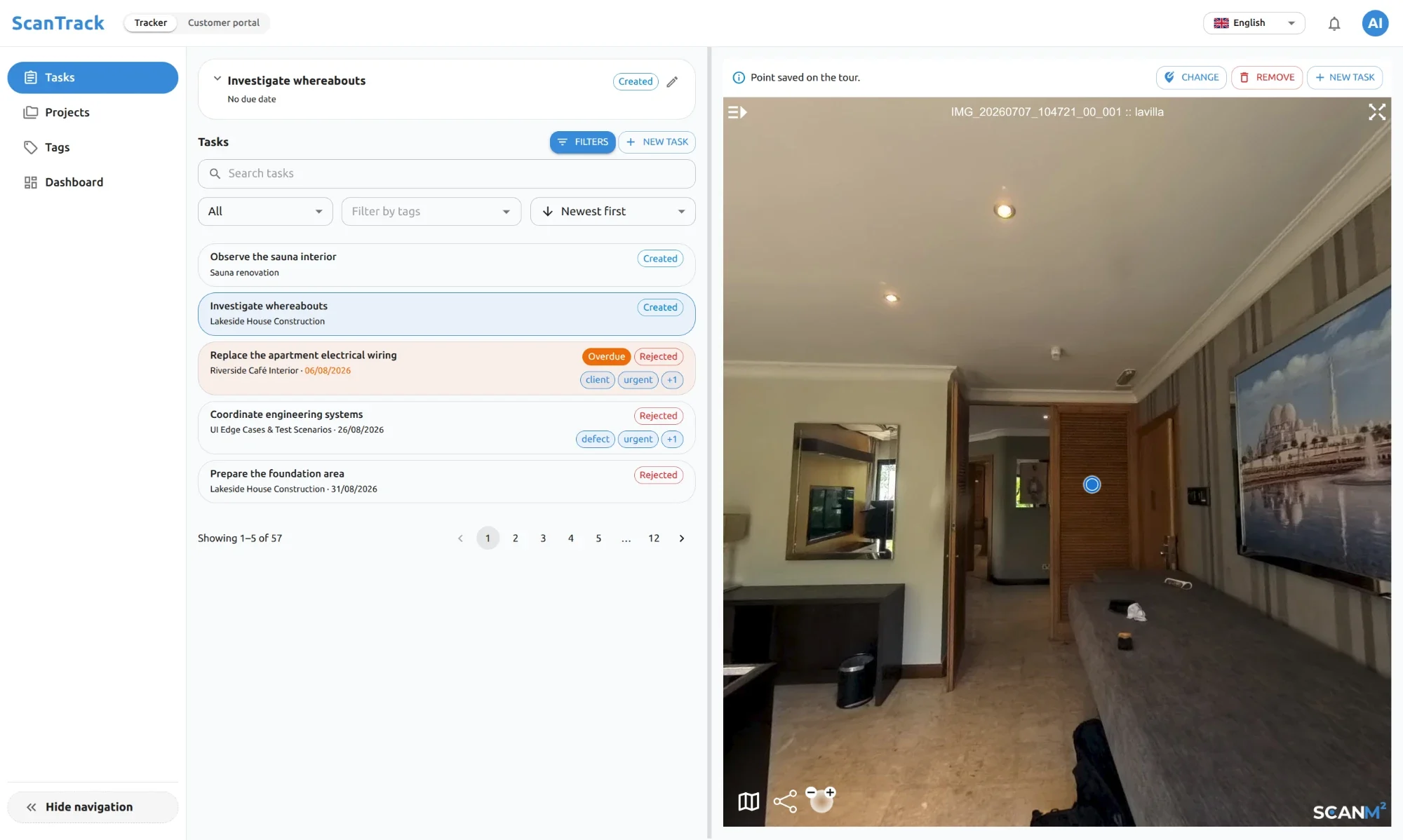
Record an issue at its exact location, explain what needs to change and assign the responsible contractor.
Coordinate work across rooms, technical areas and building elements without relying on ambiguous written directions.
Give architects, engineers and design teams the visual context needed to answer site questions.
Collect photographs and supporting files from the person performing the work and keep them attached to the task.
Approve the completed work, leave a comment or return the task for correction while preserving the decision history.
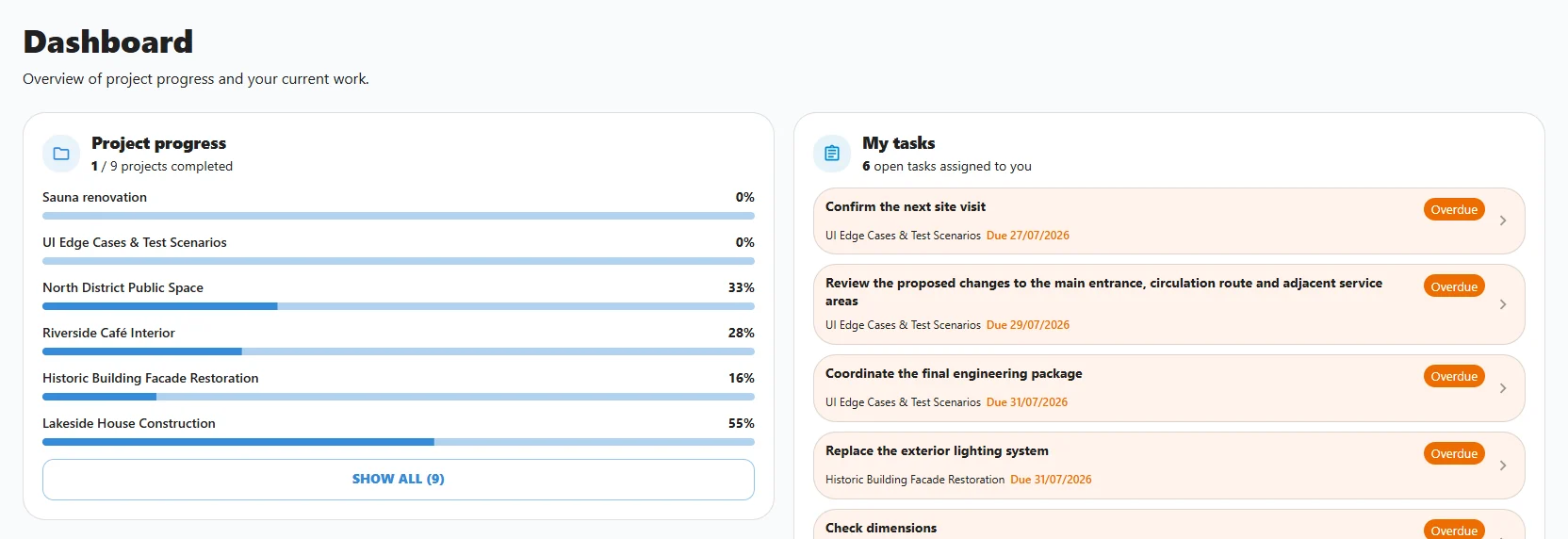
Use the dashboard to see which tasks still require action and who is responsible for the next step.
FROM SITE ISSUE TO VERIFIED COMPLETION
Upload the 3D tour that represents the actual condition of the construction site.
Navigate to the room, zone or building element that needs attention.
Describe the required work, select the responsible person, attach supporting information and set the deadline.
Receive updates and monitor open, overdue and completed tasks from the project dashboard.
Open the submitted photographs or files in the context of the original task and site location.
Close the task when the result is accepted or return it with a clear comment explaining what still needs to change.
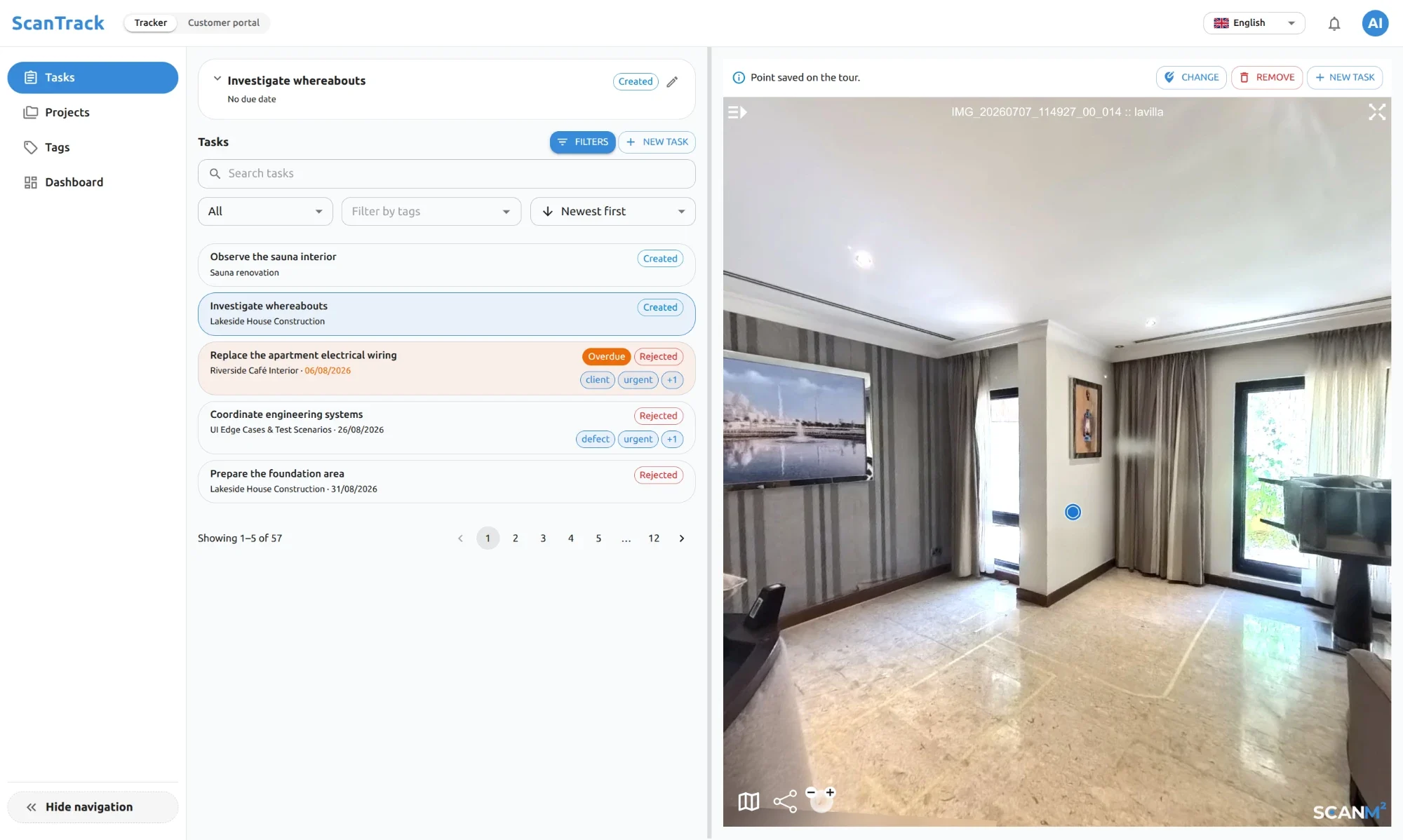
Because every task has a visual location, the project team does not need additional explanations to identify the work area. The relevant place, instruction and task history remain available in one workflow.
SEE RESPONSIBILITY AND STATUS
Construction teams need more than a stream of individual updates. ScanTrack brings current tasks and team activity into a project-level view, helping managers identify work that requires attention.
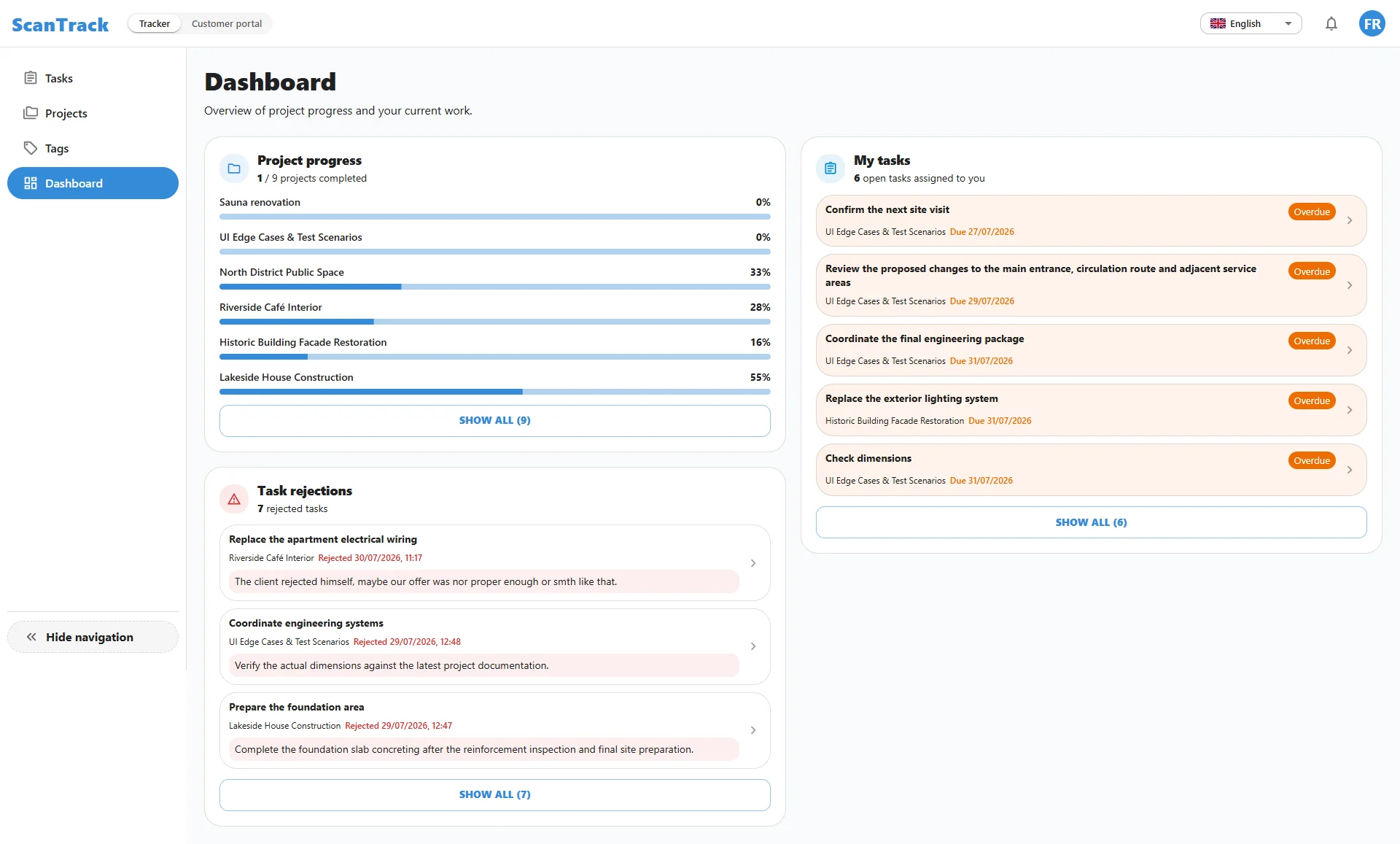
ScanTrack does not replace detailed critical-path scheduling. It complements planning tools by showing what requires action at a specific location, who owns the task and whether the result has been verified.
SCANTRACK IN PRACTICE
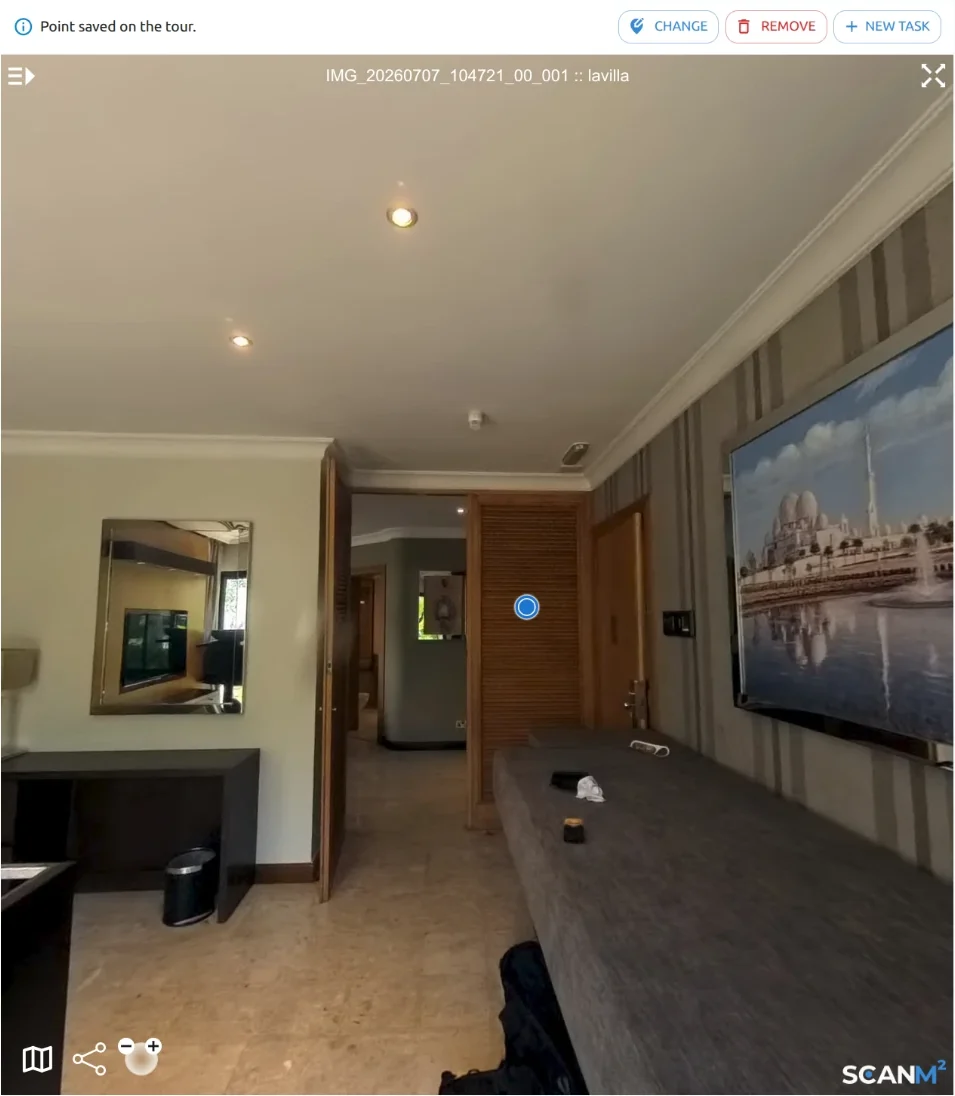
During a site review, the project manager finds that an electrical outlet was installed in the wrong position. A message saying “move the outlet near the entrance” may still leave room for confusion, especially when several similar rooms are involved.
In ScanTrack, the project manager opens the correct room in the 3D tour and pins the task directly to the outlet location. The responsible contractor receives the visual context, correction instructions and deadline.
After the outlet is moved, the contractor uploads a photograph of the completed work.
The project manager reviews the evidence, leaves a comment if necessary and closes the task when the result is accepted.
The original instruction, responsible person, deadline, submitted evidence and approval remain together as part of the project record.
ONE PROJECT AND MULTIPLE STAKEHOLDERS
Maintain a visual overview of open issues, responsibility and completed work across the project.
Coordinate contractors, monitor overdue items and verify results without rebuilding the current picture from multiple channels.
Assign site tasks, document corrective work and maintain a consistent record from issue to closeout.
Review implementation, clarify exact locations and answer site questions with visual context.
Monitor fit-out work, record deviations and confirm that design corrections were completed.
Receive clear instructions tied to the work area and submit evidence after completing the task.
A CLEARER ALTERNATIVE TO FRAGMENTED TRACKING
| Spreadsheets and conventional task lists | SCANTRACKScanTrack |
|---|---|
| Location described in text | Exact location inside the 3D site tour |
| Photographs stored in folders or chats | Evidence attached to the relevant task |
| Repeated questions about the work area | Shared visual context for every participant |
| Updates compiled manually | Current ownership, deadline and status remain visible |
| Approval history is difficult to trace | Review comments and acceptance stay in the task history |
PROJECT OUTCOMES
Clear visual context helps reduce misunderstandings about which room, element or installation requires attention.
Managers can review many updates and completed tasks remotely while keeping physical inspections for situations that require them.
Questions, evidence and decisions remain connected to the relevant task and location.
Ownership, deadlines, status changes and approval decisions form a traceable project record.
START WITH AN ACTIVE CONSTRUCTION PROJECT
Upload your own 3D site tour, invite the project team and test the complete location-based workflow on current construction tasks.
Start FreeCommercial terms after the free trial are agreed individually.
FAQ
Construction project tracking software helps teams record work, assign responsibility, monitor status and maintain a history of project activity. ScanTrack adds spatial context by connecting each task to an exact location inside a 3D site tour.
Teams create location-based tasks, assign owners and due dates, receive status updates and review submitted evidence. Managers can use the dashboard to see open, overdue and completed work across the project.
ScanTrack is designed for location-based task and issue tracking rather than detailed critical-path scheduling. It complements planning tools by showing what needs attention, where it is located, who owns it and whether the result has been accepted.
Yes. Approved stakeholders can open the 3D tour, review task context, follow updates and verify many outcomes without being continuously present on site.
Yes. The responsible person can submit photographs and supporting files. The reviewer can then approve the task, comment on it or request corrections.
Project users are unlimited, so owners, managers, consultants, contractors and other stakeholders can participate in the same workflow.
ScanTrack supports push, SMS and email notifications, helping team members receive updates through the channel that suits their workflow.
Yes. The 14-day free trial allows you to upload your own 3D tour, invite the project team and test location-based project tracking in a real workflow.

SEE THE SITE AND THE WORK IN ONE PLACE
Try ScanTrack free for 14 days on an active construction project. Connect tasks to exact locations, give every participant the necessary context and keep the path from assignment to acceptance visible.