

BIM Level of Detail Explained: When More Detail Stops Adding Value

In modern construction projects, BIM Level of Detail (LOD) is often treated as a direct indicator of model quality. Many project teams assume that higher BIM model detail automatically leads to better coordination, fewer clashes, and improved construction outcomes. In reality, increasing BIM Level of Detail beyond what a project actually requires can reduce efficiency, increase costs, and complicate coordination workflows.
Understanding how BIM Level of Detail should be applied at different project stages is critical for architects, engineers, and BIM managers working in data-driven AEC environments.
What Is BIM Level of Detail (LOD)?
BIM Level of Detail defines the amount of geometric precision and informational content embedded in a BIM model at a specific phase of the project lifecycle. It provides a shared technical language that aligns expectations between designers, engineers, contractors, and owners.
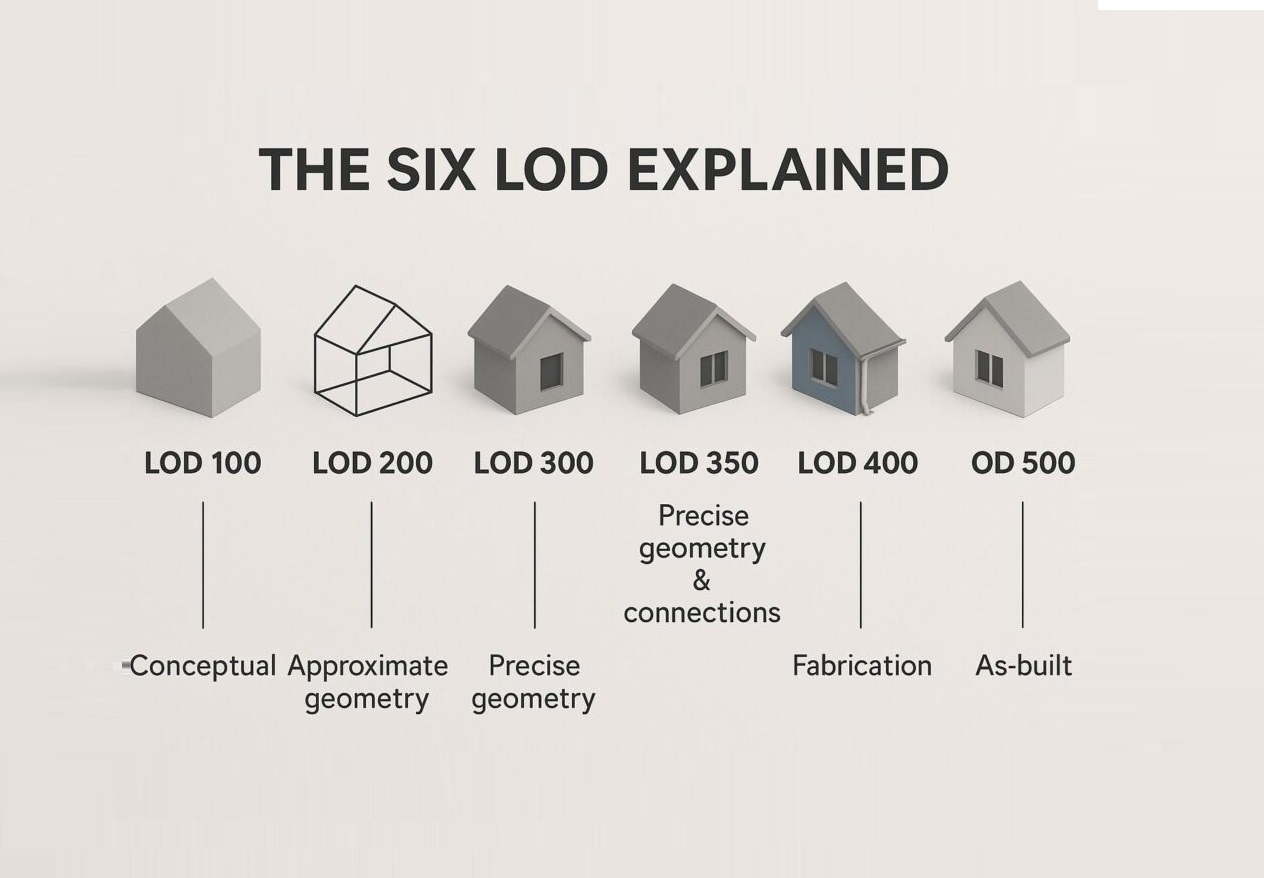
Commonly used LOD levels in BIM include:
- LOD 200 – Approximate geometry for spatial planning and early coordination
- LOD 300 – Accurate geometry representing size, shape, and location
- LOD 400 – Fabrication-level detail suitable for construction and installation
Each BIM Level of Detail supports a different decision-making process and should be selected based on how the model will be used, not on how detailed it can be.
Why Higher BIM Level of Detail Does Not Always Add Value
Increasing BIM Level of Detail without a defined technical purpose often creates unnecessary complexity. Highly detailed BIM models require more time to model, validate, and coordinate, particularly in multidisciplinary environments involving architecture, structure, and MEP systems.
Common issues caused by excessive BIM model detail include:
- Increased modeling effort with limited coordination benefit
- Slower clash detection due to complex geometry
- Higher risk of inconsistencies between disciplines
- Reduced flexibility when design changes occur
According to Autodesk, BIM coordination efficiency depends more on data consistency and model usability than on maximum geometric detail.
BIM Level of Detail Across Project Stages
The appropriate BIM Level of Detail varies throughout the project lifecycle. Applying a uniform LOD across all stages often leads to inefficiencies.
| Project Stage | Typical BIM Level of Detail | Primary Purpose |
| Concept Design | LOD 200 | Spatial planning and feasibility |
| Design Development | LOD 300 | Coordination and layout validation |
| Construction | LOD 400 | Fabrication and installation |
| As-Built Documentation | LOD 300–400 | Record modeling |
Attempting to apply LOD 400 BIM models during early design stages frequently results in rework when layouts, systems, or structural solutions change.
BIM Level of Detail in Scan to BIM Workflows

In Scan to BIM projects, BIM Level of Detail must be aligned with the accuracy of source data. Point cloud data derived from laser scanning typically provides geometric accuracy of ±2 mm, making it suitable for reliable coordination and as-built documentation.
However, converting point cloud data directly into high LOD BIM models is rarely justified unless the output supports fabrication or installation. For most renovation and retrofit projects, LOD 300 BIM models provide sufficient accuracy for clash detection, coordination, and construction documentation.
When Higher BIM Level of Detail Is Justified

Higher BIM Level of Detail adds measurable value only when the model directly supports construction execution. Typical scenarios include:
- MEP prefabrication and installation planning
- Complex structural connections requiring fabrication accuracy
- High-density coordination zones with strict tolerances
- Industrial facilities with constrained spatial conditions
Industry studies referenced by McKinsey indicate that targeted use of higher LOD in critical systems can significantly reduce coordination-related RFIs, while excessive detailing across the entire model increases project overhead.
Common Misconceptions About BIM Level of Detail
Several misconceptions continue to drive inefficient BIM workflows:
- “More BIM detail means higher quality” – Quality depends on coordination logic, not geometry volume
- “One BIM Level of Detail fits the whole project” – Different systems require different LODs
- “Higher LOD reduces risk” – Over-modeling often increases coordination risk
Effective BIM execution strategies define LOD requirements per discipline, system, and project phase.
BIM Level of Detail as a Strategic Decision
BIM Level of Detail should be treated as a strategic project parameter rather than a modeling target. Clear LOD definitions help control scope, align stakeholder expectations, and prevent unnecessary modeling effort.
According to AEC industry research, poorly defined BIM scope and excessive detail contribute significantly to cost overruns and coordination delays in complex construction projects. Aligning BIM Level of Detail with actual project needs is essential for maintaining cost and schedule control.
FAQ
What is BIM Level of Detail (LOD)?
BIM Level of Detail defines how much geometric and informational detail is included in a BIM model at a specific project stage.
Is higher BIM Level of Detail always better?
No. Excessive BIM model detail can increase cost and reduce coordination efficiency without adding value.
What BIM Level of Detail is typical for Scan to BIM?
Most Scan to BIM projects are delivered at LOD 300, with higher detail applied selectively where required.
Can different systems use different BIM LODs in one project?
Yes. Applying variable BIM Level of Detail by system and zone is considered best practice.

