

BIM vs CAD: Key Differences for Construction Projects
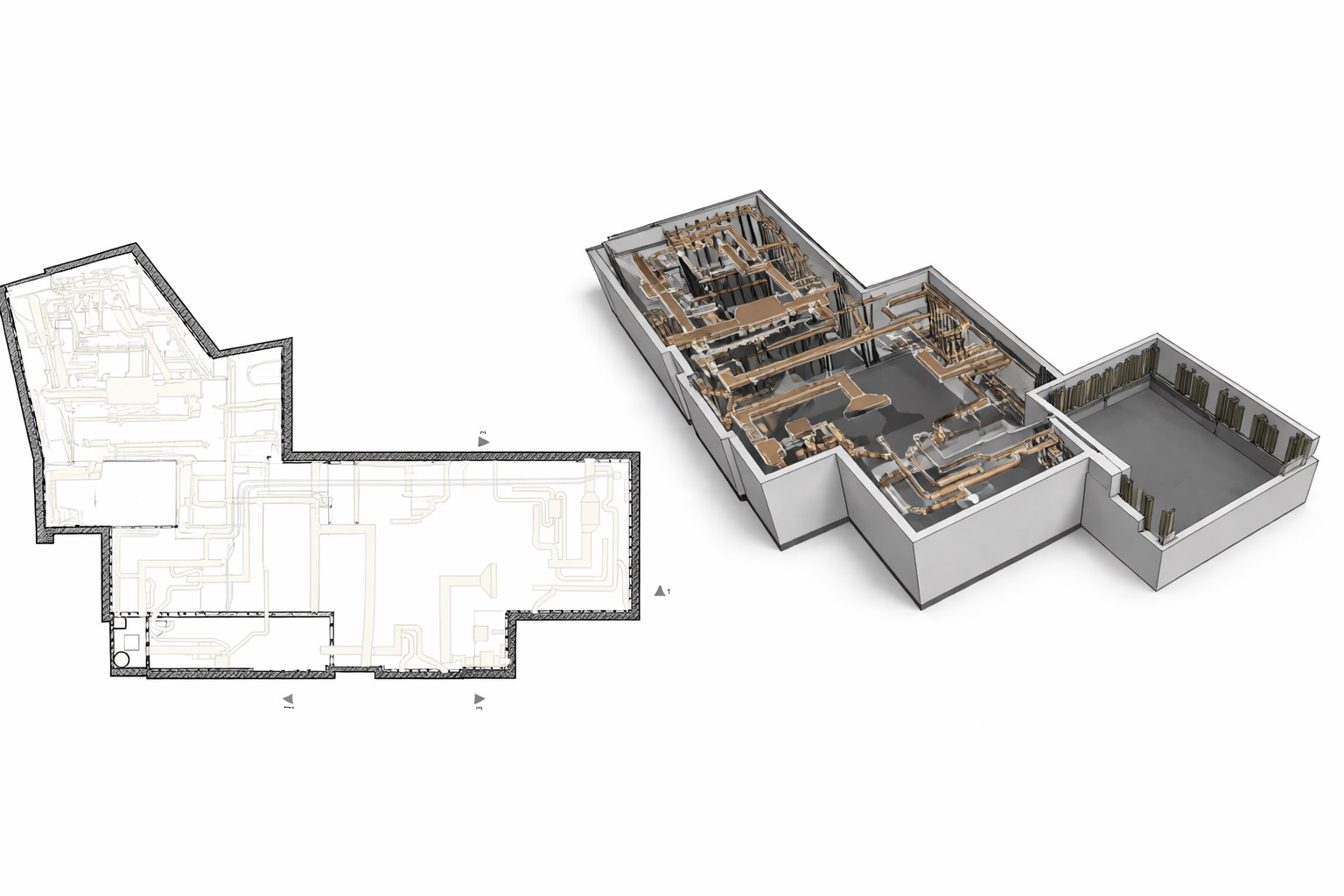

Digital design tools have been part of architecture and construction for decades, yet confusion around BIM vs CAD remains common. Many professionals still use these terms interchangeably, despite the fact that they represent fundamentally different approaches to design, coordination, and project data management. Understanding the difference between BIM and CAD is essential for making technically sound decisions in modern construction projects.
In the AEC industry, this distinction directly affects coordination quality, rework risk, cost predictability, and the reliability of as-built documentation. This article explains what is the difference between BIM and CAD, focusing on construction-specific workflows rather than software branding.
What Is the Difference Between CAD and BIM?
At a basic level, CAD and BIM differ in how project information is structured and used.
CAD (Computer-Aided Design) is primarily a drafting technology. It produces 2D drawings or isolated 3D geometry that visually represents design intent. The information in CAD drawings is largely graphical and must be interpreted by engineers, contractors, and site teams.
BIM (Building Information Modeling) is a data-driven methodology. A BIM model represents building elements as intelligent objects with geometry, parameters, relationships, and metadata. This is the core cad vs bim difference: BIM integrates geometry with structured information.
Key conceptual distinction
- CAD answers: What does it look like?
- BIM answers: What is it, how does it relate, and how will it behave?
BIM vs CAD in Construction Workflows
The bim vs cad workflow differs significantly once a project moves beyond concept design.
In a CAD-based workflow, architectural, structural, and MEP drawings are developed as separate files. Coordination relies on visual comparison, overlays, and manual checks. Errors often appear only during construction.
In a BIM workflow, disciplines work within coordinated models. Clash detection, tolerance checks, and data validation occur before construction begins. According to Autodesk, coordinated BIM processes significantly reduce coordination conflicts compared to traditional CAD-based drafting.
Typical workflow comparison
| Aspect | CAD Drawings | BIM Models |
|---|---|---|
| Data structure | Lines and shapes | Parametric objects |
| Coordination | Manual overlays | Model-based clash detection |
| Change management | Redraw required | Automatic updates |
| Construction use | Interpretation-heavy | Data-driven |
| As-built accuracy | Limited | High with reality capture |
This table highlights the practical difference between cad and bim when projects enter construction and fabrication phases.
CAD Drawings vs BIM Models
CAD drawings and BIM models are often used within the same construction project, but they represent different levels of information maturity and coordination. The distinction becomes especially important during coordination and construction planning.
CAD Drawings
- 2D graphical representation
- lines, hatches, symbols, annotations
- elements have no inherent data relationships
- interpretation depends on the engineer or contractor

BIM Models
- supports coordination, clash detection, and data verification
- object-based 3D representation
- building elements modeled as parametric objects
- geometry combined with structured data (materials, dimensions, systems)
- defined relationships between architectural, structural, and MEP elements
- changes propagate automatically across all views and documentation

Technical Limitations of CAD in Construction

CAD remains useful for detailing and documentation, but it has clear limitations in construction environments:
- No inherent relationship between elements
- No automatic quantity extraction
- Limited support for coordination and sequencing
- High dependency on manual interpretation
Industry studies reported by McKinsey indicate that rework caused by coordination errors can account for up to 30% of construction cost overruns. These risks are amplified in CAD-centric workflows where coordination is reactive rather than proactive.
BIM vs 3D Modeling and CAD Geometry
Another common misconception is equating BIM with 3D modeling. The difference between 3D CAD modeling and BIM lies in intent and usability.
- 3D CAD models focus on shape and appearance
- BIM models focus on constructability and data integration
A 3D CAD model may visually resemble a BIM model, but without object intelligence, relationships, and parameters, it cannot support coordination, scheduling, or lifecycle management. This distinction is central when comparing bim vs 3d modeling in construction projects.
As-Built Documentation: CAD Drawings vs BIM Models
As-built documentation clearly illustrates bim vs cad in construction.
Traditional as-built drawings created in CAD often reflect design intent with post-construction annotations. They rarely capture real-world deviations accurately.
BIM-based as-built models, especially when combined with reality capture and point clouds, represent existing conditions with measurable accuracy, commonly within ±2 mm. According to reports from Dodge Data & Analytics, projects using BIM-based verification show higher confidence in renovation and retrofit planning compared to CAD-only documentation.
Scan to BIM vs Traditional Survey Approaches
Reality capture further emphasizes the difference between BIM and CAD.
| Method | Traditional Survey | Scan to BIM |
|---|---|---|
| Data density | Sample-based | Full geometry |
| Accuracy | Varies | ±2–4 mm |
| Output | CAD drawings | BIM models + CAD |
| Coordination | Limited | High |
Scan to BIM workflows bridge physical conditions and digital models, something traditional CAD drafting cannot achieve reliably.
Common Misconceptions About BIM vs CAD
Several persistent myths distort decision-making:
- BIM is just “3D CAD”
- CAD is sufficient for coordination
- BIM is only useful for large projects
In practice, BIM scales from small renovations to complex industrial facilities, while CAD remains effective mainly for isolated drafting tasks.
Conclusions and Practical Recommendations
The difference between BIM and CAD is not about tools, but about methodology. CAD supports drawing production, while BIM supports decision-making, coordination, and lifecycle management.
For construction projects involving multiple disciplines, tight tolerances, or existing conditions, bim vs cad in construction is not a neutral choice. BIM provides measurable advantages in coordination quality, data reliability, and risk reduction.
FAQ: BIM vs CAD
What is the difference between BIM and CAD?
Is CAD still used in construction?
Can BIM models replace CAD drawings?
What is the difference between CAD drawings and BIM models?
Is BIM necessary for small projects?

How 3D Laser Scanning Supports Construction Claims and Dispute Resolution
24.08.2026
Construction claims and disputes often arise when project participants disagree about what was actually built, when specific work was completed, whether installed elements match the ...

Point Cloud Cleaning Explained: How Scan Data Is Prepared for CAD and BIM
19.08.2026
3D laser scanning can capture millions or even billions of measurement points across an existing building, industrial facility, or construction site. However, the raw dataset ...

What Is an IFC Model and How Is It Used in BIM?
14.08.2026
Building Information Modeling projects often involve architects, structural engineers, MEP specialists, contractors, and building owners working with different software platforms. Exchanging information between these systems ...

How Existing Building Documentation Is Created Using 3D Laser Scanning
23.07.2026
From Reality Capture to Accurate CAD Drawings and BIM Models Accurate Existing Building Documentation is the foundation of every successful renovation, modernization and adaptive reuse ...

