

How Point Cloud Registration Works
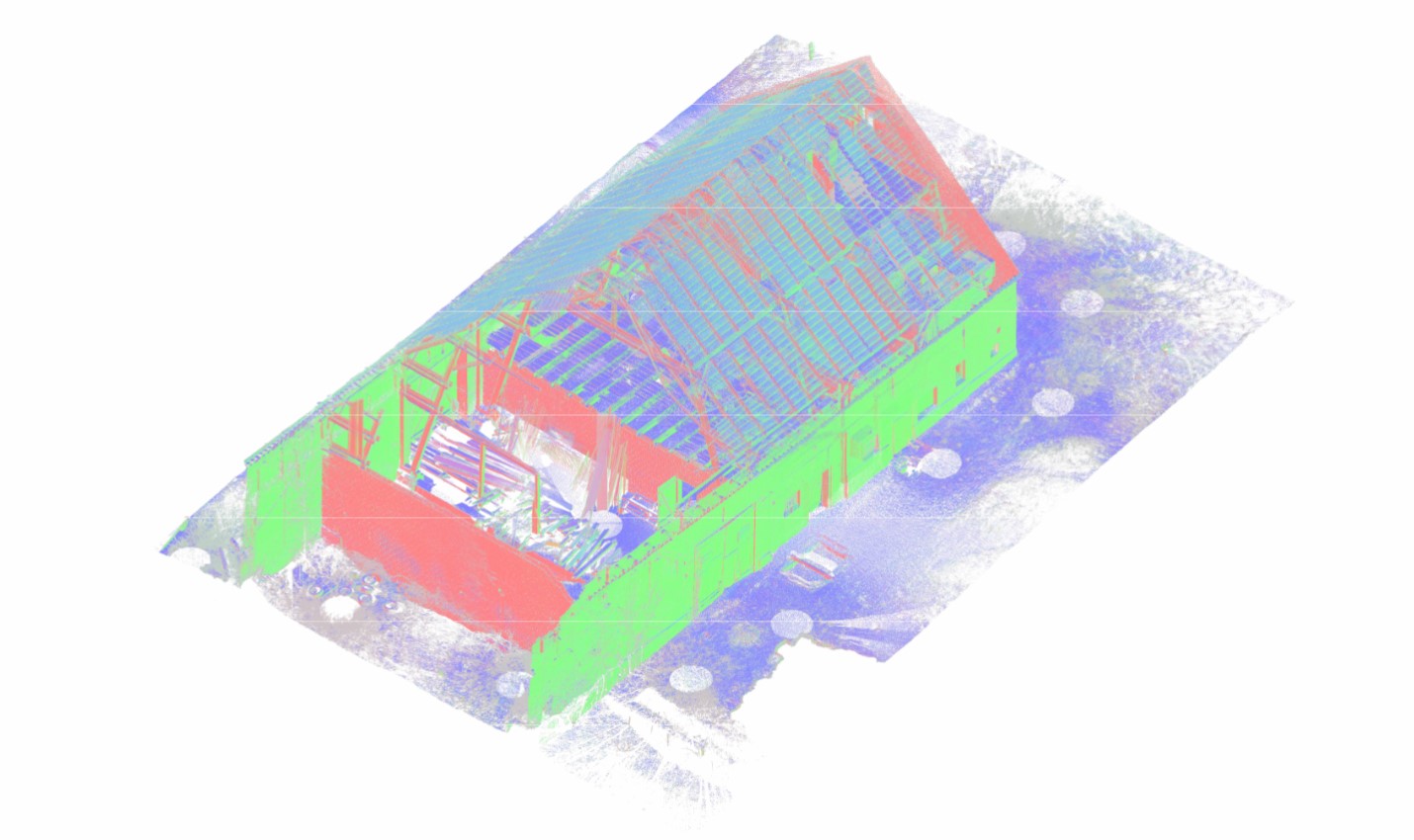

Understanding how point cloud registration works is fundamental for any professional involved in 3D laser scanning, Scan-to-BIM, renovation design, or digital construction workflows. Without accurate point cloud registration, even the most precise laser scans cannot form a reliable spatial dataset.
This article explains the point cloud registration process, alignment methods, accuracy control, and common sources of registration error in point clouds — from an engineering perspective.
What Is Point Cloud Registration?
Point cloud registration is the process of aligning multiple 3D scans into a single, unified coordinate system. During laser scanning, each scanner position captures a partial representation of the environment. These scans must be combined through 3D point cloud registration to create a coherent spatial model.
In simple terms:
Laser scanning produces multiple datasets → registration aligns them → alignment creates a unified digital reality.
This process is also referred to as:
- Point cloud alignment
- Laser scan registration
- Registration of laser scans
- Multi-scan alignment
Without proper registration, the dataset will contain misalignment of scans, distortions, and spatial inconsistencies.
Why Registration Is Required
Each laser scan has its own local coordinate system. When scanning a building, industrial facility, or infrastructure asset, dozens — sometimes hundreds — of scans are captured.
Registration is required to:
- Combine scans into a single reference system
- Eliminate scan drift
- Control misalignment of scans
- Enable accurate measurements
- Support Scan-to-BIM workflows
- Achieve reliable scan-to-BIM registration accuracy
If the overlap between scans is insufficient or poorly controlled, alignment errors accumulate, leading to global distortion.
Overview of the Point Cloud Registration Process
The point cloud registration process typically includes:
- Pre-planning scan positions
- Ensuring sufficient scan overlap
- Selecting registration method
- Performing scan registration workflow
- Residual error analysis
- Accuracy validation
Below is a simplified overview.
Typical Scan Registration Workflow
| Step | Description | Risk if Ignored |
| Scan Planning | Define scan positions and overlap between scans | Poor alignment stability |
| Data Capture | Place targets or ensure geometric references | Weak registration control |
| Initial Registration | Local alignment of scans | Local misalignment |
| Global Registration | Network optimization | Scan drift |
| Residual Error Analysis | Check registration error in point clouds | Undetected distortions |
| Final Validation | Accuracy verification | BIM modeling inaccuracies |
Proper execution of this workflow directly impacts registration accuracy.
Types of Point Cloud Registration
There are three primary point cloud alignment methods used in practice:
1. Target-Based Registration

Also known as target-based registration, this method uses physical markers placed in the scanned environment.
These include:
- Spheres
- Checkerboard targets
- Survey control points
- Reference targets for laser scanning
The software identifies control points for scan registration and calculates transformation matrices.
Advantages:
- High geometric stability
- Suitable for large projects
- Controlled error distribution
Risks:
- Requires physical placement
- Time-consuming setup
- Sensitive to incorrect target measurement
This method minimizes registration error in point clouds when properly executed.
2. Cloud-to-Cloud Registration

Cloud-to-cloud registration aligns scans based on overlapping geometry without physical targets.
It relies on algorithms such as:
- ICP algorithm point cloud registration (Iterative Closest Point)
The algorithm iteratively minimizes distance between overlapping scan areas.
Requirements:
- Strong overlap between scans
- Stable geometric features
- Good surface texture
Risks:
- Increased scan alignment errors
- Higher probability of scan drift
- Sensitivity to repetitive geometry
Cloud-to-cloud registration is efficient but requires careful validation.
3. Hybrid Registration
Hybrid methods combine:
- Target-based registration
- Cloud-to-cloud refinement
This approach balances stability and automation and is widely used in complex Scan-to-BIM workflows.
Global Registration vs Local Registration
Understanding global registration vs local registration is critical.
| Type | Description | Engineering Risk |
| Local Registration | Aligns neighboring scans | Accumulated drift |
| Global Registration | Optimizes entire network simultaneously | Requires strong reference structure |
If only local alignment is used, scan drift can accumulate across large projects.
Global registration distributes residual error evenly across the dataset.
Registration Accuracy and Error Control
Registration accuracy determines whether the dataset is suitable for:
- Engineering documentation
- Structural analysis
- MEP coordination
- Fabrication-level modeling
Key metrics include:
- RMS error
- Residual error analysis
- Target deviation
- Cloud deviation heatmaps
Common Sources of Registration Error
- Insufficient scan overlap
- Weak geometry
- Improper control points
- Excessive scan distance
- Dynamic objects during scanning
These issues cause:
- Scan alignment errors
- Misalignment of scans
- Distortion across long corridors
- Vertical deviation in multi-story buildings
Registration Methods Comparison
| Criteria | Target-Based | Cloud-to-Cloud | Hybrid |
| Setup Time | Higher | Lower | Moderate |
| Accuracy Stability | High | Medium | High |
| Control Points | Required | Not required | Partial |
| Scan Drift Risk | Low | Higher | Low |
| Suitable for Large Projects | Yes | Risky | Yes |
Registration in Scan-to-BIM Workflows
In Scan-to-BIM projects, the registration of laser scans directly affects modeling precision.
Poor registration leads to:
- Inaccurate wall thickness
- Misaligned MEP systems
- Slab elevation errors
- Incorrect structural geometry
Therefore, scan-to-BIM registration accuracy must meet project tolerance requirements (e.g., 3–5 mm for architectural modeling).
A well-executed multi-scan alignment ensures:
- Reliable geometry extraction
- Clash-free coordination
- Dimensional trustworthiness
Common Registration Mistakes
Engineering teams frequently underestimate:
- Importance of scan overlap
- Need for residual error analysis
- Control of scan drift
- Validation of global registration
Ignoring these factors leads to hidden geometric distortion that becomes visible only during BIM modeling.
Final Engineering Perspective
Understanding how point cloud registration works is not just a software issue — it is a geometric control process.
Accurate 3D point cloud registration requires:
- Proper planning
- Controlled overlap between scans
- Selection of appropriate point cloud alignment methods
- Verification of registration accuracy
- Technical error analysis
Without disciplined execution, even high-resolution laser scans cannot deliver reliable engineering results.
FAQ– Point Cloud Registration
What is point cloud registration?
How does cloud-to-cloud registration work?
What is the difference between target-based and cloud-to-cloud registration?
What causes registration errors in point clouds?
Why is registration accuracy important in Scan-to-BIM?

How 3D Laser Scanning Supports Construction Claims and Dispute Resolution
24.08.2026
Construction claims and disputes often arise when project participants disagree about what was actually built, when specific work was completed, whether installed elements match the ...

Point Cloud Cleaning Explained: How Scan Data Is Prepared for CAD and BIM
19.08.2026
3D laser scanning can capture millions or even billions of measurement points across an existing building, industrial facility, or construction site. However, the raw dataset ...

How Existing Building Documentation Is Created Using 3D Laser Scanning
23.07.2026
From Reality Capture to Accurate CAD Drawings and BIM Models Accurate Existing Building Documentation is the foundation of every successful renovation, modernization and adaptive reuse ...

Revit Modeling from Point Cloud: What Should Be Modeled and What Shouldn’t
18.06.2026
Why Revit Modeling from Point Cloud Needs a Clear Scope One of the most common misconceptions in Point Cloud to BIM projects is the belief ...

