

Scan to Revit Services for Point Cloud, LiDAR, and Laser Scan Workflows
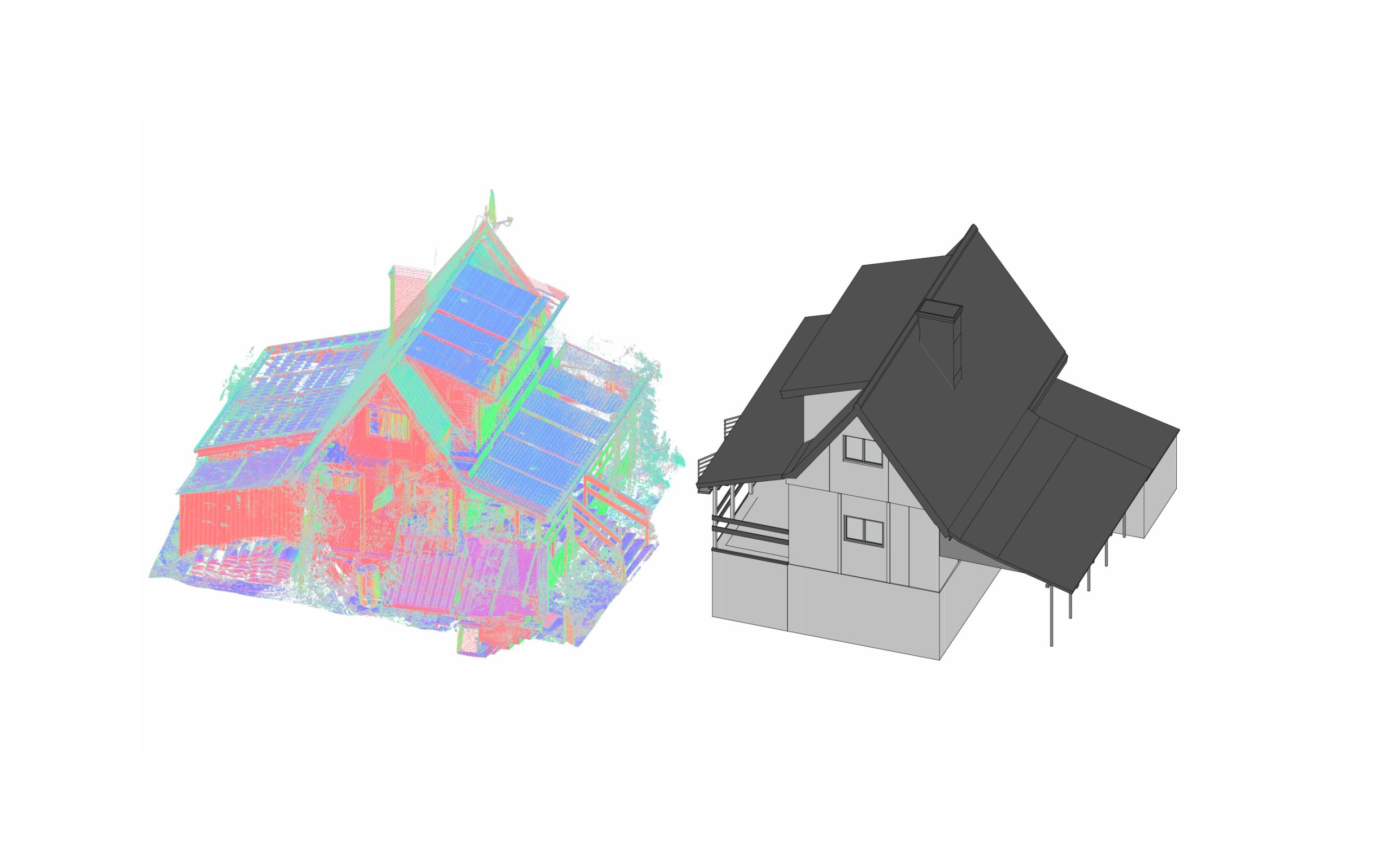
Scan to Revit is a practical workflow used to convert reality capture data into structured Revit models for architecture, engineering, renovation, and as-built documentation. When project teams need dependable digital building information based on real site conditions, Revit becomes one of the most effective environments for turning point clouds, laser scans, and LiDAR data into usable project deliverables.
At ScanM2, we provide scan to bim revit services for projects that require accurate geometry, coordinated building information, and model-ready data for design, documentation, and construction planning. Depending on the scope, this may include 3d laser scan to revit, lidar to revit and structured revit point cloud modeling for existing buildings and technically complex spaces.
Contact Us Now for a Free Consultation!
For clients working with renovation, retrofit, adaptive reuse, and existing-condition documentation, the main value of scan to revit lies in reducing assumptions. Instead of modeling from incomplete drawings or manual measurements, teams can build directly from reality-capture data and create Revit models that reflect the actual state of the building.
What Is Scan to Revit
Scan to Revit is the process of converting point cloud data or other reality-capture datasets into a structured Revit model. In practice, this means using laser scanning, LiDAR, Matterport, or similar capture methods to collect site geometry and then translating that information into walls, floors, ceilings, roofs, openings, structural elements, and MEP systems inside Autodesk Revit.
This workflow is often part of a broader revit scan to bim process, where the final output is not just a 3D representation, but a BIM-ready model that supports documentation, coordination, design development, and downstream project decisions.
Depending on project needs, scan data may come from:
- terrestrial laser scanning,
- mobile LiDAR capture,
- Matterport-based point cloud export,
- FARO or similar scanning systems,
- combined survey and reality-capture workflows.
That is why scan to bim revit is especially useful for teams that need a reliable bridge between field capture and digital building modeling.
Why Scan to Revit Matters in Real Projects
Projects involving existing buildings rarely start from perfect documentation. Drawings may be outdated, incomplete, or inconsistent with what is actually built. In these cases, laser scan to revit and lidar scan to revit workflows make it possible to create a trustworthy digital model from measured reality rather than assumption.
This is especially important in:
- renovation projects,
- adaptive reuse,
- tenant fit-out,
- industrial facility upgrades,
- heritage and restoration work,
- documentation of existing buildings,
- MEP coordination in built environments.
Instead of spending time resolving mismatches between archived drawings and actual site conditions, project teams can use point cloud to bim revit workflows to develop models from reliable spatial data. This reduces rework, improves coordination, and creates a stronger base for documentation and planning.
What Input Data Can Be Used for Scan to Revit

A scan to revit workflow may start from several types of input data depending on project conditions and the technology used on site.
Laser Scan to Revit
This is one of the most common workflows for existing buildings. Dense laser scan data provides precise spatial information that can be used for modeling walls, slabs, beams, facades, ceilings, and visible service zones.
LiDAR to Revit
Lidar to revit is often used when the project requires broader capture coverage, outdoor mapping, large facilities, or fast capture workflows. Depending on the quality and density of the dataset, LiDAR can support both architectural and technical modeling in Revit.
Matterport Point Cloud to Revit
For some interiors and commercial spaces, matterport point cloud to revit can be a practical workflow, especially when teams need a quick route from captured interiors to a structured Revit model. The final result still depends heavily on processing quality and modeling standards.
Point Cloud to 3D Model Revit
In many projects, teams need not only a raw point cloud reference, but a complete point cloud to 3d model revit workflow where the scan data is translated into a coordinated digital building model.
Contact Us Now for a Free Consultation!
What We Deliver in a Scan to Revit Workflow

The output of scan to revit services depends on project scope, building type, and intended use of the model. At ScanM2, we adapt the workflow to project goals rather than forcing every dataset into the same template.
Typical deliverables may include:
- Revit models of existing buildings,
- architectural as-built models,
- structural Revit models,
- MEP-ready model environments,
- documentation sheets extracted from the model,
- floor plans, sections, and elevations,
- model updates based on new scan data,
- BIM-ready deliverables for design and coordination teams.
In projects requiring broader BIM production, this workflow often connects directly with Revit BIM Modeling Services and Architectural BIM modeling, especially when the model needs to support more than one project phase.
Scan to BIM Revit for Architecture, Structure, and MEP

Revit scan to bim workflows are especially valuable because they support multiple disciplines within the same project environment.
For architecture, scan-derived Revit models can be used for:
- existing-condition floor plans,
- facade and section development,
- renovation planning,
- fit-out and layout design,
- heritage documentation.
For structure, scan to Revit can support:
- column and beam modeling,
- slab geometry,
- structural verification,
- retrofit planning.
For building systems, the workflow often overlaps with MEP BIM Modeling in Revit, especially when existing duct routes, plant rooms, risers, or service zones must be coordinated within a live or already-built environment.
This is one of the main reasons why point cloud modeling in revit is increasingly used in technically demanding renovation and coordination projects.
Typical Scan to Revit Scenarios
The practical use of scan to revit varies from project to project, but some scenarios are especially common.
Existing Building Documentation
When a building must be documented accurately before design starts, scan to bim revit creates a reliable model base for architects, engineers, and consultants.
Renovation and Adaptive Reuse
For buildings being upgraded, repurposed, or modernized, 3d scan to revit helps teams understand actual site conditions and develop coordinated design information from measured data.
MEP Retrofit and Coordination
In buildings where technical systems need to be upgraded, revit point cloud modeling supports service coordination and helps identify constraints before installation work begins.
Survey-to-Model Conversion
For teams that already have point cloud data but need a structured model, point cloud to bim revit and point cloud to 3d model revit workflows provide the conversion layer needed for documentation and BIM delivery.
Comparative Table: Raw Scan Data vs Scan to Revit Deliverables
| Project stage | Raw scan / point cloud | Scan to Revit deliverable |
|---|---|---|
| Existing conditions review | Visual geometry reference | Structured model of real conditions |
| Documentation | Requires interpretation from scan | Plans, sections, elevations, model outputs |
| Renovation planning | Useful as reference only | Model-ready basis for design decisions |
| BIM coordination | Limited without modeling | Coordinated Revit model environment |
| Team collaboration | Harder for non-scan specialists | Easier to use across design disciplines |
| Project updates | Raw data remains difficult to manage | Model can be revised and extended |
This is why many teams do not stop at scan capture alone. They need scan to revit because raw data becomes significantly more useful once it is translated into a structured digital building model.
How Scan to Revit Works in Practice

A successful scan to revit workflow is not just a matter of importing a point cloud into software. The process requires interpretation, modeling discipline, and a clear understanding of how the final Revit model will be used.
A typical workflow includes:
- review of scan data and project requirements,
- data registration and quality assessment,
- setup of the Revit modeling strategy,
- element-by-element modeling based on point cloud input,
- coordination checks and model refinement,
- documentation or BIM output preparation,
- final handover and revisions if required.
In projects where point cloud interpretation must align with broader BIM use, this can also connect with Revit Drafting Services for documentation-heavy scopes.
Why Companies Outsource Scan to Revit Work
Many firms capture reality data in-house but do not want to build a full internal team for model conversion. In these cases, outsourcing scan to revit work becomes a practical solution.
Clients often outsource this workflow when:
- internal teams are overloaded,
- deadlines are tight,
- projects require specialist scan interpretation,
- existing-building modeling is not part of daily internal production,
- the company needs consistent output without expanding permanent staff.
This is especially true for projects involving lidar revit, laser scan to revit, and technically demanding building documentation workflows.
Why ScanM2
ScanM2 works with reality-capture-based digital documentation, point cloud conversion, BIM production, and model development for architecture, engineering, and existing buildings. We understand that scan to revit is not just about tracing geometry — it is about creating a usable model that supports real project decisions.
Our approach focuses on:
- accurate interpretation of scan data,
- structured Revit model development,
- practical deliverables for documentation and design,
- support for architecture, structure, and MEP workflows,
- flexible collaboration for scan-based BIM production.
Whether the project starts from laser scan data, LiDAR capture, Matterport export, or a broader scan to bim revit requirement, our goal is to deliver models that are coordinated, usable, and aligned with project purpose.
FAQ
What is scan to Revit?
Scan to Revit is the process of converting point cloud or other reality-capture data into a structured Revit model for design, documentation, and BIM workflows.
What is the difference between scan to Revit and scan to BIM Revit?
Scan to Revit focuses on converting scan data into Revit models, while scan to BIM Revit usually implies a broader BIM workflow involving structured model use, coordination, and project delivery.
Can LiDAR data be converted into Revit?
Yes. Lidar to revit workflows can be used to create Revit models from LiDAR-based datasets, depending on data quality and project goals.
Can Matterport point cloud be used in Revit?
Yes. Matterport point cloud to revit workflows are possible when the exported dataset is suitable for modeling and the project requires structured Revit outputs.
Is scan to Revit useful for renovation projects?
Yes. It is especially useful in renovation, retrofit, and adaptive reuse projects where teams need accurate information about existing conditions.
Can scan to Revit support MEP coordination?
Yes. In existing buildings, scan-based Revit models can support system coordination and often connect with MEP BIM Modeling in Revit workflows.

