

How As-Built Drawings Are Created: Step-by-Step Process
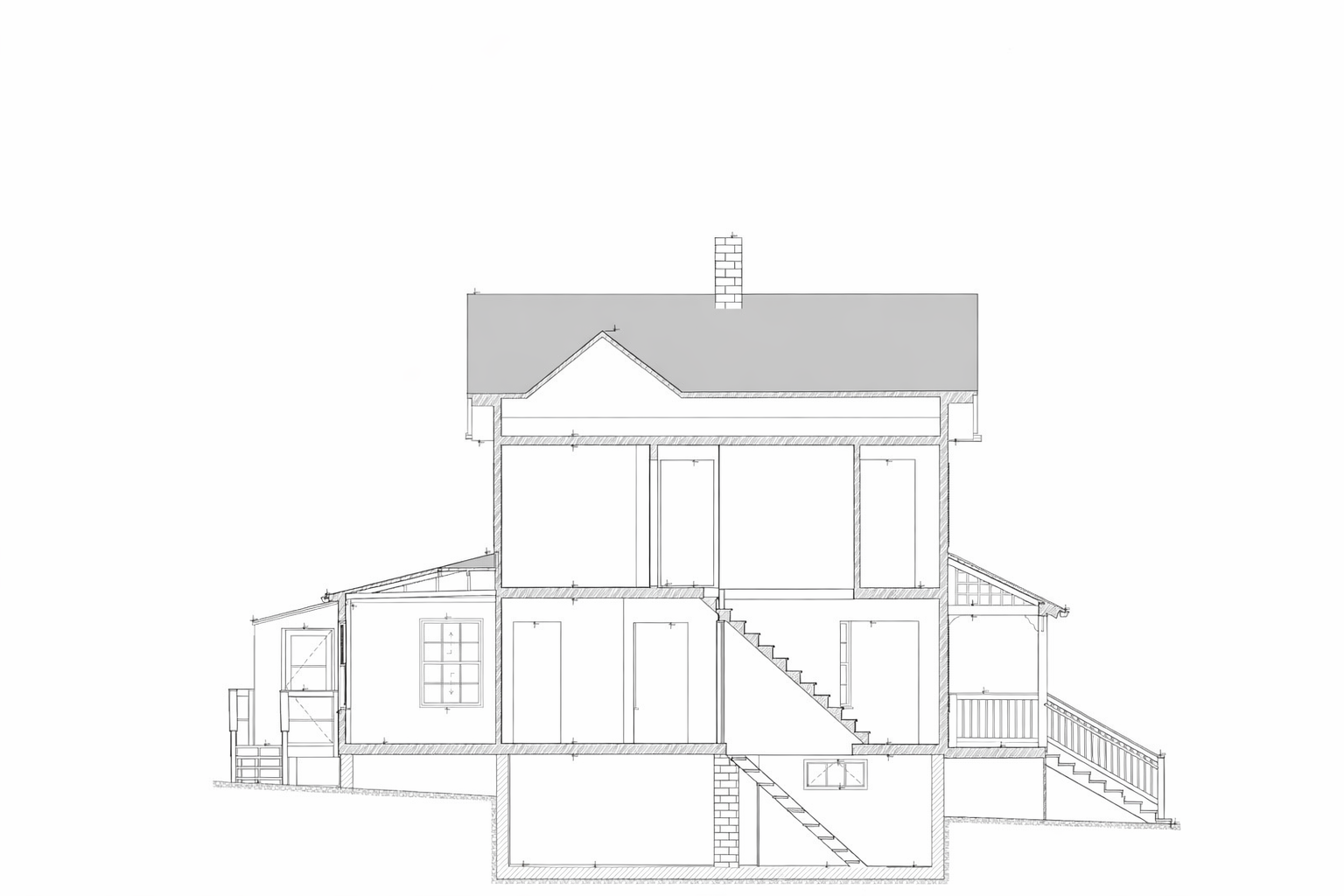

Accurate as-built documentation plays a critical role in architecture, engineering, and construction (AEC) projects. As-built drawings represent the actual conditions of a facility after construction, reflecting all deviations from the original design. Understanding how as-built drawings are created is essential for renovation planning, facility management, BIM coordination, and compliance.
The as built drawings process combines field data collection, technical verification, and digital modeling. Depending on project complexity, this workflow may rely on traditional survey methods, modern laser scanning, or a hybrid approach.
What Are As-Built Drawings?
As-built drawings are technical documents that record the final constructed state of a building or infrastructure asset. Unlike design drawings, they incorporate:
- Construction changes
- Field modifications
- Installation tolerances
- Relocated systems and elements
In practice, the as built documentation process serves as a reliable reference for future renovations, retrofits, and digital transformation workflows such as CAD to BIM conversion
Step 1: Collecting Field Data for As-Built Drawings
The first stage of the as built drawings workflow is as-built data collection. The goal is to capture physical geometry and system layouts as they exist on site.
Common data collection methods include:
- Manual measurements using tape, total stations, or GNSS
- Marked-up construction drawings
- Photographic documentation
- Laser scanning for high-density spatial data
Traditional methods are often sufficient for small or low-complexity spaces. However, they are prone to cumulative errors, especially in mechanical rooms or congested environments.
Step 2: Verifying Existing Design Documentation
Before producing drawings, teams perform as-built field verification against available design documentation. This step identifies discrepancies between:
- Issued-for-construction drawings
- Shop drawings
- Actual installed conditions
Verification ensures that outdated or incorrect references do not propagate errors into the final as-built documentation procedure.
Industry studies show that undocumented field changes account for a significant portion of coordination issues during renovations, highlighting the importance of early verification.
Step 3: Reality Capture and Laser Scanning (If Required)
For complex facilities or renovation projects, as-built drawings from laser scanning provide a higher level of reliability.
Laser scanners capture millions of spatial points, forming a point cloud that represents the true geometry of the environment. This approach supports:
- Millimeter-level accuracy (often ±2 mm)
- Full spatial coverage
- Objective, repeatable measurements
According to Autodesk research, reality capture workflows significantly reduce rework caused by dimensional uncertainty. Laser scanning is especially effective for MEP coordination, heritage buildings, and retrofit projects.
Step 4: Creating As-Built Drawings in CAD or BIM
Once verified data is available, the next phase is the as built drawings CAD process or BIM modeling.
CAD-Based Workflow
- Produces 2D drawings (DWG)
- Faster for simple layouts
- Limited spatial intelligence
BIM-Based Workflow
- Produces coordinated 3D models (RVT / IFC)
- Supports clash detection and system relationships
- Enables long-term asset management
The as built drawings BIM workflow is typically implemented using professional BIM modeling services or dedicated 3D modeling workflow.
The as built drawings BIM workflow typically defines an appropriate Level of Development (LOD 200–400), depending on project goals.
CAD vs BIM in As-Built Documentation
| Criteria | CAD-Based As-Built | BIM-Based As-Built |
| Geometry | 2D representation | 3D parametric objects |
| Coordination | Limited | Integrated clash detection |
| Data richness | Minimal metadata | Asset-level information |
| Typical LOD | Not defined | LOD 200–400 |
Step 5: Quality Control and Accuracy Checks
Quality control is a critical step in the as built documentation process. Validation may include:
- Spot checks against point clouds
- Dimensional tolerances verification
- Cross-discipline coordination reviews
According to McKinsey, rigorous QA processes can reduce downstream construction and renovation risks by up to 30%, particularly in data-driven projects.
Step 6: Final As-Built Documentation Delivery
The final stage involves delivering structured and usable documentation, typically including:
- DWG or RVT files
- IFC models for interoperability
- PDF drawing sets
- Accuracy and scope notes
Clear documentation ensures that stakeholders understand what was captured, how it was modeled, and to what tolerance.
In renovation and retrofit projects, as-built drawings are typically prepared as part of a structured as-built documentation service, where field verification, accuracy control, and coordinated deliverables are defined upfront.
Example of an As-Built Drawing Set for an Existing Residential Building
As-Built Drawing Process Real Project Examples


Common Challenges in the As-Built Drawing Process
Despite standardized workflows, teams often face recurring challenges:
- Missing or outdated reference drawings
- Limited site access during data capture
- Over-modeling beyond required LOD
- Misalignment between survey intent and deliverables
Understanding these risks helps teams choose the right methodology early.
Why Laser Scanning Improves the As-Built Workflow
Laser scanning enhances the as built drawings workflow by replacing assumptions with measured reality. Compared to traditional surveys:
- Data capture is faster and more comprehensive
- Human error is minimized
- Complex geometry is accurately recorded
Dodge Data & Analytics reports that projects using reality capture experience fewer change orders related to existing conditions.
Key Takeaways
- The as built drawings process is a structured technical workflow, not a single task
- Accuracy depends on data collection and verification methods
- Laser scanning enables higher confidence and coordination
- CAD and BIM workflows serve different project needs
Selecting the right approach depends on project complexity, required accuracy, and downstream use cases.
FAQ
How long does it take to create as-built drawings?
Timelines vary from days to several weeks, depending on building size, data capture method, and modeling scope.
Can as-built drawings be created without original plans?
Yes. Reality capture and field surveys allow teams to generate as-built documentation even when design drawings are missing or unreliable.
What accuracy is required for as-built drawings?
Example of an As-Built Drawing Set for an Existing Residential BuildingAccuracy requirements depend on use case, but many projects target ±2 mm for architectural and MEP coordination
ю
Read more:

