

When a Point Cloud Should Become CAD and When It Should Become BIM
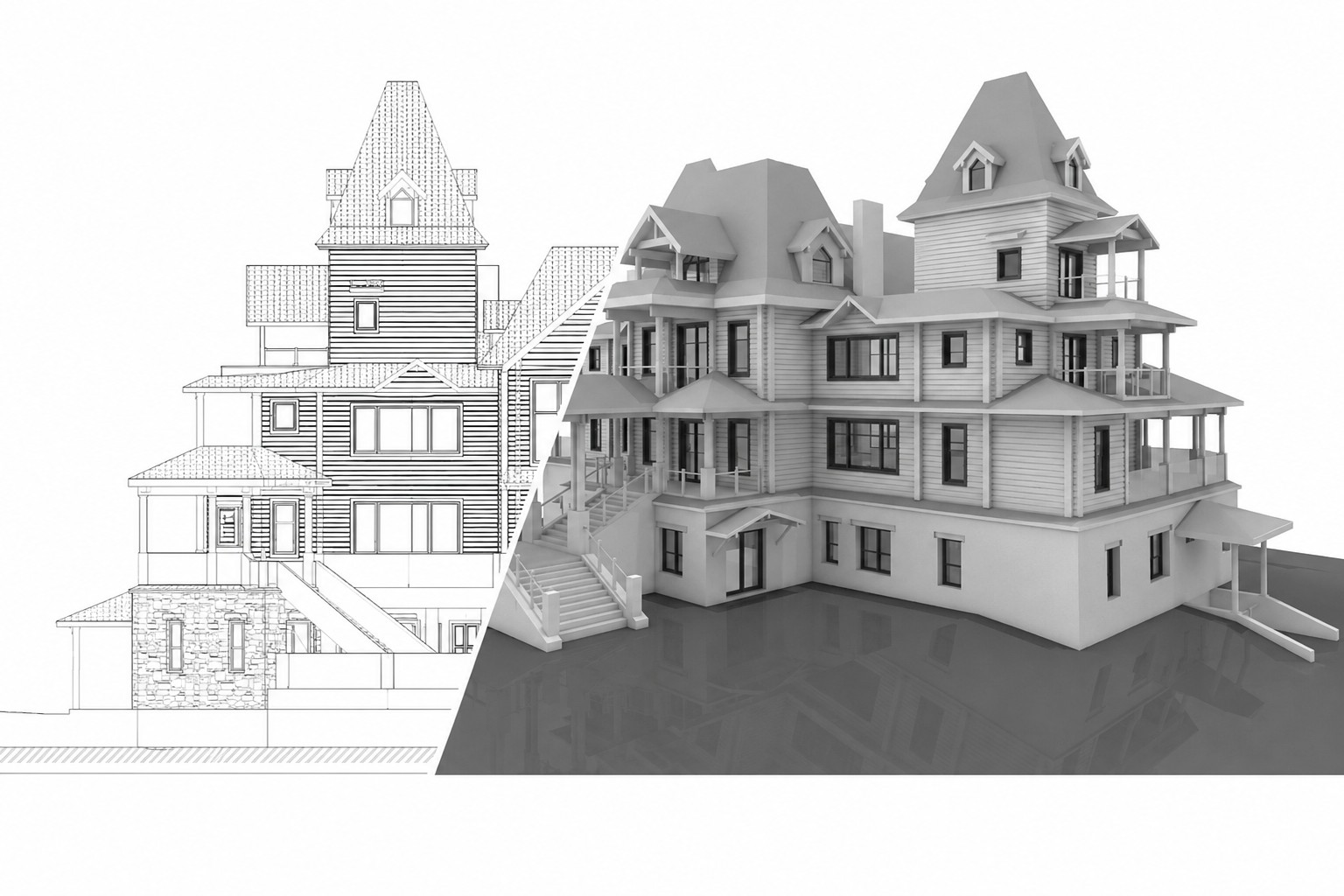

Laser scanning technology allows project teams to capture highly accurate information about existing buildings. After scanning is completed, the result is typically a point cloud — a dense digital dataset that represents the geometry of the property.
However, in most projects the point cloud itself is not the final deliverable. Architects, engineers, contractors, and owners usually require drawings or models that can be used directly in design, coordination, and construction workflows.
This is why many projects that begin with 3D laser scanning services eventually move toward either CAD documentation or BIM modeling. The right workflow depends on the project scope, intended use, budget, and level of detail required for further work.
Why Point Cloud Data Needs to Be Converted
A point cloud contains extremely detailed spatial information, but raw scan data alone is not always practical for everyday project workflows. While specialists can analyze geometry directly inside point cloud software, most teams still rely on structured drawings or digital models for coordination and design.
The conversion process transforms measured geometry into usable project documentation. Depending on project goals, the same point cloud may become:
- 2D CAD drawings
- a BIM model
- or both
The decision is not about which technology is “better” overall. It is about selecting the workflow that matches the actual needs of the project.
When Point Cloud Should Become CAD Drawings

In many renovation and existing building projects, 2D documentation is the most practical and efficient deliverable. If the project primarily requires plans, sections, elevations, or permit documentation, CAD drawings are often sufficient.
This approach is commonly used for:
- renovation planning
- existing conditions documentation
- permit and tender drawings
- architectural surveys
- retrofit projects
In workflows such as point cloud to CAD services, specialists use the registered point cloud as a reference for tracing geometry and producing technical drawings.
Typical CAD deliverables include:
- floor plans
- sections
- elevations
- reflected ceiling plans
- façade drawings
Compared with BIM modeling, CAD production is usually faster and more cost-effective when only 2D documentation is required.
When Point Cloud Should Become a BIM Model

Some projects require more than static drawings. When multiple disciplines need to coordinate within the same environment, a BIM workflow often becomes the better solution.
A BIM model allows the project team to work with a structured digital representation of the building rather than separate drawings. This is especially useful for:
- multidisciplinary coordination
- clash detection
- complex renovation design
- MEP coordination
- long-term asset management
This is where workflows such as Scan to BIM services and BIM modeling services become relevant.
Unlike traditional CAD drawings, a BIM model can contain intelligent building elements, metadata, and relationships between systems and components. This provides much greater flexibility for future project stages.
CAD vs BIM from Point Cloud: Key Differences

| Criteria | CAD from Point Cloud | BIM from Point Cloud |
|---|---|---|
| Main output | 2D drawings | 3D model |
| Best for | Documentation and planning | Coordination and design workflows |
| Typical formats | DWG, PDF | RVT, IFC |
| Detail level | Depends on drawing scope | Depends on LOD/modeling scope |
| Cost | Usually lower | Usually higher |
| Production time | Faster | Longer |
| Future use | Limited compared with BIM | Strong for updates and coordination |
Both workflows begin with the same measured data, but the final outputs serve different project goals.
How Project Goals Define the Right Workflow
The most important factor is not the scan itself, but how the documentation will be used after production.
If the project team only needs accurate floor plans and elevations for architectural work, CAD documentation may be enough. On the other hand, projects involving structural, architectural, and MEP coordination often benefit from BIM modeling.
In some cases, both workflows may be required. A project may begin with CAD drawings for approvals and continue with BIM modeling for coordination and execution.
The correct decision depends on:
- project complexity
- future project stages
- coordination requirements
- expected level of detail
- available budget and timeline
When You May Need Both CAD and BIM
Many existing building projects combine both approaches. CAD drawings may be used for permits, surveys, and quick documentation, while BIM models support coordination and future design development.
For example:
- architects may require floor plans and sections;
- engineers may need a BIM environment for coordination;
- contractors may use both during construction planning.
In these cases, the workflow may include both as-built drawings services and BIM modeling based on the same point cloud dataset.
This combined approach is common in large renovation and retrofit projects where different stakeholders require different types of deliverables.
Common Mistakes When Choosing Between CAD and BIM
One of the most common problems is selecting a workflow that does not match the actual project needs.
Typical mistakes include:
- ordering BIM when simple 2D drawings would be sufficient;
- choosing CAD when the project requires multidisciplinary coordination;
- not defining the required level of detail;
- ignoring how the documentation will be used later;
- treating the point cloud itself as the final deliverable.
A clear understanding of project goals early in the process helps avoid unnecessary costs and production delays.
Practical Decision Table
| Project Need | Better Choice |
|---|---|
| Basic renovation planning | CAD |
| Floor plans and elevations | CAD |
| Permit or tender drawings | CAD |
| Multidisciplinary coordination | BIM |
| Clash detection | BIM |
| Long-term facility management | BIM |
| Complex renovation project | CAD + BIM |
| Existing building documentation | CAD or BIM depending on scope |
Conclusion
A point cloud is only the starting point of the documentation workflow. The real value comes from converting scan data into deliverables that support design, coordination, and construction.
CAD documentation works best when projects require clear and efficient 2D drawings. BIM modeling becomes more valuable when coordination, digital workflows, and long-term project use are involved.
Choosing the right workflow helps reduce unnecessary production costs, improve project coordination, and create documentation that matches the actual needs of the building and the project team.
FAQ
What is the difference between point cloud to CAD and point cloud to BIM?
When should point cloud data be converted into CAD drawings?
When is BIM better than CAD for existing buildings?
Can one point cloud be used for both CAD and BIM?
Is BIM always better than CAD?

ScanM2 at INTERGEO 2026 in Munich – Meet Us at the World’s Leading Geospatial Technology Exhibition
10.07.2026
This September, ScanM2 will participate as an exhibitor at INTERGEO 2026, the world’s leading trade fair for geodesy, surveying, laser scanning, mapping, BIM, GIS, and ...

Digital Twin vs BIM: What’s the Difference?
30.06.2026
Why Are BIM and Digital Twins Often Confused? The terms Building Information Modeling (BIM) and Digital Twin are frequently used interchangeably. Both involve digital representations ...

Laser Scanning During Live Data Center Operations: How to Capture Reality Without Downtime
25.06.2026
Why Data Centers Cannot Afford Downtime Modern data centers operate as mission-critical facilities where downtime is not an option. Cloud platforms, enterprise systems, AI infrastructure, ...

Revit Modeling from Point Cloud: What Should Be Modeled and What Shouldn’t
18.06.2026
Why Revit Modeling from Point Cloud Needs a Clear Scope One of the most common misconceptions in Point Cloud to BIM projects is the belief ...

