
Point Cloud to CAD: How Laser Scan Data Becomes Technical Drawings

Laser scanning technology has changed the way existing buildings are documented for renovation, reconstruction, and design projects. Instead of relying only on manual measurements, architects and engineers can now work with highly detailed spatial data captured directly from the building.
This process often begins with 3D laser scanning services, where millions of measurement points are collected to create a digital representation of the property. However, raw scan data alone is usually not enough for design workflows. In most projects, that data must be converted into technical drawings that can be used in CAD software.
This workflow is known as point cloud to CAD conversion. It transforms scan data into floor plans, sections, elevations, and other technical documentation used for architecture, engineering, and construction.
What Is Point Cloud to CAD Conversion
Point cloud to CAD conversion is the process of transforming laser scan data into accurate technical drawings. After a building is scanned, the captured information is stored as a point cloud — a dense collection of measured points representing the geometry of the existing structure.
Although point clouds contain highly detailed spatial information, they are not always practical for everyday design and documentation workflows. Architects, engineers, and contractors typically need structured CAD drawings that can be edited, annotated, dimensioned, and integrated into project documentation.
The purpose of point cloud to CAD conversion is to translate raw scan geometry into usable 2D drawings while preserving the accuracy of the original data.
How Laser Scan Data Is Captured
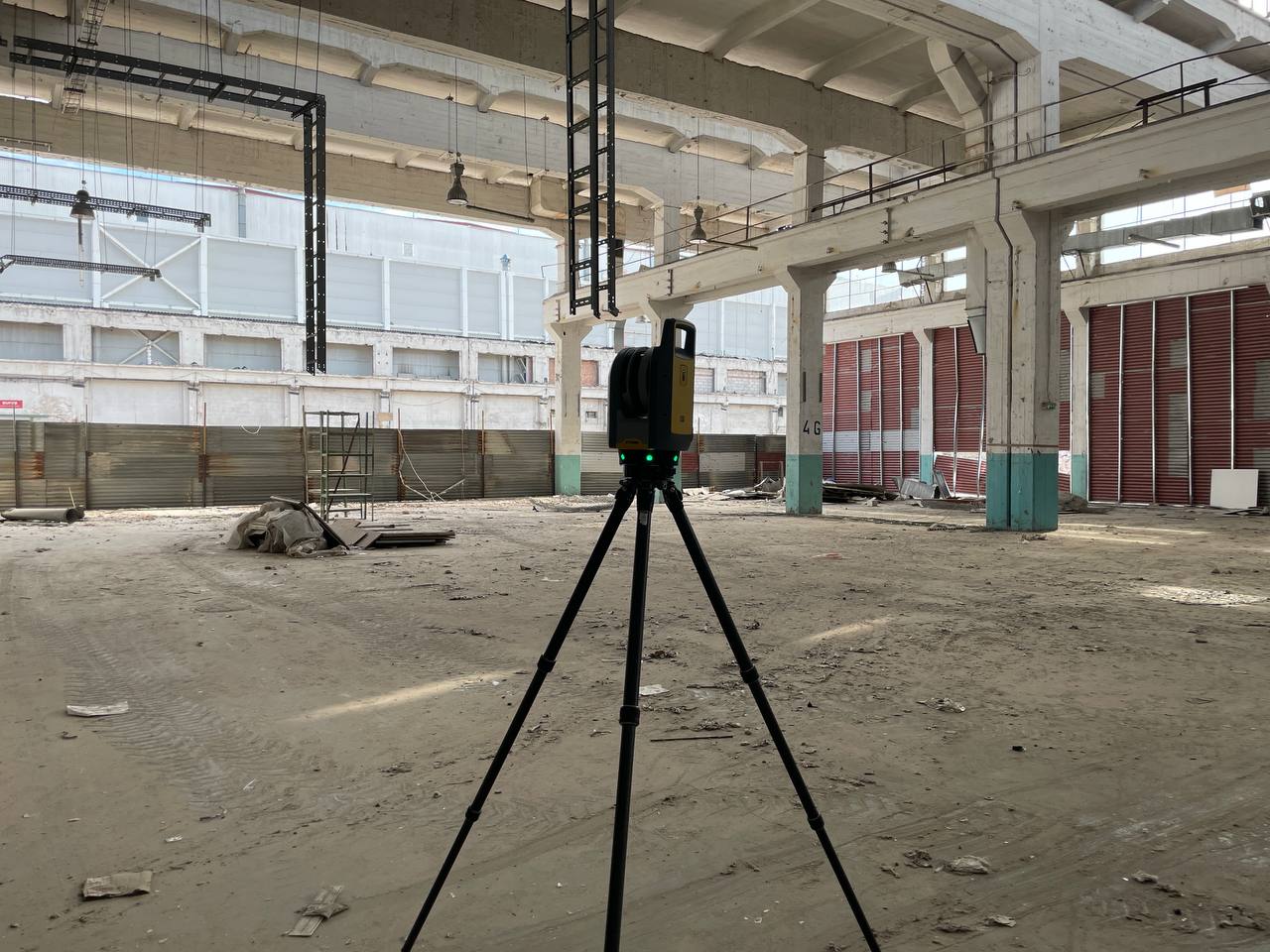
The workflow begins on site with terrestrial laser scanning. Scanners are positioned throughout the building to capture visible surfaces from multiple viewpoints. Each scan records millions of points in three-dimensional space, creating a highly detailed representation of the property.
This method is especially useful for existing buildings where geometry may be irregular, undocumented, or difficult to measure manually.
Laser scanning typically captures:
- walls and floors
- openings and ceilings
- façade geometry
- visible structural and MEP elements
Compared with traditional measurement methods, laser scanning provides broader coverage and significantly reduces the risk of missing important dimensions.
From Point Cloud Registration to CAD Workflow

Once fieldwork is complete, the individual scans are processed and aligned into one coordinated dataset. This stage is known as registration. The result is a registered point cloud that accurately represents the geometry of the building.
The full workflow usually includes several stages:
| Stage | Process | Result |
|---|---|---|
| Site scanning | Laser capture of existing conditions | Raw scan data |
| Registration | Alignment of scans | Registered point cloud |
| Processing | Cleanup and verification | Usable point cloud |
| CAD drafting | Geometry tracing and drawing production | Technical drawings |
| Final delivery | Export to DWG/PDF | Documentation package |
After registration, the dataset is reviewed and cleaned to remove unnecessary noise and verify alignment accuracy. The processed data can then be used in workflows such as point cloud to CAD services, where specialists convert measured geometry into detailed technical drawings.
How CAD Drawings Are Created from Point Clouds

Once the point cloud is prepared, drafting specialists begin converting the scan data into CAD documentation. The point cloud is used as a geometric reference inside CAD software, allowing the team to trace walls, openings, structural elements, and other building features with high accuracy.
This workflow makes it possible to create technical documentation that reflects the actual existing condition of the building rather than outdated plans or assumptions.
In many projects, this process forms part of broader as-built drawings services used for renovation, retrofit, and reconstruction workflows.
Typical CAD deliverables include:
- floor plans
- sections
- elevations
- reflected ceiling plans
- façade drawings
Depending on project requirements, the final package may also include dimensioned layouts, technical details, or room-by-room documentation.
Why Point Cloud to CAD Is Important for Existing Buildings
Existing buildings often contain undocumented modifications, irregular geometry, or outdated drawings that no longer match site conditions. This creates major challenges during renovation and redesign projects.
Point cloud to CAD workflows help eliminate these issues by providing accurate documentation based on real measured data. Instead of relying on incomplete field notes or manual sketches, architects and engineers can work from a verified digital reference.
This is especially important for:
- renovation projects
- historic buildings
- adaptive reuse
- commercial fit-outs
- complex technical facilities
By improving drawing accuracy early in the process, project teams can reduce design conflicts, coordination issues, and costly rework during construction.
Point Cloud to CAD vs Manual Drafting
Traditional manual measurement methods may still work for small and simple spaces, but they become far less efficient on larger or more complex projects.
| Aspect | Manual Measurement | Point Cloud to CAD Workflow |
|---|---|---|
| Accuracy consistency | Lower | Higher |
| Speed on large buildings | Slower | Faster |
| Data completeness | Limited | More complete |
| Reuse for BIM | Limited | Strong |
| Risk of missing geometry | Higher | Lower |
Because the point cloud remains available after fieldwork is completed, teams can revisit the data later without returning to the site for additional measurements.
How CAD Drawings Support BIM Workflows

In many projects, CAD documentation becomes the foundation for future BIM development. Floor plans, sections, and elevations created from scan data are often used as a reference for model creation and coordination.
This is where workflows such as CAD to BIM services and Scan to BIM services become relevant. Instead of modeling directly from manual measurements, BIM specialists can work from highly accurate CAD drawings generated from the point cloud.
This approach improves coordination across disciplines and helps maintain consistency between drawings and digital models.
Typical Deliverables in Point Cloud to CAD Projects
The final deliverables depend on project scope and intended use. In most cases, clients receive a documentation package prepared from registered scan data.
Typical outputs include:
- DWG drawings
- PDF documentation
- floor plans
- elevations
- sections
- reflected ceiling plans
- point cloud files if required
These deliverables are commonly used for renovation planning, design coordination, permit documentation, and BIM workflows.
Conclusion
Point cloud to CAD conversion transforms raw laser scan data into practical technical documentation that architects, engineers, and contractors can use in real projects. By converting measured geometry into structured drawings, the workflow provides a reliable basis for renovation, reconstruction, and design.
For existing buildings where accuracy is critical, point cloud to CAD workflows help reduce uncertainty, improve coordination, and create dependable documentation for future project stages.
FAQ
What is point cloud to CAD conversion?
How are CAD drawings created from laser scans?
What drawings can be created from point cloud data?
Is point cloud to CAD more accurate than manual drafting?
Can point cloud data be used for BIM modeling?

ScanM2 Launches ScanTrack: Manage Tasks Directly in a 3D Virtual Tour
18.10.2026
How integrating as-built documentation using advanced 3D scanning and laser scanning technology can revolutionize your real estate marketing strategy. Learn the benefits for agents and ...

Which 3D Laser Scanner Should Architects Choose, and When Is Outsourcing Better?
17.10.2026
How integrating as-built documentation using advanced 3D scanning and laser scanning technology can revolutionize your real estate marketing strategy. Learn the benefits for agents and ...

3D Laser Scanning for Building Renovation: What Should Be Captured Before Design Starts?
05.10.2026
Renovation projects rarely begin with a completely reliable picture of the existing building. Original drawings may be incomplete or outdated, previous modifications may not have ...

3D Laser Scanning Accuracy: What Level of Accuracy Does Your Project Need?
02.10.2026
3D laser scanning can capture millions of measurements across a building, industrial facility, or individual piece of equipment. But a large number of points does ...

