

What Is Scan to Revit and When Is It Needed
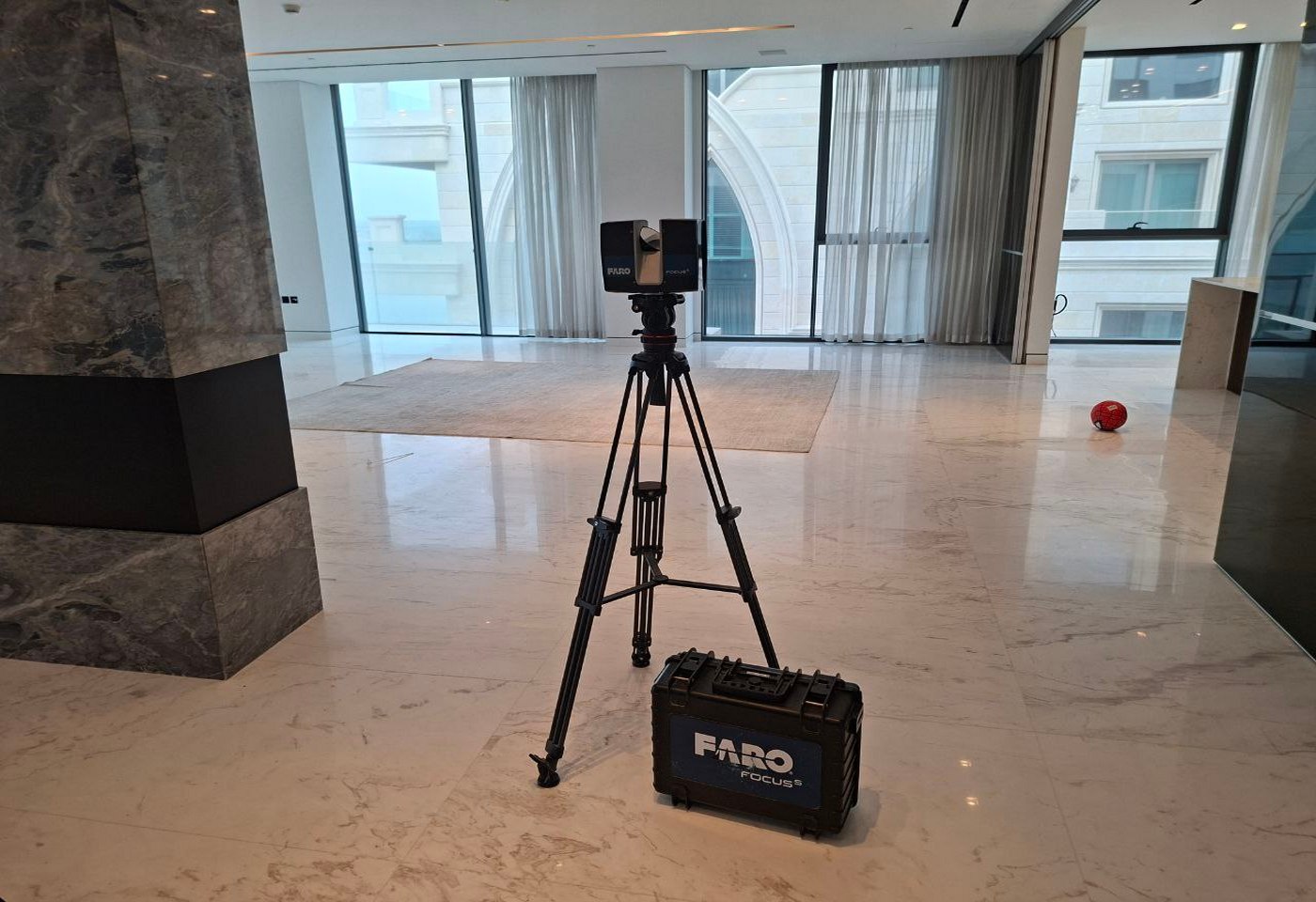

Working with existing buildings is rarely straightforward. Original drawings may be outdated, incomplete, or missing altogether, while manual site measurements often fail to capture real geometry with the level of accuracy needed for design and coordination. In renovation, retrofit, reconstruction, and facility upgrade projects, this creates avoidable risk from the very beginning.
Scan to Revit solves this problem by turning measured site conditions into an accurate Revit model. Instead of starting from assumptions, project teams work from geometry captured directly from the real building. This makes design development, BIM coordination, documentation, and planning more reliable.
What Scan to Revit Means
Scan to Revit is the process of converting 3D laser scanning data into a Revit model of an existing building, interior, or facility. The workflow begins with on-site laser scanning, where the scanner captures millions of measured points across visible surfaces and elements. These measurements are processed into a point cloud, which becomes the basis for modeling in Revit.
The resulting model may include architectural, structural, or MEP elements depending on project scope. In practical terms, Scan to Revit transforms real-world site conditions into a structured BIM environment that can be used for design, coordination, renovation planning, and documentation.
Where an existing building must be converted into an accurate digital model before design begins, the workflow often starts with Scan to Revit.
How the Scan to Revit Process Works
The process usually follows several key stages. First, the building or area is scanned on site using 3D laser scanning equipment. Then, the collected data is registered and processed into a clean point cloud. After that, specialists use the point cloud as a reference to create a Revit model according to the required scope, level of detail, and project purpose.

Depending on the task, the model may represent only the architectural shell, or it may also include structural systems, reflected ceiling geometry, and visible MEP elements. The final deliverable is not just a visual model, but a usable foundation for further design and coordination.
For projects that require a broader model development workflow beyond existing conditions, this stage may also continue into Revit BIM Modeling.
When Scan to Revit Is Needed
Scan to Revit is especially needed when project teams must work with an existing building and cannot rely on legacy drawings alone. This is common in renovation and reconstruction, tenant fit-out, industrial modernization, technical upgrades, and heritage documentation.
It becomes particularly valuable when:
- existing drawings do not reflect the current condition of the building
- the project requires accurate base geometry before design starts
- multiple disciplines need to coordinate within the same real conditions
- fabrication or installation depends on dimensional reliability
- the client needs a structured digital model for future project stages
In these situations, Scan to Revit reduces uncertainty and improves the quality of decisions early in the workflow.
Typical Situations Where Scan to Revit Is Used
| Project situation | Why Scan to Revit is needed | Typical result |
|---|---|---|
| Building renovation | Original drawings are outdated, incomplete, or unreliable | Accurate Revit model of existing conditions |
| Interior fit-out | Design must respond to real geometry and site constraints | Verified model for planning and coordination |
| MEP upgrade | New systems must be coordinated with existing space | Better understanding of clearances and installation zones |
| Industrial modernization | Complex technical environments require precise measured data | Revit model for redesign, retrofit, or coordination |
| As-built documentation | The client needs a digital record of the actual asset | Structured BIM-ready building model |
Common Project Applications
Renovation and reconstruction
In renovation projects, the main challenge is that the actual building often differs from archived documentation. Walls may be shifted, openings modified, ceilings lowered, and engineering systems rerouted. Scan to Revit gives architects and engineers a dependable base model before redesign begins.
Interior fit-outs
Commercial interiors, office spaces, hospitality projects, and premium residential environments often include irregular geometry, custom features, and tight installation conditions. In such cases, a scan-based Revit model makes planning and coordination more controlled.
MEP coordination in existing buildings
When new engineering systems must be inserted into an existing space, the available room for ducts, pipes, cable trays, and equipment becomes critical. A Revit model based on scan data helps teams assess real spatial conditions before coordination moves too far.
Industrial and technical facilities
Plants, equipment rooms, and production environments usually contain dense layouts and limited access zones. In these conditions, scan-based modeling provides a safer and more accurate foundation for redesign and modernization.
What a Scan to Revit Model May Include

The content of the model depends on the project objective. In some cases, only the architectural geometry is required. In others, the model may also include structure, visible MEP systems, or selected technical areas.
A typical Scan to Revit model may include:
- walls, floors, ceilings, roofs, doors, and windows
- columns, beams, slabs, and structural framing
- stairs, shafts, openings, and railings
- reflected ceiling elements
- visible ductwork, piping, cable trays, and equipment
- linked point cloud for reference and verification
Where projects require more advanced discipline-specific development, coordination, or downstream BIM use, related Revit BIM Modeling Services may also be involved.
Why Scan to Revit Matters
The biggest advantage of Scan to Revit is confidence in the starting point. Instead of reconstructing existing conditions from partial drawings and manual measurements, teams work from captured site geometry.
This improves reliability during design development and reduces the likelihood of coordination issues appearing later. It also helps avoid unnecessary rework when the existing building contains deviations that were not documented before.
In projects with tight tolerances, expensive fabrication, phased renovation, or complex system coordination, this accuracy becomes more than a convenience. It becomes a practical requirement.
Scan to Revit and Related Revit Deliverables
Scan to Revit is often the first step in a broader digital documentation workflow. Once an accurate Revit model of existing conditions has been created, that model can support multiple project needs, from design coordination to drawing production.
For example, when the model is further developed for design, clash review, or discipline coordination, the workflow may connect with Revit BIM Modeling. When the project requires documentation packages, plans, elevations, sections, or sheet-based outputs, it may also lead into Revit Drawing Services.
This is why Scan to Revit is not just a technical conversion step. It is often the foundation for a larger Revit-based workflow used across renovation, retrofit, reconstruction, and facility upgrade projects.
Final Thoughts
Scan to Revit is needed when an existing building must be understood as it actually exists, not as it was once drawn. It turns measured site conditions into a structured Revit model that supports design, BIM coordination, and documentation with a much higher level of confidence.
For renovation, fit-out, MEP upgrade, industrial modernization, and as-built documentation, it provides a dependable digital base for further project work. In many cases, it is the most practical way to connect field reality with a usable BIM workflow.
FAQ
What is Scan to Revit?
When is Scan to Revit needed?
Is Scan to Revit only used for renovation projects?
What data is used for Scan to Revit?
What can be included in a Scan to Revit model?
What is the difference between Scan to Revit and Revit BIM Modeling?

ScanM2 Launches ScanTrack: Manage Tasks Directly in a 3D Virtual Tour
18.10.2026
How integrating as-built documentation using advanced 3D scanning and laser scanning technology can revolutionize your real estate marketing strategy. Learn the benefits for agents and ...

Which 3D Laser Scanner Should Architects Choose, and When Is Outsourcing Better?
17.10.2026
How integrating as-built documentation using advanced 3D scanning and laser scanning technology can revolutionize your real estate marketing strategy. Learn the benefits for agents and ...

3D Laser Scanning for Building Renovation: What Should Be Captured Before Design Starts?
05.10.2026
Renovation projects rarely begin with a completely reliable picture of the existing building. Original drawings may be incomplete or outdated, previous modifications may not have ...

3D Laser Scanning Accuracy: What Level of Accuracy Does Your Project Need?
02.10.2026
3D laser scanning can capture millions of measurements across a building, industrial facility, or individual piece of equipment. But a large number of points does ...

