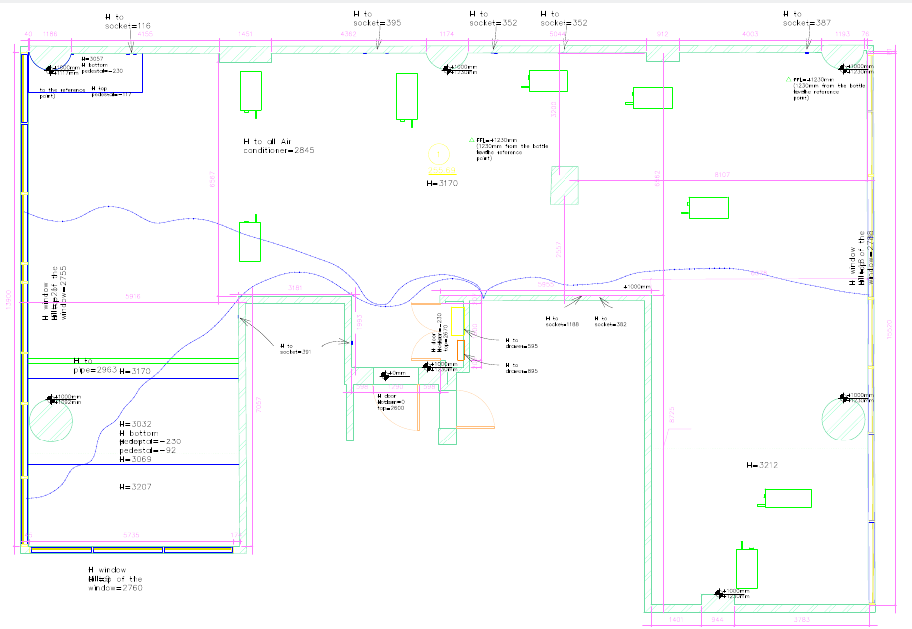
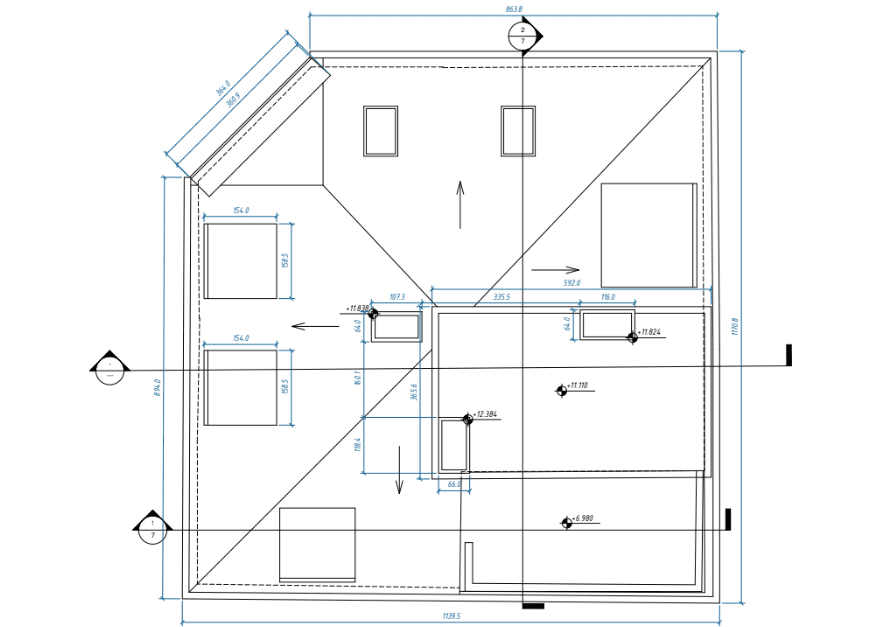
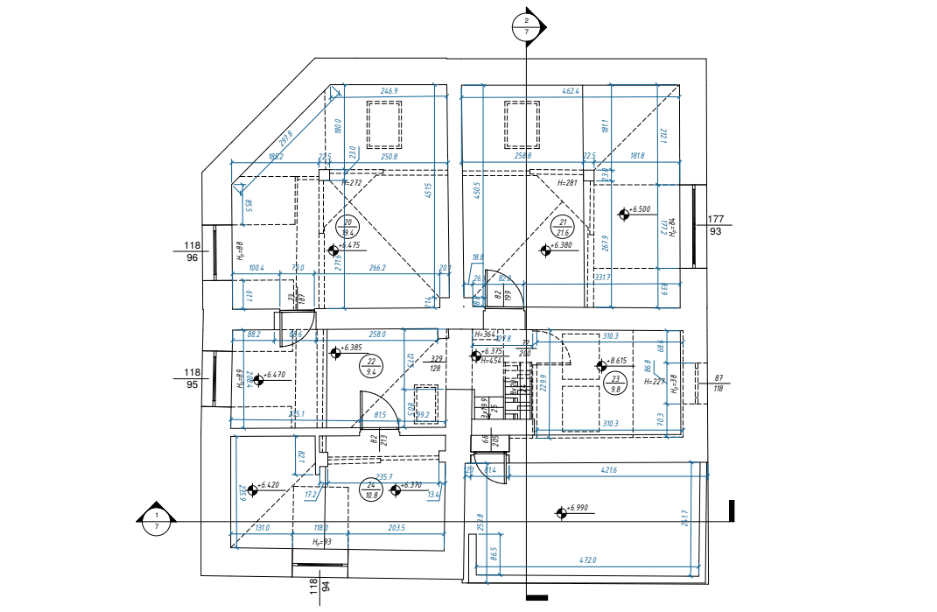
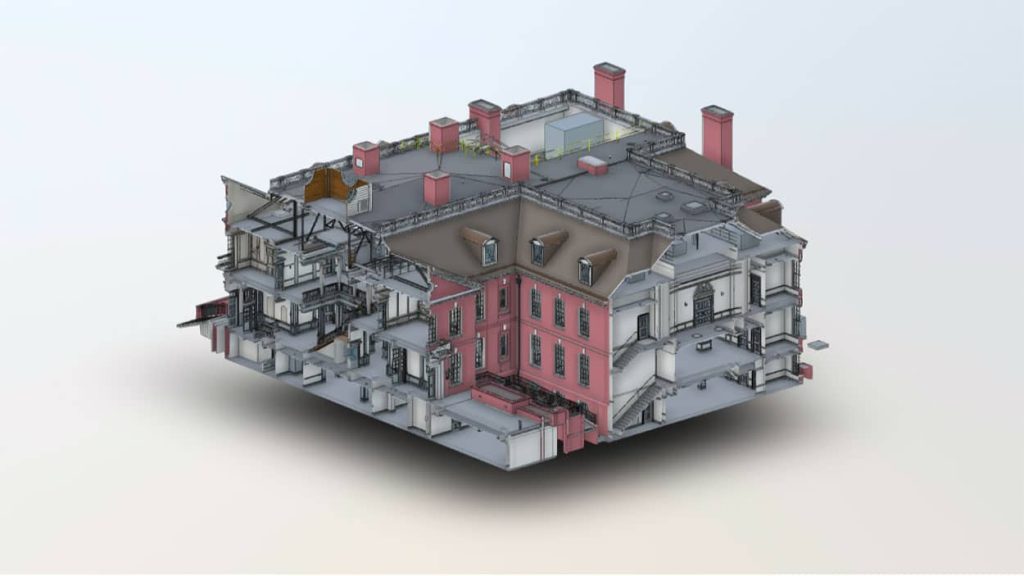
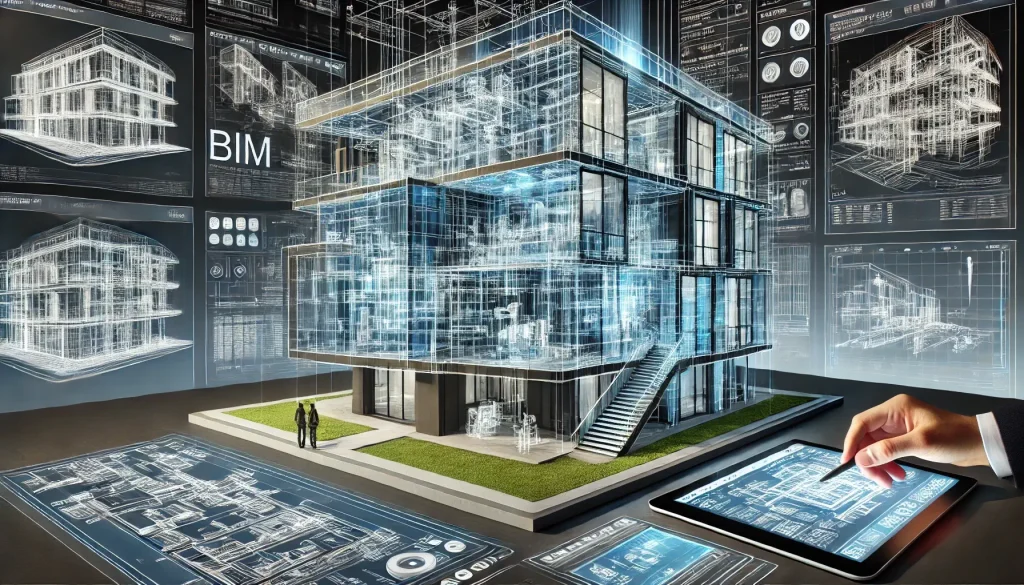
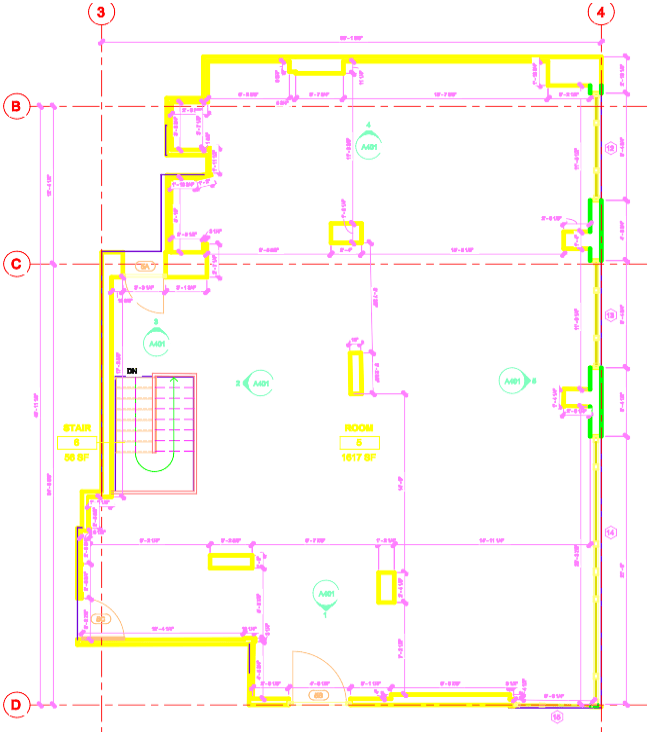
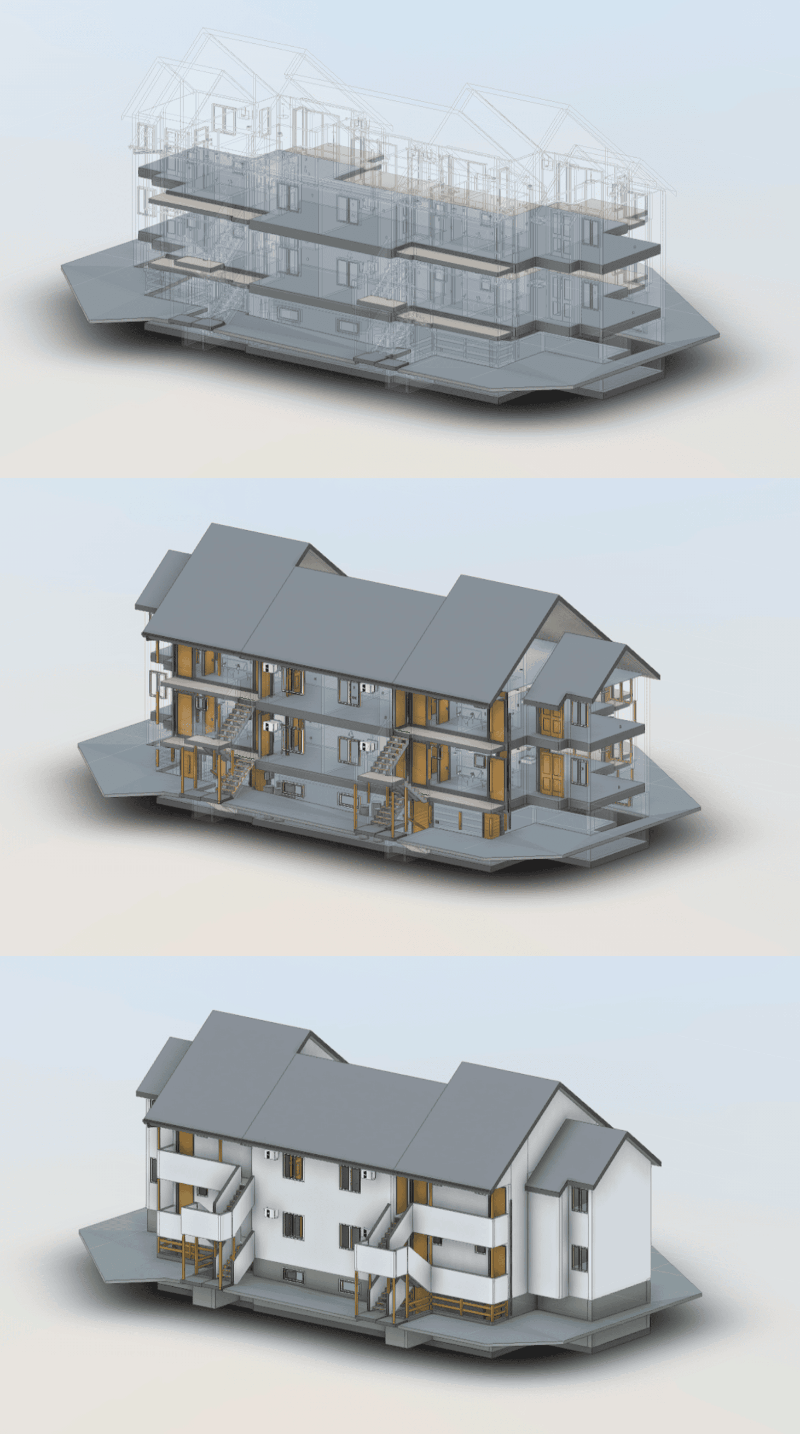
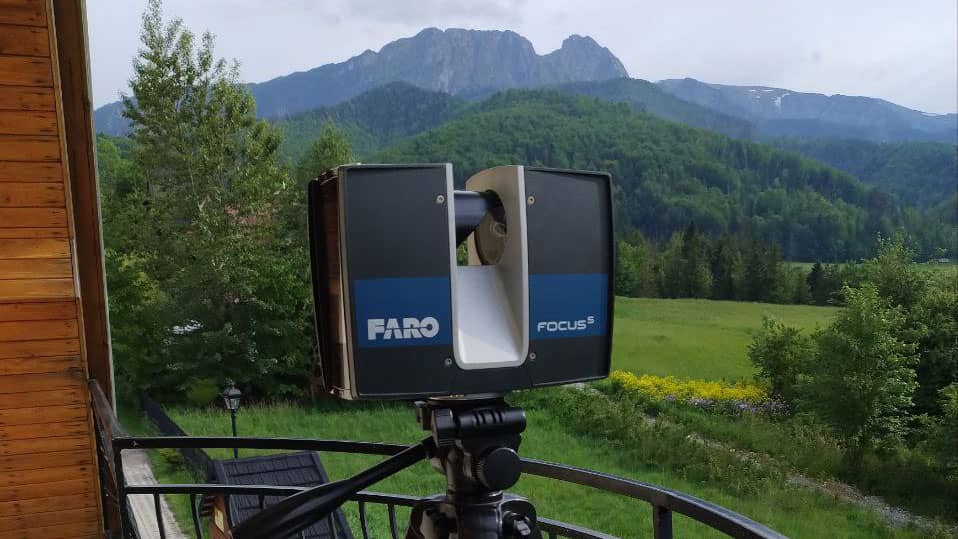
LiDAR scanning, a cutting-edge technology used for precise measurements and mapping, has become an integral tool across various industries in the United States. From construction projects to geospatial surveys, the adoption of LiDAR technology continues to rise due to its accuracy, efficiency, and versatility.
In this article, we’ll break down LiDAR scanning, explain how it works, explore its main types, and discuss its applications across different industries.Whether you’re an entrepreneur, a technical professional, or simply curious about the technology, this guide offers valuable insights into LiDAR and its significance.
What is LiDAR Scanning?
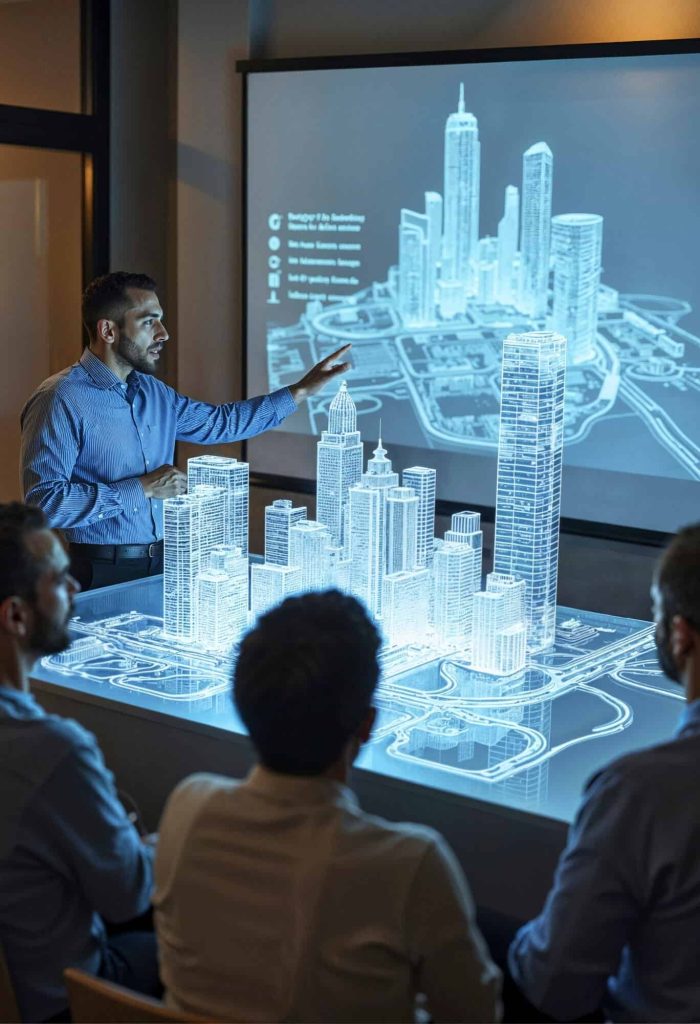
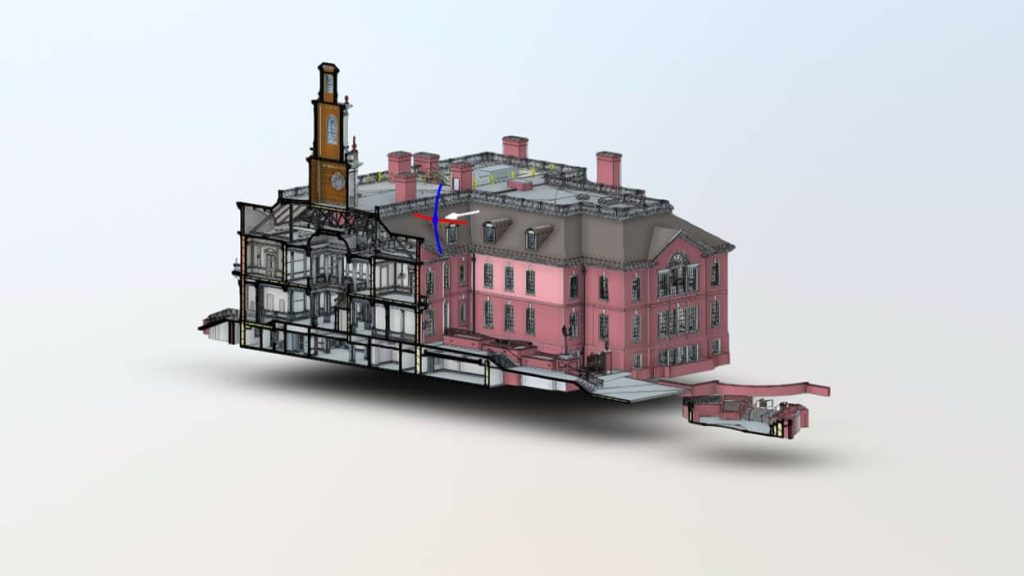
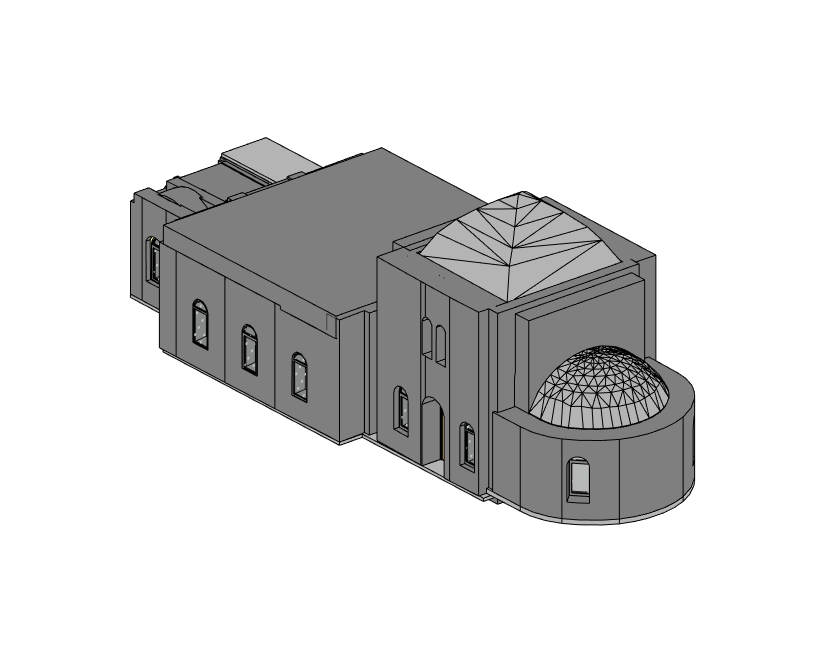
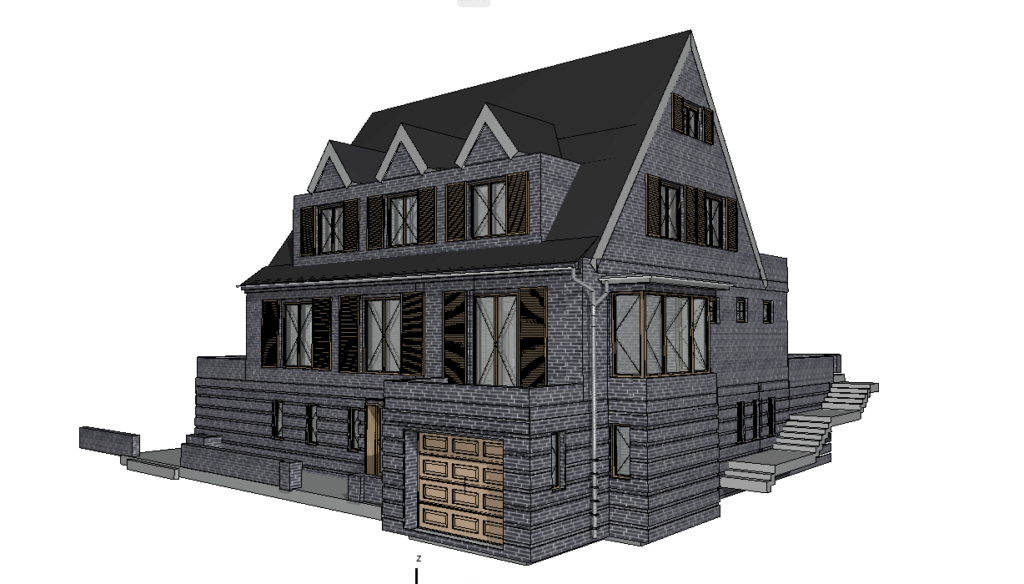
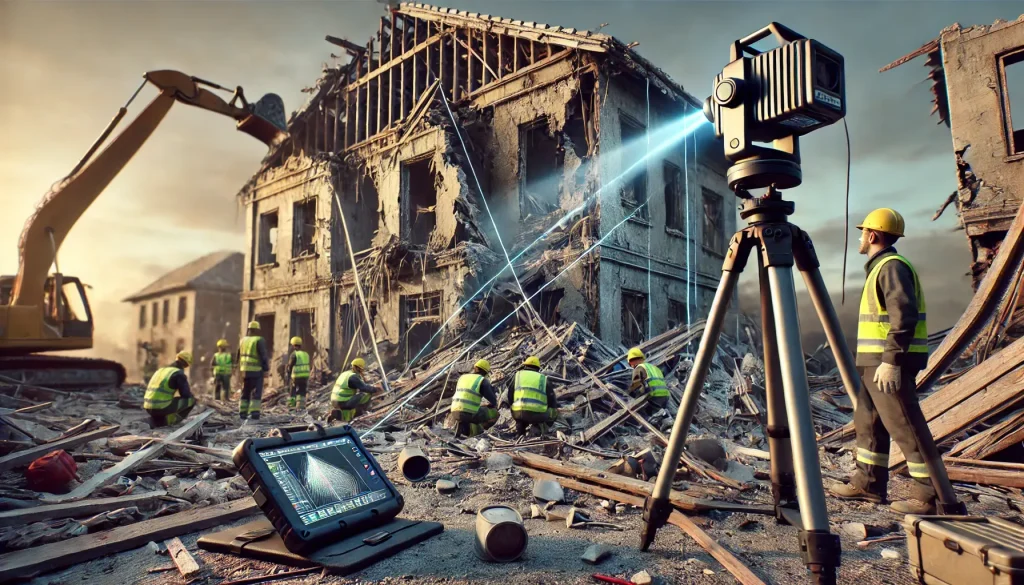
LiDAR, which stands for Light Detection and Ranging, is a technology that uses laser light to measure distances with high precision. It is a remote sensing technique that employs laser pulses to accurately measure distances and generate precise 3D models of objects and surroundings. These 3D models are built using point cloud data—millions of spatial coordinates captured by a LiDAR sensor.
Unlike traditional measuring techniques, LiDAR offers unmatched speed and precision, making it ideal for complex projects like 3D laser scanning of buildings, factories, and infrastructure.
Why is LiDAR Technology Relevant Today?
Modern industries increasingly rely on detailed spatial data for decision-making, analysis, and design. Whether it’s urban planning, historical preservation, or plant facility upgrades, LiDAR delivers accurate documentation, saving time and reducing costly errors.
In the U.S., LiDAR applications are expanding into fields such as environmental monitoring, construction planning, and drone-based mapping. Its ability to produce high-accuracy point cloud data even in challenging conditions makes it indispensable for professionals.
The working principle of LiDAR is straightforward but highly advanced.
Laser Emission: A LiDAR scanner emits rapid pulses of laser light toward a target surface.
Measuring Distances: The laser pulse reflects off the target and returns to the sensor. The time taken for the pulse to return is measured and calculated to determine the exact distance with precision.
Creating Point Clouds: Millions of laser measurements are collected per second, generating a dense point cloud dataset that represents the scanned object or environment.
3D Model Creation: Point cloud data is processed and refined to produce accurate 3D models or detailed maps for in-depth analysis.
Types of LiDAR Scanners
There are several types of LiDAR scanners, each suited for specific applications:
Airborne: Mounted on drones, helicopters, or planes, airborne LiDAR captures large-scale terrain and landscapes. This type of LiDAR mapping is commonly used for environmental surveys, forestry analysis, and flood risk assessments.
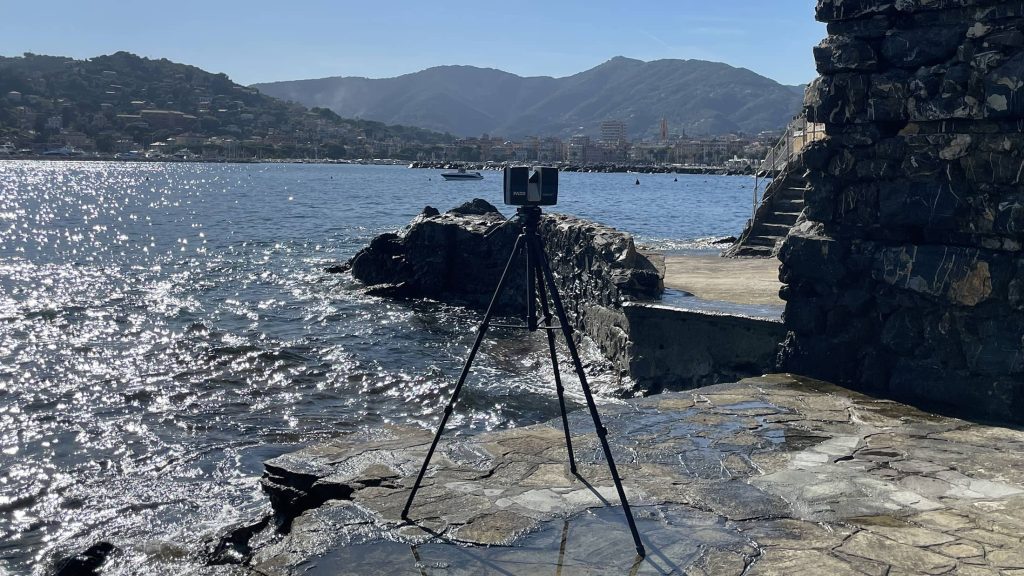
Terrestrial: Stationary or tripod-mounted terrestrial scanners are ideal for ground-based projects like 3D laser scanning of buildings, factories, and infrastructure. This method is widely used in construction, historical preservation, and plant redesign projects.
Mobile: Mounted on vehicles, mobile scanners are excellent for road surveys, railway mapping, and urban planning. Their mobility allows for rapid data collection over large areas.
Handheld: Portable and flexible, handheld scanners are ideal for small-scale projects and indoor scans. They provide flexibility when capturing details in tight or hard-to-reach spaces.
Applications of LiDAR Technology
LiDAR scanning is transforming industries with its diverse applications. Key Applications of LiDAR Technology:
LiDAR for Mapping and Cartography: LiDAR is a revolutionary tool for creating highly accurate topographical maps. From urban landscapes to rugged terrains, airborne and mobile LiDAR systems generate precise elevation data used in city planning, disaster response, and environmental studies.
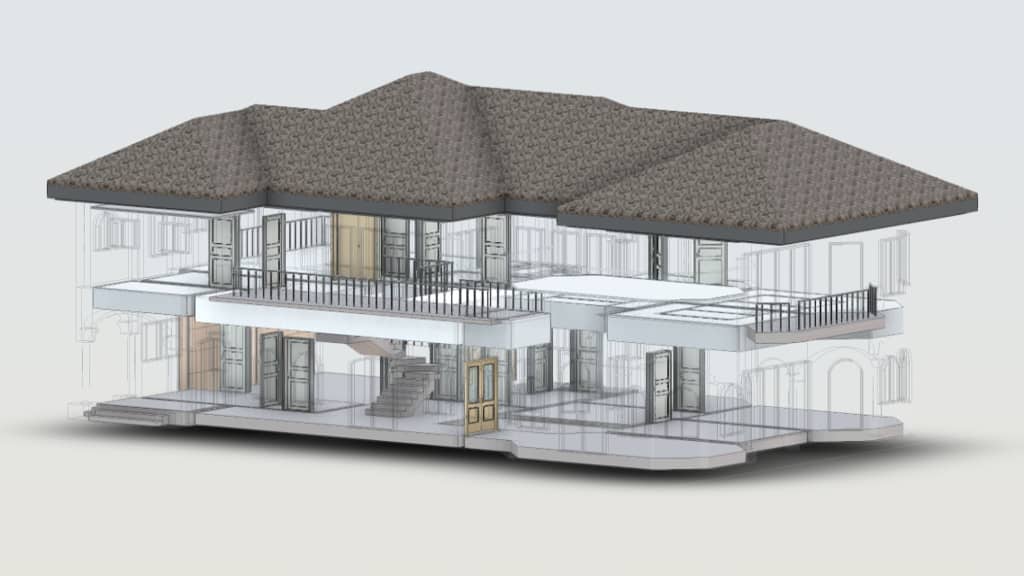
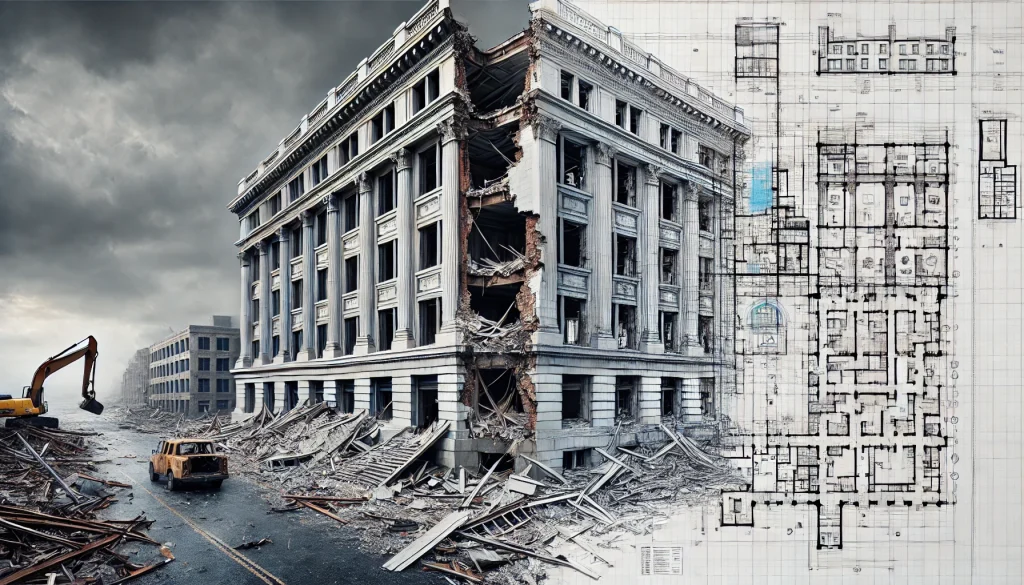
Construction and 3D Laser Scanning: In construction, LiDAR technology simplifies project planning, monitoring, and execution. By producing detailed 3D laser scans of existing structures, engineers and architects can create accurate as-built models, detect deviations, and streamline renovations.
Geodetic LiDAR Surveys: For land surveying, LiDAR offers unparalleled precision and efficiency. Compared to traditional geodetic methods, LiDAR delivers faster results while capturing vast landscapes with high accuracy. This is particularly beneficial for large-scale infrastructure developments and real estate project planning.
Architectural and Industrial Applications: LiDAR helps architects and industrial engineers assess complex environments, from historical buildings to manufacturing plants. By scanning facilities and creating detailed point cloud data, teams can optimize layouts, improve designs, and reduce risks during renovations.
Advantages of LiDAR Technology
The growing adoption of LiDAR scanning stems from its numerous advantages:
High Accuracy and Detail: LiDAR provides precision down to millimeters, ensuring exact measurements even in complex environments. This is crucial for projects requiring utmost precision, such as structural assessments and industrial design.
Rapid Data Acquisition: LiDAR systems collect millions of data points per second, significantly cutting down survey time compared to traditional methods. This allows businesses to accelerate project timelines and reduce costs.
Capability to Work in Challenging Conditions: Whether it’s nighttime, dense vegetation, or hard-to-reach terrains, LiDAR sensors can collect reliable data. This flexibility makes it ideal for environmental studies, road construction, and utility management.
The Importance and Future of LiDAR Scanning
As industries undergo digital transformation, LiDAR technology plays a key role in fostering innovation and improving operational efficiency. In construction and engineering, for instance, LiDAR enables accurate as-built documentation, which is crucial for reconstruction and renovation projects.
For businesses involved in facility upgrades, accurate scans provide the foundation for streamlined workflows and safer environments. By adopting LiDAR scanning, organizations can enhance their operations, improve planning, and minimize project risks.
Looking to the future, advancements in LiDAR sensors and integration with drones, AI, and cloud-based platforms will further expand its applications. From smart cities to environmental sustainability, the possibilities for LiDAR technology are limitless.
Conclusion
LiDAR scanning has redefined the way we map, measure, and design the world around us. By providing unparalleled accuracy, speed, and versatility, it has become a critical tool across industries like construction, surveying, and mapping.
Companies like ScanM2.com leverage professional-grade LiDAR scanners such as FARO, Leica, and Trimble to deliver highly detailed 3D laser scans and reliable point cloud data. These solutions empower businesses to make strategic decisions while achieving unparalleled accuracy in their projects.
As the demand for innovative measurement technologies grows, LiDAR applications will continue to shape industries and drive progress. If you’re looking to harness the power of LiDAR for your next project, investing in this technology is a step toward smarter, more efficient solutions.
Check our activity on:
The Role of As-Built Drawings in Tenant Improvement Projects
Tenant improvement projects play a crucial role in the commercial real estate market, especially in a dynamic economy like the United States. Whether it’s transforming a retail space for a new boutique, updating an office for a fresh lease, or reconfiguring a warehouse to meet operational needs, tenant improvement projects ensure that leased spaces are tailored to the specific needs of their occupants. However, a critical element that often determines the success of these projects is the availability of accurate As-Built drawings.
In this article, we’ll explore the significance of As-Built services for lease spaces, how they form the foundation for effective planning and execution, and their role in creating custom tenant improvement plans.
What Are Tenant Improvement Projects?
Tenant improvement (TI) projects refer to modifications made to leased spaces to meet the requirements of a new or existing tenant. These renovations range from minor updates, like repainting and new flooring, to major overhauls, such as reconfiguring layouts, installing HVAC systems, or updating plumbing and electrical infrastructure.
For landlords and tenants alike, these projects are essential. For landlords, a well-executed tenant improvement project enhances property value and marketability. For tenants, it ensures that the leased space aligns with their operational, aesthetic, and functional needs.
Why Accurate As-Built Drawings Are Essential for Tenant Improvement Projects
Accurate As-Built drawings are vital for tenant improvement projects because they provide a detailed representation of the current state of the space. These drawings show the existing layout, structural elements, mechanical systems, and other critical details. Without them, it’s impossible to plan improvements effectively or address potential challenges.
Here’s why they matter:
Understanding Existing Conditions: As-Built drawings capture the current configuration of a space, including dimensions, materials, and systems. This information is crucial for assessing feasibility and creating realistic improvement plans.
Avoiding Surprises: With detailed documentation, contractors can anticipate challenges, such as irregular dimensions, outdated systems, or hidden structural issues, before construction begins.
Enhancing Collaboration: Accurate As-Built drawings enable seamless communication between architects, designers, contractors, and tenants, ensuring that everyone works from the same baseline.
The Connection Between Tenant Improvement Projects and As-Built Drawings
Every tenant improvement project begins with a thorough understanding of the existing space. This is where As-Built drawings come in. These detailed plans are not just blueprints of the current state; they’re the foundation for customizing the space to meet tenant requirements.
How As-Built Drawings Support Tenant Improvement Plans
Foundation for Design: Architects and designers rely on As-Built documentation to develop accurate design plans that reflect the existing structure and layout.
Informed Budgeting and Scheduling: Precise measurements and documentation allow for accurate cost estimation and realistic project timelines.
Compliance and Permits: As-Built drawings often serve as a reference for ensuring that tenant improvement projects comply with building codes, zoning regulations, and lease agreements.
As-Built Drawings: The Key to Successful Renovation
Why Accuracy Matters in As-Built Services for Lease Spaces
The quality of As-Built services can make or break a tenant improvement project. Even small inaccuracies in measurements or details can lead to costly delays, design errors, or construction issues.
Key benefits of accurate As-Built services include:
Precise Measurements for Effective Planning: High-quality As-Built drawings ensure that every inch of the space is accounted for, which is especially important in tight retail spaces or complex office layouts.
Risk Reduction: By identifying potential obstacles early, these drawings minimize costly surprises during construction.
Improved Efficiency: Contractors can work more effectively with detailed documentation, reducing downtime and ensuring a smoother workflow.
At ScanM2, we use professional laser scanning technologies from Faro, Leica, and Trimble to produce As-Built drawings with unmatched precision. This ensures that every detail, from wall thicknesses to utility placements, is captured with accuracy.
Custom Tenant Improvement Plans: Adapting Spaces to Tenant Needs
Tenant improvement projects are never one-size-fits-all. Each project is unique, requiring a tailored approach to meet the specific goals of the tenant and the functional demands of the space.
How As-Built Drawings Support Customization
As-Built drawings serve as the starting point for creating custom tenant improvement plans. They provide:
A Clear Baseline: Accurate documentation of the existing space allows architects and designers to adapt layouts and integrate tenant-specific requirements seamlessly.
Design Integration: As-Built services enable smooth collaboration between design and engineering teams, ensuring that aesthetic and functional changes are achievable.
Adaptation for Tenant Goals: Whether it’s reconfiguring a retail space for better customer flow or updating an office for collaborative work, As-Built drawings guide the transformation process.
Retail Space Improvements: From Vision to Reality
Retail spaces require special attention during tenant improvement projects. The layout, flow, and aesthetics of a store can significantly impact customer experience and, ultimately, sales.
Optimizing Retail Spaces with As-Built Services
Efficient Use of Space: Detailed As-Built drawings help optimize layouts, ensuring that every square foot is used effectively.
Customer Flow: Proper documentation allows designers to create layouts that enhance the customer journey, from entry to checkout.
Compliance with Lease Terms: Many retail leases include specific requirements for modifications. As-Built services ensure compliance, avoiding potential disputes.
Commercial Lease Space Documentation: The Importance of Accuracy
Accurate documentation benefits all stakeholders in a commercial lease agreement: tenants, landlords, and contractors. It eliminates guesswork, reduces disputes, and ensures that projects are executed smoothly.
Key Benefits of High-Quality As-Built Documentation
Transparency and Trust: Clear and precise documentation fosters confidence between tenants and landlords.
Dispute Avoidance: By providing a definitive record of the space’s condition, As-Built services help prevent disagreements during or after renovations.
Enhanced Longevity: High-quality As-Built drawings can be referenced for future projects, saving time and resources in subsequent improvements.
The Essential Role of As-Built Drawings in Tenant Improvement Projects
Tenant improvement projects are pivotal for transforming leased spaces to meet the specific needs of tenants while maximizing the value of commercial properties. At the heart of every successful project lies accurate, detailed As-Built documentation.
From planning and design to execution and compliance, As-Built drawings form the foundation for smooth and efficient tenant improvement projects. They ensure precise planning, minimize risks, and facilitate collaboration among all stakeholders.
If you’re planning a tenant improvement project, consider the importance of professional As-Built services to ensure the success of your renovation. Companies like ScanM2, with expertise in laser scanning and high-precision documentation, can provide the insights you need to bring your vision to life.
Invest in accuracy, and watch your tenant improvement projects thrive.
Check our activity on:
Common Measurement Challenges in Interior Design and How 3D Scanning Provides Accurate Solutions
Precise measurements are the foundation of every successful interior design project. Whether you’re remodeling a home, furnishing a commercial space, or redesigning a retail store, precision plays a critical role. However, traditional measurement methods often fall short, leading to costly mistakes, delays, and unsatisfied clients. From human error to the challenges of measuring complex spaces, interior designers face numerous hurdles.
In this article, we will explore the common measurement challenges in interior design, highlight how they impact projects, and provide a modern solution: 3D laser scanning. Using advanced 3D scanning technology, designers can create accurate floor plans, eliminate measurement issues, and deliver exceptional results.
Common Measurement Challenges in Interior Design
Measuring Complex Spaces
Interior spaces are rarely uniform. High ceilings, curved walls, archways, and irregular layouts can make manual measurement a daunting task. Designers often struggle to measure such spaces accurately, resulting in:
Inconsistent dimensions that disrupt design plans.
Misaligned furniture, fixtures, and structural elements.
Increased project delays due to remeasurement.
For example, trying to measure a room with decorative molding or curved surfaces manually can take hours and still lead to inaccuracies.
Irregular Angles and Geometric Errors
Perfectly square rooms are rare. Many interior spaces have irregular angles and deviations from standard dimensions. Manual tools like tape measures and lasers may not identify these discrepancies, which can cause:
Mismatched cabinetry, furniture, or built-ins.
Miscalculations during flooring installation or wall paneling.
Structural problems during renovations or remodeling.
Such issues are especially common in older buildings, where wear and tear over time lead to uneven walls and floors.
Human Error
Manual measurements rely heavily on the individual performing them. Fatigue, distraction, or a small oversight can result in critical errors. The consequences of human error include:
Incorrect floor plans.
Ordering materials in wrong sizes.
Costly delays to fix mistakes during construction or installation.
For example, missing just one inch on a measurement can prevent a custom cabinet from fitting, wasting both time and resources.
The Solution: 3D Laser Scanning for Interior Design
What is 3D Laser Scanning?
3D laser scanning is a groundbreaking technology that employs lasers to capture highly detailed and accurate measurements of any space. It produces a point cloud, a precise 3D digital representation of the scanned environment with exceptional accuracy. These point clouds serve as the foundation for creating detailed floor plans, 3D models, and accurate as-built documentation.
Unlike manual measurement tools, 3D laser scanners quickly capture every corner, angle, and irregularity of a space, ensuring no detail is missed.
Our 3D Models Examples
×
Solving Common Measurement Challenges
Here’s how 3D laser scanning addresses the key challenges:
Eliminating Human Error: Since the process is automated, it removes the risk of oversight or inconsistency caused by manual measurements.
Accurate Measurements of Complex Spaces: 3D scanning easily handles irregular layouts, curved walls, and intricate designs. It creates precise floor plans and models, eliminating guesswork.
Capturing Irregular Angles: The scanner records every angle and deviation with millimeter-level accuracy, ensuring perfect alignment for furniture, cabinetry, and structural elements.
With 3D laser scanning, interior designers gain confidence that their measurements are 100% reliable, streamlining the entire design process.
How 3D Scanning Works in Interior Design
On-Site Scanning: A technician scans the interior space using specialized 3D laser scanning equipment.
Generating Point Cloud Data: The scanner creates a digital replica of the space, capturing every dimension and surface.
Creating Floor Plans and Models: The point cloud data is processed into detailed floor plans, 3D models, and BIM files for precise design work.
Implementation: Designers and contractors use these plans to develop and execute projects with unmatched accuracy.
Accurate Result
Click on the link below to view a sample of our blueprint.
3D scanning reduces the time spent on manual measurements and eliminates costly mistakes caused by human error. It allows designers to:
Avoid remeasurement and project delays.
Optimize material usage by ensuring precise dimensions.
Streamline workflows for faster project completion.
High Accuracy and Precision
Unlike traditional tools, 3D scanners capture every detail of a space with precision. This is especially valuable for:
Renovations in historic buildings with irregular structures.
Large-scale commercial interiors.
Custom furniture installations.
Improved Collaboration
3D scanning provides digital data that can be shared with architects, contractors, and other stakeholders. Everyone works from the same accurate plans, reducing miscommunication and errors.
Versatility
3D laser scanning is suitable for various interior projects, including:
Home renovations and remodels.
Commercial office spaces.
Retail store redesigns.
Restaurant and hotel interiors.
Case Study: Solving Measurement Issues in a Complex Interior Project
A client hired SCANM2 to assist with remodeling a historic commercial property. The challenges included:
Irregular walls and non-standard angles.
High ceilings with decorative molding.
Significant human error in previous measurements.
Using 3D laser scanning, our team created a highly detailed point cloud of the space, which was transformed into precise floor plans and 3D models. The result?
Accurate dimensions that eliminated guesswork.
Optimized material ordering and installation.
Timely project completion with zero remeasurement required.
The client saved both time and money while achieving a flawless design.
SCANM2 provides advanced 3D laser scanning services across the United States, delivering accurate measurements and digital models for interior design projects. Here’s why clients trust us:
State-of-the-Art Technology: We use the latest laser scanners for millimeter-level precision.
Fast Turnaround: Projects are completed quickly without compromising quality.
Experienced Team: Our specialists ensure every scan meets industry standards.
Nationwide Coverage: We serve designers, architects, and contractors across the U.S.
Conclusion
Measurement challenges, such as complex spaces, irregular angles, and human error, can derail interior design projects and cause unnecessary delays. By adopting 3D laser scanning technology, designers can overcome these hurdles, create accurate floor plans, and deliver exceptional results to their clients.
If you’re ready to take your interior design projects to the next level with accurate measurements and 3D models, contact SCANM2 today. Our expert team is here to help you streamline your workflow and achieve flawless designs.
Get in touch with SCANM2 now to learn more about our 3D scanning services!
Check our activity on:
The Importance of As-Built Services for Historical Preservation
Preserving historical buildings is more than a matter of aesthetics or nostalgia; it is a commitment to maintaining the cultural, architectural, and historical legacy of our communities. In the United States, a country with a rich and diverse heritage, safeguarding these iconic structures is a vital task. However, historical preservation comes with unique challenges that require precision, expertise, and advanced technology. This is where As-Built documentation for historic buildings plays an essential role.
Why Historical Preservation Matters
Historic buildings are physical markers of our past, telling stories of the eras and cultures that shaped our society. From iconic landmarks like Monticello and the Alamo to smaller but equally significant structures in local communities, each building reflects a unique story. Preserving these architectural gems allows us to honor our history, connect with our roots, and ensure that future generations can experience these cultural touchstones.
However, time and environmental factors take their toll on historic buildings. Natural aging, structural damage, and environmental changes often leave these buildings vulnerable. Preserving them requires delicate work to maintain their authenticity while meeting modern safety and usability standards. This is where precise and reliable As-Built services make all the difference.
Challenges in Preserving Historic Buildings
Restoring and preserving historic buildings is fraught with challenges. Many older structures lack detailed records or updated documentation, leaving architects, engineers, and preservationists to work with incomplete or outdated information. The following challenges are common:
Unknown or Altered Layouts: Over decades or centuries, many buildings undergo renovations or changes that are undocumented. Understanding the current state of these buildings is crucial for effective preservation.
Fragility of Materials: Historic materials like wood, stone, and brick may have deteriorated over time, requiring careful analysis to avoid further damage.
Meeting Modern Standards: Preservation work often involves integrating modern systems (like HVAC or electrical) into the building without compromising its historical integrity.
Accuracy of Existing Records: Incomplete or inaccurate documentation can lead to costly errors, delays, or even irreversible damage during restoration efforts.
For these reasons, As-Built documentation for historic buildings has become indispensable in the field of historical preservation.
What is As-Built Documentation?
As-Built documentation refers to the precise recording of a building’s existing condition, including its dimensions, structures, and systems. Unlike original architectural plans, which represent how a building was intended to be constructed, As-Built drawings and models capture the structure as it stands today, including any modifications made since its construction.
Modern As-Built services use advanced technologies like laser scanning and Building Information Modeling (BIM) to create highly detailed and accurate representations of a building. These technologies ensure that every aspect of the structure—down to its smallest details—is documented, providing a reliable foundation for any preservation project.
The Role of As-Built Services in Historic Preservation
When it comes to preserving historic buildings, As-Built services are an invaluable tool. They provide the data and insights necessary to make informed decisions, minimize risks, and maintain the authenticity of the structure.
1. Capturing Detailed and Accurate Representations
Using cutting-edge technology such as laser scanners from Faro, Leica, and Trimble, As-Built services can capture millions of data points to create a detailed 3D model or point cloud of the building.
This level of precision ensures that no feature is overlooked, from ornate moldings to intricate carvings.
These detailed models allow preservationists to:
Analyze the current condition of the building in depth.
Identify structural weaknesses or areas of deterioration.
Document unique architectural features to ensure their accurate restoration.
2. Preserving Authenticity Through Accurate Documentation
Authenticity is paramount in historical preservation. As-Built documentation for historic buildings ensures that every restoration decision is guided by accurate data, allowing teams to:
Maintain the original design and structural integrity.
Understand changes made over the years and incorporate them into the preservation plan.
Respect the building’s historical and architectural significance.
3. Supporting Modernization Without Compromising Integrity
Preservation efforts often require modern upgrades—such as improving accessibility, installing modern utilities, or reinforcing structural elements—while maintaining the building’s historical character.
As-Built services provide the precise data needed to design and implement these updates seamlessly. For example:
Engineers can use As-Built models to integrate modern HVAC or electrical systems without disrupting the building’s original features.
Architects can design restorations that adhere to modern building codes while preserving historical aesthetics.
4. Reducing Risks and Minimizing Errors
One of the greatest risks in historical preservation is the potential for mistakes—whether it’s damaging fragile materials, miscalculating structural changes, or misrepresenting historical features. Accurate As-Built documentation minimizes these risks by:
Providing a clear and comprehensive understanding of the building’s condition.
Eliminating guesswork during planning and restoration.
Allowing teams to test restoration plans in a virtual environment before executing them in real life.
How As-Built Services Work
Creating As-Built documentation involves several key steps and technologies, all designed to capture the building’s current state with the highest degree of accuracy.
Laser Scanning: Using professional-grade laser scanners, such as those from Faro, Leica, and Trimble, teams capture millions of data points in a process known as 3D laser scanning. This technology provides a complete and accurate digital representation of the building’s interior and exterior.
Creating 3D Models and Point Clouds: The data collected through laser scanning is then processed to create a point cloud—a detailed 3D representation of the building. From this point cloud, experts can generate precise 3D models or 2D drawings that serve as the foundation for restoration planning.
BIM Integration: For complex projects, As-Built documentation often includes Building Information Modeling (BIM), which allows teams to overlay the building’s historical features with modern updates in a virtual environment. This approach streamlines collaboration and ensures every stakeholder has access to the same accurate data.
Benefits of As-Built Services for Historical Preservation
By combining advanced technology with expert craftsmanship, As-Built services offer a wide range of benefits for historic preservation projects:
Accurate Representation of Current Conditions: As-Built services provide a reliable snapshot of the building’s current state, enabling better decision-making.
Efficient Restoration Planning: Detailed documentation reduces delays, errors, and costs by ensuring every aspect of the project is planned with precision.
Preservation of Authentic Features: With exact measurements and models, teams can ensure the authenticity of the building’s architectural features is maintained.
Compliance with Modern Standards: As-Built data allows teams to integrate modern systems while respecting historical integrity.
Future-Proof Documentation: The digital models and point clouds created during the As-Built process serve as a valuable resource for future restoration efforts, ensuring the building’s preservation for generations to come.
Preserving historic buildings is a delicate and complex task that requires a balance of tradition and innovation. As-Built documentation for historic buildings provides the precision and reliability needed to ensure these architectural treasures are restored and maintained with care. By capturing every detail of a building’s current condition, As-Built services empower preservationists to make informed decisions, minimize risks, and uphold the authenticity of our shared heritage.
Whether it’s a centuries-old cathedral, a historic factory, or a beloved community landmark, As-Built services are the cornerstone of successful restoration efforts. As technology continues to advance, these services will remain an essential part of preserving the architectural legacy of the past while meeting the needs of the future.
Check our activity on:
How Real Estate Agents Use As-Built Models for Virtual Tours
The real estate industry is embracing a digital revolution, with virtual tours emerging as one of the most transformative advancements. These immersive, 3D experiences allow potential buyers and tenants to explore properties remotely, saving time while enhancing decision-making.
Behind every effective virtual tour lies a critical foundation: as-built models. These models deliver the precision and detail required to produce highly realistic representations of physical spaces.
Virtual tours are not just a convenience—they are becoming an expectation. With buyers increasingly starting their property search online, agents need innovative tools to stand out.
In this article, we explore how as-built models, created through advanced technologies like laser 3D scanning, are reshaping the way properties are presented.
What Are As-Built Models and Why Are They Essential?
As-built models are accurate digital representations of a building or structure in its current, real-world condition.
Unlike architectural plans or blueprints, which show how a property was intended to be built, as-built models capture every detail of the finished product, including any changes made during construction.
These models are created using cutting-edge laser 3D scanning technology, which captures millions of precise measurements in a matter of minutes.
Tools like Faro, Leica, and Trimble scanners generate highly accurate point clouds that serve as the foundation for detailed 3D models.
These scans ensure that every corner, surface, and feature of a property is documented with unparalleled precision.
For real estate professionals, the use of as-built models provides a competitive edge by offering clients a complete, accurate, and visually engaging representation of a property.
At scanm2.com, we specialize in laser scanning and creating as-built models for buildings, factories, and other structures, ensuring every detail is captured.
The Benefits of As-Built Models for Real Estate Virtual Tours
1. Accuracy and Realism for Better Representation
When potential buyers explore a property virtually, accuracy is everything. As-built models ensure that the virtual representation matches the physical space down to the millimeter.
This attention to detail enhances the buyer’s trust in the property’s presentation, reducing concerns about discrepancies.
2. Attracting Remote and International Buyers
In today’s global market, not all buyers can visit a property in person. Virtual tours powered by as-built models bridge this gap by providing remote access to properties.
Whether the buyer is in another state or another country, they can experience the property as though they were standing inside it.
3. Saving Time for Agents and Clients
Scheduling multiple in-person property viewings can be a logistical challenge. Virtual tours allow potential buyers to explore properties online, helping them narrow down their choices before scheduling an in-person visit.
This streamlined process saves time for both agents and clients.
4. Integration with Advanced Technologies
As-built models are highly versatile and can seamlessly integrate with virtual reality (VR) and augmented reality (AR) platforms.
Buyers can use VR headsets to “walk through” a property.
AR tools help visualize potential changes, such as furniture placement or renovations.
These interactive features make properties more appealing and memorable.
5. Marketing That Stands Out
Real estate is a competitive market, and unique, high-quality listings draw more attention. A virtual tour built on an as-built model distinguishes a property from others on the market, attracting more potential buyers.
Creating as-built models involves advanced technologies that ensure precision and quality.
Laser 3D Scanning
Scanners Used: Faro, Leica, and Trimble.
Output: Millions of data points captured in minutes to generate a highly detailed point cloud.
The point cloud is subsequently transformed into a 3D model using advanced software tools.
These models can be tailored for different uses, including virtual tours, renovation planning, or even facility management.
At scanm2.com, we guarantee that our models adhere to the highest industry standards, ensuring their suitability for a wide range of applications.
Applications of As-Built Models in Different Real Estate Markets
1. Residential Properties
For single-family homes, condos, and apartments, virtual tours allow buyers to explore the layout, room dimensions, and overall feel of the space.
As-built models ensure that every detail, from wall measurements to window placements, is represented accurately.
2. Commercial Real Estate
Commercial properties, including offices, retail spaces, and warehouses, gain tremendous value from the use of as-built models.
Business clients can assess whether a space meets their operational needs, such as storage capacity or workspace layouts, without needing an on-site visit.
3. Luxury and High-End Real Estate
Luxury buyers often expect premium experiences when viewing properties.
Virtual tours created with as-built models highlight the unique features of high-end properties, such as custom architecture or intricate interior designs.
4. Renovation and Development Projects
For properties undergoing renovation, as-built models provide a clear baseline for planning changes.
Buyers can use virtual tours to visualize the property’s potential after the renovations are completed.
Future Trends: The Growing Importance of As-Built Models in Real Estate
The role of as-built models in real estate is set to grow as technology advances.
Key Trends:
AI Integration: Automated analysis of as-built models for identifying features or suggesting design improvements.
Photorealistic Rendering: Virtual tours will become even more realistic, almost indistinguishable from being there in person.
AR and VR Expansion: Advanced integration with AR and VR for immersive exploration experiences.
By staying ahead of these trends, real estate agents can continue to provide cutting-edge marketing solutions to their clients.
Why As-Built Models Are a Must-Have for Real Estate Marketing
In an increasingly digital real estate market, as-built models are revolutionizing how properties are presented and sold.
Their accuracy and versatility make them the ideal foundation for virtual tours, offering buyers a true-to-life experience that simplifies the decision-making process.
Whether you’re marketing a single-family home, a commercial property, or a luxury estate, incorporating as-built models into your strategy can elevate your listings and attract more clients.
At scanm2.com, we provide the expertise and technology to create as-built models that set your properties apart. Explore our website to discover how we can enhance your real estate marketing efforts.
Check our activity on:
How Laser Scanning Helps Create Perfect As-Built Drawings
Modern construction and engineering projects demand precision, efficiency, and clarity at every stage. Laser scanning, a revolutionary technology, has emerged as a cornerstone for producing perfect as-built drawings—detailed and accurate documentation of existing structures. These as-built drawings form the foundation for renovations, expansions, and facility management, ensuring smooth execution of projects.
What Are As-Built Drawings?
Definition of As-Built Drawings
As-built drawings provide accurate depictions of a building or structure in its current state, reflecting any changes or deviations from the original design that occurred during construction. These documents are essential for construction, engineering, and architectural processes, providing a reliable reference for future projects.
The Role of Accuracy in As-Built Drawings
Precision is critical when developing as-built drawings. Missteps in measurement can lead to costly delays, errors, and safety risks. Be it for renovations, retrofitting, or new construction, accuracy enables stakeholders to make well-informed decisions and prevent avoidable issues.
Introduction to Laser Scanning for As-Built Drawings
Laser scanning technology has transformed the way as-built drawings are created. By capturing intricate details of physical spaces through 3D laser scanning services, professionals can generate highly accurate documentation in record time, offering a significant leap from traditional methods.
Our As-Built Examples
×
What Is 3D Laser Scanning?
Technology and Principles of Laser Scanning
Laser scanning involves using high-precision instruments that emit laser beams to capture spatial data. These devices generate millions of measurement points, collectively forming a point cloud, which maps the object or area with exceptional accuracy. The point cloud forms the basis for developing detailed 3D models and accurate as-built plans.
Types of Objects That Can Be Scanned
Laser scanning is incredibly versatile and can be applied to a wide range of projects, including:
Buildings and construction sites
Industrial plants and facilities
Bridges and other civil infrastructure
Historical landmarks and monuments
Underground utilities and pipelines
Role of 3D Scanners in the Process
Sophisticated 3D scanners, such as terrestrial and mobile scanners, play a crucial role in collecting data. These tools come in various sizes, ranges, and precision levels, enabling accurate documentation of even the most intricate environments.
Advantages of Laser Scanning for Creating As-Built Drawings
Unmatched Accuracy
Laser scanning delivers sub-millimeter precision, virtually eliminating measurement errors. This level of detail is especially critical in construction documentation, where even minor discrepancies can lead to significant setbacks.
Exceptional Speed
Large-scale structures can be scanned in mere hours, significantly reducing the time required for data collection compared to manual methods.
High-Level Detail
Laser scanning captures intricate features, such as architectural flourishes, mechanical systems, and structural irregularities, ensuring comprehensive as-built documentation.
Enhanced Safety
By allowing data collection from a distance, laser scanning minimizes the need for physical presence in hazardous or hard-to-reach areas, enhancing safety for survey teams.
Scalability
Whether documenting a single-family home or a sprawling industrial facility, laser scanning adapts seamlessly to projects of varying sizes and complexities.
The Process of Creating As-Built Drawings Using Laser Scanning
Preparation for Scanning
Before scanning begins, technicians identify optimal scanning locations to ensure complete coverage. The scanner is then positioned and calibrated to capture accurate measurements.
Data Collection via Scanning
The scanning process involves capturing detailed point clouds of the structure or area. Multiple scans may be taken from different angles to ensure comprehensive data collection.
Point Cloud Processing
After collection, the point cloud data is refined and processed with advanced software tools. This step involves cleaning, merging, and organizing the data to create a coherent model.
Creation of As-Built Drawings
Processed point cloud data is converted into detailed 2D drawings or 3D models using tools like AutoCAD, Revit, or similar software. These drawings are then refined to match the specific needs of the project.
Real-World Applications of Laser Scanning in As-Built Drawings
Building Renovations
For renovation projects, laser scanning identifies the exact conditions of existing structures, ensuring precise planning and execution.
Engineering Networks
From underground pipelines to HVAC systems, accurate as-built documentation is crucial for maintaining and upgrading utility networks.
Historical Preservation
In preserving historical landmarks, laser scanning captures intricate details, enabling faithful restorations while maintaining architectural integrity.
Industrial Facilities
For large-scale industrial plants, laser scanning aids in updating layouts, optimizing workflows, and ensuring regulatory compliance.
Key Benefits for Clients
Time and Cost Savings
Precise data from laser scanning minimizes errors, resulting in fewer expensive revisions and project delays.
Transparency and Control
Clients receive comprehensive and reliable as-built documentation, providing clarity and confidence throughout the project lifecycle.
Seamless BIM Integration
Laser scanning data integrates seamlessly with Building Information Modeling (BIM) platforms, enabling advanced planning and analysis.
Conclusion
Laser scanning has revolutionized the creation of as-built drawings by offering unprecedented accuracy, speed, and efficiency. This technology not only reduces errors but also enhances the value of construction documentation, making it an indispensable tool in modern construction and engineering. For businesses and professionals seeking reliable, precise, and cost-effective as-built documentation, investing in laser scanning services is the way forward.
FAQs
How does laser scanning ensure accuracy in as-built drawings?
Laser scanning collects millions of precise data points, creating detailed representations of structures with sub-millimeter accuracy.
What types of projects benefit most from laser scanning?
Projects like building renovations, industrial facility updates, and historical preservation benefit significantly due to the precision and detail of laser scanning.
Can laser scanning integrate with BIM?
Yes, laser scanning data integrates seamlessly with BIM platforms, enhancing project planning and execution.
Is laser scanning suitable for small projects?
Absolutely, laser scanning is scalable and adaptable to projects of all sizes, from single homes to large industrial complexes.
How long does the laser scanning process take?
Scanning duration varies by project size, but most structures can be scanned within a few hours.
What software is used to process laser scan data?
Popular tools include AutoCAD, Revit, and specialized point cloud processing software.
Check our activity on:
The Importance of As-Built Drawings for Contractors
In today’s complex construction environment, maintaining accuracy and transparency throughout a project is not just desirable—it’s essential. One of the most critical tools that contractors rely on to achieve this is As-Built Drawings for contractors. These documents capture the reality of a project post-construction, incorporating all changes and deviations from the original plans. They are invaluable for streamlining workflows, reducing risks, and ensuring compliance.
This comprehensive guide explores what As-Built Drawings are, why they matter, and how modern tools like 3D laser scanning and BIM modeling are revolutionizing the field.
What Are As-Built Drawings for Contractors?
As-Built Drawings for contractors serve as an accurate record of a project as it has been completed. While design drawings represent the intended plans, As-Built Drawings reflect the final reality, documenting any adjustments made during the construction phase.
Components of As-Built Drawings
Key elements included in As-Built Drawings often cover:
Dimensional Adjustments: Reflecting any deviations in dimensions or measurements.
System Modifications: Changes to mechanical, electrical, or plumbing systems.
Material Changes: Updates where substituted materials were used.
Structural Alterations: Adjustments made to accommodate unexpected site conditions.
These detailed documents provide a precise understanding of the constructed project, serving as a critical resource for contractors, architects, and facility managers alike.
Our As-Built Services Examples
×
How Do As-Built Drawings Differ From Other Documentation?
While there are similarities between As-Built Drawings, Record Drawings, and Shop Drawings, the differences are significant:
Shop Drawings: Detail the manufacturing and assembly process but don’t account for on-site modifications.
Design Drawings: Represent the initial vision, which may differ significantly from the final product.
Record Drawings: Typically compiled after project completion, often summarizing key details from As-Built documentation.
As-Built Drawings are unique in their real-time focus on recording project updates and modifications, making them essential for contractors who need precise and actionable documentation.
The Benefits of As-Built Drawings for Contractors
Accurate Project Tracking: Construction projects are rarely completed exactly as planned. Weather, site conditions, material availability, and unforeseen complications can lead to significant deviations from the original blueprints. As-Built Drawings document these changes, ensuring that the final records are accurate and trustworthy.
Improved Workflow Efficiency: From handovers to future renovations, contractor As-Built documentation facilitates smoother transitions between teams and phases of a project. Accurate records eliminate confusion and reduce delays, allowing contractors to work more efficiently.
Enhanced Collaboration: As-Built Drawings provide a shared reference for all stakeholders—contractors, architects, engineers, and clients. This promotes better communication, reducing misinterpretations and ensuring everyone is aligned on project goals.
Risk Reduction: Without precise documentation, the risk of errors during construction or maintenance increases significantly. Whether it’s avoiding interference between systems or confirming structural stability, As-Built Drawings serve as a safeguard against costly mistakes.
Regulatory Compliance: In many cases, detailed As-Built documentation is a legal requirement. It demonstrates compliance with local building codes, safety standards, and environmental regulations, helping contractors avoid penalties or delays in approvals.
Modern Technologies Shaping As-Built Drawings
1. 3D Laser Scanning for Accuracy
Traditional methods of measuring and documenting construction changes often left room for human error. The advent of 3D laser scanning has revolutionized this process. Companies like ScanM2 use advanced scanners such as Faro, Leica, and Trimble to capture millions of data points with unparalleled precision.
How 3D Scanning Works:
A laser scanner emits beams that measure distances to surrounding surfaces.
These measurements generate a dense point cloud, representing the entire structure in 3D.
The point cloud is then processed into usable formats like CAD or BIM models.
Advantages of 3D Laser Scanning:
Millimeter-level accuracy
Fast data collection, even for large or complex sites
Non-invasive, ideal for sensitive environments
2. BIM Modeling for Smarter Planning
Building Information Modeling (BIM) integrates 3D models with real-world construction data, offering a powerful way to enhance As-Built documentation. BIM allows contractors to visualize systems and structures in a dynamic, interactive format.
Benefits of BIM Integration:
Easier identification of conflicts between systems (e.g., HVAC and electrical)
Simplified planning for maintenance and renovations
Improved collaboration through shared digital models
By combining 3D scanning with BIM, contractors gain a comprehensive toolkit for managing As-Built Drawings efficiently and effectively.
Real-World Applications of As-Built Drawings for Contractors
Renovations and Retrofitting: As-Built Drawings are invaluable when planning renovations or retrofitting older buildings. Accurate documentation ensures that all existing conditions are understood, allowing contractors to design solutions that integrate seamlessly with the current structure.
Facility Management: Facility managers rely on As-Built documentation to keep buildings running smoothly. From HVAC repairs to emergency planning, these drawings provide the essential information needed for efficient operations.
Legal and Compliance Needs: In disputes or inspections, As-Built Drawings serve as definitive proof of a project’s compliance with regulations and contractual obligations. They can be crucial in resolving claims or obtaining permits for future work.
Overcoming Challenges in As-Built Documentation
While As-Built Drawings offer numerous advantages, creating them can be challenging without the right tools or expertise.
Common Challenges:
Time constraints in documenting fast-moving projects
Inaccurate measurements from manual methods
Difficulty capturing complex or inaccessible structures
Solutions:
Automated Data Collection: Laser scanning drastically reduces the time required for measurements.
Expert Teams: Partnering with experienced providers like ScanM2 ensures accurate and reliable results.
Cloud-Based Collaboration: Storing As-Built data in digital formats makes it accessible to all stakeholders in real time.
The Long-Term Value of As-Built Drawings
Supporting Sustainable Construction: In an era of increasing focus on sustainability, As-Built Drawings help contractors optimize resource use and minimize waste. Accurate documentation enables smarter decision-making throughout the building lifecycle.
Enhancing Client Satisfaction: Clients appreciate the added transparency and reliability that As-Built documentation provides. By delivering detailed and professional As-Built Drawings, contractors demonstrate their commitment to quality and precision.
Preparing for Future Innovations: The construction industry is constantly evolving, with technologies like AI and IoT becoming more prevalent. Having detailed, digital As-Built records ensures contractors are ready to integrate these innovations seamlessly.
Recommendations for Implementing As-Built Drawings
To make the most of As-Built Drawings for contractors, consider the following strategies:
Adopt Advanced Tools: Invest in 3D scanning and BIM technologies to stay ahead of the competition.
Standardize Processes: Develop a consistent workflow for collecting and updating As-Built data.
Collaborate with Experts: Work with specialized providers like ScanM2 for high-quality results.
Educate Teams: Train staff on the importance and usage of As-Built documentation to maximize its value.
As-Built Drawings for contractors are much more than a project deliverable—they are an essential tool for ensuring accuracy, compliance, and collaboration. By embracing modern technologies like 3D scanning and BIM modeling, contractors can enhance their efficiency, reduce risks, and set themselves apart in a competitive industry.
Whether you’re planning a new build, managing a renovation, or maintaining a facility, investing in high-quality As-Built documentation is a decision that pays dividends. For precise, reliable, and innovative As-Built services, companies like ScanM2 are leading the way in helping contractors succeed.
Check our activity on:
How to Get Accurate As-Built Drawings for Renovation Projects
Renovation projects often come with their fair share of challenges, especially when it comes to obtaining accurate as-built drawings. These drawings serve as the foundation for any renovation design, detailing the actual dimensions and structure of an existing building. However, outdated or inaccurate building plans can make this task much more difficult and time-consuming. Fortunately, modern technologies, such as laser 3D scanning and point clouds, offer efficient solutions to these issues, ensuring that renovation projects proceed with greater accuracy and efficiency.
The Problem: Outdated Building Plans and Inaccurate As-Built Drawings
For many building renovation projects, the starting point is a set of as-built drawings. These drawings should accurately represent the existing state of the building, including dimensions, layout, and structural details. However, in many cases, these plans are outdated or incomplete. Over time, buildings undergo modifications, repairs, or additions that may not be reflected in the original plans. As a result, relying on these outdated documents can lead to significant discrepancies in the design process.
The problem is further exacerbated when existing drawings don’t capture the full complexity of the structure. For example, details about internal plumbing, electrical systems, or hidden structural elements may be missing. These omissions can result in errors, delays, and increased costs during the renovation process.
The Solution: Using Point Clouds for Accurate As-Built Drawings
One of the most effective ways to overcome the challenge of outdated building plans is by using point cloud technology to create accurate as-built documentation. Point clouds are 3D representations of a physical space, capturing millions of data points that represent the exact location of surfaces, structures, and features in a building. These data points can be gathered through laser scanning, a process that uses highly accurate scanners to capture precise measurements of a building’s physical environment.
With point cloud data, you can generate highly detailed and accurate as-built drawings that reflect the true condition of the building. This technology eliminates the reliance on outdated or incomplete plans, offering a fresh and precise foundation for your renovation project. Point clouds are capable of capturing every detail, from structural elements like walls and beams to intricate features like plumbing and electrical systems. This level of detail allows architects, engineers, and contractors to make informed decisions based on a fully accurate representation of the existing building.
Our As-Built Services Examples
×
How ScanM2 Technologies Ensure High-Quality As-Built Drawings
At ScanM2, we utilize the latest 3D laser scanning technologies to create point clouds that serve as the basis for accurate as-built drawings. We use professional-grade scanners from leading manufacturers such as Faro, Leica, and Trimble. These scanners are renowned for their precision, ensuring that every data point captured reflects the true dimensions and layout of the building.
Our scanning process involves using a combination of laser scanners and advanced software to gather data from multiple angles and generate a comprehensive point cloud of the building. The result is a highly detailed 3D model that can be used to create accurate as-built drawings. Our technology ensures that all aspects of the building, from structural features to hidden systems, are captured with exceptional accuracy.
Additionally, our team of skilled professionals ensures that the point cloud data is processed correctly and transformed into detailed, actionable as-built documentation. The result is a set of drawings that can be trusted for design and planning purposes, reducing the risk of errors and delays during the renovation process.
Time and Resource Savings with 3D Scanning
One of the key benefits of using 3D laser scanning and point cloud data for creating as-built drawings is the significant time and resource savings it offers. Traditional methods of creating as-built drawings involve manual measurements, which are not only time-consuming but also prone to human error. With 3D scanning, the data is captured quickly and accurately, minimizing the need for extensive fieldwork and manual calculations.
For example, laser scanners can capture millions of data points in a matter of hours, whereas traditional measurement techniques could take days or even weeks to achieve the same level of detail.
Furthermore, 3D scanning allows for faster design iterations, as architects and engineers can work with precise and up-to-date data without having to revisit the building for additional measurements.
Using point cloud data also streamlines the renovation process by providing a clear and accurate representation of the building. This eliminates the need for constant back-and-forth between design teams and contractors, as everyone works from the same set of reliable data. By reducing the potential for errors and miscommunication, 3D scanning helps save both time and resources, ultimately making the renovation process more efficient.
Structural Renovation Plans: A More Precise Approach
When it comes to structural renovations, having access to accurate as-built drawings is even more critical. Structural changes often require precise calculations and a deep understanding of the building’s existing condition. Without accurate data, structural engineers may face difficulties in assessing the feasibility of the proposed changes and ensuring the safety of the building.
Point clouds provide the level of detail needed for precise structural renovation plans. With detailed 3D models of the building, engineers can assess the current structure, identify any potential issues, and design solutions that are both effective and safe. Whether it’s reinforcing load-bearing walls, modifying support beams, or adjusting foundation designs, accurate as-built documentation is essential for a successful structural renovation.
Moreover, the ability to visualize the building in 3D allows for a better understanding of spatial relationships within the structure. This is particularly useful when planning renovations that involve complex changes to the building’s layout or internal systems. With 3D scanning, architects and engineers can collaborate more effectively, ensuring that the renovation plans are both feasible and precise.
The Future of Renovation with Accurate As-Built Drawings
In conclusion, outdated as-built drawings pose significant challenges to renovation projects, leading to errors, delays, and increased costs. However, the use of point cloud technology to create accurate as-built documentation offers a reliable solution to these issues. By leveraging 3D scanning, renovation teams can obtain highly detailed and accurate data that reflects the true condition of the building, ensuring that designs are based on up-to-date information.
At ScanM2, we are committed to providing the highest quality 3D scanning services, using the latest laser scanning technology to create precise point clouds and as-built drawings. Our professional-grade equipment, combined with our expertise, ensures that every renovation project begins with accurate, reliable data.
By incorporating 3D scanning into the renovation process, project teams can save time, reduce costs, and avoid the risks associated with outdated building plans. The result is a smoother, more efficient renovation process that leads to better outcomes for everyone involved. Whether you are working on a small renovation or a large-scale structural overhaul, accurate as-built drawings are essential for success.
Check our activity on:
Outsourcing As-Built Documentation: A Builder’s Ultimate Solution for Efficiency and Accuracy
In today’s competitive construction industry, as-built documentation is essential for achieving project accuracy, regulatory compliance, and overall success. These detailed records provide a clear representation of the completed structure, capturing all deviations and updates made during the construction process.
For builders, creating high-quality as-built documentation in-house can be overwhelming. Strict deadlines, resource constraints, and a lack of technical expertise frequently disrupt efficiency. Imagine a situation where incomplete or inaccurate documentation delays project completion or triggers costly legal disputes. This is why many builders turn to outsourcing as-built documentation to streamline their processes and focus on their core strengths.
Outsourcing allows construction professionals to leverage advanced tools, expert knowledge, and proven methodologies to save time, reduce costs, and ensure the highest accuracy for their projects.
What is As-Built Documentation?
As-built documentation is the comprehensive record of a construction project’s final state, reflecting every change made during the building process. Unlike the original design plans, as-built documents capture the reality of the completed structure.
Key Formats of As-Built Documentation
2D Drawings: Traditional blueprints that detail modifications in dimensions and layouts.
3D Models: Digital replicas created with BIM (Building Information Modeling) to improve visualization and streamline planning.
Point Clouds: High-precision 3D scans generated through laser scanning technology.
Who Uses As-Built Documentation?
Builders: To verify project compliance and manage post-construction tasks.
Architects: To plan renovations or expansions effectively.
Inspectors: To confirm that all elements meet safety and regulatory standards.
By outsourcing the production of as-built drawings, builders can ensure that every detail is accurately captured, avoiding errors and enhancing project efficiency.
Our As-Built Services Examples
×
Challenges Builders Face with As-Built Documentation
Creating as-built documentation in-house often presents significant hurdles:
Time Constraints. Construction schedules are notoriously tight, leaving little room for updating and refining documentation. Delays in as-built drawings can disrupt timelines and increase costs.
Limited Resources. Not every construction company has access to skilled professionals trained in using advanced tools like CAD or BIM software.
High Costs. Investing in specialized equipment, such as 3D laser scanners, and training staff can place a financial burden on the business.
Accuracy Risks. Inaccurate or incomplete documentation can lead to regulatory non-compliance, rework, or even legal disputes.
Real-Life Example
A contractor working on a multi-million-dollar commercial project attempted to produce as-built documentation internally but faced repeated delays due to a lack of trained personnel. The project ran over budget by 15%. Outsourcing could have mitigated these issues.
Benefits of Outsourcing As-Built Documentation
Outsourcing as-built documentation offers builders several critical advantages:
Cost Savings
Eliminate the need for expensive equipment purchases.
Reduce overhead by outsourcing on a project-by-project basis.
Time Efficiency
Professional teams can deliver high-quality documentation quickly, ensuring that projects stay on schedule.
Enhanced Accuracy
Experts use advanced tools like 3D laser scanning and BIM software to produce precise and reliable results.
Scalability
Outsourcing provides the adaptability to scale services according to the specific size and complexity of your projects.
Regulatory Compliance
Seasoned providers ensure that documentation adheres to local building codes and safety standards, minimizing potential legal liabilities.
These benefits make outsourcing a strategic choice for builders looking to optimize their operations and focus on construction delivery.
How to Choose the Right Outsourcing Partner
Choosing a dependable partner for as-built documentation is crucial to achieving both quality and efficiency. Here are key factors to consider:
Experience. Select a provider with demonstrated expertise and a successful history of delivering as-built documentation for similar projects.
Technology. Ensure the company uses state-of-the-art tools like laser scanners, point cloud processing, and BIM software.
Flexibility. The provider you select should customize their services to align with your specific project needs, whether for a small residential project or a large commercial endeavor.
Transparent Communication. Look for a team that keeps you informed throughout the documentation process.
Certifications. Select a partner with relevant certifications, such as ISO 9001, to ensure compliance with the highest quality standards.
Pro Tip:
Request references and detailed proposals from potential providers to compare their approach and pricing.
Confidentiality and Client Trust
At ScanM2, we deeply value our clients’ trust and prioritize confidentiality in all our projects. Due to non-disclosure agreements (NDAs) with our clients, we are unable to disclose specific project details. However, this commitment to confidentiality underscores our professionalism and dedication to safeguarding your sensitive data.
Real-Life Examples of Successful Outsourcing
Case Study 1: Commercial Building
A construction company working on a high-rise office building outsourced their as-built documentation to meet a tight deadline. The provider used 3D laser scanning, reducing project timelines by 20% and ensuring compliance with local building codes.
Case Study 2: Residential Development
A residential builder outsourced as-built documentation for a housing project. By delegating the task, they saved 30% in costs and redirected resources toward new business development.
These cases highlight how outsourcing enhances project efficiency and reduces operational challenges.
At ScanM2, we specialize in providing high-quality as-built documentation services tailored to builders’ needs. Our team leverages cutting-edge technology, deep expertise, and a dedication to excellence to achieve unmatched results.
Why Builders Trust ScanM2
Cost-Effective Solutions: High-quality services tailored to your budget.
Cutting-Edge Technology: We use 3D laser scanners and BIM software for precise documentation.
Fast Turnaround Times: We deliver accurate documentation within your project timelines.
Nationwide Coverage: We provide services across the US, delivering seamless support wherever you need it.
Conclusion
Outsourcing as-built documentation is not just a cost-saving measure; it’s a strategic decision to ensure accuracy, compliance, and efficiency in construction. By working with professional providers like ScanM2, builders can overcome the challenges of in-house production and focus on delivering high-quality results.
Ready to optimize your workflow? Reach out to ScanM2 today and experience the difference professional as-built documentation can make.
Check our activity on:
How Scan to BIM Outsourcing Cuts Costs by 20% for Architects and Designers
Scan to BIM outsourcing is revolutionizing the way architecture, engineering, and construction firms handle laser scanning and 3D modeling. Companies like ScanM2 offer an efficient alternative to in-house teams, saving time, reducing costs, and ensuring accurate results. Whether you’re planning renovations, designing new spaces, or managing existing facilities, outsourcing Scan to BIM services provides unparalleled advantages.
Imagine completing your project with 20% less cost and 30% faster without compromising on quality. With Scan to BIM outsourcing, this is not just possible—it’s guaranteed.
What Is Scan to BIM and Why Are Measurements Important?
Scan-to-BIM involves transforming precise laser scan data into detailed Building Information Models (BIM). These models create digital replicas of physical structures, providing a vital resource for architects, engineers, and designers. The process begins with field measurements—highly precise laser scans that capture spatial data and dimensions of a site.
Accurate field measurements are essential to ensure the BIM model represents real-world conditions precisely. This precision minimizes errors during design and construction, prevents costly rework, and eliminates delays caused by incomplete data. A reliable scanning process is the foundation of any successful BIM project, which is why outsourcing to experts like ScanM2 makes a tangible difference.
The Hidden Costs of In-House Scanning
Many firms opt for in-house Scan to BIM services, assuming it offers greater control and lower costs. However, this approach often reveals hidden challenges:
High Overhead Costs: Hiring, training, and retaining skilled scanning professionals can strain budgets.
Insufficient Expertise: Internal teams might not have the necessary skills to produce precise scans and detailed models.
Delays and Errors: Missed details or inefficiencies can lead to repeated site visits and higher project costs.
Equipment Expenses: Purchasing and maintaining laser scanners and software involves significant upfront and ongoing investments.
Why Outsourcing Scan to BIM Is a Better Solution
Outsourcing Scan to BIM services to specialized providers like ScanM2 eliminates these challenges. With a dedicated team of experts and access to cutting-edge technology, ScanM2 ensures projects are completed faster, more accurately, and at a lower cost than in-house teams.
Key Benefits of Outsourcing
Cost Savings: Pay only for services as needed, without bearing the fixed costs of full-time staff.
Guaranteed Accuracy: Providers take responsibility for delivering precise results, often including free revisions.
Faster Turnaround: Experts complete projects efficiently, saving valuable time for clients.
Scalability: Outsourcing allows firms to take on more projects without expanding their teams.
Cost Comparison: In-House vs. Outsourcing
To understand the financial impact, let’s analyze a real-world example: measuring and modeling an 80-square-meter apartment in New York City. The following table compares the time and costs of using an in-house team versus outsourcing to ScanM2.
A Closer Look at Costs
In-house teams typically consist of salaried employees. Assuming an average monthly salary of $6,500, the daily rate for an in-house scanner specialist is $309. Projects of this scale usually take 2 days for field measurements and 3 days for documentation, totaling $1,547. If a revisit is required due to missed details, the additional day raises the cost to $1,856.
ScanM2, on the other hand, completes the same project in 1 day of field measurements and 3 days of documentation for a total cost of $1,300. Any required revisits are included in the initial fee, providing both cost and risk mitigation.
Aspect
In-House Scanning
Outsourced to ScanM2
Field Measurement Time
2 days
1 day
3D and 2D Documentation Time
3 days
3 days
Employee Daily Rate
$309/day
N/A
Total Project Cost
$1,547
$1,300
Risk of Revisit (if needed)
Additional $309
Covered by ScanM2
Final Cost
$1,856
$1,300
Why Measurements Are Key
Field measurements serve as the foundation for any Scan to BIM project. Their importance lies in:
Accuracy: High-precision scans reduce errors and ensure the BIM model mirrors real-world conditions.
Efficiency: Comprehensive measurements prevent the need for repeated site visits and redesigns.
Efficient Cost Management: High-quality scans streamline workflows, reducing time and expenses across the entire project lifecycle.
Outsourcing these critical tasks to experienced providers ensures that no detail is overlooked, guaranteeing high-quality results from the start.
Additional Advantages of Outsourcing
1. Elimination of Equipment Costs
Purchasing advanced laser scanners and maintaining software licenses can cost tens of thousands of dollars annually. Outsourcing eliminates this expense.
2. Reduced Risks
In-house teams bear the burden of errors and delays, while outsourcing partners like ScanM2 include free revisions in their pricing.
3. Focus on Core Activities
Outsourcing allows architecture and design firms to concentrate on their primary tasks—creative design and project management—without being bogged down by technical scanning requirements.
Why ScanM2 Is Your Best Partner
At ScanM2, we combine expertise, precision, and customer-centric services to deliver unmatched value. Our process ensures every project is handled efficiently and professionally, with guaranteed accuracy. What Sets Us Apart:
Cutting-Edge Equipment: We leverage advanced laser scanning technology to deliver unparalleled precision.
Experienced Professionals: Our team specializes in Scan to BIM services, ensuring consistent, high-quality results.
Client-Centric Approach: From free revisions to transparent pricing, we prioritize client satisfaction.
FAQs
How does outsourcing Scan to BIM save costs?
Outsourcing converts fixed costs like salaries and equipment into variable expenses, saving money while reducing risk.
What makes ScanM2 different from other providers?
ScanM2 offers guaranteed accuracy, competitive pricing, and includes free revisits if needed.
How does outsourcing benefit small firms?
It allows firms to access expert services without the financial burden of maintaining in-house teams.
Which Industries Gain the Most from Scan-to-BIM Solutions?
Architecture, construction, facility management, and historical preservation projects all benefit significantly.
Are outsourced services scalable?
Yes, outsourcing adapts to your needs, supporting projects of any size or complexity.
Is outsourcing suitable for complex projects?
Absolutely. Companies like ScanM2 handle intricate projects with precision and efficiency.
Why It’s Time to Outsource Your Scan to BIM Projects
Outsourcing Scan to BIM services to experts like ScanM2 is a smart decision for architecture and design firms. From substantial cost savings and faster delivery to reduced risks and superior accuracy, outsourcing offers clear advantages over maintaining in-house teams.
Ready to take your project to the next level? Get in touch with ScanM2 today and see how our expertise can transform your vision.
Struggling with Too Many Projects and Not Enough Staff? Discover How Scan to BIM Outsourcing Can Transform Your Architecture Firm!
In the dynamic world of architecture and design, many firms struggle to meet client demands due to limited staffing resources. Declining profitable projects due to a shortage of engineers, designers, or architects isn’t just frustrating—it’s a lost chance to expand your business.
If this sounds familiar, there’s a transformative solution you should consider: outsourcing measurement services using Scan to BIM technology. By partnering with experts, firms across the USA are optimizing their resources, increasing project throughput, and improving profitability without the need for additional in-house staff.
This article will delve into how Scan to BIM outsourcing can help you overcome staffing constraints, streamline workflows, and stay ahead in the market.
What Is Scan to BIM, and Why Is It a Game-Changer?
Scan to BIM (Building Information Modeling) is a process where laser-scanned data from a physical structure is converted into an accurate 3D digital model. These models are essential for architects, designers, and engineers working on renovations, retrofits, or new construction projects.
By outsourcing these services, architecture firms can obtain precise models without dedicating internal resources to the time-consuming and technical process of laser scanning and model creation. This allows them to concentrate on their core strengths: creating and executing outstanding projects.
Our Scan to BIM Examples
×
The Staffing Challenge in Architecture Firms
Many architecture and design firms across the USA face a persistent issue: balancing the growing demand for services with the available workforce. Limited staff leads to several problems:
Lost Revenue Opportunities: Turning down projects due to capacity issues directly impacts profitability.
Team Burnout: Pushing your current staff too hard can result in lower efficiency and increased employee turnover.
Reputational Damage: Missing deadlines or declining contracts can tarnish your firm’s image in a competitive market.
While hiring new employees might seem like the logical solution, it often comes with high costs, lengthy training periods, and the risk of misalignment with your company’s culture and goals.
Why Outsourcing Scan-to-BIM Is the Ideal Choice
Outsourcing Scan to BIM services offers a practical and cost-effective alternative to expanding your in-house team. Here’s how it can benefit your firm:
Increased Project Capacity
By offloading measurement and modeling tasks to an external provider, your team can focus on core design and engineering work, allowing you to take on more projects without stretching your resources thin.
Cost Savings
By outsourcing, you can avoid costly investments in equipment, software licenses, and specialized staff training. You only pay for the services you need, which is far more economical than maintaining a dedicated in-house team for the same tasks.
Access to Expertise
Scan to BIM providers specialize in this niche area, ensuring highly accurate models with faster turnaround times. Their specialized skills can elevate the quality of your projects.
Reduced Time to Completion
With dedicated professionals handling laser scanning and model creation, projects can be completed in significantly less time, helping you meet tight deadlines.
Scalability
Outsourcing offers the adaptability to scale your operations as required, eliminating the need for long-term investments in staff or equipment.
Comparing In-House Resources vs. Scan to BIM Outsourcing
Parameter
In-House Resources
Scan to BIM Outsourcing
Cost of Staffing
High
Low
Speed of Delivery
Moderate
High
Training Requirements
Extensive
None
Measurement Accuracy
Dependent on team experience
High (using advanced equipment)
Scalability
Limited
Flexible
Comparing In-House Resources vs. Scan to BIM Outsourcing
This comparison highlights how outsourcing Scan to BIM services is a highly efficient and cost-effective alternative to expanding your in-house team, particularly for firms looking to scale operations quickly and efficiently.
How Scan to BIM Works: A Step-by-Step Process
Scan to BIM outsourcing typically involves the following steps:
Laser Scanning of the Site. The outsourcing provider uses high-precision laser scanners to capture the physical structure’s geometry and create a point cloud.
Data Processing. The point cloud data is refined by eliminating noise and enhancing precision, resulting in a clean and reliable dataset for modeling.
BIM Model Creation. A detailed 3D model is developed based on the processed data, incorporating architectural, structural, and engineering elements as required.
This approach guarantees a high-quality, project-specific BIM model that is ready for immediate use.
Design Studios: Creating accurate 3D visualizations for design presentations.
Construction Companies: Ensuring accurate site measurements for smooth execution.
Real Estate Developers: Planning large-scale projects with precise data.
Whether you’re managing complex renovations or designing a new building, outsourcing can save time, reduce costs, and improve project outcomes.
FAQs About Scan to BIM Outsourcing
What is included in Scan to BIM services?
Scan to BIM typically involves site scanning, data processing, and the creation of a detailed 3D model ready for architectural or construction use.
How does outsourcing compare to hiring in-house staff?
Outsourcing is more cost-effective, faster, and eliminates the need for extensive training and equipment purchases.
Are outsourced BIM models compatible with my software?
Yes, most providers deliver models in formats compatible with leading software like Autodesk Revit and AutoCAD.
How can I find a reliable Scan to BIM provider in the USA?
Choose companies with a track record of success, positive client feedback, and industry-specific expertise.
Which Projects Gain the Most from Scan-to-BIM Solutions?
Projects involving renovations, restorations, or large-scale developments are ideal candidates for Scan to BIM services.
Is Scan-to-BIM a Budget-Friendly Option for Small Firms?
Definitely. It allows small firms to handle larger projects without the necessity of increasing their team size.
How to Get Started with Scan to BIM Outsourcing
Ready to optimize your workflow and expand your business? Here’s how to get started:
Evaluate Your Needs: Identify projects that could benefit from Scan to BIM services.
Evaluate Providers: Select a trustworthy outsourcing partner with a strong history of success.
Request a Quote: Share project details and request a customized proposal.
Integrate Services: Work closely with the provider to ensure seamless collaboration and delivery.
Conclusion
Scan to BIM outsourcing services offer a strategic way for architecture and design firms in the USA to overcome staffing limitations, reduce costs, and increase project capacity. By leveraging this innovative approach, you can unlock new opportunities, enhance client satisfaction, and maintain a competitive edge in the industry.
Don’t let staffing challenges hold you back—explore the potential of Scan to BIM outsourcing today.
Check our activity on:
What Does As-Built Mean in Construction? A Comprehensive Guide to Its Meaning and Importance
When it comes to construction projects, plans rarely stay static. Changes are inevitable, whether they stem from on-site challenges, client requests, or unforeseen conditions. So how do builders keep track of these changes to ensure the final structure reflects reality? The answer lies in as-built documentation—a crucial element in the construction process that bridges the gap between initial designs and the completed project.
Let’s dive into what as-built means, why it’s essential, and how modern technology has revolutionized its creation.
Our As-Built Services Examples
×
Understanding As-Built in Construction
In simple terms, as-built documentation represents the true state of a structure at the end of its construction. Unlike original design plans, which are aspirational, as-built plans capture the reality of the finished product. They document every modification, adjustment, and deviation that occurred during the building process.
For example, imagine a project where the planned location of plumbing had to be shifted to avoid an unexpected underground obstruction. While the initial blueprints might show the original placement, the as-built plans will reflect the new, accurate position.
This documentation isn’t just a formality; it’s the foundation for understanding a structure’s actual layout, making it invaluable for future renovations, maintenance, and expansions.
Why As-Built Plans Are Crucial
As-built documentation is vital to the success and longevity of construction projects. Here’s why:
Accountability: Contractors use as-built plans to provide clients with a transparent record of changes and work completed.
Legal Protection: These plans act as a safeguard in disputes, offering clear evidence of any deviations from the original design.
Regulatory Compliance: As-built documentation ensures that the completed structure meets local building codes and regulations.
Future Use: Architects, engineers, and facility managers rely on accurate as-built plans to plan renovations, upgrades, and maintenance.
The Evolution of As-Built Creation
The process of creating as-built documentation has come a long way. Traditionally, it involved manual measurements and handwritten notes on physical blueprints—a time-consuming and error-prone approach. Even the most diligent efforts could leave room for inaccuracies, leading to potential challenges down the line.
Today, advanced technology has transformed this process. Tools like 3D laser scanners can capture every detail of a building with remarkable precision, creating digital models that are both accurate and comprehensive. These models can be further developed into CAD or BIM formats, providing an unparalleled level of detail and usability.
This modern approach doesn’t just save time—it ensures that the final as-built documentation is reliable, reducing the margin for error and making it easier to integrate with future projects.
The Benefits of Accurate As-Built Plans
The advantages of high-quality as-built documentation extend to all stakeholders in the construction process:
Error Reduction: As-builts minimize risks associated with inaccurate or incomplete documentation, avoiding costly mistakes in future projects.
Improved Maintenance: Facility managers can quickly locate utilities, structural elements, and systems, streamlining repairs and inspections.
Seamless Renovations: Architects and engineers can design renovations or expansions with confidence, knowing they have precise information about the existing structure.
Cost Efficiency: Detailed as-built documentation saves time and money by reducing rework, streamlining approvals, and improving project planning.
Improved Collaboration: As-builts act as a common reference for all project stakeholders, promoting better communication and coordination.
With these benefits, it’s clear that investing in accurate as-built documentation is a smart decision for any construction project.
The practical uses of as-built documentation are vast. In commercial construction, they’re essential for managing complex mechanical, electrical, and plumbing systems. In historic preservation, they help architects maintain the integrity of older buildings while modernizing them for contemporary use.
Consider, for instance, the restoration of a historic theater. The original blueprints might not account for changes made over decades of use, but detailed as-built plans can provide a clear picture of the current structure. This guarantees that the restoration preserves the building’s history while complying with contemporary safety standards.
How Technology is Driving Accuracy in As-Built Documentation
A major breakthrough in as-built creation is the adoption of 3D laser scanning technology. This technology gathers millions of data points to generate an accurate digital model of a structure. The resulting point cloud can then be converted into detailed models or drawings that reflect every aspect of the building.
In contrast to traditional methods, 3D laser scanning is quicker, more precise, and requires less manual effort. It also offers a more detailed dataset, which is invaluable for complex projects.
At SCANM2, we specialize in leveraging these modern tools to deliver high-quality as-built documentation tailored to our clients’ needs. Whether you’re managing a small renovation or a large industrial project, our solutions ensure that you have the information you need, when you need it.
Final Thoughts
As-built documentation is the unsung hero of the construction process, providing a bridge between design and reality. It’s a tool that ensures accuracy, supports accountability, and paves the way for smooth future projects.
In a world where precision matters, investing in reliable as-built documentation isn’t just a best practice—it’s a necessity.
Want to learn more about how advanced technologies like 3D laser scanning can streamline your project? Visit scanm2.com to learn more about our services and discover how we can support your success.
Check our activity on:
Civil Engineering Meets BIM: What You Need to Know to Get Started
In the fast-moving field of civil engineering, where precision and efficiency are crucial for success, embracing new technologies is no longer a choice—it’s a necessity. One of the most groundbreaking innovations transforming this field is the combination of Building Information Modeling (BIM) and 3D laser scanning. These tools not only improve the accuracy of project data but also save time, reduce costs, and enhance collaboration across teams.
But what does that mean for professionals in civil and structural engineering? Let’s dive into the basics of BIM, how 3D scanning fits into the picture, and why companies like ScanM2 are leading the way in bringing these technologies to life.
The Role of 3D Scanning in Civil Engineering
How Does 3D Scanning Work?
Imagine being able to capture the exact dimensions of a building or construction site down to the smallest detail without even lifting a measuring tape. That’s the magic of 3D laser scanning. Using cutting-edge equipment like Faro, Leica, and Trimble scanners, engineers can create a point cloud—a dense digital map of millions of data points representing the scanned space.
This data is then converted into precise 3D models that engineers can adjust and analyze. Whether it’s a bridge, road, or complex building structure, these models provide a precise foundation for planning, design, and execution.
Why is 3D Scanning Better Than Traditional Methods?
If you’ve ever been frustrated by the inefficiency of manual measurements or the guesswork involved in outdated surveying techniques, you’ll understand why 3D scanning is such a game-changer:
Speed: What once took days can now be done in hours.
Accuracy: Laser scanning eliminates human error, providing millimeter-perfect results.
Visualization: 3D models allow teams to “see” the project in ways that paper plans simply can’t match.
This level of precision not only improves decision-making but also reduces the risk of costly errors later in the project.
Our BIM Models Examples
×
What is BIM and Why Does It Matter?
BIM in Civil Engineering
At its essence, Building Information Modeling (BIM) involves creating a unified, shared digital representation of a project. It’s like having a virtual blueprint that all stakeholders—engineers, designers, contractors—can access and update in real time.
In civil engineering, BIM is particularly valuable because infrastructure projects often involve complex systems that need to work together seamlessly. By using BIM, teams can:
Collaborate more effectively, reducing misunderstandings and rework.
Streamline workflows, making the design and construction process smoother.
Plan for the entire lifecycle of a structure, from construction to maintenance.
How 3D Scanning Enhances BIM
Here’s where the magic happens: 3D scanning ensures that the data feeding into a BIM model is as accurate as possible. Without precise measurements, even the best BIM tools can fall short. By integrating 3D scanning into BIM workflows, engineers can:
Start projects with a solid foundation of accurate data.
Detect potential issues early, before they escalate into costly problems.
Create designs that are grounded in reality, not just theory.
Saving Time and Resources with Modern Technology
Civil engineering is no stranger to challenges—tight schedules, budget constraints, and
unexpected issues can derail even the best-laid plans. But this is where BIM and 3D scanning shine, offering practical solutions to common problems.
Time Savings
Think about all the time wasted on repeated site visits or correcting errors from inaccurate measurements. With laser scanning, you can capture all the data you need in one go, drastically reducing the time spent in the field.
Resource Optimization
By starting with precise data, teams can avoid the pitfalls of rework and miscalculations. Materials are sourced more efficiently, labor is managed more effectively, and projects remain on schedule.
Real-World Impact
For example, clients working with ScanM2 have reported project timelines shrinking by up to 30%. With tools like Faro and Trimble, they’ve been able to deliver results faster, all while maintaining impeccable accuracy. This kind of efficiency isn’t just good for the bottom line—it’s a game-changer for everyone involved.
There are plenty of companies offering 3D scanning and BIM services, so what makes ScanM2 stand out? It all comes down to expertise and technology.
Top-Tier Equipment: ScanM2 uses only the best tools in the industry, including Faro, Leica, and Trimble scanners. This guarantees that every project is supported by the most accurate and dependable data available.
Proven Expertise: From large-scale infrastructure projects to smaller, specialized tasks, ScanM2 has the expertise and experience to tackle any challenge. Their team understands the unique needs of civil engineers and works tirelessly to provide solutions that fit.
Client Success Stories: From bridges to commercial developments, ScanM2 has consistently delivered results that exceed expectations. Their attention to detail and commitment to quality have made them a trusted partner for engineers across the United States.
Shaping the Future of Civil Engineering
The combination of 3D scanning and BIM is more than just a technological advancement—it’s a revolution in how civil engineering projects are planned, designed, and executed. By integrating precise laser scans with collaborative digital models, professionals can achieve outcomes that were once thought impossible.
If you’re prepared to elevate your projects, it’s time to discover how ScanM2 can assist you.With their expertise and state-of-the-art technology, they’re transforming ideas into reality with efficiency, accuracy, and innovation.
Check our activity on:
Why Designers Need BIM Services in 2025
Picture this: you’re designing a sleek new office or revamping a historic building, and you’re handed a stack of outdated blueprints. Now imagine the stress of coordinating multiple teams without a single, up-to-date model of the project. It’s enough to make anyone lose sleep. That’s why BIM services—Building Information Modeling—are no longer optional. They’re a necessity.
By 2025, BIM design will dominate the industry, helping architects, interior designers, and engineers transform their workflows. It’s more than just a trend—it’s a smarter way to design. BIM creates a digital 3D model of a building, complete with details about materials, systems, costs, and schedules. It’s like having a project assistant that anticipates issues before they arise.
When paired with advanced tools like ScanM2’s precise 3D laser scanning, BIM technology becomes an unbeatable combination, delivering accurate designs, smoother collaborations, and fewer delays. Let’s explore why this matters and what it means for the future.
Our BIM Models Examples
×
What Is BIM Design, and Why Does It Matter?
Think of BIM design as the Swiss Army knife of construction and design. It’s not just a 3D model—it’s a living, evolving digital replica of your project. Unlike flat, traditional blueprints, a BIM model is dynamic, packed with data, and accessible to everyone involved in the project. Here’s why this matters:
Complete Visualization: With BIM, you’re not just designing—you’re experiencing the project in a realistic, 3D environment.
Team Collaboration: Architects, contractors, and other stakeholders collaborate on a unified, real-time model, minimizing miscommunication and errors significantly.
Proactive Problem-Solving: Simulate all design elements to detect and resolve potential challenges well before construction begins.
For architects, designers, and engineers, BIM technology isn’t just about creating beautiful spaces—it’s about creating functional, efficient, and sustainable designs.
Who Benefits from BIM Modeling?
The beauty of BIM modeling is its flexibility—it offers value to everyone involved in a project:
For Architects
Architects frequently balance delicately between imaginative design and functional requirements. BIM tools like Revit and ArchiCAD let them explore bold ideas while staying within structural and budgetary constraints. Plus, with BIM’s ability to simulate designs in 3D, architects can present clients with visuals that are easy to understand, helping bridge the gap between concept and reality.
For Interior Designers
Interior designers thrive on imagining how spaces will feel and function. BIM makes that process seamless by allowing them to test materials, layouts, and lighting in a virtual environment. Want to know if a specific chandelier will interfere with air circulation? BIM can tell you. Tools like Navisworks also let designers collaborate with engineers to avoid conflicts between design elements and mechanical systems.
For Engineers
Precision is critical for engineers, and BIM technology delivers. Whether you’re working on HVAC systems, electrical layouts, or structural supports, BIM ensures every component fits seamlessly. Clash detection features, like those in Navisworks, highlight potential conflicts—such as a pipe running into a support beam—so they’re resolved early, saving time and money.
BIM isn’t just a tool—it’s a shared language for the entire team, ensuring everyone works toward the same vision.
How ScanM2’s Technology Enhances BIM
At ScanM2, we take BIM modeling to the next level with our professional-grade 3D laser scanning services. With cutting-edge scanners such as Faro, Leica, and Trimble, we meticulously document every site detail with millimeter precision. This data is then transformed into an ultra-precise digital “point cloud” that feeds directly into BIM software like Revit or ArchiCAD.
Why This Matters:
Unmatched Accuracy: Our scans capture details that traditional methods might miss, ensuring your BIM model starts on a solid foundation.
Speed and Efficiency: 3D scanning eliminates the need for manual measurements, accelerating the design process and reducing the risk of errors.
Tailored Solutions: Whether it’s a sprawling industrial facility or a single apartment, our technology adapts to projects of all shapes and sizes.
Real-World Application:
Our team recently completed a renovation project for a historic theater. Using 3D laser scanning, we created a detailed BIM model that preserved the theater’s intricate architectural features while integrating modern systems. The result? A seamless blend of old and new, completed ahead of schedule and within budget.
BIM Modeling for villa renovation.
Tools That Elevate BIM: Revit, ArchiCAD, and Navisworks
Let’s talk about the real heroes behind BIM design—the tools. While BIM as a concept is powerful, software like Revit, ArchiCAD, and Navisworks bring that power to life. Here’s how each tool shines:
Revit: The Workhorse of BIM
Revit is one of the most versatile tools for BIM modeling. It’s perfect for creating detailed 3D designs, from initial concepts to construction-ready blueprints.
Parametric Modeling: Revit allows you to link different elements of the model. Change a window size, and Revit automatically updates the walls around it.
Built for Collaboration: Multiple team members can work on the same Revit model simultaneously, ensuring everyone is always on the same page.
Adaptable for All Phases: From rough drafts to detailed construction documents, Revit supports every stage of the design process.
ArchiCAD: User-Friendly and Visual
For architects and designers who value aesthetics, ArchiCAD is a go-to tool. The user-friendly interface and powerful rendering features simplify the creation of breathtaking visualizations.
Real-Time Visualization: ArchiCAD lets you see how your project will look under different conditions, making it easier to refine designs.
Seamless Integration: It supports collaboration with other software, ensuring that your model is compatible with larger BIM workflows.
Navisworks: The Problem Solver
Navisworks is all about coordination and problem-solving. It takes BIM models from various disciplines—architectural, structural, mechanical—and combines them into a single, unified design.
Clash Detection: Navisworks identifies potential conflicts between systems, like a pipe clashing with a structural beam, so they’re resolved before construction.
Construction Simulation: You can create detailed schedules and visualize the construction process, ensuring the project stays on track.
Collaboration Hub: By integrating models from different teams, Navisworks creates a central source of truth, reducing errors and miscommunication.
These tools not only simplify BIM design but also enhance its intelligence, efficiency, and collaborative potential.
The design and construction industry is evolving rapidly, and BIM services are at the forefront of this transformation. By 2025, BIM will be indispensable for every project, no matter the size or scope.
Why Now?
Efficiency Is Everything: With tighter budgets and timelines, BIM helps teams deliver high-quality work faster and with fewer errors.
Sustainability Is a Priority: As the U.S. focuses more on energy efficiency and green building practices, BIM makes it easier to analyze and implement sustainable designs.
Digital Transformation Is Here: From smart cities to AI-driven design tools, the future of architecture is digital—and BIM is leading the way.
The Competitive Edge
Projects that don’t adopt BIM will fall behind. Clients are demanding better collaboration, more transparency, and smarter designs, all of which BIM delivers in spades. Companies like ScanM2, with their 3D scanning expertise, are making it easier than ever to embrace this technology.
Wrapping It All Up
Whether you’re an architect, interior designer, or engineer, BIM services are your ticket to smarter, more efficient design. By 2025, the benefits of BIM—better collaboration, improved precision, and enhanced sustainability—will make it the go-to solution for any project. And when you pair BIM with ScanM2’s precise 3D laser scanning, you get results that are not just good but exceptional.
Are you ready to make the leap into the future of design? The tools are here, the technology is ready, and 2025 is just around the corner. Let’s build smarter together.
The Role of CAD in Modern Architecture: Transforming the Industry with 3D Scanning Services
Modern architecture is centered on redefining limits and exploring new possibilities. Whether it’s designing awe-inspiring skyscrapers or restoring historic landmarks, professionals need tools that help them work faster, smarter, and with more precision. That’s where 3D scanning services come in, paired with CAD (Computer-Aided Design) software. Together, they’re transforming how architects, engineers, and construction teams approach projects.
Laser scanning has revolutionized the construction industry. By creating hyper-accurate 3D models, point clouds, and 2D drawings, 3D scanning simplifies every stage of a project—from the initial design to the final build. It’s not just about simplifying processes; it’s about enhancing outcomes.
In this article, we’ll look at how 3D scanning supports CAD workflows, why it’s essential in modern architecture, and how companies like ScanM2 are setting new standards for quality and efficiency.
Our 3D Scanning Services Examples
×
What Is 3D Scanning in Construction?
Imagine walking into a building and instantly capturing every single measurement and detail—without ever pulling out a tape measure. That’s the power of 3D laser scanning in construction. This technology uses high-tech tools like Faro, Leica, and Trimble scanners to map spaces with pinpoint accuracy. These scanners use laser beams to capture data points, generating what’s known as a “point cloud.”
The point cloud isn’t just a bunch of numbers—it’s the backbone of precise 3D models and 2D drawings. Architects and engineers can feed this data directly into CAD software, turning raw measurements into detailed digital representations of a building or structure.
Why Is 3D Scanning Essential for CAD in Modern Architecture?
Here’s the thing about architecture: one tiny error in measurements can snowball into major issues later on. With 3D scanning services, those worries are a thing of the past. By capturing millions of data points with stunning accuracy, 3D scanning ensures that what you see in the digital world is exactly what you’ll get in the real world.
When paired with CAD software, this data unlocks incredible possibilities. You can:
Create detailed3D models for design and visualization.
Generate precise2D drawings for construction planning.
Develop collaborative BIM models (Building Information Modeling) to keep everyone—from architects to contractors—on the same page.
The Advantages of Combining 3D Scanning with CAD Integration
If you’re still wondering why laser scanning in construction is such a big deal, let’s break it down.
1. Pinpoint Accuracy
Forget about eyeballing measurements or hoping the tape measure doesn’t slip. 3D scanning services deliver accuracy down to the millimeter. This precision reduces errors and makes your CAD models rock-solid, ensuring that every detail is spot-on.
2. Save Time, Save Money
In construction, time really is money. Manual measurements take hours (or days) and can lead to costly mistakes. With 3D laser scanning in construction, you can capture a site’s details in just a few hours and use that data immediately in your CAD workflows. Fewer delays mean fewer expenses—and less stress for everyone involved.
3. Better Collaboration Through BIM Models
Collaboration is key in modern construction, and BIM models make it happen. Integrating 3D scanning data into BIM platforms ensures that all stakeholders operate with consistent and precise information. This reduces misunderstandings, streamlines communication, and keeps the project on track.
4. Versatility for Any Project
Whether you’re designing a futuristic office tower, restoring a historic building, or planning factory upgrades, laser scanning in construction has you covered. It’s the go-to solution for renovations, retrofits, facility management, and even disaster recovery efforts.
How ScanM2 Delivers Top-Notch 3D Scanning Services
At ScanM2, we believe precision isn’t just a feature—it’s a guarantee. That’s why we use industry-leading scanners from Faro, Leica, and Trimble to provide unmatched accuracy and detail in every project we take on.
Cutting-Edge Technology: Our advanced tools can capture millions of data points within minutes. Whether you need a detailed 3D model of a building or a high-quality BIM model, we’ve got the technology to deliver.
Custom Solutions for Every Project: We understand that every project is unique and requires a tailored approach. From small renovations to large-scale industrial sites, our team tailors its approach to meet your needs.
Save Time and Resources: By leveraging advanced 3D scanning services, we help our clients avoid time-consuming manual processes and costly errors. From beginning to end, we focus on efficiency while maintaining the highest standards of quality.
Why 3D Scanning Is the Future of Modern Architecture
It’s no overstatement to say that 3D scanning is transforming the way architecture and construction are approached.
By combining laser scanning in construction with powerful CAD tools, professionals can design with confidence, reduce waste, and achieve stunning results.
The demand for precision and efficiency in architecture isn’t slowing down. As projects grow more complex, technologies like 3D scanning and BIM models will only become more essential.
Companies like ScanM2 are leading the charge, helping architects and engineers turn their boldest ideas into reality.
Ready to Transform Your Projects with 3D Scanning?
If you’re seeking to elevate your projects, 3D scanning services provide the perfect solution. From capturing every detail with Faro, Leica, and Trimble scanners to streamlining CAD workflows, this technology is changing the game for modern architecture.
The future of construction is here, and it’s built on the accuracy, efficiency, and versatility of 3D scanning. With companies like ScanM2, you can be confident that your designs will not only meet but exceed expectations—saving time, money, and effort along the way.
Check our activity on:
3D Scanning in Construction: Transforming Building Projects
The construction industry is experiencing a technological revolution, with 3D scanning services at the forefront of this transformation. This advanced technology empowers architects, engineers, and contractors to reach new heights of precision and efficiency. Whether you’re working on a new build or modernizing an older structure, 3D scanning transforms how projects are designed, executed, and maintained.
Companies like ScanM2 use advanced tools such as Faro, Leica, and Trimble scanners to provide accurate 3D models, BIM data, and 2D drawings for construction professionals. By leveraging this technology, construction teams can save time, minimize errors, and collaborate more effectively.
3D Scanning Services Examples
×
How 3D Scanning Makes Construction Work Easier
3D scanning is a process that combines laser technology and advanced software to document physical environments with pinpoint accuracy. Using specialized laser scanners, millions of data points are collected to create detailed digital representations of structures.
Why is this important? Traditional measurement methods often lack the accuracy and speed needed for modern demands. In contrast, 3D scanning offers:
Precision Beyond Compare: Every detail is captured with millimeter-level accuracy, eliminating costly errors.
Quicker Results: Tasks that used to take weeks to document can now be accomplished within a matter of hours.
Flexibility for Any Environment: From industrial plants to tight indoor spaces, 3D scanners adapt to the unique challenges of any site.
The result is a more streamlined construction workflow that empowers professionals to work smarter, not harder.
The 3D Laser Scanning Process Explained
To understand the value of 3D laser scanning in construction, let’s take a closer look at how it works:
Data Capture: High-precision lasers scan the environment, reflecting off surfaces to collect measurements. These millions of reflections create a “point cloud” of data.
Data Processing: The point cloud is processed using advanced software, generating detailed 3D models, 2D drawings, or other digital assets.
Deliverables: Depending on project needs, the deliverables can range from raw point cloud data to fully realized BIM models or blueprints.
This method is quick, efficient, and highly adaptable, making it ideal for construction projects of all sizes.
Applications of 3D Scanning in Construction
3D scanning has reshaped the construction industry by making it easier to document, design, and manage projects. Here’s how it’s commonly used:
As-Built Documentation
One of the most valuable applications of 3D scanning is creating accurate records of existing structures. Whether you’re renovating a building, expanding a factory, or inspecting infrastructure, as-built documentation ensures you have a reliable foundation for planning and design.
Building Information Modeling (BIM)
BIM has become a cornerstone of modern construction, and 3D scanning plays a vital role in its success. Scans are used to create precise BIM models, which serve as digital replicas of real-world structures. These models streamline coordination between teams, reduce design conflicts, and improve project outcomes.
Renovation and Retrofitting
Updating older buildings often requires navigating incomplete or outdated blueprints. Laser scanning solves this problem by capturing the exact details of a structure. This ensures that every modification fits seamlessly into the existing framework, saving time and preventing costly mistakes.
Construction Monitoring and Quality Control
During the construction phase, 3D scans can track progress and verify that work aligns with the design. By comparing scans to original plans, teams can identify discrepancies early, reducing the risk of rework and delays.
Industrial and Large-Scale Projects
For industrial facilities and large-scale construction, 3D scanning simplifies complex systems such as piping, machinery, and structural components. This simplifies the process of designing, installing, and maintaining these essential components.
How ScanM2 Stands Out in 3D Scanning Service
As one of the leading providers of 3D scanning services, ScanM2 has established itself as a trusted partner for construction professionals across the U.S. Combining advanced technology with years of expertise, ScanM2 ensures every project benefits from the highest level of precision and care.
Why Choose ScanM2?
Top-Tier Equipment: ScanM2 uses state-of-the-art scanners from brands like Faro, Leica, and Trimble to deliver unmatched accuracy.
Tailored Services: At ScanM2, we understand that no two projects are alike, so we adapt our approach to fit your specific needs. From detailed BIM models to simple 2D drawings, their team ensures the final deliverables align with project goals.
Efficient Processes: By leveraging the latest technology, ScanM2 saves clients time and money without compromising quality.
Versatility Across Sectors: Whether it’s a commercial property, historical site, or industrial facility, ScanM2 adapts its approach to deliver exceptional results.
For projects where accuracy and efficiency are critical, ScanM2 provides the tools and expertise to ensure success.
Saving Time and Resources with 3D Scanning
One of the most transformative aspects of 3D laser scanning in construction is its ability to save time and resources.
Faster Data Collection: Traditional surveying methods often require weeks of manual measurements. With 3D scanning, entire sites can be captured in a single day.
Reduced Errors and Rework: Accurate data minimizes the risk of design errors, saving time and reducing material waste during construction.
Improved Communication: With detailed digital models and drawings, teams can collaborate more effectively, ensuring everyone works with the same accurate information.
For construction professionals, these benefits translate to shorter timelines, lower costs, and better project outcomes.
The Future of Construction with 3D Scanning
Embracing 3D scanning technology isn’t just a passing trend—it’s shaping the future of the construction industry. As the industry continues to prioritize precision, efficiency, and sustainability, laser scanning in construction will play an even greater role.
Companies like ScanM2 are at the forefront of this transformation, offering the expertise and cutting-edge tools necessary to drive this change. Whether it’s improving design accuracy or reducing project timelines, ScanM2’s 3D scanning services empower construction teams to achieve their goals with confidence.
If you’re ready to step into the future of construction, 3D scanning is your gateway. And with ScanM2 as your partner, you can rest assured that your projects will be handled with the highest standards of quality and care.
Check our activity on:
How 3D Scanning Makes Kitchen Renovation Easier and Better
Let’s be honest: tackling a kitchen renovation can feel a little daunting. From planning layouts to picking materials, every detail matters. And while a stunning new kitchen is worth it, the process can be stressful—especially when measurements or plans don’t go as expected. That’s where 3D scanning for remodeling steps in, simplifying the process, speeding things up, and ensuring greater accuracy.
With advanced technology like laser scanning, you can say goodbye to measurement errors, unexpected surprises behind walls, or last-minute design changes. Let’s dive into how this game-changing tech is transforming kitchen renovations and why so many homeowners, designers, and contractors are turning to it.
3D Laser Scanning Examples
×
What Is 3D Scanning, and Why Is It So Helpful for Kitchen Renovation?
Revamping a kitchen goes beyond just giving it a fresh look. It’s about designing a space that not only looks amazing but also works seamlessly for your lifestyle. Whether it’s installing custom cabinets, upgrading appliances, or knocking down a wall to open up the space, precision is everything. And that’s exactly what 3D scanning delivers.
Here’s how it works:
Laser Scanning the Space: We use state-of-the-art scanners like Faro, Leica, or Trimble to capture every nook and cranny of your kitchen. The scanners emit lasers that measure millions of points within seconds, creating a highly detailed digital representation of the room.
Turning Data into Models: The scan data is processed to create incredibly accurate 3D models, BIM (Building Information Modeling) files, or even 2D drawings. Imagine having a virtual replica of your kitchen that’s completely true to life.
Planning and Execution: With this information, architects, designers, and contractors can visualize the space, spot potential challenges, and plan with confidence.
This approach takes the guesswork out of renovation. You’ll know exactly what you’re working with before the first hammer swings.
How 3D Scanning Makes Kitchen Remodeling a Breeze
1. Say Goodbye to Measurement Mistakes
Let’s be honest—traditional measuring methods leave room for error. A small miscalculation could mean your custom-built cabinets don’t fit, or your new countertops are off by a fraction of an inch. 3D scanning services ensure this doesn’t happen by capturing your kitchen’s exact dimensions down to the millimeter.
Whether you have curved walls, tricky corners, or uneven surfaces, the scanner picks it all up. The resulting 3D model captures every detail with precision.
2. Uncover Hidden Issues Before They Turn Into Problems
In any kitchen, there’s a lot going on behind the scenes—plumbing, electrical wiring, HVAC systems, you name it. If you’re planning to move appliances, add an island, or rearrange the layout, it’s crucial to know what’s behind your walls.
A detailed laser scan can highlight these hidden features, saving you from running into issues mid-renovation. Knowing what’s there helps everyone involved—homeowners, designers, and contractors—make informed decisions.
3. Save Time and Stress
Think about how long it usually takes to measure a space, check dimensions, and revise plans. It’s a tedious process, and mistakes can easily send you back to square one. With 3D scanning for remodeling, you get everything right the first time. Instead of spending hours measuring manually, the laser scan does the job in minutes. Plus, the detailed data ensures everyone is on the same page, eliminating miscommunication by providing a single source of accurate information.
4. Better Collaboration Between Everyone Involved
Renovations often involve multiple people—homeowners, architects, interior designers, and contractors. Without a clear understanding of the space, miscommunication is almost guaranteed.
But with 3D scanning, everyone works with the same BIM model, 3D model, or 2D drawing. Designers can plan confidently, contractors can schedule efficiently, and you can rest easy knowing your dream kitchen is in good hands.
What Makes ScanM2’s 3D Scanning Services Stand Out?
Not all 3D scanning services are built the same. At ScanM2, we bring a level of expertise and technology that ensures your kitchen renovation goes as smoothly as possible. Here’s what sets us apart:
Top-of-the-Line Technology: We use premium scanners like Faro, Leica, and Trimble, which are known for their precision and reliability. Whether your kitchen is a compact, cozy space or a sprawling, intricate design, these tools capture every detail flawlessly.
Tailored Deliverables: Whether you need a 3D model for visualization, a BIM file for design, or 2D drawings for traditional planning, we provide exactly what you need in the format that works for your project.
Attention to Detail: Kitchens are complex spaces, but our scans pick up everything—from uneven floors to tiny gaps. This means fewer surprises and smoother execution.
Real-Life Scenarios: How 3D Scanning Can Transform Your Kitchen Project
Still wondering how this works in the real world? Here are a few examples of how 3D scanning for remodeling makes a difference:
Revamping an Older Kitchen: If you’re renovating a kitchen in a historic home, you might encounter unique layouts, odd angles, or aging infrastructure. A laser scan captures the details so you can upgrade without compromising the original character.
Luxury Kitchens with Custom Features: When you’re investing in high-end finishes or custom cabinetry, precision is non-negotiable. A detailed 3D model ensures everything fits perfectly, down to the last millimeter.
Opening Up the Space: Want to knock down a wall or change the layout? A BIM model can help you visualize structural changes and ensure they’re done safely and effectively.
Why Homeowners, Designers, and Contractors Love 3D Scanning
At its core, 3D scanning simplifies the renovation process for everyone involved:
Homeowners love it because it eliminates unexpected costs and delays.
Designers appreciate having an accurate canvas to create stunning layouts.
Contractors rely on it for smooth, efficient execution.
The result? A renovation that’s faster, easier, and more rewarding.
Wrapping It Up: Your Dream Kitchen Starts with 3D Scanning
Revamping your kitchen can be a smooth and stress-free experience. With 3D scanning for remodeling, you can eliminate the guesswork and concentrate on designing a space that’s truly tailored to you. Whether you’re looking for precise measurements, better planning, or a smoother renovation experience, laser scanning is the way to go.
At ScanM2, we’re committed to guiding you every step of the way with top-notch tools and unmatched expertise. Ready to make your dream kitchen a reality? Let’s get started!
Check our activity on:
How 3D Scanning Makes Home Inspections Smarter and More Accurate
When it comes to house inspection or home inspection services, we all want the same thing: reliable, detailed, and trustworthy results. Whether you’re purchasing a new home, preserving an older property, or embarking on renovation projects, the decisions you make carry significant importance. Missing a crucial detail could cost time, money, or even safety. That’s where 3D scanning comes in—a game-changing technology that’s bringing clarity and confidence to the home inspection process.
Picture having an exact digital twin of your home, replicated with millimeter-level precision. This is exactly what laser scanning achieves, giving you and your inspector a clear, 360-degree view of every inch of your property. Curious how it works? Let’s break it down step by step, explore the benefits, and talk about why this tech is the future of home inspections.
Detailed 3D Model of Building
What is 3D Scanning, and How Does It Work for Home Inspections?
At its core, 3D scanning uses high-tech equipment to capture every detail of a building, inside and out. Tools like Faro, Leica, and Trimble scanners emit lasers to map out the property, creating a detailed point cloud—a digital blueprint of your home. From this data, we generate 3D models, 2D drawings, and even BIM documentation (Building Information Modeling), all of which help uncover structural details that might be missed with traditional methods.
Here’s how it applies to home inspection services:
Accuracy you can count on: Whether it’s measuring the walls, checking the roof slope, or analyzing the foundation, 3D scanning delivers precise measurements without guesswork.
Comprehensive visualization: Instead of relying solely on written notes or photos, you get a detailed 3D map of your home. It’s like walking through the space virtually, spotting potential issues as if you were right there.
Saves time and effort: Inspections that once took days can now be done in hours, all while producing more detailed and reliable results.
3D Scanning Services Examples
×
Why Use 3D Scanning for Home Inspections?
Think of 3D scanning as an upgrade to your home inspection toolkit. It’s not about replacing inspectors but giving them better tools to work with. Why This Technology Revolutionizes the Game:
1. Exceptional Accuracy
Traditional methods rely on tape measures, eyeballing, and even educated guesses. While skilled inspectors do an excellent job, there’s always a margin for error. With laser scanning, the margin for error shrinks to nearly zero. Measurements are accurate to the millimeter, which means nothing is left to chance.
2. Time-Saving Convenience
We all know how stressful home inspections can be—especially if you’re juggling tight deadlines. 3D scanning significantly accelerates the process. Instead of spending days on-site with a clipboard, inspectors can finish in hours and process the data quickly to produce 2D drawings, reports, and more.
3. Full Transparency
Ever looked at a traditional inspection report and felt overwhelmed? All those notes and numbers can be hard to interpret. However, a 3D model allows you to view exactly what the inspector observes. It’s a digital walkthrough of your home, making it easier to understand issues like structural damage, aging systems, or areas needing renovation.
4. Perfect for Complex Homes
For homes with intricate layouts, tall ceilings, or hard-to-reach areas, 3D scanning is a lifesaver. It captures every detail from every angle, guaranteeing nothing is missed. This is particularly helpful for older homes or properties with unique architecture.
5. Future-Ready Documentation
Not only does this technology help with inspections, but it also provides you with a digital record of your home for years to come. Planning renovations? Selling your home? The BIM documentation and 3D models can simplify these processes and even help contractors or architects understand your property better.
How Does the Process Work?
Wondering what actually happens during a 3D scanning home inspection? Here’s a simple breakdown of the process so you know what to expect:
Initial Consultation
First, we discuss your goals and the specific areas you want to focus on. Are you worried about the roof? Structural integrity? Or do you just want a thorough, overall scan?
On-Site Laser Scanning.
Our trained professionals bring top-tier scanners (Faro, Leica, Trimble) to your property. These devices use laser beams to capture every surface of your home. This process is non-invasive, quick, and highly efficient.
Data Processing
After the scan is completed, the raw data is transformed into a digital point cloud. This point cloud serves as the foundation for creating 3D models, 2D drawings, and detailed reports.
Analysis and Reporting
In the final step, the inspector analyzes the processed data to detect and highlight any potential issues. You’ll receive a detailed report alongside the digital files, giving you a full understanding of your home’s condition.
Why Choose Our 3D Scanning Services for Home Inspections?
Let’s be honest—there are plenty of companies out there offering home inspection services, but not all are created equal. Why Teaming Up with Us is a No-Brainer:
The Best Gear in the Business: We work with top-of-the-line tools like Faro, Leica, and Trimble scanners to get the job done right.These tools are trusted for their pinpoint accuracy and dependability, making sure your scan is spot-on every time.
Experienced Team: Our team isn’t just tech-savvy—we’re experts in laser scanning, 3D modeling, and BIM documentation. We understand what homeowners and inspectors need, and we deliver results that make sense.
Custom Solutions: No two homes are the same, and neither are our clients’ needs. Whether it’s a small residential property or a large, complex structure, we customize our services to fit your exact requirements.
Unmatched Attention to Detail: By choosing us, you’re partnering with a team that puts precision above all else. From the smallest corner of a room to the largest wall surface, every detail is captured in stunning accuracy.
Transparent Pricing: Advanced technology doesn’t have to come with an advanced price tag. We’re committed to fair and transparent pricing, ensuring you understand exactly what you’re paying for and why it’s a smart investment.
A Better Way to Inspect Homes
3D scanning is more than just a cool tech trend—it’s a smarter, more reliable way to inspect homes. Whether you’re buying, selling, or maintaining a property, this technology gives you the confidence and clarity you need to make informed decisions. Ready to experience the future of home inspections? Reach out to us today and see how our advanced 3D scanning services can take the stress out of the inspection process while giving you results you can trust.
Check our activity on:
Building Information Modeling (BIM): Comprehensive Guide to Its Benefits, Applications, and Tools
Building Information Modeling (BIM) has transformed how we conceptualize, plan, and oversee the creation and maintenance of buildings and infrastructure. As construction projects grow more complex and the need for sustainable solutions rises, BIM has emerged as a critical resource for professionals in diverse industries. In this comprehensive guide, we’ll explore what BIM is, its benefits, applications across different sectors, the software tools involved, and what clients ultimately gain from leveraging this powerful technology.
What is Building Information Modeling (BIM)?
BIM, short for Building Information Modeling, serves as a digital representation of both the physical and functional aspects of a building or infrastructure project. It is not just a 3D model but a process that involves creating, managing, and sharing data throughout the lifecycle of a project—from conceptual design to construction, operation, and eventual demolition.
BIM brings together geometry, spatial relationships, geographic data, and building systems within a unified digital platform. This allows stakeholders—architects, engineers, contractors, and owners—to collaborate more effectively, minimize errors, and optimize project outcomes.
Key Features of BIM
Data-Rich Models: BIM includes not only 3D geometry but also detailed data about materials, costs, schedules, and performance.
Collaborative Workspace: It enables various disciplines to collaborate on a single model simultaneously in real time.
Lifecycle Management: BIM extends beyond construction to include operations and maintenance, making it invaluable for facility managers.
Our BIM Models Examples
×
BIM in Different Industries
BIM’s versatility allows it to be applied in a wide range of industries, offering specific benefits for each sector.
1. Construction Industry
Applications:
BIM is widely used for construction planning, cost estimation, clash detection, and safety analysis. It empowers contractors to visualize construction processes, pinpoint potential challenges, and minimize project delays.
Benefits:
Minimized rework due to early clash detection.
Accurate cost estimations and budget management.
Enhanced on-site safety through simulations.
2. Architecture and Design Firms
Applications:
Architects leverage BIM to develop intricate 3D models that seamlessly combine aesthetic, structural, and functional elements. This technology enables lifelike visualizations, simplifying the process of conveying concepts to clients.
Benefits:
Improved design quality through data-driven insights.
Streamlined approvals with clear, visual presentations.
Faster revisions and updates to designs.
3. Engineering
Applications:
BIM is an essential tool for structural, mechanical, electrical, and plumbing (MEP) engineering, ensuring precision and efficiency. It allows engineers to design systems that work seamlessly within the building framework.
Benefits:
Precise calculations and designs.
Improved system integration, avoiding costly retrofits.
Reduced project timelines.
4. Manufacturing and Industrial Plants
Applications:
Manufacturers and industrial facility managers use BIM for designing plant layouts, optimizing workflows, and planning maintenance schedules.
Benefits:
Increased operational efficiency.
Improved planning for upgrades and retrofits.
Reduced downtime with predictive maintenance insights.
5. Retail and Commercial Spaces
Applications:
BIM helps retailers optimize store layouts, plan logistics, and create engaging customer environments.
Benefits:
Better space utilization.
Enhanced customer experience through well-designed layouts.
Accurate facility management.
6. Private Residential Projects
Applications:
Homeowners can use BIM for planning renovations, visualizing changes, and understanding costs.
Benefits:
Clear visualization of design options.
Transparent budgeting.
Smooth communication with contractors.
What Clients Gain from BIM
For Private Individuals
Clarity: Gain a precise understanding of the final outcome before construction even starts.
Cost Savings: Avoid unnecessary expenses due to errors or changes during construction.
Confidence: Work with contractors and architects on a shared platform with no room for miscommunication.
For Companies
Efficiency: Streamlined workflows and reduced project timelines.
Sustainability: Energy-efficient designs and materials optimization.
Scalability: Easily adapt BIM models for future renovations or expansions.
Autodesk Revit: A top-tier BIM platform widely adopted across architecture, engineering, and construction sectors.
AutoCAD BIM: Combines traditional CAD capabilities with BIM functionality.
Navisworks: Ideal for clash detection and project visualization.
ArchiCAD: Popular among architects for its intuitive interface and design capabilities.
Common File Formats
IFC (Industry Foundation Classes): Open standard for interoperability.
RVT (Revit): Native format for Autodesk Revit.
DWG (AutoCAD): Widely used in CAD and BIM applications.
Our Example of BIM Model
Why Choose SCANM2 for BIM Services?
At SCANM2, we offer top-tier BIM services tailored to meet your specific needs. Whether you’re planning a large-scale industrial project or a small residential renovation, our team delivers high-quality results:
Professional Expertise: Our specialists are skilled in the latest BIM technologies, including Autodesk Revit and AutoCAD BIM.
Affordable Pricing: Get world-class BIM services at a fraction of the cost.
Fast Turnaround: We complete projects on time, ensuring you stay on schedule.
Tailored Solutions: From private homeowners to large corporations, we provide customized solutions that deliver value at every step.
Reach out to us today and embrace the future of construction and design through BIM innovation!
How Contractors Use Laser Scanning to Avoid Expensive Rework
In the fast-paced world of construction, avoiding costly rework is critical for staying within budget and on schedule. Laser scanning technology has emerged as a game-changer for contractors, architects, and engineers by providing precise, real-time data that can significantly reduce errors and improve project outcomes. From creating accurate 3D models to generating detailed as-built drawings, laser scanning offers unparalleled accuracy and efficiency.
In this article, we’ll explore how 3D scanning services can help contractors prevent rework, save costs, and improve overall construction project quality.
What Is Laser Scanning?
Laser scanning, also known as 3D laser scanning, is a cutting-edge technology that captures millions of data points in a matter of minutes to create a detailed representation of a physical structure or environment. The result is a highly accurate 3D model, commonly referred to as a “point cloud,” which serves as the foundation for further documentation, including BIM documentation and 2D drawings.
Detailed 3D BIM Model of Building
The Cost of Rework in Construction
Rework accounts for a significant percentage of project costs and delays. Common causes of rework include:
Inaccurate measurements
Design inconsistencies
Miscommunication between teams
Unforeseen site conditions
According to industry studies, rework can increase project costs by up to 15%. By investing in 3D scanning services, contractors can mitigate these risks and ensure project efficiency.
How Laser Scanning Helps Prevent Rework
Our 3D Laser Scanner
1. Accurate Measurements and Documentation
Laser scanning eliminates manual measurement errors by capturing data with millimeter-level precision. This ensures:
Accurate site documentation for existing conditions.
Reliable as-built drawings for seamless project planning.
Integration into BIM models for better collaboration.
2. Improved Communication Across Teams
Using 3D scanning in construction creates a unified source of truth for all stakeholders. Teams can easily access updated site conditions, reducing miscommunication and conflicts during construction.
3. Efficient Clash Detection
Laser scanning integrates with BIM software to identify clashes between structural, mechanical, and electrical systems before construction begins. This proactive approach prevents costly adjustments later.
4. Time and Cost Savings
By streamlining the design and construction process, contractors save time and money. Rework is minimized, and projects are completed faster, with fewer surprises.
5. Seamless Project Handover
Comprehensive BIM documentation and as-built drawings created from laser scans ensure contractors can deliver detailed records to clients, enhancing trust and professionalism.
Detailed Point Cloud of Church
Applications of 3D Scanning in Construction
Pre-construction Planning. Laser scanning creates a baseline by capturing current site conditions, helping contractors plan more effectively.
Construction Progress Monitoring. Regular scans ensure projects are on track by comparing completed work to design models.
Renovation and Retrofitting. Accurate scans of existing structures aid in renovations, minimizing risks and ensuring structural integrity.
Quality Assurance. Scans validate construction work against design specifications, ensuring high-quality outcomes.
Why Choose SCANM2 for Laser Scanning Services?
At SCANM2, we specialize in delivering precise laser scanning services tailored to the construction industry. Our team of experts uses state-of-the-art equipment to provide:
Detailed 3D models and BIM documentation.
Accurate 2D drawings and as-built drawings.
Fast and reliable data collection, ensuring minimal disruption to your projects.
With SCANM2, contractors can rely on accurate data to prevent costly rework and ensure project success.
The Future of Laser Scanning in Construction
The construction industry is rapidly adopting laser scanning technology due to its undeniable benefits. As building projects become more complex, 3D scanning services will play a vital role in ensuring efficiency, accuracy, and cost savings.
Investing in laser scanning is not just a technological upgrade—it’s a strategic decision that can elevate your construction projects to the next level.
Conclusion
Preventing rework in construction requires precise planning, reliable data, and advanced tools. Laser scanning provides the accuracy and efficiency contractors need to minimize errors and maximize results. Whether you’re working on new builds, renovations, or retrofits, SCANM2’s laser scanning services are here to help you succeed.
Check our activity on:
How 3D Scanning Recreated a Lost Temple Relief from a Single Photo
Cultural heritage preservation has taken a significant leap forward as researchers successfully recreated a hidden temple relief from the Borobudur Temple in Indonesia using AI. This breakthrough highlights the power of technology in reviving historical artifacts, but it also raises the question: how can laser 3D scanning enhance such restoration efforts? At SCANM2, we provide cutting-edge solutions that complement AI in preserving and restoring cultural and architectural treasures.
Image Credit: Pan et al. 2024
From 2D to 3D: Reviving Lost Masterpieces
A research team led by Professor Satoshi Tanaka used a neural network to create a 3D model of a hidden temple relief from a single black-and-white photo. This groundbreaking technology not only restored the original relief’s details but also enabled virtual exploration through VR. The team’s approach combined depth estimation and advanced edge-mapping to create an accurate reconstruction of the relief, which had been lost beneath reinforcement walls for over a century.
A depth map of the temple relief. Image Credit:: Pan et al. 2024
While AI excels at reconstructing lost details from historical artifacts, technologies like laser 3D scanning provide a complementary solution by documenting the current state of cultural heritage with unparalleled precision.
The Role of Laser 3D Scanning in Preservation
At SCANM2, we specialize in laser 3D scanning to capture the present reality of architectural and cultural heritage sites. Using laser technology, we can:
Document delicate artifacts and structures: Perfect for sites or objects too fragile for traditional methods.
Create detailed 3D models and point clouds: These serve as a foundation for digital restoration or virtual exhibits.
Enhance restoration accuracy: When combined with AI or photogrammetry, laser 3D scanning ensures that reconstructed models remain true to the original.
Unlike AI reconstruction, which relies on photos and interpretations of lost details, 3D scanning captures precise measurements of existing artifacts. Together, these methods can provide both a glimpse of the past and a record of the present.
Combining Technologies for a Comprehensive Approach
In cases like Borobudur’s hidden reliefs, laser 3D scanning could play a pivotal role by documenting the surrounding panels or artifacts in their current state. This data would enhance the AI’s ability to reconstruct missing details, ensuring the digital restoration is as accurate as possible. Moreover, integrating laser scanning with virtual reality allows immersive exploration of cultural sites, bridging the gap between historical preservation and modern technology.
A soft-edge map (left) and semantic map (right) of the 2d relief image Credit: Pan et al. 2024
Real-World Applications Beyond Cultural Heritage
While SCANM2’s expertise extends to cultural preservation, the same principles apply to a range of industries:
Architectural restoration: Documenting historical buildings before renovations.
Industrial applications: Mapping factories, refineries, or power plants for efficient upgrades.
Disaster recovery: Assessing and reconstructing damaged properties after earthquakes, fires, or floods.
The Future of Preservation: A Shared Mission
The story of Borobudur Temple showcases how innovation in AI and 3D modeling can preserve treasures once thought lost. At SCANM2, we share this mission by offering technologies that capture, preserve, and bring history to life. Combining laser 3D scanning with advancements in AI, we can contribute to safeguarding global heritage for future generations.
Whether it’s a 9th-century temple in Indonesia or a historical landmark in your city, SCANM2’s laser 3D scanning services ensure that today’s cultural and architectural treasures remain part of tomorrow’s stories.
Check our activity on:
BIM in the Pharmaceutical Industry: Innovative Solutions for Design and Construction Optimization
The pharmaceutical industry is one of the most dynamically developing sectors of the global economy. Production processes in this field require strict standards and complex engineering solutions, including handling a wide range of substances, storage systems, and transport. Pharmaceutical facilities typically have highly complex layouts with numerous pipelines and technological equipment, which creates additional challenges for designers.
In such densely engineered environments, 2D design often leads to errors and clashes. Mistakes at the design stage can cause significant difficulties during implementation, increasing budgets, delaying project launches, and ultimately leading to financial losses. To accurately determine the spatial position of each component in the production process—be it pipelines, tanks, or other equipment—3D BIM modeling has become an optimal solution.
The Role of BIM in Pharmaceutical Facility Design
BIM (Building Information Modeling) enables the creation of detailed 3D models of production facilities, which helps to avoid clashes during design and minimizes construction errors. One of our company’s recent projects has been to develop BIM models based on 2D documentation for major clients. For instance, “Hidden NDA” company commissioned us to create a 3D model of a pharmaceutical production facility using their initial 2D plans.
Construction Monitoring Using 3D BIM Models
BIM models extend beyond just the design stage; they also play a crucial role in construction monitoring, allowing for real-time oversight of the construction process through portable mobile devices. By using laser scanning technology, construction supervision can also be performed by comparing current point clouds with the digital model. This is especially valuable for investors: without needing to visit the construction site, they can assess project progress, identify potential errors, and make timely decisions on necessary adjustments.
Benefits of Using BIM in the Pharmaceutical Industry
Reduced errors and clashes at the design stage – through full and accurate 3D visualization of all systems and equipment.
Optimized budget and project timeline – by preventing errors during design and increasing construction precision.
Improved construction monitoring efficiency – with the ability to remotely track progress and make quick decisions.
BIM modeling is becoming an essential element in the modern pharmaceutical industry, addressing design, construction, and management challenges, ultimately improving production quality and profitability.
With the innovative solutions offered by BIM modeling, pharmaceutical projects can reach new levels of accuracy and efficiency. Reducing errors at the design stage, optimizing budgets, and enabling real-time construction monitoring allow companies to meet high-quality standards and respond quickly to industry challenges. BIM not only simplifies project workflows but also significantly enhances profitability—an essential advantage in the highly regulated pharmaceutical industry.
If you’re looking to implement BIM to optimize your projects, ScanM2 is here to support you at every step. We provide 3D modeling, laser scanning, and construction monitoring services to ensure your projects are delivered seamlessly and on time. Contact us to learn how BIM technology can enhance the efficiency and profitability of your business.
Check our activity on:
Laser 3D Scanning: Revolutionizing Building Inspections with Precision and Affordability
In today’s dynamic construction and real estate markets, traditional building inspection methods no longer meet the demand for speed, precision, and cost-effectiveness. At ScanM2, we specialize in Laser 3D Scanning for Building Inspections, providing state-of-the-art 3D scanning services that are both highly detailed and budget-friendly. Utilizing advanced scanners from Faro, Leica, and Trimble, we deliver unmatched accuracy and clarity, setting a new standard in building inspections across the U.S.
Despite common misconceptions, 3D scanning technology doesn’t have to be prohibitively expensive. In fact, our services are often more affordable than many competitors who rely on less accurate handheld devices. Read on to discover how laser 3D scanning can enhance building inspections for all types of structures—from homes and commercial buildings to complex industrial sites.
What Is Laser 3D Scanning in Building Inspections?
Laser 3D scanning is a cutting-edge technology that captures the precise details of a structure by generating high-resolution 3D models. Through this non-intrusive scanning method, lasers measure the distances and angles of points on a building’s surface, creating a point cloud. These dense point clouds are then transformed into detailed 3D models and can serve as the basis for Building Information Modeling (BIM) and comprehensive inspections.
Using 3D scanning in building inspections, we capture every dimension and aspect of a structure with pinpoint accuracy. Whether for a house inspection, new home inspection, or a thorough building inspection of a complex industrial facility, laser scanning offers unparalleled insights.
Our Building inspections Examples
×
Advantages of Laser 3D Scanning for Building Inspections
For customers unfamiliar with 3D scanning, the benefits may not be immediately clear. Here’s how laser scanning provides distinct advantages over traditional inspection methods:
Accuracy and Detail: Unlike manual methods, laser scanning captures thousands of points per second, providing a high-definition image and data set of the building’s structure.
Efficiency: The speed of laser scanning allows us to complete inspections faster, reducing downtime and enabling quicker project turnarounds.
Data Reliability: Laser scanners like Faro, Leica, and Trimble provide data accurate to millimeters, eliminating the risks of human error often associated with manual inspections.
3D Models and BIM Documentation: The data we gather from laser scanning can be used to create 3D models or detailed BIM documentation for future building planning, renovations, and repairs.
Reduced Costs with ScanM2: Because we use high-precision tools instead of less accurate handheld devices, we can provide greater value at a more affordable price.
How Laser 3D Scanning Enhances New Home and Building Inspections
When inspecting a new home or a commercial building, our laser 3D scanning services ensure every inch of the property is thoroughly documented. Here’s how it benefits key types of inspections:
House Inspections: For residential properties, laser scanning can capture comprehensive details, allowing homeowners and inspectors to detect structural issues, such as uneven walls, potential foundation shifts, or improperly installed elements.
New Home Inspections: New home buyers benefit from the peace of mind that laser scanning offers. Any discrepancies between the building plan and the actual structure are highlighted, ensuring construction quality and compliance.
Industrial and Commercial Building Inspections: Industrial and commercial properties often have complex designs. Laser 3D scanning efficiently records these details, simplifying the inspection process and providing critical data for operational safety and compliance.
How We Use Laser Scanning to Create 3D Models and BIM Documentation
At ScanM2, we go beyond standard inspections by using laser scanning to generate detailed 3D models and BIM documentation. This allows clients to interact with a precise, scalable digital representation of their building, ideal for architects, contractors, and facility managers who need an accurate reference for renovations, repairs, or new construction.
BIM Services for Comprehensive Documentation: Our laser 3D scanning integrates seamlessly with BIM services, offering a powerful tool for managing building information. With BIM documentation, clients have a reliable source of information for future maintenance, upgrades, or decommissioning. 2D Drawings for Traditional Inspections: In addition to 3D models, we can create 2D drawings that meet industry standards, making them suitable for clients accustomed to traditional inspection documentation.
Addressing the Cost Misconception: Quality 3D Scanning at an Affordable Price
One of the biggest misconceptions about 3D scanning is its cost. While it’s true that the technology requires sophisticated equipment and skilled operators, ScanM2 makes laser scanning accessible and affordable. Here’s how we deliver cost-effective 3D scanning solutions:
High-Quality Equipment: By using professional-grade scanners like Faro, Leica, and Trimble, we achieve high-resolution data quickly and efficiently, reducing the time and labor costs associated with each project.
Efficient Scanning Process: Our streamlined workflow means we can conduct scans faster than manual methods, further reducing costs.
Comparison with Handheld Scanners: Unlike some competitors who rely on handheld scanners, which can be less accurate and time-consuming, our advanced equipment provides greater detail, minimizing the need for repeat inspections.
The Future of Building Inspections: Embracing Laser 3D Scanning
As the demand for accurate building inspections grows, laser 3D scanning is set to become the standard in the industry. By offering detailed insights and cost savings, it meets the evolving needs of real estate agents, architects, engineers, and home buyers alike.
Laser 3D Scanning for Building Inspections: Frequently Asked Questions
Can laser 3D scanning replace traditional building inspections?
Laser 3D scanning complements traditional inspections by providing highly accurate data that reduces human error, but a physical inspection may still be needed for certain assessments.
How accurate is laser 3D scanning for building inspections?
Laser 3D scanning is extremely accurate, with measurements typically accurate to within a few millimeters. This precision is especially valuable for identifying structural issues early.
Is laser scanning only useful for large commercial properties?
Not at all. Laser 3D scanning is highly versatile and is suitable for residential properties, industrial facilities, and everything in between.
How long does a typical laser 3D scanning inspection take?
The time varies based on the property size, but our advanced scanners expedite the process, often completing it in just a few hours.
What format is the data provided in after scanning?
We provide data in various formats, including 3D models, BIM documentation, and 2D drawings, ensuring it fits your specific requirements.
Is laser 3D scanning expensive?
While the technology may sound expensive, our efficient process and advanced equipment make it more affordable than many manual methods. ScanM2 offers competitive rates, often lower than those using less precise handheld devices.
Experience Precision and Affordability with ScanM2’s Laser 3D Scanning Services
If you’re looking for an accurate, efficient, and affordable solution for building inspections, laser 3D scanning with ScanM2 is the answer. Our professional equipment and commitment to quality make us a trusted partner for both residential and commercial building assessments. Embrace the future of inspections with laser scanning technology and gain peace of mind with our precision services.
Check our activity on:
Streamline Airport Renovations with Accurate 3D Scanning and BIM Modeling
In the fast-paced world of airport construction, expansion, and renovation, accuracy and data integrity are crucial. ScanM2 is dedicated to supporting airports across the U.S. with state-of-the-art BIM Airport services and 3D scanning solutions that streamline the complexities of large-scale airport infrastructure projects. Our unique approach combines Building Information Modeling (BIM), 3D scanning, and as-built documentation to deliver an efficient, cost-effective, and scalable service for airports of all sizes.
Why BIM and 3D Scanning Are Essential for Airports
Airports are complex, dynamic environments that require precision in every aspect of design, construction, and maintenance. Traditional methods of site measurement and documentation can be costly and imprecise, often leading to delays and unexpected expenses. By integrating BIM and 3D scanning, ScanM2 provides accurate, real-time data that supports:
Design and Renovation: BIM models help architects and engineers visualize and plan expansions or refurbishments without disrupting operations.
Facility Management: Our 3D scanning captures intricate details of existing structures, enabling effective asset management and maintenance planning.
Compliance and Safety: Comprehensive as-built documentation meets industry standards, aiding in regulatory compliance and safety assessments.
Our Core BIM Airport Services
1. High-Definition 3D Scanning for Airports
Using industry-leading equipment such as Faro, Leica, and Trimble scanners, we capture highly accurate, detailed point clouds that reflect the existing conditions of an airport. This technology allows us to create a precise digital representation of any airport structure, which can then be transformed into actionable BIM models.
Advantages of Our 3D Scanning:
Unmatched Detail: Our scanners produce millimeter-level accuracy, far surpassing manual or handheld scanners.
Faster Project Turnaround: Digital scans reduce the time spent on-site and eliminate the need for return visits, accelerating project timelines.
Cost Savings: By avoiding manual measurements and using advanced equipment, we offer affordable 3D scanning solutions without sacrificing detail.
2. Building Information Modeling (BIM) for Airport Design and Management
Our BIM services create a collaborative platform that combines all aspects of an airport’s structural, architectural, and mechanical data into one comprehensive model. This model is a valuable tool for both ongoing operations and future renovations, enabling stakeholders to visualize structural components, anticipate maintenance needs, and plan efficiently.
Benefits of BIM Modeling for Airports:
Enhanced Collaboration: BIM serves as a single source of truth for everyone involved, from architects and engineers to facility managers.
Data-Driven Insights: With our BIM models, teams can analyze data trends, simulate future conditions, and plan preventive maintenance, extending the lifecycle of airport facilities.
Reduction in Rework: By catching design conflicts early, BIM minimizes costly on-site rework, reducing expenses and ensuring project continuity.
3. Detailed As-Built Documentation
Once scanning is complete, we provide as-built documentation that reflects the current state of the airport facility. This documentation is crucial for maintaining compliance, conducting safety inspections, and facilitating future renovations or expansions.
Our as-built documentation includes:
Comprehensive 2D Drawings: Accurate floor plans, elevations, and sectional views that help with everything from regulatory submissions to routine maintenance.
Interactive 3D Models: High-resolution models that allow teams to explore every detail, enhancing understanding and collaboration.
Updated Asset Records: As-built records help in tracking and managing infrastructure assets across an airport’s lifecycle.
Applications of BIM and 3D Scanning in Airport Projects
Airports can use BIM and 3D scanning across various scenarios, from initial design and expansion to ongoing maintenance. Here are some specific applications where ScanM2’s services can make a difference:
New Terminal and Gate Expansions: As airports grow, BIM and 3D scanning provide the precision necessary to add new gates, lounges, and terminals that integrate seamlessly with existing structures.
Runway and Taxiway Enhancements: With high-definition scans, airport teams can plan and manage runway expansions, ensuring minimal disruption and maximum safety.
Mechanical and Electrical Upgrades: ScanM2’s 3D models assist with the placement and upgrading of HVAC systems, electrical conduits, and piping systems.
Security and Emergency Planning: Detailed BIM models are invaluable for designing and updating security protocols and emergency evacuation routes.
Why Choose ScanM2’s BIM Airport Services?
At ScanM2, we understand the unique challenges that airports face, including high traffic, strict safety regulations, and the need to minimize disruption to passengers. Our BIM and 3D scanning services are designed with these needs in mind, and we go the extra mile to ensure precision, efficiency, and cost-effectiveness.
1. Affordable, Professional-Grade Scanning
One of the most common misconceptions about 3D scanning is that it’s too expensive. However, ScanM2 uses professional-grade scanners that are faster, more reliable, and more accurate than handheld scanners, allowing us to keep costs low while delivering unparalleled detail.
2. Experienced Technicians and Advanced Equipment
Our team of certified technicians uses industry-leading equipment, including Faro, Leica, and Trimble scanners. This ensures that every scan we deliver meets the highest standards of accuracy and quality.
3. Bonus Program for Regular Clients
We believe in rewarding loyalty. Our bonus program offers exclusive discounts and benefits for repeat clients, making ScanM2 an even more cost-effective choice for large-scale and long-term airport projects.
Frequently Asked Questions (FAQ)
How does BIM benefit airport operations?
BIM offers a central platform for all structural and operational data, facilitating efficient maintenance, planning, and compliance efforts, ultimately extending the life of airport facilities.
Is 3D scanning necessary for all types of airport projects?
While not required for every project, 3D scanning is invaluable for large-scale renovations, expansions, and upgrades where precision is essential.
Can ScanM2’s services be used in other structures besides airports?
Yes, our BIM and 3D scanning services are adaptable to commercial buildings, manufacturing facilities, and complex industrial sites.
What are as-built models?
As-built models represent the current state of a structure, which is essential for accurate planning, regulatory compliance, and asset management.
Take the First Step Toward High-Quality BIM Airport Solutions
Discover how ScanM2 can bring precision, efficiency, and cost savings to your airport project with our specialized BIM and 3D scanning services. Fill out the form below to request a custom proposal, and our experts will guide you through the process of leveraging BIM for your airport’s design, renovation, or maintenance needs.
Restoring Buildings After Natural Disasters Using 3D Laser Scanning
Natural disasters like earthquakes, floods, and hurricanes can lead to extensive damage to buildings and infrastructure. In the aftermath of such events, restoring damaged structures is a complex and urgent task. Traditional assessment and restoration methods can be time-consuming and less accurate, which is why modern technologies like 3D laser scanning are becoming essential tools for disaster recovery. At ScanM2, we specialize in laser 3D scanning, modeling, and creating precise as-built documentation to help clients quickly and effectively restore buildings after natural disasters.
How 3D Laser Scanning Assists in Building Restoration
3D laser scanning is a non-intrusive technology that collects precise and comprehensive data on a building’s existing condition. It works by using laser beams to measure distances and generate a comprehensive 3D model of the structure, including hard-to-reach areas. The scanning process rapidly gathers millions of data points, forming a detailed “point cloud” that accurately depicts the building’s geometry.
This technology is ideal for post-disaster restoration because it provides a highly accurate representation of the building’s current state, which can be used to assess structural damage, plan repairs, and even monitor the progress of reconstruction work. Here’s how ScanM2’s laser scanning services can help in the restoration process:
Damage Analysis: We perform a comprehensive scan of the damaged building to identify structural issues, deformations, and other hazards. This data enables engineers and architects to precisely evaluate the damage and strategize the required repairs.
Building Inspection: With detailed scans, we can conduct thorough inspections of buildings that have been impacted by natural disasters, such as earthquakes or floods. This inspection data can be used to make informed decisions about the building’s structural integrity and the steps required for safe restoration.
Documentation for Insurance Claims: Accurate documentation is critical when filing insurance claims for disaster recovery. Our 3D scanning services provide detailed visual records and precise measurements that can serve as evidence of the damage, facilitating smoother and faster claims processing.
Planning Reconstruction: The data captured through 3D laser scanning can be used to create as-built drawings, BIM (Building Information Modeling) models, and 3D models that help restoration professionals plan reconstruction with a high level of precision.
Our As-Built Drawings and models
×
Formats and Programs for Deliverables
At ScanM2, we provide clients with comprehensive documentation in various formats suitable for different stages of the restoration process. The formats include:
Point Clouds: Delivered in popular formats such as .e57, .las, and .pts for easy integration into various CAD and BIM software.
2D Drawings: As-built drawings can be provided in formats like .dwg or .dxf, which are compatible with most CAD programs.
BIM Models: We create detailed BIM models using software such as Revit, allowing for efficient planning, visualization, and management of the restoration project.
3D Models: Clients can receive 3D models in formats like .obj or .fbx, which can be used for simulations, virtual inspections, and further analysis.
Our team can also work with specialized software such as AutoCAD, Revit, Navisworks, and Rhino, ensuring seamless collaboration and compatibility with the client’s preferred tools.
Why 3D Laser Scanning is Cost-Effective and Beneficial
Compared to traditional inspection and restoration methods, laser 3D scanning offers significant advantages that can save both time and money:
Speed: The scanning process is much faster than manual measurements, allowing restoration to begin sooner and minimizing downtime.
Accuracy: The high level of precision provided by laser scanning ensures that no detail is overlooked, which reduces the likelihood of errors during reconstruction.
Safety: Because laser scanning is non-contact, it allows for the safe inspection of dangerous or unstable areas without putting personnel at risk.
Comprehensive Data: 3D scanning captures data from all angles, including hard-to-reach areas that would be difficult to measure manually.
Cost-Effectiveness: Even with its sophisticated technology, 3D laser scanning remains a budget-friendly solution. It reduces the need for multiple site visits, minimizes manual labor, and helps avoid costly mistakes by providing accurate and reliable data.
Advantages Over Traditional Methods
Conventional inspection techniques typically depend on manual measurements and visual checks, making them time-consuming and susceptible to human error. In contrast, 3D laser scanning delivers a more comprehensive assessment with the following benefits:
Reduced Project Time: By quickly capturing detailed data, laser scanning significantly shortens the assessment phase, allowing restoration teams to start work sooner.
Enhanced Collaboration: The digital nature of 3D scanning data makes it easy to share information with all stakeholders, including architects, engineers, and insurance adjusters, ensuring that everyone has access to the most up-to-date information.
Improved Project Management: 3D models and BIM data can be used to monitor the progress of restoration work, ensuring that the project stays on track and within budget.
Minimized Material Waste: Accurate data helps in precise planning, which can reduce material waste and unnecessary expenses during reconstruction.
Partner with ScanM2 for Effective Disaster Restoration
At ScanM2, we understand the urgency and complexity involved in restoring buildings after natural disasters. Our expertise in laser 3D scanning, combined with our commitment to quality, makes us the ideal partner for clients looking to restore structures quickly and efficiently. By using cutting-edge technology and delivering accurate documentation in various formats, we help our clients navigate the restoration process with confidence.
Contact us today to learn how our 3D laser scanning services can support your disaster restoration project and help you restore buildings safely, accurately, and cost-effectively.
FAQ
What is 3D laser scanning, and how does it work?
3D laser scanning utilizes laser beams to obtain precise measurements of a building’s structural details. It generates a “point cloud,” a set of data points that depict the building’s geometric shape. The data can subsequently be utilized to create precise 3D models and as-built drawings.
How can 3D laser scanning help in the restoration of a building after a natural disaster?
After a disaster, 3D laser scanning helps assess the extent of the damage, provides precise documentation for insurance claims, and creates accurate models for planning repairs and reconstruction. It guarantees that every detail is recorded, streamlining the restoration process and enhancing its reliability.
Is 3D laser scanning expensive?
Despite its advanced capabilities, 3D laser scanning is a cost-effective solution. It can save money in the long run by reducing the need for multiple site visits, minimizing errors in reconstruction, and providing accurate data that helps streamline the restoration process.
In what formats can I receive the scanned data and documentation?
At ScanM2, we provide deliverables in a range of formats, including point clouds (.e57, .las, .pts), 2D drawings (.dwg, .dxf), BIM models (compatible with Revit), and 3D models (.obj, .fbx). We can seamlessly incorporate the data into software such as AutoCAD, Revit, and Navisworks.
How accurate is 3D laser scanning compared to traditional methods?
3D laser scanning delivers a significantly greater level of accuracy compared to traditional techniques. It captures data with millimeter precision, ensuring no details are missed, which is critical when restoring a building’s structural integrity.
How long does the scanning process take?
The scanning process is typically quick, with most projects taking anywhere from a few hours to a couple of days, depending on the size and complexity of the structure. This speed allows restoration efforts to begin sooner.
Can 3D laser scanning be used for all types of buildings?
Yes, 3D laser scanning can be used for a wide range of buildings, including residential houses, commercial properties, industrial facilities, and historical structures. It is especially useful for complex or hard-to-reach areas.
Check our activity on:
How 3D Scanning Saved Lascaux Cave’s Prehistoric Art for Future Generations
In the age of cutting-edge technology, our ability to explore and preserve history has reached remarkable new heights. One of the greatest examples of this is the preservation of the Lascaux Cave, often called the “Sistine Chapel of Prehistory.” With its breathtaking cave paintings dating back more than 17,000 years, Lascaux is a treasure trove of prehistoric art. Regrettably, the original cave has been off-limits to the public for years in order to protect its fragile murals from damage. However, thanks to advancements in 3D laser scanning and virtual reality (VR), the beauty of Lascaux can now be shared with the world, offering both a remarkable way to preserve cultural heritage and a deeply immersive experience of the ancient world.
The Role of 3D Scanning in Preserving Cultural Heritage
Laser 3D scanning has emerged as one of the most sophisticated methods of capturing detailed information about historical and cultural sites. When it comes to a masterpiece like the Lascaux Cave, which contains one of the most important collections of prehistoric art, the stakes are incredibly high. Traditional preservation methods often involve a trade-off between access and protection, but 3D scanning offers an innovative solution that allows for both.
Laser 3D scanning utilizes laser beams to gather exact measurements of physical environments and structures. For the Lascaux Cave, this technology was used to create an accurate digital replica down to the smallest detail, including the uneven surface of the cave walls and the intricate brushstrokes of prehistoric artists. This digital “cloud of points” forms the basis for a complete 3D model, which preserves the cave in its current state, protecting it from further degradation while allowing for its replication in various forms.
A Digital Replica of Lascaux: Preservation Through Precision
The Lascaux Cave’s fragile condition required a high level of precision, and 3D scanning provided a solution that other methods simply could not match. The point cloud generated from the scans was used to create a 1:1 digital replica of the cave, capturing every nuance of its structure and surface.
The ability to generate this type of high-resolution 3D model allowed the creation of a physical replica of the cave on a scale of 1:10. This miniature yet detailed reproduction is part of a broader effort to preserve the cave’s artistic and cultural heritage for future generations. More importantly, the digital model offers possibilities far beyond a physical reproduction—enabling the development of interactive VR experiences that bring Lascaux to life for people who might never have the opportunity to visit.
Model of Lascaux Cave
×
Exploring Lascaux Through Virtual Reality: A Journey into Prehistory
An especially exciting element of this project is the creation of an interactive VR tour of Lascaux. Through VR headsets and cutting-edge software, users can virtually step into the cave and explore its galleries, including areas that are too narrow or remote to access physically. Visitors can move through the deepest chambers, such as the Chamber of Felines, a passage so narrow it can only be reached on all fours. Now, anyone can experience the awe of standing inside this ancient cave, marveling at its stunning prehistoric paintings and engravings.
The VR experience goes beyond just seeing the cave. It provides users with the opportunity to engage directly with the artwork. Through VR technology, participants can learn about the techniques used by the cave’s original artists—brush painting, blowing pigments through stencils, or engraving with stone tools. They can see how these methods were employed to create the dynamic and detailed animal figures that make the Lascaux Cave so famous. This interactive component adds a level of engagement that brings the art to life in ways that a traditional museum exhibit could never achieve.
Making the Inaccessible Accessible: The Power of Virtual Tours
For most people, the opportunity to visit a site as fragile and historically significant as the Lascaux Cave is unlikely. The cave’s fragile ecosystem means that only a select few scientists are allowed access to its chambers. However, with 3D scanning and VR, this remarkable piece of human history is now accessible to everyone. By donning a VR headset, users can immerse themselves in the world of the ancient cave dwellers and explore one of the greatest archaeological finds of the 20th century.
In addition to personal VR experiences, the virtual model of Lascaux can be displayed in museums around the world, where visitors can navigate through the cave via interactive displays. This makes it possible for millions of people to appreciate the significance of the Lascaux Cave without the risks associated with physical tourism to the site.
Immersive 12-Minute VR Adventure: A Modern Journey into the Past
One of the crowning achievements of the Lascaux VR project is a 12-minute interactive adventure that offers a guided tour of the cave, complete with autonomous headsets that respond to voice commands and lighting cues. As users journey through the cave, an imaginary Sapiens from the distant past narrates their experience, drawing them deeper into the world of prehistoric humanity. This exploration of the ancient world goes beyond passive observation; it’s an immersive interaction with history that enriches our comprehension of prehistoric life.
By interacting with Lascaux’s paintings and engravings in a way that feels natural and intuitive, modern-day explorers can appreciate the cultural importance of these artworks and gain a new perspective on the development of early human civilization.
Preserving History for Future Generations
One of the greatest legacies of 3D scanning and virtual reality technology is the ability to preserve cultural heritage sites for future generations. As the original Lascaux Cave continues to degrade due to environmental conditions, its 3D model ensures that future archaeologists, historians, and the general public will still be able to experience its majesty.
These technologies not only serve as digital archives of important cultural sites but also as tools for education, research, and public engagement. Schools, museums, and cultural institutions around the world can incorporate these VR experiences into their curriculums, allowing students to explore the ancient world in ways that were previously unimaginable. By making these historical sites accessible, we ensure that they are preserved for future generations, even if the original sites themselves may one day be lost to time.
How Laser 3D Scanning Transforms Historical Preservation
The process of 3D laser scanning has revolutionized how we approach historical preservation. By collecting millions of data points, these scans deliver a degree of precision and detail that conventional methods are unable to match. For the Lascaux Cave, this means that the structure, surface, and artworks of the cave are preserved down to the smallest detail, ensuring that this cultural masterpiece remains intact for study and enjoyment.
Additionally, the uses of 3D scanning go beyond the mere physical preservation of the site. By creating digital models, researchers can perform detailed analyses of the cave’s structure and art, gaining insights into the techniques and tools used by prehistoric people. This data can be distributed worldwide, fostering a greater understanding of humanity’s history.
The Future of Cultural Heritage Preservation: 3D Scanning and Beyond
The success of the Lascaux Cave preservation project is a testament to the power of modern technology in preserving our shared cultural heritage. 3D scanning and virtual reality have opened up new possibilities for exploration, education, and conservation that were previously out of reach. With the ongoing advancement of these technologies, we can anticipate even more groundbreaking methods for preserving and experiencing cultural sites globally.
In a world where so many historical sites are under threat from environmental changes, urbanization, and even war, these digital preservation methods offer a way to safeguard our cultural history. They ensure that the knowledge and beauty of the past are not lost, but rather passed on to future generations in ways that are as immersive as they are educational.
FAQs
How does 3D laser scanning help preserve historical sites?
3D laser scanning captures precise measurements of historical sites, creating detailed digital replicas that preserve the site’s current state for future generations.
What role does virtual reality play in historical preservation?
Virtual reality allows users to experience and interact with digital models of historical sites, making them accessible to people who cannot visit the physical location.
Can virtual reality recreate the experience of visiting the Lascaux Cave?
Yes, VR technology can recreate the Lascaux Cave in stunning detail, allowing users to explore the cave and its art in ways that closely mimic the real-life experience.
How accurate are 3D scans in preserving the details of historical artifacts?
3D scans are incredibly accurate, capturing even the smallest details of a site or object, including textures and minute structural features.
What are the advantages of using 3D scanning over traditional preservation methods?
3D scanning provides a non-intrusive method for preserving sites, capturing accurate data without the need for physical contact with the object. It also allows for digital archiving and global access.
Can 3D scanning and VR be used for other archaeological sites?
Yes, these technologies are already being applied to other cultural heritage sites around the world, from ancient ruins to historical buildings and monuments.
Check our activity on:
5 Ways 3D Laser Scanning Can Benefit Your Business
In today’s competitive industries like architecture, construction, and design, embracing modern technology is crucial to staying ahead. One such technology, 3D laser scanning, offers exceptional value by capturing highly detailed 3D models of buildings, environments, or structures. But how can this technology truly benefit your business? Whether you’re an architect, a designer, or a facility owner, understanding how 3D scanning services work—and how they can optimize your processes—will help you unlock new opportunities for efficiency, cost savings, and accuracy.
Why Your Business Needs 3D Laser Scanning Services
Before diving into specific use cases, it’s important to understand the core advantages of 3D laser scanning services. These services are ideal for industries that require detailed, accurate documentation of real-world objects or spaces, including architecture, design, and building inspection. Whether you’re working on a large-scale renovation or a new design project, 3D scanning provides invaluable insights that traditional methods can’t match. Let’s explore five ways it can benefit your business, using real-world examples.
1. Precision and Accuracy: A Game-Changer for Architecture, Construction, and Design
Case Example: Renovation of a Historical Building in Boston
In 2023, an architecture firm in Boston was tasked with renovating a century-old historical building. The building had outdated blueprints, and many structural modifications had been made over the years. Relying on manual measurements could have led to inaccuracies and delays. The firm chose to use 3D laser scanning services from ScanM2.
Our team visited the site with a Leica 3D scanner, which captured millions of data points in under a day. The resulting 3D model allowed the architects to see the building’s exact dimensions, down to the millimeter, including irregularities like sagging floors or uneven walls. This level of precision was critical, as it enabled the architects to create highly accurate CAD drawings for their renovation plans.
By using 3D laser scanning, the firm avoided costly mistakes that might have occurred if they had relied on outdated blueprints or manual measurements. Moreover, the firm saved weeks of time, which would otherwise have been spent verifying measurements.
Key Benefits:
Accurate 3D models and point clouds
High-resolution as-built documentation
Seamless integration with CAD software
2. Cost Efficiency: 3D Laser Scanning Services Save You Money
Case Example: Architectural Firm Avoids Equipment Purchase for Large-Scale Project in New York
An architectural firm in New York was preparing for a large-scale commercial development project. The firm considered purchasing its own FARO scanner to handle the scanning needs internally, but after evaluating the costs—including equipment purchase, maintenance, and training—they realized that hiring a 3D scanning service would be far more cost-effective.
Instead of buying their own scanner, they partnered with ScanM2. Our team scanned the entire 12,000-square-foot construction site and delivered highly accurate as-built documentation within days. By outsourcing, the firm saved over $60,000 in equipment and labor costs.
They also avoided the learning curve associated with using a new scanner, allowing their architects to focus on design work while we handled the technical aspects of the scan. The firm’s decision to outsource not only saved them money but also ensured they received top-tier results from experts experienced in 3D laser scanning.
Key Benefits:
No capital expenditure on scanners
Skilled professionals performing the work
Ready-to-use 3D models and documentation
Faster Turnaround Time in Design and Construction with 3D Laser Scanning
Case Example: Rapid Survey of a Manufacturing Facility in Texas
A manufacturing plant in Texas needed to expand its facilities. However, the design team faced a tight deadline and couldn’t afford the lengthy manual surveying process traditionally used for building construction projects. They hired ScanM2 for a quick and accurate survey of their existing plant layout.
Using our FARO scanner, we completed a full scan of the facility in less than 48 hours. The resulting as-built drawings were processed in just two days, providing the design team with accurate data to begin the expansion project immediately. By cutting the usual survey time from weeks to days, the company completed their expansion three weeks ahead of schedule.
The quick turnaround made it possible for the plant to remain fully operational throughout the project, minimizing downtime and accelerating the overall construction timeline.
Improved Collaboration in Architecture, Design, and Construction with 3D Laser Scanning
Case Example: Collaboration Between Architects and Engineers in a Stadium Renovation Project
A multidisciplinary team was working on the renovation of a large sports stadium in California. The project involved multiple stakeholders, including architects, structural engineers, and interior designers. With so many moving parts, communication breakdowns were a real concern.
The team used 3D laser scanning services to scan the entire stadium, from the seating areas to the support structures. The resulting 3D model was shared among all stakeholders through cloud-based software. Every team had access to the same precise measurements and could make informed decisions without relying on outdated drawings or assumptions.
This led to seamless collaboration between the design and engineering teams, as they could easily reference the as-built documentation and resolve any spatial conflicts before they occurred. The project was completed under budget, thanks in part to the efficient communication enabled by 3D laser scanning.
Key Benefits:
Improved communication between teams
Consistent reference points throughout the project
Shared access to accurate data in real-time
Enhanced Safety and Risk Management in Building Construction Through 3D Laser Scanning
Case Example: Identifying Structural Issues in a Factory Demolition in Chicago
Before demolishing an old factory in Chicago, a construction company needed to assess the building’s structural integrity. Manual inspections were dangerous due to the factory’s unstable structure. Instead, the company opted for 3D laser scanning to safely gather the necessary data without exposing workers to unnecessary risks.
Our Leica 3D scanner captured the factory’s entire structure from a safe distance, allowing the construction team to generate accurate as-built drawings. These scans revealed weak points in the structure, enabling the team to plan the demolition more safely and strategically.
Using 3D scanning services significantly reduced the risk of accidents during demolition. It also allowed the team to comply with industry regulations and ensure the safety of both workers and the surrounding environment.
Key Benefits:
Safer inspection processes
Risk mitigation in hazardous areas
Compliance with industry safety standards
The 3D Laser Scanning Process: What You Can Expect from Our Services
Step 1: Site Visit and 3D Laser Scan
Our team will visit your site with a high-quality laser scanner (such as a Leica 3D scanner or FARO scanner). For instance, in the case of the factory demolition in Chicago, the scanner captured millions of data points within just a few hours, creating a “point cloud” of the entire structure. This data is collected quickly and with minimal disruption to your operations.
Step 2: Data Processing and 3D Model Creation
Once the scanning is complete, the data is processed to create a precise 3D model. For the Boston historical building renovation, we used advanced software like Autodesk ReCap and Cyclone to ensure every detail was captured accurately. The model can be exported into formats such as DWG, RVT, or IFC for easy integration into your CAD software.
Step 3: Delivery of Results in CAD Drawings or As-Built Documentation
We provide you with a full set of digital documents, including as-built documentation and detailed CAD drawings. For the Texas manufacturing facility, these were delivered in DWG format, ready to be used in further design and construction efforts. We can adapt to your preferred file formats to ensure smooth project execution.
Why Choose ScanM2 for 3D Laser Scanning Services?
At ScanM2, we pride ourselves on offering one of the most competitive prices on the market without compromising on quality. Our 3D laser scanning services are designed to be affordable for small and large businesses alike, offering the same level of precision and service you’d expect from in-house solutions—without the associated costs.
With a commitment to accuracy, efficiency, and customer satisfaction, we ensure that every project is completed on time and within budget, allowing you to focus on what matters most: growing your business.
FAQs
What is 3D laser scanning, and how does it benefit my business?
3D laser scanning captures detailed measurements of buildings or spaces, creating accurate 3D models for design, construction, or inspection purposes. This results in better accuracy and cost savings.
How can 3D scanning services save my architecture firm money?
By outsourcing scanning services, you avoid purchasing expensive equipment and hiring additional staff. Our team handles everything from scanning to documentation.
Is 3D laser scanning suitable for building inspections?
Yes, 3D laser scanning is ideal for building inspections as it reduces the need for manual measurements and provides highly accurate data to identify structural issues.
What software do you use for 3D scanning and model processing?
We use industry-standard tools such as Autodesk Revit, AutoCAD, Autodesk Recap, and Cyclone to process scans and generate models.
How quickly can I get the 3D models or as-built documentation?
Typically, scanning takes a few hours, and results, including 3D models and as-built documentation, are delivered within a few days.
What formats do you provide for CAD drawings and documentation?
We offer a variety of formats, including DWG, RVT, and IFC, to ensure compatibility with your preferred software.
Conclusion
3D laser scanning services offer unparalleled precision, cost savings, and efficiency for businesses in architecture, construction, design, and beyond. Whether you’re looking to streamline your project timelines, improve safety on-site, or enhance collaboration between teams, 3D scanning services from ScanM2 are the smart choice. With affordable pricing and top-tier technology like the Leica 3D scanner or FARO scanner, you’ll benefit from accurate models, faster project completion, and reduced risk—allowing you to focus on delivering the best results for your clients.
Check our activity on:
InterGeo 2024 in Stuttgart: Insights from ScanM2’s Leadership
InterGeo has always been a premier event for exchanging cutting-edge ideas and technologies in the fields of geodesy, cartography, and data processing. This year, the conference took place in Stuttgart, attracting thousands of professionals and industry experts.
Our leader, Yauheni Ramanchuk, actively participated in the event and has prepared a detailed overview of the key trends and innovations showcased at InterGeo 2024. On this page, you can explore his insights and discover the technologies and solutions that are shaping the future of our industry.
Dear colleagues,
I am pleased to share my impressions and the outcomes of participating in one of the key events in our industry — InterGeo 2024, which took place in Stuttgart. This event once again confirmed its status as the leading platform for exchanging cutting-edge ideas, new solutions, and technologies in the field of geodesy, cartography, and data processing.
The exhibition featured a huge number of participants and visitors, underscoring the ongoing interest in new technologies and market trends. Among the showcased solutions, those that once seemed futuristic, but have now become part of everyday practice, stood out the most: Scan2BIM, Scan2CAD, mobile LiDAR systems, and more. These technologies play a crucial role in transforming measurement work, taking the industry to a new level of precision and efficiency.
Key Trends of InterGeo 2024:
Machine learning and point cloud processing
One of the most notable trends was the use of machine learning algorithms to automate and improve the accuracy of point cloud data processing, obtained from LiDAR and photogrammetric systems. These technologies significantly speed up the process of converting data into CAD and BIM models.
Technology integration
A critical topic was the integration of LiDAR systems with photogrammetry and GPS positioning into single devices. This approach greatly increases the accuracy of data, which is especially important for complex measurement tasks.
New software products
Advanced viewers and solutions were presented, enabling the integration of point clouds with CAD programs and allowing users to edit the data. This represents a step forward in the unification of various data types and enhances user convenience.
Increased data processing efficiency
Systems for processing data from satellites and mobile scanning platforms demonstrated impressive results, allowing more efficient use of the collected data for creating highly accurate terrain models.
Main Goals and Objectives
Attracting youth to the industry. One of the key objectives of the event was to involve young specialists and students in our rapidly developing industry. This is vital for the future of the field, as young minds bring fresh ideas and innovations.
Improving efficiency and sustainability. The issues of resource conservation and the efficient use of building materials were central to the discussions. The technologies showcased at InterGeo 2024 aim to improve environmental sustainability and optimize processes in construction and related fields.
Accelerating data processing. Increasing the speed and accuracy of data processing is one of the most important challenges being addressed by new software products and solutions. This allows for a significant reduction in the time between data acquisition and practical application.
Conclusion
InterGeo 2024 left a very strong impression. The solutions and technologies presented demonstrated that our industry continues to evolve rapidly, and reality has already exceeded many expectations. The event attracted a huge number of participants, providing the opportunity to exchange experiences, gain inspiration from new ideas, and define the vectors for further development.
We are on the verge of significant changes, and it is important that we are already beginning to apply the technologies of the future to reach new heights in geodesy and surveying.
Sincerely, Yauheni Ramanchuk Head of ScanM2
Check our activity on:
Revolutionizing Landscape Architecture with 3D Laser Scanning
Our company, ScanM2, provide high-resolution, accurate digital models that are crucial for landscape architects, designers, and engineers working on complex projects. Our services extend beyond traditional surveying techniques. Using advanced 3D laser scanners like Faro, Leica, and Trimble, we offer unrivaled accuracy at a competitive price. Whether it’s a building, infrastructure, or an intricate landscape design, we ensure that your project has a solid digital foundation.
The Power of 3D Laser Scanning in Landscape Architecture
The process of landscape architecture demands exactitude. Every tree, building, slope, and feature must be perfectly measured and documented. Traditionally, manual methods of surveying were prone to error and consumed valuable time. However, 3D laser scanning revolutionizes this process, allowing landscape architects to capture data with millimeter precision.
Our 3D landscape scanning services can provide detailed scans of large areas or focused scans of specific sites, delivering point cloud data that can be seamlessly integrated into your Building Information Modelling (BIM) workflows. This technology is not only significantly faster but also far more accurate than traditional manual methods. With us, the margin for error is practically non-existent.
The Benefits of 3D Laser Scanning for Landscape Architecture Firms
Accuracy: Our 3D landscape design models offer unmatched accuracy. Whether you’re planning urban parks, commercial properties, or residential landscapes, precise measurements are crucial to avoid costly mistakes during construction.
Speed: 3D laser scanning is far faster than traditional surveying methods. Instead of days or weeks, projects can be scanned and digitized in mere hours, allowing landscape architecture companies to work on tighter deadlines without sacrificing quality.
Integration with BIM: Our scans can easily be integrated into Scan to BIM workflows, providing a seamless transition from the real-world environment to the virtual model. This guarantees that any modifications or design iterations are grounded in the most precise data available.
Cost-Effective: Contrary to common belief, our 3D scanning services are affordable. We use professional-grade scanners, which provide more accurate results than handheld scanners, and offer a pricing structure that is competitive and transparent. For clients with ongoing projects, we also offer a bonus program with exclusive discounts for repeat business.
How 3D Scanning Helps Landscape Architecture Companies Deliver Quality
Landscape architecture firms must work in harmony with existing structures, natural elements, and engineering constraints. Any small error in measurements can result in delays, budget overruns, or poor design outcomes. Our 3D laser surveys capture every detail of your project site, ensuring that the landscape architects and designers can trust the accuracy of their data.
By employing 3D landscape scanning, designers can visualize not just how a site looks, but how it interacts with its surroundings—elevation changes, vegetation, infrastructure, and more. This enables more informed decision-making during the design phase, ultimately leading to higher-quality project outcomes.
Why Choose ScanM2 for Your Landscape Architecture Project?
At ScanM2, we’re not just another scanning company. We are proud to offer customized services that are specifically designed to address the unique requirements of landscape architecture firms. From small residential projects to large-scale urban landscapes, we provide data that can guide every phase of design and construction. Here’s why we’re the right choice for your next project:
High-Precision Scanning: With equipment from Faro, Leica, and Trimble, we offer 3D surveys that capture every detail, from the smallest architectural feature to vast landscapes.
Affordability: Unlike competitors who rely on handheld scanners, our professional-grade equipment allows us to offer a cost-effective service with superior accuracy. We make 3D scanning accessible for firms of all sizes.
Versatility: Our scans are not limited to landscapes alone. We also specialize in scanning buildings, infrastructure, and mechanical systems, allowing you to capture a complete picture of your project environment.
Bonus Programs for Repeat Clients: We value long-term relationships. That’s why we offer exclusive bonuses and discounts for returning clients.
Use Cases for 3D Laser Scanning in Landscape Architecture
As-Built Documentation: Capturing existing conditions is a critical part of any landscape architecture project. Our as-built scans provide a precise digital representation of the site as it exists, ensuring that your designs align with reality.
Historical Preservation: When working on historic sites or sensitive environments, accuracy is paramount. Our laser surveys can capture every detail of a site without invasive techniques, preserving its integrity while providing the data you need.
Site Planning and Analysis: Understanding the terrain is essential for effective design. With 3D laser scanning, you can obtain accurate topographical data, ensuring that your designs work with, rather than against, the natural landscape.
Urban Development: For landscape architecture companies involved in urban planning, we offer the ability to scan entire city blocks, capturing every building and open space. This data enables precise, comprehensive planning that fully considers the existing infrastructure.
The Future of Landscape Architecture with 3D Laser Scanning
As the demand for more sustainable, accurate, and efficient designs grows, the role of 3D laser scanning in landscape architecture will only increase. Firms that embrace this technology are better positioned to deliver superior projects faster, under budget, and with fewer errors. From urban parks to rural estates, our 3D models and 2D drawings give designers the insights they need to make informed decisions.
Our expertise in scanning to BIM also ensures that your digital assets are ready for future use, allowing for easier updates, modifications, or even expansions of your designs over time. At ScanM2, we are dedicated to pushing the boundaries of what’s possible with 3D laser scanning technology, constantly enhancing its capabilities to better serve our clients.
Contact Us Today
Ready to transform your next landscape architecture project? Our team is ready to deliver the data you need for accurate, efficient, and cutting-edge designs. Fill out the form below to get started with our 3D laser scanning services and see how we can help you elevate your work.
FAQs
How does 3D laser scanning benefit landscape architecture firms?
3D laser scanning offers precise, accurate data that is crucial for creating detailed landscape designs. It speeds up the data collection process, reduces errors, and integrates easily into BIM workflows, allowing for better design outcomes.
What is the difference between 3D laser scanning and traditional surveying methods?
Traditional surveying methods depend on manual measurements, which are often time-consuming and susceptible to errors and inaccuracies. In contrast, 3D laser scanning collects millions of data points in seconds, providing a significantly more detailed and accurate representation of the site.
Is 3D laser scanning expensive?
Not at ScanM2. We offer highly competitive pricing, often more affordable than companies using handheld scanners. Additionally, our bonus program for returning clients makes our services increasingly cost-effective over time.
What kind of equipment do you use for 3D scanning?
We use professional-grade scanners from Faro, Leica, and Trimble. These devices ensure the highest level of accuracy and detail in our scans.
Can 3D scans be integrated into BIM?
Yes, our scans are fully compatible with Building Information Modeling (BIM) workflows, ensuring seamless integration into your projects. This allows landscape architects to seamlessly incorporate real-world data into their designs.
Do you offer services for urban landscape projects?
Absolutely. Our 3D laser scanning services are ideal for large-scale urban projects, providing the precision and detail necessary for successful urban planning and development. We have the capability to scan entire city blocks, delivering comprehensive data for urban planning and development initiatives.
Check our activity on:
Unlock the Full Potential of BIM Architecture with 3D Laser Scanning
Building Information Modeling (BIM) has emerged as a fundamental element in contemporary architecture and construction, providing intricate digital representations of buildings and infrastructure. Our company, ScanM2, specializes in 3D laser scanning for BIM architecture, providing services that include the scanning of buildings, engineering systems, landscapes, and electrical networks. By using state-of-the-art equipment like Faro, Leica, and Trimble scanners, we deliver high-precision scans that are essential for architectural firms, designers, and engineers. In addition, our services are competitively priced, making them accessible to businesses of all sizes.
If you’re looking for a reliable and affordable way to integrate BIM into your projects, our 3D laser scanning services are the solution you need. From detailed 3D models to accurate as-built drawings, we offer end-to-end support that ensures you receive the most accurate data possible.
Why BIM Architecture Needs 3D Laser Scanning
The integration of BIM with 3D laser scanning is a game-changer for architectural projects. As architecture shifts towards more precise and data-driven processes, BIM and architecture are becoming inseparable. Utilizing 3D BIM objects allows architects to visualize projects with exceptional precision and detail. Whether you need Revit structural models or 2D drawings derived from laser scans, we provide solutions that enhance every stage of the design process.
Architectural firms can no longer afford to rely solely on traditional measurement methods. Our 3D laser scanning provides precise point cloud data that can be easily transformed into detailed 3D models for use in BIM Revit architecture. This makes it easier to assess building conditions, verify construction accuracy, and plan future developments.
How ScanM2’s 3D Laser Scanning Supports Architectural Design
At ScanM2, we understand the importance of accurate data in architectural design. Our laser surveys create comprehensive 3D models that allow architects and designers to work more efficiently and accurately. By leveraging scan to BIM technology, we ensure that every detail, from structural elements to electrical systems, is captured and rendered with precision.
Our services are invaluable for architectural and design firms because they provide a reliable foundation for all phases of a project. With our 3D scanning services, you can visualize complex structures, identify potential issues early on, and make more informed design decisions.
Benefits of Our 3D Laser Scanning for BIM Architecture
Choosing ScanM2 for your BIM architecture needs offers several distinct advantages:
Cost-Effectiveness: We offer affordable pricing that beats competitors using manual scanning methods. Despite the lower cost, we maintain the highest levels of accuracy and detail.
High Precision: Our scans provide unparalleled accuracy, essential for detailed BIM models and 3D BIM objects.
Fast Turnaround: With our advanced scanning equipment, we deliver data faster than traditional methods, ensuring that your project stays on schedule.
Comprehensive Service: From point cloud data to as-built documentation, we handle every aspect of the scan to BIM process.
Scalable Solutions: Whether you’re working on a single building or a large-scale infrastructure project, our services can be tailored to meet your specific needs.
Our 3D Scanning Process & Results
×
Scan to BIM: What Makes It Essential for Architectural Firms
Our Scan to BIM services seamlessly integrate real-world structures with digital models, enabling architects to develop precise and functional designs with greater ease. With BIM architecture, you gain more than just a digital blueprint—you gain a dynamic model that allows for in-depth analysis, collaboration, and simulation.
The 3D laser scanning process captures every nuance of a structure, from load-bearing walls to intricate piping systems. This data is then transformed into BIM models that provide a complete overview of the building’s architecture and engineering.
The Importance of Revit Structural Models in BIM
Revit structural models are a crucial part of the BIM architecture process. These models offer comprehensive representations of a building’s structural elements, ensuring that every detail of the design is thoroughly considered. At ScanM2, we use 3D laser scanning to create highly accurate Revit models that can be easily integrated into your BIM workflows. Whether you’re undertaking a new construction project or upgrading an existing building, our Revit structural services provide you with the highest level of precise data available.
Debunking the Myth: 3D Laser Scanning Is Not Expensive
Although many companies believe that 3D laser scanning is prohibitively costly, ScanM2 offers affordable solutions that defy this misconception. Thanks to our investment in high-quality scanners like Faro, Leica, and Trimble, we can offer highly detailed scans at a lower cost than competitors using less advanced, manual equipment. The scan to BIM process is also faster and more efficient, further reducing overall project costs. Moreover, we offer a loyalty program with discounts for repeat clients, ensuring that our services remain affordable even for long-term projects.
How 3D Laser Scanning Improves Construction Accuracy
Accuracy is paramount in construction, and BIM architecture relies on it to prevent costly mistakes. 3D laser surveys provide the most accurate measurements possible, ensuring that the as-built models reflect reality down to the millimeter. These scans can be used for everything from verifying initial design plans to monitoring construction progress, helping to identify any deviations early in the process. At ScanM2, we provide laser surveys that create detailed 3D models, allowing construction teams to work with confidence, knowing that they are building according to precise specifications.
Applications of 3D Laser Scanning for Electrical and Engineering Systems
In addition to architectural applications, our 3D scanning services are essential for mapping out engineering systems, electrical networks, and other critical infrastructure. With scan to BIM, you get a comprehensive overview of these systems, making it easier to manage installations, repairs, and upgrades. Our 3D laser scanning captures even the most complex systems, providing clear and actionable data for engineers and electricians.
Why Choose ScanM2 for Your BIM Architecture Needs
At ScanM2, we pride ourselves on delivering top-quality 3D laser scanning services at competitive prices. Whether you’re an architect, designer, or engineer, we offer solutions that will enhance your ability to plan, design, and execute projects with accuracy and efficiency. Our commitment to customer satisfaction and our expertise in BIM architecture make us the ideal partner for your next project.
Take the Next Step: Contact Us Today
Ready to take your BIM architecture projects to the next level with high-precision 3D laser scanning? Please complete the form below to request a complimentary consultation or to explore more about our services. Let ScanM2 help you create the most accurate and reliable 3D BIM models for your upcoming projects.
FAQs
What is BIM architecture and why is it important?
BIM architecture is a methodology that encompasses the creation of comprehensive digital models for buildings and infrastructure. It helps architects and engineers make more informed design decisions, reduce errors, and improve project efficiency.
How does 3D laser scanning work?
3D laser scanning uses advanced equipment to capture detailed data about a structure’s physical dimensions. This information is subsequently utilized to develop accurate digital models that can be integrated into BIM systems.
What are the advantages of using 3D laser scanning in construction?
3D laser scanning provides accurate measurements, helps identify design flaws early, and improves overall project efficiency. It also ensures that construction teams are working with precise data, reducing the risk of costly errors.
Is 3D laser scanning expensive?
Not with ScanM2. We offer affordable 3D laser scanning services without compromising on accuracy. Our state-of-the-art scanners enable us to operate with greater efficiency, allowing us to transfer the resulting cost savings directly to our clients.
What types of projects can benefit from scan to BIM services?
Scan to BIM is useful for a wide range of projects, including building renovations, new constructions, and infrastructure upgrades. It provides detailed models that are essential for architectural and engineering planning.
How can I get started with ScanM2's services?
Simply fill out the form on our website to request a consultation. Our experts will support you every step of the way and help identify the most effective scanning solution for your project.
Why You Don’t Need Expensive LiDAR Technology for High-Precision Laser 3D Scanning
Laser 3D scanning has revolutionized industries like construction, architecture, and engineering. As businesses explore this powerful technology, many are led to believe that LiDAR technology is the gold standard for 3D scanning. However, when it comes to precision, versatility, and cost efficiency, LiDAR often falls short of the expectations set by stationary laser scanners from brands like Faro, Leica, and Trimble. Companies like ScanM2 have embraced these more advanced laser technologies, demonstrating why you don’t need LiDAR technology to achieve the best results in 3D laser scanning.
What is LiDAR Technology?
LiDAR (Light Detection and Ranging) technology works by emitting laser pulses to map out distances and create 3D models of environments. While LiDAR has been heralded for its ability to capture large-scale topographical data, it is primarily designed for aerial applications, such as mapping landscapes or surveying large areas. This very capability, though impressive, limits its effectiveness in detailed, high-precision scanning needed for architecture, construction, and engineering projects.
How Stationary Laser 3D Scanners Surpass LiDAR
One of the most significant limitations of LiDAR scanners is their lower precision when compared to stationary laser scanners like those made by Faro, Leica, and Trimble. LiDAR scanners typically offer accuracy within a range of a few centimeters, which may suffice for topographic mapping but falls short for projects requiring finer details. For instance, when scanning buildings or mechanical systems, even a millimeter difference can have a substantial impact on the project’s outcome.
In contrast, the laser scanners used by ScanM2 deliver precision down to 1-5 millimeters, ensuring that even the smallest details are captured accurately. This level of precision is crucial when creating as-built models, 2D documentation, or point clouds for projects where precision defines success. LiDAR technology, while useful in certain contexts, simply cannot compete with the accuracy and detail provided by these stationary scanners.
Why Every Millimeter Matters in 3D Scanning
Precision is not a luxury in 3D scanning; it’s a necessity. Whether you’re renovating a small apartment or designing an industrial complex, even the tiniest details can significantly impact the project’s success. Stationary 3D scanners from Faro, Leica, and Trimble allow professionals to capture an incredible level of detail—down to fractions of a millimeter. This makes them perfect for both large-scale developments and intricate restoration projects, where precision and detail are essential.
3D Modeling as a result 3D Laser Scanning
LiDAR scanners, on the other hand, often struggle to deliver this same degree of resolution. While they excel in capturing large areas, their lower resolution makes them unsuitable for tasks where high-fidelity data is required. Choosing a stationary laser scanner over LiDAR technology ensures that every project, no matter how small, benefits from unmatched detail.
Cost Efficiency: High-End Equipment Without the High Price
In addition to providing superior precision, stationary laser scanners are also more cost-effective compared to LiDAR technology. The common misconception that LiDAR scanners are the best option leads some to pay a premium for 3D scanning services. However, ScanM2 proves that you don’t need to spend a fortune to get high-end scans.
Our company offers competitive pricing for both large-scale and small-scale projects, thanks to the efficiency and accuracy of the Faro, Leica, and Trimble scanners we use. While other companies charge exorbitant fees for scans with less advanced equipment, ScanM2 provides better results at a fraction of the price.
Point Cloud Modeling as result 3D Laser Scanning
Maximizing Value for Design and Architecture Firms
For architectural firms and designers, the ability to obtain accurate scans quickly and affordably is a game-changer. ScanM2’s services allow firms to outsource their 3D scanning needs, saving money on hiring full-time staff and investing in expensive equipment. Additionally, the point cloud data and as-built models we provide can easily integrate into BIM software, streamlining the process for both designers and engineers.
Applications of 3D Laser Scanning for Various Projects
3D laser scanning offers versatility, making it suitable for an extensive variety of projects. Whether you’re scanning an entire factory or just a single room, Faro, Leica, and Trimble scanners can adapt to any setting.
Scanning for Large Industrial Sites
One of the key advantages of stationary laser scanners is their ability to handle vast industrial spaces with ease. These devices capture millions of points per second, allowing for the creation of detailed models of large areas, such as factories, warehouses, or manufacturing plants. This high level of detail allows for more precise planning, construction, and ongoing maintenance of industrial facilities.
Residential Projects: From Apartments to Full Redesigns
At the same time, 3D scanning services can be just as beneficial for smaller projects like residential properties. Faro and Trimble scanners are nimble enough to scan a single room or an entire apartment complex, providing detailed data that architects and interior designers can use to create accurate blueprints or redesign layouts.
In contrast, LiDAR technology, with its focus on large-scale outdoor environments, is ill-suited for these more intimate, precise indoor applications.
Preserving Historical Monuments: High-Precision Scanning for Restorations
One area where 3D laser scanning truly excels is in preserving historical sites. The high level of detail provided by stationary scanners allows for the careful documentation of ancient architecture, sculptures, and monuments, ensuring that restorations remain faithful to the original design. ScanM2’s scanning services offer the precision necessary for these delicate restoration efforts, which often demand an extraordinary attention to detail.
As-built services play a vital role in any construction project, ensuring that the final build accurately reflects the original design. With the help of 3D scanning, architects and engineers can accurately capture the existing state of a building or infrastructure, providing a solid foundation for any future modifications or renovations.
Built Information Modeling (BIM) and the Role of 3D Scanning
A key reason companies depend on 3D laser scanning is to enhance and streamline their BIM workflows. Built Information Modeling requires accurate point cloud data to create realistic models of structures, which is only possible with high-precision scanning. ScanM2’s scanners provide the level of detail necessary to produce BIM models that reflect the true state of a building, ensuring that every aspect of the project, from planning to execution, aligns perfectly.
From Scans to 2D Documentation: The Power of Accurate Point Clouds
Once a structure is scanned, the data can be transformed into 2D documentation, such as floor plans and elevation drawings. This is invaluable for architects, engineers, and designers who need accurate measurements to plan renovations or new builds. The point clouds generated by ScanM2’s scanners are highly detailed, ensuring that the resulting documentation is as accurate as possible.
Why Choose ScanM2’s 3D Scanning Services?
When considering 3D scanning services, the choice of equipment and expertise matters. ScanM2 is proud to use the most advanced stationary laser scanners available, offering superior precision, flexibility, and cost-efficiency compared to LiDAR technology. Whether you’re working on a large-scale industrial project or a small residential redesign, our team has the expertise to meet your needs—at a price that won’t break your budget.
FAQs
What is 3D laser scanning?
3D laser scanning utilizes laser beams to capture accurate measurements of a space or object, generating a highly detailed 3D model.
How does 3D scanning differ from LiDAR technology?
While both technologies use lasers, 3D laser scanning offers higher precision and is better suited for projects requiring detailed, close-range scans, unlike LiDAR, which is best for large-scale outdoor mapping.
Why is the level of detail important in 3D scanning?
Precision is essential in projects like construction and design, where even small inaccuracies can lead to costly mistakes.
Can 3D scanning be used for small-scale projects?
Yes, 3D laser scanning is versatile enough to be used for both large and small projects, from scanning entire factories to individual apartments.
How accurate is 3D laser scanning?
With equipment like Faro, Leica, and Trimble scanners, the accuracy ranges from 1 to 5 millimeters, providing an unparalleled level of detail.
How does 3D scanning benefit as-built services?
3D scanning provides accurate data that helps architects and engineers verify that a building matches the design, ensuring smooth project completion.
Conclusion
While LiDAR technology may be suitable for large-scale outdoor mapping, it falls short in the precision and versatility needed for most construction, design, and engineering projects. ScanM2’s 3D scanning services leverage the best stationary laser scanners to provide the highest level of detail at a competitive price. From large industrial sites to small residential projects, we offer the accuracy and cost-efficiency that LiDAR simply can’t match.
Check our activity on:
What Are As-Built Drawings: Full Guide 2024
As-built drawings are essential part of any construction project. These drawings document the actual state of a building after construction, showing every modification and adjustment made from the original design plans. They capture the final layout, dimensions, and specifications, serving as a precise record of the completed construction.
Unlike the initial design plans that represent the envisioned project, as-built drawings reflect reality—the exact configuration of the structure, including any deviations that occurred during the build process. This creates an invaluable resource for contractors, architects, engineers, and building owners, offering a transparent account of what has been built and how it deviates from the original blueprint.
Purpose of As-Built Drawings
As-built drawings have multiple applications. They not only represent the final configuration of the building but also act as a historical record for future use. Below are some primary functions of as-built drawings in a construction project:
1. Permanent Record:
As-built drawings offer a lasting record of the construction process. These documents are often archived and referred to long after the project is complete, providing critical information for building maintenance, renovation, and expansion.
2. Facility Management:
In facility management, having accurate as-built drawings means easier maintenance, more effective repairs, and fewer surprises during renovations or modifications. When buildings or systems need repair, the details outlined in as-built drawings guide facility managers in troubleshooting and correcting issues.
3. Legal Documentation:
In certain jurisdictions, possessing as-built drawings is mandatory. They provide proof of compliance with building codes and regulations, helping resolve any disputes that might arise during or after construction.
Characteristics of As-Built Drawings
As-built drawings are distinguished by several key characteristics that ensure they are accurate and reliable resources:
Accuracy
These drawings reflect precise measurements and configurations of the completed structure. The exact dimensions of walls, rooms, and other elements are accurately documented, ensuring that future projects are based on correct data.
Detail
As-built drawings capture intricate details, such as the placement of utility lines (plumbing, electrical, HVAC), and any changes made to materials or layouts during construction. These details are critical for any future maintenance or construction activities.
Documentation
Acting as a transparent record, as-built drawings document all construction changes, including the smallest deviations from the original design. Whether the change is a material substitution or a minor shift in the layout, these documents offer a clear, written account.
As-built drawings are essential for several reasons, benefiting contractors, architects, engineers, and building owners alike.
1. Efficient Facility Management
One of the primary advantages of as-built drawings is the role they play in ongoing facility management. They provide an accurate snapshot of a building’s infrastructure and systems, including electrical wiring, plumbing, and HVAC components. Facility managers use these records to perform repairs, renovations, and routine maintenance with minimal disruption.
2. Enhancing Safety
Safety is paramount when conducting maintenance or any future construction on an existing building. As-built drawings offer vital information about the building’s structural elements, utilities, and other key systems. By knowing exactly where electrical wiring, plumbing, and load-bearing walls are located, contractors can perform work without endangering workers or damaging critical systems.
3. Streamlining Future Renovations
When buildings need to be renovated or expanded, as-built drawings serve as the ultimate reference point. These documents ensure that architects and engineers are not working blindly, saving both time and resources. Additionally, these drawings allow for a more streamlined design process for future projects.
4. Ensuring Legal Compliance
In some regions, local building codes require as-built drawings as a legal document, validating that the construction complies with local regulations. They are useful in resolving any disputes over design changes, material substitutions, or construction methods, offering a written account of the actual work performed.
5. Smoother Project Handover
For contractors, as-built drawings ensure a more seamless transition to the building owner or facility manager. The clear documentation of modifications ensures that the new building’s operational team is well-informed about every change and feature included in the structure.
Who is Responsible for Creating As-Built Drawings?
The responsibility for creating as-built drawings can vary among individuals or firms, depending on the project’s scope and contractual agreements.
Contractors
Typically, contractors are responsible for marking up the original design drawings as construction progresses. These drawings capture the real-time changes, such as adjustments in materials, relocations of systems, and any discrepancies between the initial design and what is constructed.
Architects or Engineers
On larger or more complex projects, architects or engineers may be required to create the final set of as-built drawings. They typically take the contractor’s notes, verify them on-site, and finalize the as-built documentation to ensure accuracy.
Specialized Firms
In some cases, specialized firms that focus solely on creating as-built drawings may be contracted. These firms often utilize advanced tools like laser scanning to provide high-accuracy measurements and details of the final construction. This ensures an unmatched level of precision in the documentation.
Best Practices for Creating As-Built Drawings
Producing reliable and accurate as-built drawings requires meticulous attention to detail and compliance with best practices. Here are several key steps to ensure your as-built documentation is both accurate and useful:
Collect Data Continuously
Start collecting data from day one of the construction project. By keeping track of deviations and modifications throughout each phase of the project, you can avoid missing important details that might otherwise be overlooked later.
Embrace Technology
Laser scanning technologies like 3D LiDAR have revolutionized the accuracy and speed with which as-built documentation can be created. With tools like Matterport Pro 3D cameras, you can capture precise scans quickly and at a fraction of the cost of traditional survey methods.
Mark Up Original Drawings
Throughout the construction process, it is important to mark up the original design drawings in real time. These red-line drawings indicate every deviation and help track the evolution of the project as it moves from design to completion.
Use Clear Annotations
Annotations should be clear and as detailed as possible. Include timestamps and contextual information whenever changes are made. This helps create a complete picture of how the final construction differs from the original plans.
Standardize Formats
Consistency is key. Using a standardized format for all as-built documentation ensures clarity and uniformity, which makes it easier for future teams to understand the records.
Provide Accessibility for Stakeholders
Ensure that all stakeholders have easy access to as-built documentation. This can be achieved through a user-friendly digital platform that allows for 3D scans, detailed annotations, and supplementary photographs.
Leveraging 3D Scanning Technology in As-Built Documentation
Laser scanning and 3D technology play an increasingly important role in as-built documentation. These advanced tools allow for rapid, accurate data collection, making the process of creating as-built drawings more efficient.
Advantages of 3D Scanning
3D scanning technologies, such as LiDAR, allow construction teams to capture a comprehensive view of the building. The resulting scans offer detailed measurements and can even be transformed into virtual walkthroughs for future reference. This minimizes errors and ensures that the final documentation is as precise as possible.
Real-World Application
Many construction firms have already begun utilizing 3D scanning to save time and resources. By integrating Matterport Pro 3D cameras, firms like David Kuoppamaki’s construction team managed to reduce as-built drawing time by 50%, a remarkable improvement in efficiency.
Conclusion
As-built drawings are not just documents; they are critical resources that serve as the foundation for efficient facility management, future renovations, legal compliance, and safety. By adhering to the best practices outlined above, and by leveraging the latest technology such as laser scanning, you can ensure that the as-built drawings you produce will provide lasting value.
As construction technologies advance, the significance of accurate and reliable as-built documentation will continue to increase. Whether you’re a contractor, engineer, or building owner, investing the time and effort into producing high-quality as-built drawings is essential to the long-term success of any construction project.
FAQs
What is the difference between as-built drawings and design drawings?
Design drawings represent the intended layout of a project, while as-built drawings reflect the final construction, including all modifications and deviations.
Are As-Built Drawings a Legal Requirement?
In some areas, yes. As-built drawings can be crucial for code compliance and legal documentation.
Who is responsible for creating as-built drawings?
Typically, contractors or architects are responsible for creating as-built drawings, though specialized firms may also be hired.
What role does 3D scanning play in as-built documentation?
3D scanning provides precise measurements and virtual tours, greatly decreasing the time and costs linked to traditional surveying methods.
Why are as-built drawings important for facility management?
As-built drawings provide facility managers with critical information about the building’s systems, enabling more efficient maintenance and repairs.
How can technology improve the process of creating as-built drawings?
Technologies like laser scanning and 3D imaging enhance the data collection process, making it faster and more accurate.
Check our activity on:
How BIM is Transforming the Oil and Gas Industry
The oil and gas industry is known for its complexity, with vast infrastructure, strict safety protocols, and high operational costs. This is where Building Information Modeling (BIM) becomes crucial. As oil and gas facilities expand and evolve, BIM provides a digital solution to streamline everything from initial design to ongoing maintenance. In a world where precision, efficiency, and safety are non-negotiable, BIM in the oil and gas industry is revolutionizing how projects are managed, reducing both costs and risks.
BIM in Oil and Gas Industry: A Game-Changer for Efficiency and Safety
In industries like oil and gas, where infrastructure is not only massive but also extremely technical, managing the lifecycle of assets can be overwhelming. BIM, a 3D model-based technology, enables better collaboration and decision-making across all stages of a project. Through BIM oil and gas systems, complex projects are planned, designed, constructed, and managed with a level of detail and accuracy that was previously unattainable.
Unlike traditional 2D plans, BIM in oil and gas creates a comprehensive virtual model that integrates not only the physical design but also crucial data such as material specifications, costs, schedules, and more. By providing real-time insights, BIM allows engineers, architects, and managers to work cohesively, ensuring that all systems—mechanical, electrical, and structural—function harmoniously. This seamless integration is particularly vital in oil and gas, where errors can lead to costly delays or safety hazards.
The Role of BIM in Oil and Gas Facility Lifecycle Management
Managing oil and gas facilities, which can include everything from offshore platforms to refineries and pipeline networks, requires immense precision. BIM models offer real-time data that help streamline every phase of a project’s lifecycle:
Planning and Design: BIM aids in creating highly detailed plans for oil and gas infrastructure. Engineers can visualize every pipe, valve, and structural component, ensuring that all elements are designed to meet safety regulations and operational needs. The integration of 3D laser scanning helps capture accurate existing conditions, leading to better-informed designs.
Construction: During the construction phase, BIM minimizes clashes between different systems—mechanical, electrical, and plumbing—by offering detailed, integrated models. This leads to fewer on-site modifications and smoother workflows.
Operation and Maintenance: One of the biggest advantages of BIM in the oil and gas industry is its use in managing operations and maintenance. With up-to-date as-built models, operators can easily identify the location of components, reducing downtime for repairs and improving overall efficiency.
Decommissioning: Even when it comes to decommissioning oil and gas facilities, BIM proves invaluable. With detailed historical records and as-built documentation, the process becomes safer and more cost-effective.
Our BIM Model of Oil Factory
×
We can scan and create a BIM model anywhere in the world. Let’s Get in touch!
BIM Oil and Gas: Key Technologies and Processes
The integration of BIM in oil and gas facilities involves a combination of cutting-edge technologies and processes that significantly improve accuracy and efficiency.
3D Laser Scanning and As-Built Models
3D laser scanning has become a cornerstone of modern BIM projects, especially in the oil and gas industry. This technology captures the current state of a facility with incredible precision, creating a point cloud that forms the basis for an as-built model. This model is then used to develop the BIM design, ensuring that every component of the facility is accurately represented.
The resulting as-built documentation is crucial not only for construction purposes but also for future inspections, repairs, and expansions. In industries like oil and gas, where safety and regulatory compliance are paramount, having accurate as-built models is a non-negotiable aspect of facility management.
Clash Detection and Risk Mitigation
One of the most critical features of BIM is its ability to detect clashes before construction even begins. In a BIM oil and gas model, engineers can visualize potential conflicts between systems—whether it’s between a pipeline and an electrical conduit or structural beams. By addressing these issues early, BIM helps avoid expensive rework and reduces the risk of safety incidents, which is particularly important in high-risk environments like oil and gas facilities.
As-Built Documentation and CAD Integration
Upon project completion, BIM delivers comprehensive as-built documentation that reflects the facility’s actual state. This documentation often includes detailed CAD drawings, 3D models, and survey data, which operators can use for asset management and future maintenance. With this information in hand, oil and gas companies can significantly improve the efficiency of their operations.
Applications of BIM in Oil and Gas Projects
BIM technology finds application in several critical areas within the oil and gas industry:
Refinery Design and Maintenance: Refineries are complex structures with intricate piping and machinery. BIM helps operators create a virtual model that ensures all components fit together without conflict. This model can then be updated as changes occur, ensuring that as-built models are always current.
Offshore Platforms: Offshore oil rigs are some of the most challenging environments for construction and maintenance. BIM improves efficiency by providing a detailed model that can be used for planning everything from daily operations to emergency evacuations.
Pipeline Networks: Managing the installation and maintenance of extensive pipeline networks is simplified through BIM models that provide real-time data on the location, material, and condition of pipes, helping to optimize operations and prevent leaks or failures.
The Future of BIM in the Oil and Gas Industry
The growing adoption of BIM in oil and gas signals a shift toward smarter, more integrated infrastructure management. As the industry continues to face challenges like volatile prices and stricter environmental regulations, BIM will play an increasingly important role in helping companies navigate these obstacles. By providing better planning tools, improved safety protocols, and more efficient maintenance solutions, BIM oil and gas projects will set the standard for how infrastructure is designed, built, and managed in the future.
Furthermore, as digital twins—a key feature of BIM—become more sophisticated, oil and gas companies will be able to simulate every aspect of their operations in real-time, leading to better decision-making and more proactive maintenance strategies. This technology will not only improve profitability but also contribute to the sustainability of oil and gas operations by reducing waste and lowering the carbon footprint of new projects.
Conclusion
The implementation of BIM in the oil and gas industry is transforming how companies plan, design, and manage their infrastructure. By offering a comprehensive digital model that integrates every aspect of a facility’s lifecycle, BIM improves safety, reduces costs, and enhances operational efficiency. With the ability to capture accurate data through 3D laser scanning, create precise as-built models, and facilitate better decision-making, BIM oil and gas solutions are essential for the future success of the industry.
FAQs About BIM in Oil and Gas
What is BIM in the oil and gas industry?
Building Information Modeling (BIM) is a digital process that creates detailed models to manage the design, construction, and operation of complex oil and gas infrastructures.
Why is BIM important for the oil and gas sector?
BIM improves efficiency, reduces costs, enhances safety, and provides a comprehensive model for managing every aspect of an oil or gas facility’s lifecycle.
How does BIM differ from traditional CAD drawings?
While CAD drawings focus on two-dimensional designs, BIM incorporates 3D modeling and integrates information about materials, schedules, and costs, providing a more comprehensive view of the project.
What role does 3D laser scanning play in BIM for oil and gas?
3D laser scanning captures the existing conditions of a facility with precision, which is then used to create an accurate as-built model. This model forms the basis for the BIM design process.
What are the main software programs used for BIM in oil and gas?
Key programs include Autodesk Revit, Navisworks, and Bentley Systems, which allow for detailed modeling, clash detection, and as-built documentation.
How can BIM reduce costs in oil and gas projects?
By detecting clashes early, providing accurate data, and improving project coordination, BIM reduces the need for costly rework and optimizes resource management.
3D Scanning Cost: A Full Guide to 3D Scanning Price in US
3D scanning has revolutionized the way construction, design, and architectural projects are planned and executed. By capturing precise measurements and creating highly accurate 3D models, the technology provides essential data for various industries. However, understanding the cost of 3D scanning is critical for stakeholders such as architects, engineers, and construction companies. The final cost is influenced by various factors such as project size, complexity, the equipment utilized, and the project’s location.
What is 3D Scanning?
3D scanning is a technique that uses laser technology to precisely capture the geometry and dimensions of a physical object or space. By emitting laser beams across a surface, a scanner records data points to create a digital representation known as a point cloud. This point cloud is then processed into 3D models or 2D drawings, providing invaluable data for architectural projects, reverse engineering, or preserving historical landmarks. The technology’s ability to capture detailed information down to the millimeter ensures that construction plans are executed with the highest precision.
Who Needs 3D Scanning?
Various industries rely on 3D scanning to meet specific needs. Architects and designers use it to accurately document spaces, especially when working with complex structures or when renovation is involved. Construction companies benefit from precise measurements, minimizing errors during the building phase. Real estate developers, too, utilize this technology for efficient space management and documentation.
Additionally, private homeowners or individuals may require 3D scans for small-scale projects such as home renovations or extensions. These scans help ensure that the design process is based on accurate spatial data, reducing the likelihood of costly mistakes during construction.
3D Scanning Services Examples
×
Why is 3D Scanning Important in Architecture?
In the architectural field, 3D scanning plays a crucial role in ensuring that designs are both feasible and efficient. Traditional surveying methods can miss crucial details or introduce errors, but 3D scanning technology offers unparalleled accuracy. This technology is particularly valuable for restoring historical buildings or working on complex projects with intricate layouts. By utilizing 3D scans, architects can visualize designs more accurately and create detailed plans that translate seamlessly into real-world applications.
Moreover, 3D scanning is indispensable for retrofitting and renovations, where precise documentation of existing conditions is needed to avoid construction issues. As the design phase is streamlined, project delays are minimized, ensuring more efficient use of resources.
Factors That Affect 3D Scanning Cost
Several factors influence the cost of a 3D scanning project. Key variables include the size and complexity of the site or object being scanned, the level of detail required, and the geographical location of the project.
1. Size and Scale of the Project
Larger structures like stadiums, airports, or warehouses demand more time and resources to scan, leading to higher costs. On the other hand, smaller spaces with simpler layouts may be less expensive, as fewer data points need to be captured.
2. Project Complexity
If the site contains intricate architectural details, such as historical buildings with ornate facades, the scanning process becomes more challenging and time-consuming, increasing the overall cost. Even small projects can be costly if the structure is highly detailed or has many rooms and layers.
3. Turnaround Time
Urgency can also affect pricing. While most 3D scanning companies deliver results within a few days for simpler projects, fast-tracking more complex scans will require additional resources, thus inflating the price. This is particularly true for large-scale or international projects, where logistical considerations also come into play.
3D Scanning for Different Industries
Different industries have distinct requirements when it comes to 3D scanning, leading to price variations. For example, in the construction industry, scans may be used to verify measurements during the building process, thus reducing errors and construction time. Meanwhile, industries like entertainment or gaming may require highly detailed models for virtual recreations, which necessitates more advanced scanning techniques and increased costs.
How 3D Scanning Benefits Large Construction Projects
Large construction projects often require high levels of accuracy to ensure that the plans are executable without incurring excessive rework costs. 3D scanning plays a vital role in verifying measurements and providing as-built models that reflect the actual conditions on site. This minimizes the chances of discrepancies between design and execution, saving companies both time and money.
For example, scanning an airport terminal before construction can reveal any potential issues with spatial alignment, allowing teams to make adjustments before work begins. This forward-thinking approach to problem-solving boosts efficiency while helping construction teams stay on budget by preventing costly revisions.
Cost Breakdown for 3D Scanning Projects
The cost of a 3D scanning project can vary greatly depending on the specific requirements. On average, pricing is calculated based on the size of the area being scanned, with most companies charging between $1.50 and $10 per square foot. However, the final price can also depend on factors such as the level of detail needed and the complexity of the scan.
For instance, scanning a small apartment with basic architectural features may cost around $500 to $3,000, whereas scanning a large stadium could range from $15,000 to $50,000 or more. Additionally, projects requiring advanced deliverables like point clouds, 3D models, and 2D drawings will have higher associated costs.
How the Size of the Project Influences
Price Large-scale projects like commercial buildings or industrial sites typically incur higher costs due to the amount of data that needs to be collected. More surface area means more time spent on-site and more complex post-processing. Smaller projects, such as residential homes or individual rooms, may be completed more quickly and, therefore, come with a lower price tag.
However, a small project with many detailed features could still drive up costs due to the complexity involved in capturing every aspect of the space. For example, scanning an intricate interior with multiple rooms and furniture requires more precision, leading to higher costs.
The Role of Complexity in 3D Scanning Pricing
Complexity is one of the most important factors that can significantly increase the cost of 3D scanning. For example, a simple rectangular warehouse will be much easier (and cheaper) to scan compared to an ornate historical building filled with intricate details. The more complex a structure is, the more data points the laser scanners must capture, and the more post-processing will be required to develop accurate models and point clouds.
When 3D scanning architectural monuments, cathedrals, or castles, for instance, the cost is often higher due to the level of precision needed to preserve even the smallest details. In such cases, specialized scanners, such as Leica or FARO, are required to ensure the highest accuracy, which can drive up the overall price.
Time Frame for Completing a 3D Scanning Project
The timeline for delivering the results of a 3D scan varies depending on the size and complexity of the project. Smaller projects can often be completed within 1-2 days, while larger and more complex projects may take several weeks or even months. This time frame directly influences the final cost, especially when clients need faster delivery.
For example, scanning a simple office space may require just a few hours on-site, with the point cloud and 3D model delivered within 48 hours. However, scanning a sprawling industrial complex with complex machinery or a multi-story skyscraper will take longer, increasing both time and labor costs.
Geographical Location and Its Effect on Costs
While 3D scanning services are offered nationwide, the location of your project can influence the overall cost. In the U.S., projects located in major metropolitan areas, such as New York or Los Angeles, may come with higher prices due to the increased cost of doing business in those regions. Conversely, projects in smaller towns or rural areas may be more affordable, though clients might need to cover travel expenses for the scanning team.
For international projects, additional logistical factors like travel, accommodation, and transportation of equipment can significantly increase the cost. However, our company offers competitive pricing by covering a broad range of regions, minimizing travel expenses wherever possible.
Benefits of 3D Laser Scanning
The benefits of 3D laser scanning are vast, making it an essential tool across multiple industries. A key advantage is the unmatched precision it provides. With precision down to a millimeter, 3D scanning provides highly detailed data that ensures the success of architectural, engineering, and construction projects.
In addition to accuracy, 3D laser scanning significantly reduces the time needed to gather measurements. Conventional methods typically rely on manual measurements, which are not only time-consuming but also susceptible to human error. Laser scanning enables rapid capture of large structures, empowering project managers to make well-informed decisions with greater speed.
Lastly, 3D scanning is a cost-effective solution in the long run. While the initial scanning may come with an upfront cost, it can save time and money by reducing errors, rework, and material waste during the construction phase.
3D Scanning for Historical Preservation
Projects 3D scanning has proven to be an essential tool in the preservation of historical and cultural heritage sites. By creating highly accurate digital replicas, this technology allows for the restoration and maintenance of important landmarks without risking damage to the original structure. Additionally, it helps preserve these structures for future generations and can be utilized for educational initiatives or immersive virtual tours.
Although preserving historical monuments may require more intricate scanning techniques, the investment is invaluable for ensuring that these irreplaceable sites are protected. Historical scanning projects may cost more due to the level of detail needed, but the outcome is a detailed 3D model that can be used to restore or replicate the original structure with incredible accuracy.
Scan-to-BIM Services and Their Cost
Scan-to-BIM (Building Information Modeling) is a service that converts 3D scan data into usable BIM models. These models are essential for architects, engineers, and construction teams as they provide a detailed, digital representation of the physical structure. BIM models are instrumental in the planning, design, construction, and management of buildings and infrastructure.
The cost of Scan-to-BIM services depends on the complexity of the project and the level of detail required in the final model. For example, creating a detailed BIM model of a large commercial building can be more expensive due to the time it takes to convert the raw scan data into a structured, useful model.
Point Clouds and 3D Models: Deliverables Explained
One of the primary deliverables from a 3D scanning project is a point cloud, which consists of millions of data points representing the surfaces of the scanned object or space. From this point cloud, various outputs can be created, including 3D models, 2D CAD drawings, and building information models (BIM).
The choice of deliverable will depend on the client’s needs. For example, a construction company may require 2D drawings to aid in the building process, while an architect may prefer a detailed 3D model to visualize design changes. Delivering more advanced or processed outputs, such as a BIM model, typically involves more time and expertise, which can affect the overall cost.
Impact of Using High-Quality Scanners on Price
The quality of the equipment used for 3D scanning directly impacts the precision of the results and, consequently, the cost. High-end laser scanners like those from Leica, FARO, and Trimble are renowned for their accuracy and reliability. These scanners can capture data points at an extremely high resolution, ensuring that the final deliverables are of the highest quality.
While using top-of-the-line scanners may increase the price of the project, the added accuracy and efficiency often justify the higher cost. This is especially true for projects where precision is critical, such as engineering projects or the restoration of historical buildings.
How to Choose the Right 3D Scanning Service
Choosing the right 3D scanning service depends on several factors, including your budget, project timeline, and the level of detail required. When selecting service providers, it’s essential to assess their expertise, technology, and the quality of their previous projects. Opting for a company with a solid reputation for accuracy and reliability can help avoid costly mistakes later in the project.
It’s also important to evaluate if the provider offers adaptable pricing options, such as fixed rates or hourly billing. Depending on the project scope, one pricing model may prove more cost-efficient than the other.
Understanding the Value of 3D Scanning for Small Projects
While 3D scanning is often associated with large-scale industrial or commercial projects, it can also be highly beneficial for smaller projects. For instance, scanning a private home or a small office space can help architects and interior designers create more accurate floor plans and design layouts.
For small projects, the cost of 3D scanning is typically lower, especially if the space is simple and doesn’t require capturing extensive details. This makes it an appealing choice for homeowners planning a renovation or designers tackling residential projects.
3D Scanning for Reverse Engineering
In the fields of manufacturing and engineering, 3D scanning is frequently employed for reverse engineering, allowing for the recreation of a component or object from an existing physical model. This process is invaluable for industries that need to replicate components where no original drawings or plans are available. The scan captures every aspect of the part, allowing engineers to create an exact digital replica.
Although reverse engineering projects may be more expensive due to the complexity of the objects being scanned, the end result is a highly accurate model that can be used for manufacturing or further development.
How Accuracy Affects 3D Scanning Prices
The level of accuracy required for a 3D scanning project has a direct influence on the overall cost. High-precision scans that capture details down to the millimeter are more expensive due to the advanced technology and processing time involved. Such accuracy is crucial for engineering projects, where even the slightest discrepancies can cause major problems during the production or construction phases.
For projects that do not require such high levels of accuracy, more affordable scanning solutions may be available. It’s essential to consult with your 3D scanning provider about the required level of detail to strike the perfect balance between cost and quality.
Fast Turnaround: Is It Worth the Extra Cost?
When time is of the essence, clients may request expedited delivery of their 3D scanning results. While most projects can be completed within a standard timeframe, rush orders often require additional resources, leading to higher costs. In some cases, paying extra for faster turnaround times can be worthwhile, particularly if delays would disrupt the overall project schedule.
For example, a construction company on a tight deadline may find that paying for an expedited scan is a cost-effective solution, as it allows them to proceed with the project without incurring additional delays.
How Companies Offer Competitive 3D Scanning Pricing
Our company SCANM2 differentiates itself by offering highly competitive 3D scanning prices without compromising on quality. We accomplish this by blending streamlined scanning techniques, cutting-edge technology, and a client-focused approach. For example, we offer discounts on large-scale projects and can provide tailored pricing plans for smaller, more complex jobs.
Additionally, by using high-end equipment and experienced technicians, we ensure that the first scan is accurate, minimizing the need for costly rework. This enables us to provide highly accurate data at a cost that’s more competitive than many others in the industry.
Comparing 3D Scanning Prices Across Providers
When comparing 3D scanning prices across different providers, it’s important to consider not just the initial cost but also the value provided. Some companies may offer lower upfront prices but deliver less accurate or detailed results, leading to additional costs down the line. It’s essential to choose a provider that balances cost with quality, ensuring that the final deliverables meet your project’s needs.
Comparing reviews, checking past work, and asking for detailed quotes can help you make an informed decision.
The Future of 3D Scanning: Is It Becoming More Affordable?
As 3D scanning technology continues to advance, the cost of scanning services is expected to decrease. New developments in software and hardware are making the scanning process faster and more efficient, reducing the time and labor required to complete a project. Additionally, as more companies adopt 3D scanning for their projects, increased competition in the market is driving prices down.
While 3D scanning is still a significant investment for many businesses, it’s clear that the technology is becoming more accessible and cost-effective.
FAQ
What factors affect the cost of 3D scanning?
The cost is influenced by factors such as project size, complexity, location, and the level of detail needed.
How much does 3D scanning typically cost?
On average, 3D scanning costs between $1.50 and $10 per square foot, depending on the project’s specifics.
Can 3D scanning be used for small projects like homes?
Yes, 3D scanning is suitable for both large commercial buildings and small residential projects.
How long does it take to complete a 3D scanning project?
Simple projects can be completed in a few days, while more complex ones may take several weeks.
Does 3D scanning provide accurate measurements?
Yes, 3D scanning can capture measurements with millimeter-level accuracy, ensuring precise data for architectural and engineering purposes.
Is fast delivery available for 3D scanning projects?
Yes, but rush orders may incur additional costs due to the need for expedited processing.
Understanding the cost of 3D scanning is crucial for architects, engineers, construction companies, and private individuals planning to use this technology. While the price can vary depending on the size, complexity, and location of the project, the benefits of using accurate, efficient, and detailed 3D scans far outweigh the costs. As technology continues to evolve, 3D scanning is becoming more affordable, making it a valuable tool for a wide range of industries.
Check our activity on:
Our 3D Scanning Process: Precision in Every Detail
In the modern world of architecture, construction, and engineering, precision is everything. Whether you’re restoring a historical monument or planning a new build, accuracy in measurement and design is essential. 3D laser scanning services deliver a level of precision and detail far beyond what traditional methods can achieve. At our company, we specialize in delivering as-built documentation using 3D laser surveys that produce point clouds, 3D models, and 2D drawings. Our build information modeling (BIM) solutions offer clients the most accurate visual representation of their projects.
From Idea to Execution: Our 3D Laser Scanning Workflow
Our 3D scanning services follow a comprehensive, structured process that ensures you receive the most accurate and actionable data. With the use of high-end equipment such as Leica, FARO, and Trimble X7 scanners, we can scan a wide range of objects—from historical buildings to complex industrial machinery. This enables us to deliver precision solutions to architects, builders, and designers across the United States. Let’s take a closer look at our scanning process.
Understanding the Client’s Needs: Technical Assignment
Before starting any project, we collaborate closely with our clients to gain a thorough understanding of their specific requirements. If the client does not provide a detailed technical assignment, our team will assist in drafting one. This crucial step allows us to customize our approach for every 3D laser survey, whether you’re looking for 3D models for Scan to BIM or detailed as-built documentation. We take time to align on every detail, ensuring that the results meet your project’s specific requirements.
Scheduling and On-Site 3D Laser Scanning
Once the project scope is clearly defined, our team schedules a time to visit the site for scanning. We understand that flexibility is key, so we coordinate with you to select a time that minimizes disruption to your business or ongoing construction. Whether you’re located in New York City, Los Angeles, or a smaller town, our team will be on-site and ready to perform 3D scanning services with meticulous attention to detail.
The Scanning Process
The scanning itself is where cutting-edge technology meets skilled execution. Using laser scanners from Leica, FARO, and Trimble X7, we perform high-precision 3D laser surveys of any structure or object. The scanning process involves the following key steps:
Positioning the Scanner: The scanner is placed at various strategic points around the site to ensure complete coverage. The required number of scanning positions varies based on the object’s size and complexity.
Laser Emission and Data Collection: The scanner emits millions of laser beams in every direction, each reflecting off surfaces and returning to the scanner. These reflections are then used to measure distances, producing an accurate point cloud representing the object in three dimensions.
Data Synchronization: Once all relevant areas are scanned, the point cloud data from multiple scanning positions are merged to create a complete digital model of the object. This extensive dataset serves as the foundation for creating 3D models, 2D drawings, and other project deliverables.
This scanning process can be completed within a few hours or, for larger projects, over several days. Despite the complexity of the project, we ensure minimal disruption to ongoing operations on the site.
Post-Processing: Turning Data into Actionable Results
After the on-site scanning is complete, the data undergoes detailed post-processing. This phase is where raw scan data is transformed into useful deliverables for your project. Using specialized software, we clean, refine, and optimize the point cloud to remove noise and ensure the highest quality. From here, we produce a range of outputs, depending on your needs:
Point Clouds: These are raw data outputs that contain the XYZ coordinates of every point scanned. Point clouds are particularly useful in BIM environments, where precise spatial data is crucial for further modeling.
3D Models: Using point cloud data, we generate detailed 3D models that represent the scanned structure or object with incredible accuracy. We can deliver these models in multiple formats, such as .RVT, .SKP, .3DS, and many others, tailored to your needs.
2D Drawings: For clients who need traditional architectural plans or as-built documentation, we also provide high-precision 2D drawings. These can serve various purposes, including construction documentation, renovation planning, and more.
No matter the final output, all data is checked for accuracy before delivery. We guarantee that every measurement, drawing, and model is precisely aligned with your project’s unique specifications.
Delivery of Results: Fast, Flexible, and in Your Preferred Format
Our goal is to deliver results that are both accurate and usable. Depending on the project size, you can expect to receive your final results within as little as two days for smaller projects, or up to two months for large, complex sites. Regardless of timeline, you will receive your 3D models, 2D drawings, or point clouds in your preferred format, whether that’s .DWG, .PDF, .JPEG, or another compatible file type.
The Competitive Edge: Why Choose Us for Your 3D Scanning Needs
What makes us stand out in the 3D scanning services market is not just the cutting-edge technology we use but the meticulous care and precision we bring to every project. Here’s why clients across the U.S. choose us for their laser surveys and as-built documentation:
Unmatched Accuracy and Precision
With scanning technology that achieves accuracy down to 1 millimeter, we guarantee highly detailed and reliable data for every project. Whether it’s a complex 3D laser survey of an industrial plant or capturing the intricacies of a historic building, our results are second to none.
Nationwide Reach with International Expertise
Our team is capable of reaching any site in the United States, from bustling metropolitan areas to remote locations. No matter where your project is based, we take pride in delivering the same exceptional level of service across the board. From scanning sports facilities in Texas to surveying historical landmarks in Washington D.C., our process remains seamless and efficient.
Affordable Pricing for 2D and 3D Documentation
We believe in making cutting-edge technology accessible. One of our primary advantages is our ability to offer 3D scanning services at competitive prices, especially for projects that require 2D drawings or simple as-built documentation. Our clients enjoy top-tier results at a price significantly below the market average.
Quality Assurance Every Step of the Way
Our commitment to quality is uncompromising. Each data deliverable undergoes thorough scrutiny and review to ensure it upholds our strict quality standards. We focus on accuracy, completeness, and delivering results without errors or omissions. Our unwavering commitment to quality is the reason clients trust us with their most critical projects.
Applications of Our 3D Scanning Services
Our 3D scanning services can be applied across numerous industries, providing accurate data for a variety of uses. Whether you’re an architect, engineer, or project manager, the information we provide can assist in:
Architectural Restoration: Preserving historical buildings with detailed scans that aid in conservation efforts.
Construction and Renovation: Accurate as-built documentation for ongoing projects, helping builders avoid costly errors.
Engineering and Design: Creating 3D models that serve as the basis for engineering simulations and design projects.
Infrastructure Planning: Scanning large-scale infrastructure projects, including bridges, highways, and power plants, to ensure precise planning and implementation.
With our expertise, the possibilities are limitless, ensuring you receive the most precise results for your project.
FAQs
How accurate is your 3D laser scanning process?
Our 3D laser scanning technology provides measurements accurate to within 1 millimeter, ensuring highly detailed and precise data.
What file formats can you deliver for 3D models and point clouds?
We deliver results in multiple formats, including .RVT, .DWG, .PDF, .3DS, and .JPEG, among others.
Can you scan large infrastructure projects like bridges or highways?
Yes, we specialize in scanning both small and large-scale projects, including bridges, highways, and other extensive infrastructure systems.
How long does the scanning process take?
For smaller projects, we can deliver results in as little as two days. Larger, more complex projects may take up to two months.
Do you offer services nationwide in the US?
Yes, we operate throughout the United States and can provide 3D laser scanning services in any location, whether urban or rural.
What industries can benefit from your 3D scanning services?
We cater to a wide range of industries, from architecture and construction to engineering, infrastructure development, and historic preservation.
In conclusion, our 3D laser scanning process is designed to provide fast, accurate, and affordable solutions for projects of any scale. From generating 3D models to creating as-built documentation, we ensure every client receives results that exceed their expectations. Our team is ready to take on projects anywhere in the United States, delivering precision data that drives success.
Check our activity on:
Everything You Need to Know About 3D Laser Scanning
In the rapidly evolving world of construction, architecture, and engineering, 3D laser scanning has emerged as a groundbreaking technology that is transforming how professionals approach design, planning, and execution. With this advanced tool, scanning complex environments becomes faster, more accurate, and highly detailed—allowing for seamless project management from start to finish.
What is 3D Laser Scanning?
Fundamentally, 3D laser scanning is a technique that uses laser light to precisely capture the exact dimensions and form of an object or environment. The process involves emitting laser beams at a target, and then recording the light that bounces back. By timing how long it takes for the laser to return, the scanner generates a “point cloud”—a collection of millions of data points that represent the scanned surface. These points are then used to develop highly accurate 3D models.
This technique is widely used in industries such as construction, architecture, reverse engineering, and industrial design, as it provides precise measurements and details that are difficult, if not impossible, to obtain through traditional methods.
The Problems 3D Laser Scanning Solves
The need for accuracy in design, planning, and execution is critical in industries like construction and engineering. Here are some of the common challenges that 3D scanning services can solve:
Precision in Design: When creating complex structures, traditional measuring tools often fall short. 3D building scanners ensure millimeter-level accuracy, reducing the margin for error in the design process.
Time-Consuming Manual Work: Collecting data manually for large sites or intricate designs can take weeks. 3D laser scanning dramatically reduces the time needed for surveying, while maintaining an exceptional level of detail.
Inconsistent Data: Manual surveys can lead to discrepancies and missed details, which can be costly to fix later in the project. 3D scanning ensures all data is collected in one go, providing a unified source of truth for all stakeholders.
Inefficient As-Built Documentation: As-built surveys require precise documentation of existing structures, and traditional methods may miss crucial details. Lidar scanning offers detailed records that can be revisited digitally, saving time and preventing rework.
Our 3D Scanning Services: Process & Results
×
How 3D Laser Scanning Works
The process of 3D laser scanning is remarkably straightforward yet highly sophisticated. It involves three main steps:
Data Capture
When operating a 3D laser scanner (like those from Leica or Faro), the device emits laser beams toward the object or environment being scanned. The beams reflect back to the scanner, which records the time it took for the laser to return. From this data, the device calculates the exact distance between the scanner and various points on the object or surface.
Data Processing
Once the scan is complete, the raw data—millions of points in a “point cloud”—is processed using specialized software. This software compiles the data into a cohesive 3D model that accurately reflects the scanned environment. This stage is where data is cleaned up and refined, removing any noise or irrelevant information that may have been captured during scanning.
Deliverables and Output
The final 3D model is then shared with the client in a variety of formats depending on the project’s needs. This could be a Scan to BIM file, CAD file, or another 3D model format. For professionals like architects, engineers, and designers, these detailed models are invaluable for making informed decisions and reducing project risks.
Why 3D Laser Scanning is Better than Traditional Methods
Traditional surveying techniques, while effective in their time, have several limitations, especially when compared to modern 3D laser scanning technology. Here’s why:
Speed and Efficiency
Traditional methods such as manual tape measures, theodolites, and even photogrammetry can take days or weeks to gather data, especially on large or complex projects. 3D scanning services reduce this time to just a few hours, providing immediate access to precise, detailed data.
Accuracy and Detail
Manual surveys are prone to human error. While traditional methods might be accurate to within centimeters, 3D scanners can capture data with millimeter precision, ensuring no detail is overlooked.
Flexibility
One of the key benefits of 3D scanning is its remarkable versatility. It can be used to scan everything from small objects to large structures like buildings, roads, and bridges. Whether you’re working on an as-built survey or creating a 3D model for reverse engineering, laser scanning can accommodate a wide range of project scopes.
The Full 3D Scanning Process
For clients interested in 3D scanning services, understanding the process from start to finish is essential. Here’s a breakdown of what to expect:
Step 1: Initial Consultation and Project Scoping
To begin, we start with a consultation to discuss the unique requirements of your project. This is where you’ll provide details about the space, object, or environment that needs to be scanned, along with any specific deliverables you may need (such as Scan to BIM services or reverse engineering files).
Step 2: On-Site Scanning
Once the scope is defined, the scanning team will visit your site with advanced laser scanning equipment (such as the Leica or Faro models). The scanning duration varies based on the size of the space or object, taking anywhere from several hours to a full day. The scanner rotates, sending out millions of laser points to capture every angle of the structure.
Step 3: Data Processing
Back in the lab, the scanning team processes the collected data, compiling the point cloud into a digital 3D model. At this stage, any unnecessary data is cleaned up, ensuring a clean, accurate representation of the scanned space.
Step 4: Deliverables
Once the model is complete, it can be delivered in multiple formats depending on your project needs. For architects and construction teams, Scan to BIM services are often provided, offering seamless integration with existing project workflows. For product designers, reverse engineering data may be supplied, allowing for the creation of new designs based on the original scanned object.
Step 5: Ongoing Support
After the scanning process is complete, you may require ongoing support, whether it’s additional scans, data interpretation, or model revisions. Many 3D scanning services offer follow-up services to ensure that clients can fully leverage the data they’ve received.
What Clients Receive After a 3D Scan
Upon completion of a 3D laser scan, clients typically receive several critical deliverables, which may include:
Point Cloud Data: This is the raw data captured during scanning, offering a highly detailed digital representation of the scanned environment.
3D Models: Depending on the project, this could be a CAD model, a Scan to BIM file, or other formats suitable for the design or engineering process.
As-Built Survey Documentation: For clients requiring an accurate reflection of existing conditions, as-built documentation is provided, offering a digital archive of the building or structure as it exists today.
Analysis Reports: Some projects require more in-depth analysis, such as structural integrity assessments or environmental reports based on the scan data.
The Industries that Benefit from 3D Laser Scanning
While 3D laser scanning can be applied in a wide range of sectors, certain industries have seen transformative results from this technology:
Architecture and Design: By offering precise measurements and real-time updates to existing structures, 3D scanning helps architects design buildings that fit perfectly within their surroundings.
Construction and Engineering: From planning to execution, scanning allows construction teams to anticipate issues, minimize risks, and avoid costly mistakes.
Historic Preservation: For preserving historical buildings and monuments, laser scanning offers an unmatched level of detail, allowing for restoration efforts without physical contact.
Manufacturing and Reverse Engineering: Product designers can use 3D scans to create new designs based on the exact specifications of existing objects, speeding up the manufacturing process.
Why 3D Laser Scanning is Essential for Your Next Project
3D scanning services deliver unmatched precision, speed, and adaptability when compared to traditional methods. Whether you’re an architect designing a new building, a contractor managing a complex construction project, or an engineer working on reverse engineering, laser scanning provides the detailed data you need to make informed decisions and reduce project risks.
In today’s fast-paced and competitive environment, staying ahead of the curve is crucial. 3D laser scanning not only simplifies the project lifecycle but also ensures higher accuracy and faster completion times. If you’re considering 3D scanning for your next project, it’s time to explore how this technology can streamline your workflow, minimize errors, and save time and money.
Frequently Asked Questions
What is 3D laser scanning used for?
3D laser scanning is used to capture accurate, high-resolution data of objects, spaces, and environments for design, construction, and analysis purposes.
How accurate is 3D laser scanning?
3D laser scanning provides millimeter-level accuracy, offering much higher precision compared to traditional surveying methods.
How long does a 3D laser scan take?
The required time varies according to the project’s size and complexity, typically ranging from a few hours up to an entire day.
What industries benefit from 3D laser scanning?
Industries such as architecture, construction, engineering, historic preservation, and manufacturing all benefit from the detailed data provided by laser scanning.
Can 3D scanning be used for reverse engineering?
Yes, 3D scanning is a critical tool for reverse engineering, allowing designers to create new models based on existing objects.
What deliverables will I receive after a 3D laser scan?
You will typically receive point cloud data, 3D models, as-built documentation, and potentially analysis reports, depending on your project’s needs.
Ready to take your project to the next level with 3D laser scanning?
Contact us today to discuss your unique needs and see how our state-of-the-art scanning services can bring your project to life!
Check our activity on:
BIM Modeling for Construction Projects
In the ever-evolving landscape of the construction industry, the need for precision, streamlined efficiency, and cost-effectiveness has become more critical than ever before. Building Information Modeling (BIM) has evolved into a revolutionary tool, fundamentally changing the way modern projects are planned, built, and managed. Whether you’re an architect, designer, contractor, or developer, BIM modeling provides an unmatched advantage in driving your project to success.
At SCANM2, we take pride in delivering exceptional BIM services while offering some of the most competitive pricing in the industry. Our expertise in BIM modeling, combined with laser 3D scanning technology, ensures accurate, fast, and reliable solutions tailored to the needs of modern construction projects.
What is BIM Modeling and Why is it Important for Construction?
Building Information Modeling (BIM) is an interactive digital model that represents both the physical and functional aspects of a construction project. Unlike conventional 2D drawings, BIM delivers an immersive 3D model that encompasses intricate details such as materials, dimensions, mechanical systems, electrical layouts, and even project timelines. This approach allows for better collaboration among project stakeholders and significantly reduces errors during the construction process.
For construction professionals, including architects, designers, MEP engineers, and contractors, the use of BIM modeling enables a more streamlined workflow. Revit, a popular software in the industry, is often used to create these models, ensuring consistency and accuracy. By using Autodesk BIM solutions, we help our clients stay ahead of the competition with superior designs and faster project completion.
BIM for Construction: Examples
×
The Process of BIM Modeling for Construction Projects
Our BIM services are designed to provide clients with fast, precise, and cost-effective solutions that integrate seamlessly with construction workflows. Here’s how our process works:
1. Initial Consultation and Project Understanding
Once you reach out to us through our online form, we’ll start by diving into the details of your project. This includes understanding the size, complexity, and objectives of your construction project. Our team of BIM experts will consult with you on what specific data and modeling requirements are needed, whether you’re working on a residential building, commercial facility, or infrastructure project.
2. Laser 3D Scanning for Precision
Once the project scope is clear, we deploy our laser 3D scanning technology to capture a detailed digital representation of the existing conditions. This process is quick and highly accurate, ensuring we have all the data we need to create a precise BIM model.
Unlike traditional surveying methods, 3D laser scanning offers superior accuracy and speed, allowing us to gather millions of data points in a matter of hours. Once scanned, these data points are processed and translated into a 3D model that can be used for the development of the BIM.
3. Scan to BIM Conversion
The data from the laser scan is then converted into a detailed Revit model. Using Scan to BIM services, we create a digital representation that includes all critical building information, such as structural components, electrical systems, plumbing, and HVAC (MEP) elements.
Using Revit models, we guarantee that every detail of your project is meticulously planned during the design phase, reducing the risk of expensive changes during construction. Whether you need BIM architecture, BIM construction, or MEP BIM services, our team is capable of delivering precise, high-quality models.
4. Collaboration and Model Delivery
Once the model is complete, we collaborate with your team, allowing you to review and request any adjustments. Our goal is to deliver the final BIM model that integrates all your project’s needs within 2 to 10 days, depending on the project size. For more complex projects, the timeline may extend up to two months, but we always strive to meet your deadlines.
Why BIM Modeling is Better Than Traditional Methods
BIM modeling offers a multitude of advantages over traditional design methods, making it the go-to solution for modern construction projects. Here’s why:
Enhanced Accuracy: With the integration of laser 3D scanning, we ensure precise measurements, reducing the margin of error significantly.
Improved Collaboration: BIM allows different stakeholders—architects, engineers, contractors, and project managers—to work from a unified, accurate model, reducing misunderstandings and errors.
Cost Efficiency: BIM helps detect potential clashes and problems early in the design phase, significantly reducing expensive modifications during construction.
Time-Saving: Fast data acquisition with laser scanning and quick Scan to BIM conversion mean that projects move from design to construction faster, without delays.
Comprehensive Documentation: BIM not only provides a 3D model but also includes essential data such as material quantities, scheduling, and system specifications.
Benefits of BIM Modeling for Construction Projects
When you choose our BIM services, you are investing in a solution that will save you time, money, and resources. What to Expect:
Cost-Effectiveness: We provide some of the most competitive rates in the industry while maintaining top-notch quality. Leveraging cutting-edge BIM technology, we provide superior-quality models at a significantly lower cost than conventional approaches.
Quick Turnaround: Time is crucial in construction, and we understand that. Once the contract is signed, our team is committed to kicking off your project immediately, with work commencing within 1-2 days. We pride ourselves on delivering BIM models quickly, with final materials ready in as little as 2 days, depending on project size.
Comprehensive BIM Solutions: Our services cover all aspects of BIM, from architectural models to MEP systems and structural components. This guarantees seamless and efficient management of your project from inception to completion.
Seamless Integration: Our BIM models are compatible with popular software like Autodesk BIM and Revit, making it easy for your team to collaborate and implement the designs.
Why Choose Our BIM Services?
There are plenty of BIM companies on the market, but what sets us apart is our commitment to quality, affordability, and speed. We provide an unbeatable combination of low prices and high-quality BIM models. Whether you’re an architect looking for accurate designs or a contractor needing precise models for construction, we’ve got you covered.
With a solid history of delivering BIM solutions, our company SCANM2 consistently surpasses client expectations. We leverage the latest technologies, such as laser 3D scanning and Revit, to ensure that every project runs smoothly from start to finish.
BIM Modeling in the Construction Industry
In today’s construction industry, BIM has shifted from being an optional tool to an absolute necessity. With the increasing complexity of construction projects, the need for accurate, highly detailed models has skyrocketed. With BIM 3D modeling, you get a clear, comprehensive view of the project, reducing the risk of errors and ensuring that everyone involved is on the same page.
Whether you’re managing a large commercial development or a smaller residential project, BIM services help you optimize every aspect of the construction process, from initial design to project completion.
Frequently Asked Questions
What is BIM modeling?
BIM modeling is the creation of a detailed 3D digital model that includes all physical and functional characteristics of a building, making it easier for construction teams to plan and execute projects.
How does laser 3D scanning enhance BIM modeling?
Laser 3D scanning captures highly accurate measurements of existing conditions, which are then used to create precise BIM models. This process ensures accuracy and reduces errors during construction.
What types of projects benefit from BIM services?
BIM services offer valuable advantages for all construction projects, whether it’s a residential home or a large-scale commercial development. It’s particularly useful for projects requiring collaboration between multiple stakeholders.
How long does it take to receive a BIM model?
The delivery timeframe for a BIM model is determined by the project’s scale and complexity. For smaller projects, models can be delivered within 2 days. For larger and more intricate projects, the timeline could extend up to two months.
What software do you use for BIM modeling?
Our team predominantly utilizes Revit and Autodesk BIM to craft precise, detailed models for every project. These are industry-standard tools that ensure compatibility and ease of use.
What are the cost benefits of choosing your BIM services?
We offer some of the most competitive pricing in the industry while ensuring the quality of our work remains exceptional. By using advanced technology like laser 3D scanning, we reduce the time and cost associated with traditional surveying and modeling methods.
BIM modeling provides an undeniable competitive advantage for construction projects, setting them apart from the rest. Whether you’re an architect, builder, or designer, our BIM services will provide you with the tools you need to succeed. With fast turnaround times, unbeatable pricing, and a commitment to delivering high-quality models, we are your go-to partner for all things BIM. Ready to streamline your construction project? Fill out our contact form today and get started with the best BIM modeling services on the market!
How 3D Scanning Saved Time and Money for an Architectural Firm in Roof Reconstruction
Delivering Tangible Benefits to an Architectural Firm
When an architectural firm approached us for a roof reconstruction project, they were facing tight deadlines and budget constraints. Our 3D laser scanning services provided the perfect solution, delivering significant time and cost savings. By choosing our services, the firm avoided the need to hire a dedicated in-house specialist for the scanning work, which would have added to their expenses. Instead, we provided highly accurate data that allowed them to move forward with the project efficiently. This not only reduced their overhead but also streamlined their workflow, allowing the architects to focus on design rather than data collection.
Case Study: Streamlining a Roof Reconstruction Project
For this specific project, we conducted a comprehensive 3D laser scan of the roofs of two residential buildings. Here’s how we brought value to the architectural firm:
Eliminating the Need for Additional Staff. The firm avoided the costs and logistical challenges of hiring and training a new employee for the scanning task. Our team handled everything, from setup to data processing, ensuring that the firm had all the necessary information without adding to their payroll.
Accelerating Project Timelines. With our advanced scanning technology, we captured the entire roof area in a single session. This efficiency significantly reduced the time required for site visits, enabling the firm to progress more quickly through the planning stages and meet their deadlines with ease.
Cost Savings with Competitive Pricing. Our services were offered at a competitive rate, significantly lower than other providers. The firm benefited from top-quality data without the premium price tag, allowing them to stay within their budget.
The 3D Scanning Process in Action
The project involved several key steps, starting with the precise positioning of our laser scanners to ensure complete coverage of the roof area. This meticulous setup minimized blind spots and ensured that every detail was captured.
After collecting millions of data points, we processed the information to create a detailed 3D model compatible with ArchiCAD, a leading architectural design software. We also provided as-built drawings in DWG and PDF formats, allowing the architectural bureau to seamlessly integrate the data into their existing workflows. Additionally, the firm received 2D drawings and BIM (Building Information Modeling) data, which were essential for accurate and efficient reconstruction planning. Our scan to BIM services ensured that all relevant information was digitally preserved, making it easily accessible for future use.
project images
×
The Long-Term Value of 3D Scanning
Beyond the immediate savings in time and money, 3D scanning offers long-term value for architectural firms. The data we provide can be reused in future projects, reducing the need for repeated site visits and enabling more efficient planning for subsequent renovations. With the BIM models and as-built documentation, the architectural firm is better equipped to manage ongoing maintenance and any future modifications with precision.
Why Choose Us for Your 3D Scanning Needs?
Our expertise in 3D scanning, combined with our commitment to competitive pricing and exceptional service, makes us the preferred choice for architectural and design firms looking to optimize their project workflows. By partnering with us, you gain access to cutting-edge technology and expert support without the need for costly investments in equipment or personnel.
Frequently Asked Questions About 3D Scanning
What is the cost-benefit of outsourcing 3D scanning?
Outsourcing 3D scanning saves on hiring and equipment costs, providing accurate data quickly and affordably.
How does 3D scanning reduce project timelines?
The efficiency of 3D scanning speeds up data collection and eliminates the need for multiple site visits.
Is 3D scanning suitable for small projects?
Yes, 3D scanning is cost-effective for projects of all sizes, offering detailed data that can improve planning and execution.
What makes your services more affordable than others?
We combine advanced technology with streamlined processes, allowing us to offer high-quality services at competitive rates.
How can 3D scanning data be reused in future projects?
The data collected can be stored and applied to future renovations, saving time and resources on subsequent work.
Conclusion: Maximizing Efficiency with 3D Scanning
In conclusion, 3D laser scanning is a powerful tool that delivers significant savings in both time and money for architectural and design firms. By outsourcing this work to our expert team, you can avoid the costs associated with hiring specialized staff and investing in expensive equipment, while still receiving the highest quality data. Whether you’re working on a small renovation or a large-scale construction project, our 3D scanning services, which include the creation of 3D models, 2D drawings, BIM, and as-built documentation, offer the precision, speed, and cost-effectiveness you need to succeed in today’s competitive market.
Check our activity on:
Certificate of Liability Insurance for BIM Services
We take our obligations seriously, which is why we have insurance with coverage of $1,000,000.
Understanding the Value of a Certificate of Liability Insurance in Laser 3D Scanning
In today’s rapidly evolving digital environment, businesses across all industries encounter numerous risks. For companies specializing in high-tech services like laser 3D scanning, ensuring safety and security for both the business and its clients is paramount. This is where a Certificate of Liability Insurance becomes essential. SCANM2 Incorporated, a leader in laser 3D scanning, has recently secured this crucial certification, which underscores our commitment to providing reliable and secure services to our clients. But what exactly does this certificate mean for us and our clients?
The Importance of Liability Insurance in Laser 3D Scanning
Liability insurance goes beyond being a mere legal obligation; it’s a critical component of operating a responsible and reliable business. For a company like SCANM2 Incorporated, which deals with cutting-edge technology and sensitive client data, having robust insurance coverage is crucial. The Certificate of Liability Insurance is a document that assures our clients that we are covered in case of any unforeseen incidents that may occur during the provision of our services.
What Does the Certificate of Liability Insurance Cover?
Our Certificate of Liability Insurance covers several key areas that are essential in the laser 3D scanning industry:
General Liability: This covers any third-party claims for bodily injury or property damage that may arise during the course of our work. With a coverage limit of $1,000,000 per occurrence and a general aggregate of $1,000,000, our clients can rest assured that any potential risks are well-managed.
Damage to Rented Premises: In cases where our operations take place on rented premises, we are covered for damages up to $100,000 per occurrence. This ensures that we can operate in various locations without imposing additional risks on property owners.
Medical Expenses: We also have coverage for medical expenses up to $10,000 per person, which is crucial in the event of minor accidents or injuries on-site.
Personal and Advertising Injury: With a coverage limit of $1,000,000, this aspect of the insurance protects against claims related to defamation, slander, or other advertising-related injuries.
Products and Completed Operations: Our coverage extends to $1,000,000, ensuring that any issues arising from our services after completion are adequately covered.
How This Certificate Benefits Our Clients
For clients, working with a company that holds a Certificate of Liability Insurance offers peace of mind and a layer of protection. Here’s how:
Increased Trust and Credibility
When a company can demonstrate that it has comprehensive liability coverage, it speaks volumes about its professionalism and commitment to client safety. At SCANM2 Incorporated, our liability insurance reflects our commitment to upholding the highest industry standards. This not only boosts our credibility but also builds trust with our clients, assuring them that they are partnering with a dependable and responsible company.
Safeguarding Against Financial Loss
Despite careful planning and execution, accidents can occur, potentially resulting in substantial financial setbacks. Our liability insurance ensures that any potential claims or damages are covered without burdening our clients financially. This protection extends to various scenarios, whether it’s damage to property, personal injury, or issues arising from the services rendered.
Assurance of Professionalism
Holding a Certificate of Liability Insurance is often a requirement for engaging in contracts, especially with larger organizations or government entities. This certificate ensures that SCANM2 Incorporated is not only compliant with industry regulations but also ready to meet the stringent requirements of high-profile projects. Clients can trust that we approach each project with the utmost professionalism, reinforced by comprehensive insurance coverage.
Why Choose SCANM2 Incorporated for Your Laser 3D Scanning Needs?
The laser 3D scanning industry demands specialized skills, precision, and advanced technology. At SCANM2 Incorporated, we not only offer exceptional scanning services but also ensure security and peace of mind for our clients. Our Certificate of Liability Insurance exemplifies our commitment to putting our clients’ interests first.
Cutting-Edge Technology
We employ the latest laser 3D scanning technology to provide precise and highly detailed results. Whether you need scans for architectural projects, industrial design, or quality control, our advanced equipment ensures the highest level of precision.
Expert Team
Our team comprises experienced professionals who are experts in their field. With a deep understanding of laser 3D scanning, we are equipped to handle projects of any complexity. Our team’s expertise is complemented by ongoing training and development, ensuring that we remain at the forefront of the industry.
All-Inclusive Services
From the initial consultation to the final handover, we provide a comprehensive suite of services designed to cater to our clients’ specific needs. Our customer-focused approach is centered on delivering solutions that truly enhance the value of your projects.
Conclusion
In the realm of laser 3D scanning, precision, accuracy, and safety are paramount. At SCANM2 Incorporated, our Certificate of Liability Insurance not only underscores our dedication to these principles but also offers an additional layer of protection for our clients. By choosing us, you’re partnering with a company that values professionalism, dependability, and client satisfaction above all else.
FAQs
What is a Certificate of Liability Insurance?
A Certificate of Liability Insurance is a document that verifies a company has insurance coverage to protect against claims related to property damage, personal injury, and other liabilities.
How does liability insurance benefit clients in laser 3D scanning?
Liability insurance provides financial protection for clients, ensuring that any potential claims or damages arising from the scanning process are covered, minimizing the client’s risk.
Is liability insurance a legal requirement for laser 3D scanning companies?
While not always legally required, liability insurance is often essential for companies to work with larger clients or on certain projects, as it provides a safety net against potential risks.
What risks are covered by SCANM2 Incorporated's liability insurance?
Our liability insurance protects against various risks, including property damage, personal injury, medical costs, and concerns related to our completed operations.
Can clients request proof of insurance from SCANM2 Incorporated?
Yes, clients can request a copy of our Certificate of Liability Insurance to verify our coverage and ensure that they are protected when working with us.
Why should I choose SCANM2 Incorporated for laser 3D scanning services?
SCANM2 Incorporated offers top-tier scanning services backed by comprehensive liability insurance, ensuring both quality and security for our clients.
Contact us to discuss your 3D laser scanning project in New York, Los Angeles or anywhere else in the United States.
Check our activity on:
The Power of 3D Laser Scanning: Revolutionizing Large-Scale Object Modeling
In today’s fast-paced and technology-driven world, precision and efficiency are more crucial than ever, especially when it comes to capturing the details of large-scale objects. Industries such as construction, architecture, engineering, and heritage preservation rely heavily on accurate measurements and detailed modeling to bring their visions to life. This is where 3D laser scanning comes into play. Offering unparalleled accuracy, speed, and flexibility, 3D laser scanning has become an indispensable tool for professionals who need to capture complex geometries and create precise models. But what exactly is 3D laser scanning, and how does it work? In this article, we will explore the ins and outs of this technology and highlight its significance in various industries.
Understanding 3D Laser Scanning
What is 3D Laser Scanning?
At its core, 3D laser scanning is a non-contact, non-destructive technology that digitally captures the shape of physical objects using laser light. The scanner projects laser beams onto the object’s surface, and the reflected data is then collected and processed to generate a precise three-dimensional representation. This technology can capture millions of data points per second, creating an incredibly detailed and accurate model that reflects the object’s exact dimensions and features.
How Does 3D Laser Scanning Work?
The 3D laser scanning process is both sophisticated and straightforward. It involves the following key steps:
Data Capture: A laser scanner emits a laser beam towards the target object. As the laser light hits the object, it reflects back to the scanner, which records the time it took for the light to return. This time-of-flight data is crucial for determining the exact position of each point on the object’s surface.
Point Cloud Generation: The data collected by the scanner is processed into a “point cloud,” a dense collection of individual data points that represent the object’s surface geometry. Each point in the cloud corresponds to a precise location on the object’s surface.
Data Processing: The point cloud data is then processed using specialized software to create a digital 3D model. This model can be further refined to include textures, colors, and other details, depending on the project’s requirements.
Final Model Creation: The resulting 3D model can be used for a wide range of applications, from virtual inspections and simulations to physical reproductions using 3D printing.
The Importance of 3D Laser Scanning Services
Why Use 3D Laser Scanning?
The benefits of using 3D scan services are vast and varied, making it an ideal solution for industries that demand accuracy and detail. Here are some key reasons why businesses are increasingly turning to 3D laser scanning:
Unmatched Accuracy: Traditional measurement methods, such as tape measures or even photogrammetry, cannot match the precision of 3D laser surveying. With accuracy levels down to fractions of a millimeter, laser scanning ensures that every detail is captured perfectly.
Efficiency and Speed: What might take days or weeks with manual methods can often be accomplished in hours using 3D laser scanning. This rapid data collection speeds up project timelines and reduces labor costs.
Comprehensive Data Capture: Laser scanners capture vast amounts of data, providing a comprehensive view of the object from all angles. This ensures that no detail is missed, making it easier to create complete and accurate models.
Versatility: 3D laser scanning is versatile and can be used on objects of all sizes, from small artifacts to entire buildings. It is also effective in a variety of environments, whether indoors, outdoors, or in challenging conditions.
Non-Contact Measurement: Since laser scanning is a non-contact method, it is ideal for scanning delicate or hard-to-reach objects without the risk of damage.
Applications of 3D Laser Scanning
Construction and Architecture
In the construction and architectural sectors, 3D laser scanning is invaluable for creating accurate building models, documenting existing conditions, and ensuring that new designs fit perfectly within existing structures. By providing detailed as-built surveys, laser scanning helps avoid costly errors and rework.
Heritage Preservation
Preserving historical landmarks and artifacts is another crucial application of 3D laser scanning services. The technology allows for the precise documentation of heritage sites, creating digital records that can be used for restoration, replication, or even virtual tours, ensuring that cultural treasures are preserved for future generations.
Industrial Design and Manufacturing
In manufacturing, 3D laser scanning plays a vital role in quality control and reverse engineering. By scanning components and assemblies, manufacturers can compare them against their design specifications to identify any deviations, ensuring high-quality production.
Surveying and Mapping
Surveyors use 3D laser scanning to create detailed topographical maps and 3D models of terrain, infrastructure, and urban environments. This data is essential for planning construction projects, analyzing environmental impacts, and managing land use.
The 3D Laser Scanning Process: From Start to Finish
Site Preparation
Before scanning begins, the site must be prepared to ensure the best possible results. This might involve clearing obstacles, setting up reference points, and ensuring that the area is safe for the scanning equipment.
Scanning Execution
Once the site is ready, the scanning team will set up the laser scanner at various locations around the object or area to be scanned. Multiple scans from different angles are often necessary to capture all the details. The scanner is typically mounted on a tripod and may be moved around to cover the entire object.
Data Collection and Verification
As the scanner collects data, it is continuously verified to ensure that all areas of interest are captured. This may involve on-site processing to create preliminary models, allowing for adjustments if necessary.
Data Processing and Model Creation
After data collection, the point cloud data is processed using specialized software. This step involves aligning and merging multiple scans, cleaning up noise, and refining the model. The final 3D model can be exported into various formats for further use.
Future Trends in 3D Laser Scanning
As technology continues to advance, 3D laser scanning is expected to become even more powerful and accessible. Emerging trends include:
Integration with AI and Machine Learning: Future scanning systems may incorporate AI to automate data processing, enhance accuracy, and identify patterns or anomalies in the scanned data.
Portable and Handheld Scanners: The development of more portable and user-friendly scanning devices will make it easier to perform scans in challenging or remote locations.
Enhanced Data Visualization: Advances in software will allow for more intuitive and interactive visualization of 3D models, making it easier to analyze and interpret data.
Increased Use in Virtual and Augmented Reality: 3D laser scanning data is already being used to create immersive virtual environments. As VR and AR technologies evolve, their integration with 3D laser scanning will open up new possibilities for training, design, and remote collaboration.
Frequently Asked Questions
What is the accuracy of 3D laser scanning?
The accuracy of 3D laser scanning can be as high as sub-millimeter levels, depending on the equipment and the conditions under which the scanning is performed. This makes it one of the most precise measurement methods available.
How long does a 3D laser scan take?
The time required for a 3D laser scanning process depends on the size and complexity of the object or area being scanned. Small objects might be scanned in minutes, while large structures could take several hours.
Can 3D laser scanning be used outdoors?
Yes, 3D laser scanning is versatile and can be performed both indoors and outdoors. However, environmental factors such as lighting, weather, and surface reflectivity can affect the scanning process and may require additional considerations.
Is 3D laser scanning expensive?
The cost of 3D laser scanning services varies based on factors such as the project’s size, complexity, and location. While the initial investment may seem high, the time and cost savings from avoiding errors and rework often justify the expense.
What industries benefit most from 3D laser scanning?
Industries such as construction, architecture, engineering, manufacturing, and heritage preservation are among the primary beneficiaries of 3D laser surveying. However, its applications are expanding into many other fields as the technology evolves.
Can 3D laser scanning be used for small objects?
Absolutely. While 3D laser scanning is often associated with large objects or environments, it is also highly effective for capturing the details of smaller objects, making it a versatile tool for various applications.
3D laser scanning is more than just a technological advancement; it is a game-changer for industries that require precision and efficiency in capturing and modeling complex geometries. From construction and architecture to heritage preservation and manufacturing, this powerful tool provides unparalleled accuracy, speed, and versatility. As the technology continues to evolve, its applications will only expand, further solidifying its role as an essential asset for professionals across the globe.
Check our activity on:
Oleg Svideski
Oleg Svideski is BIM Director at ScanM2, responsible for architectural BIM coordination, Revit-based design workflows, and the development of internal modeling standards. He oversees the consistency and quality of architectural BIM deliverables, helping ensure that project models meet technical requirements, coordination needs, and documentation objectives across different stages of design and development.
His role focuses on managing architectural BIM processes, refining modeling approaches, and supporting structured Revit coordination within project teams. Oleg works on the development of templates, standards, and model organization principles that improve clarity, consistency, and efficiency across architectural workflows. He is involved in aligning BIM production with project requirements and ensuring that models remain accurate, coordinated, and suitable for further design, documentation, and interdisciplinary collaboration.
At ScanM2, Oleg Svideski contributes to the quality and reliability of BIM-based architectural deliverables by combining technical oversight with process consistency. His work supports teams involved in architectural modeling, Revit coordination, and model development, with attention to compliance, geometry control, documentation logic, and the practical usability of digital building models.
His expertise is particularly relevant to projects where architectural BIM models serve as the basis for coordination, planning, and further design development. Through a structured approach to modeling standards and Revit workflows, he helps ensure that ScanM2’s architectural BIM services remain technically sound, scalable, and aligned with the requirements of professional design environments.
Check our activity on:
Maksim Sauchuk
Maksim Sauchuk is a field operations and project coordination specialist at SCANM2, leading surveying, scanning, and site documentation workflows across European projects. As Head of the EU Branch and Field Operations Lead, he manages on-site teams, oversees data capture quality, and ensures that fieldwork is translated into reliable deliverables for design, renovation, and engineering tasks.
His work is focused on bridging site conditions with digital project environments. Maksim is involved in the coordination of 3D laser scanning campaigns, existing conditions documentation, and the preparation of accurate source data for architectural, BIM, and as-built workflows. He works closely with surveyors, modelers, and project teams to ensure that collected site information is complete, consistent, and ready for further technical use.
With hands-on involvement in real building surveys and renovation-related documentation, Maksim contributes practical expertise to projects involving residential, commercial, and complex existing structures. His responsibilities include organizing field operations, aligning scanning strategy with project scope, controlling documentation quality, and supporting the integration of captured data into downstream architectural and engineering processes.
At ScanM2, Maksim helps ensure that field data serves not just as a record of existing conditions, but as a dependable foundation for planning, design development, coordination, and reconstruction. His experience in operational management and architecture-related workflows makes him a key contributor to projects where accuracy, clarity, and technical consistency are critical.
Check our activity on:
Yauheni Ramanchuk
Yauheni Ramanchuk is the CEO of ScanM2, responsible for the company’s strategic development, operational management, and business growth across international markets. He oversees the broader direction of the company, aligning technical services, digital visibility, and internal processes to support long-term expansion and consistent project delivery.
His role combines strategic leadership with hands-on involvement in SEO, business operations, and the development of new service directions. Yauheni works on strengthening ScanM2’s market presence, improving the company’s digital infrastructure, and coordinating growth initiatives that connect technical expertise with business goals. He is involved in shaping how the company presents its services, expands into new markets, and builds a scalable foundation for continued development.
At ScanM2, Yauheni Ramanchuk manages the intersection of strategy, operations, and digital growth. He oversees internal workflows, supports cross-functional coordination, and helps ensure that the company’s technical capabilities are matched by a strong business structure and clear market positioning. His work includes process oversight, strategic planning, and the development of initiatives that support both client delivery and long-term brand growth.
As a company leader, he focuses on building ScanM2 as a reliable and growth-oriented business in the fields of 3D laser scanning, BIM-related services, and existing conditions documentation. His expertise lies in combining operational management, strategic vision, and digital development to support the company’s expansion and strengthen its position in competitive B2B markets.