Interior Design as a Reflection of Personality and New Opportunities in the Profession
Today, interior design is no longer just about creating beautiful visuals. It has become an essential element of personal identity. The COVID-19 pandemic highlighted how crucial our own spaces are: homes turned into offices, schools, places for relaxation, and meeting points. One could say the pandemic literally “grounded” everyone, forcing us to rethink where and how we live.
Rising Demand and Market Growth
Research confirms that demand for interior design and custom furniture is growing rapidly. The global interior design market is valued in the hundreds of billions of dollars and continues to expand, while the furniture market shows double-digit growth, particularly in the segment of bespoke solutions. More and more people want unique spaces—a home that truly reflects their personality.
The New Role of the Interior Designer
This demand directly impacts the popularity of the interior designer profession. Today, a designer is not just someone who creates a project; they are a specialist who helps clients realize their dream home, organize spaces for comfortable living, working, and personal growth. And the most exciting part—technology has removed geographical limits.
Technology Breaking Boundaries
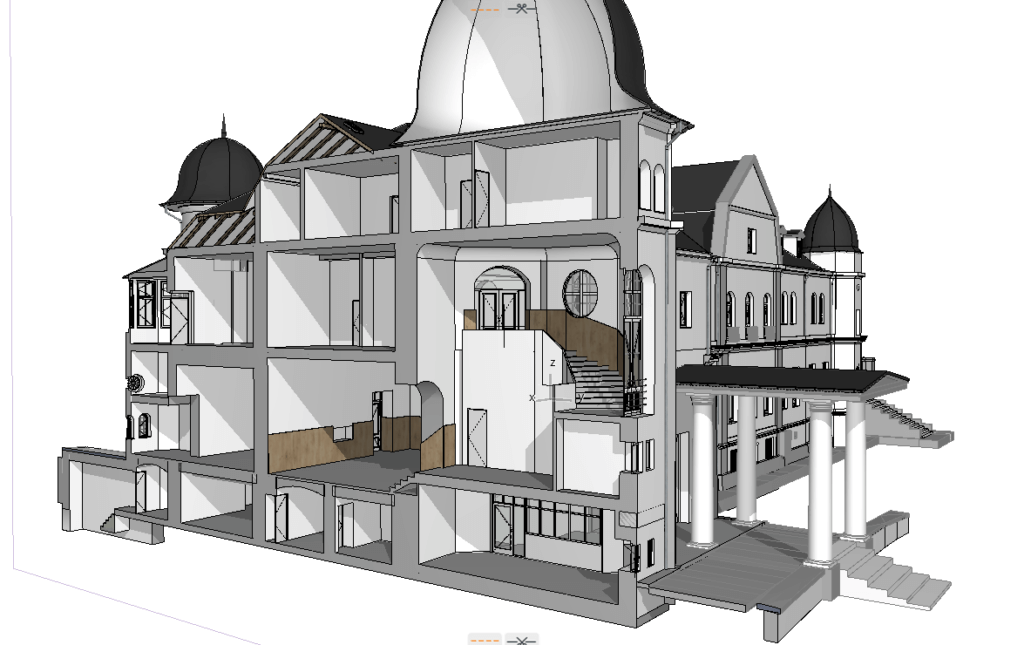
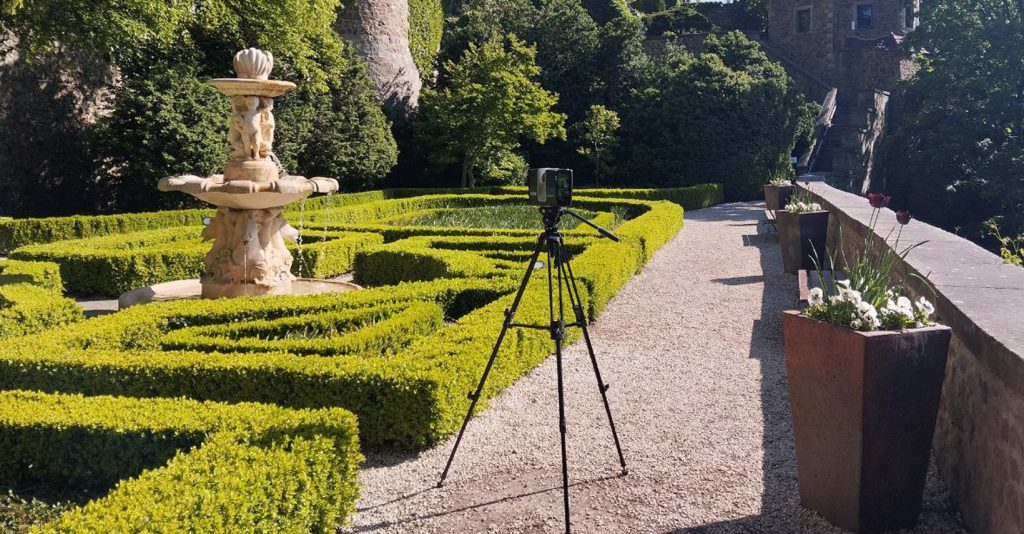
Modern tools allow designers to create precise digital twins for interior design and manage construction projects remotely. A designer from Eastern Europe can now oversee a project in the U.S. or Asia without being physically present. Tools like 360 virtual tours for interior projects, laser scan interior design, 3D laser scanning for interiors, and point cloud to BIM interior design workflows provide real-time progress tracking and quality control.
How We Support Designers Worldwide
Our company focuses on these solutions. We understand that a designer’s role goes beyond aesthetics—they need to ensure that projects are executed exactly as planned. That’s why we leverage BIM for interior design, Scan2BIM interior processes, as-built documentation for interior design, cloud-based interior project management, and collaborative BIM for interior designers. These technologies break boundaries, increase transparency, and allow project management from anywhere in the world.
Innovation and the Future of Interior Design
We also embrace innovation with VR and AR in interior design, AI-powered interior design solutions, virtual interior design workflows, and smart home integration with interior design, combining technology, experience, and creativity across continents.
Conclusion: A Profession Evolving with Technology
Interior design today is no longer just about beauty. It’s about managing processes, ensuring precision, and creating unique living and working environments, unbound by physical presence. The world is changing, and the designer’s profession is evolving alongside it. I am confident that in the coming years, interior design will become even more in demand, with technology further amplifying its significance.
Check our activity on:
Highlights from Intergeo 2026 in Frankfurt
Our team attended Intergeo 2026, the world’s leading trade fair for geodesy, geoinformation, and land management, held this year in Frankfurt. The event once again confirmed its status as a key platform for setting the direction of the industry and provided valuable insights into the technological trends shaping the future of digital modeling and spatial data management.
Key Trends and Observations
This year, several areas stood out in particular:
Mobile laser scanning – more and more solutions are focused on faster and more efficient field data collection.
Artificial Intelligence in point cloud processing and photogrammetry – automated drawing, object recognition, and conversion into solid models.
GPR and underground scanning – ground-penetrating radar technologies are increasingly used to map and position underground utilities and integrate them into 3D models.
Satellite-based data transfer – real-time transmission of scan results and direct digital modeling is becoming a standard.
BIM as the foundation of digital projects – BIM models are evolving from final deliverables into starting points for dashboards and real-time visualization of structural loads, pressures, temperatures, and other performance metrics.
Value for Our Company
The exhibition once again proved that the market potential is immense, and the demand for digital services continues to grow rapidly. We see the industry moving decisively toward data integration and comprehensive digital platforms, with BIM at the core of this transformation.
For our company, Intergeo remains a crucial source of inspiration and development. It allows us to explore innovative devices and software, assess future opportunities, and expand the range of services we can offer to strengthen our international presence.
Check our activity on:
Using Drones and Laser Scanning for As‑Built Surveys
In the age of digital transformation, traditional methods of building measurement and documentation are being replaced by more efficient, accurate, and scalable technologies. Manual measurements are slow, labor-intensive, and prone to errors. Today, terrestrial laser scanning (TLS) and drone-based surveys provide reliable as-built data within hours instead of weeks. The result? Fewer errors, lower costs, and dense point clouds ready for fast BIM modeling — reducing the preparation of models from weeks to just days.
What Is an As-Built Survey?
An as-built survey is a precise record of a building or site as it exists—not as it was designed. Unlike design drawings, as-builts capture all real-world changes that occurred during construction or over time.
They are essential for:
Renovation and restoration projects
Facility management and space planning
Real estate transactions and legal documentation
Clash detection in new design
Post-construction verification
TLS and drones now replace weeks of tape-and-sketch fieldwork with dense point clouds and imagery that support accurate 3D models, 2D drawings, and BIM deliverables.
Terrestrial Laser Scanning: The Gold Standard
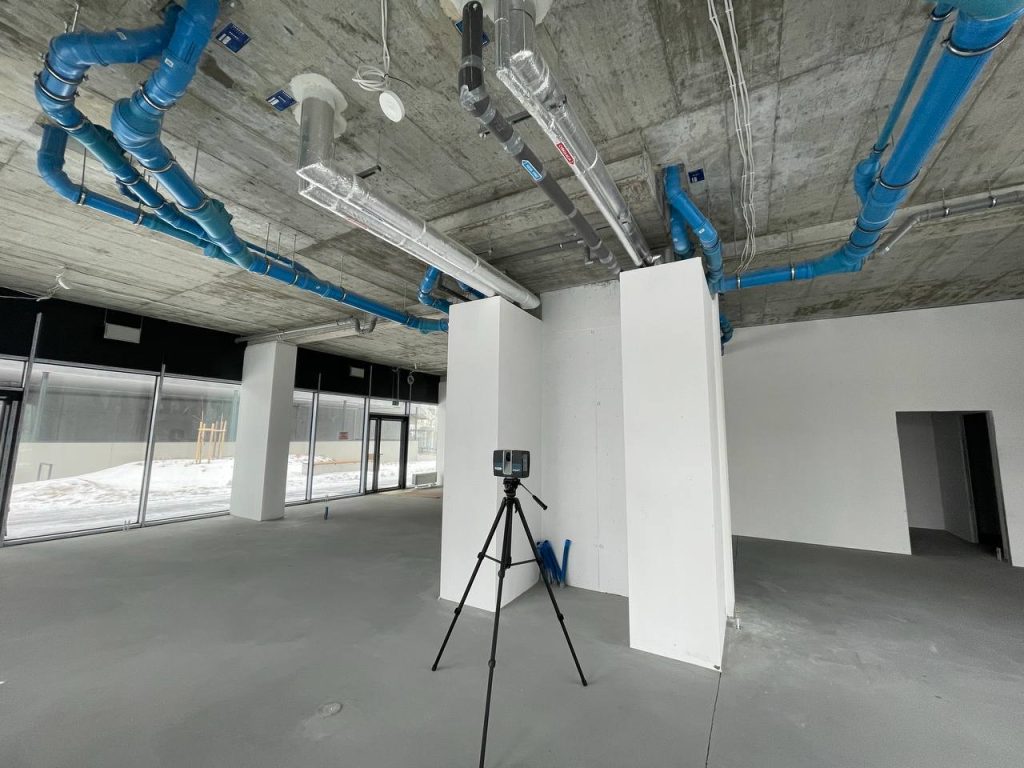
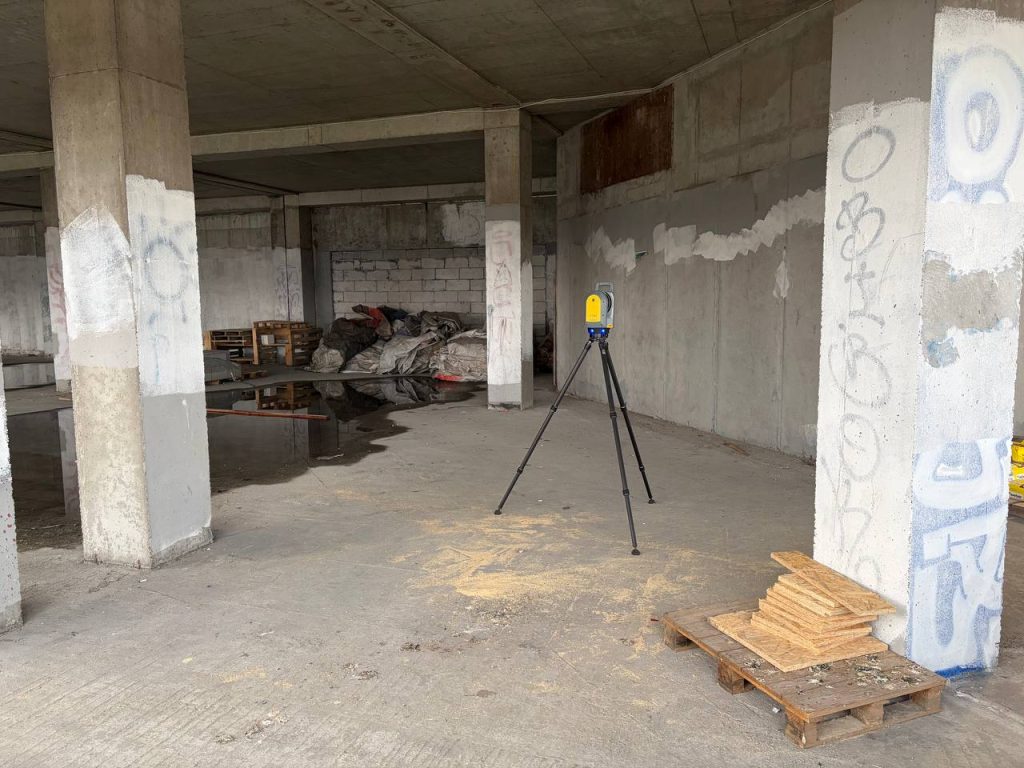
TLS remains the most reliable choice for precision as-built documentation. Tripod or mobile scanners rotate 360°, capturing millions of points per station in minutes.
TLS documents with unmatched fidelity:
Interiors, circulation, and MEP systems
Facades and roofs (even tall buildings)
Structural elements and fine architectural details
Large sites like campuses and industrial plants
Accuracy and Reliability of TLS Measurements
One of the main advantages of terrestrial laser scanning (TLS) is its high precision. Under favorable measurement conditions, deviations in the recorded point cloud can be as little as a few millimeters. This makes TLS indispensable wherever survey-grade accuracy is required – from façade and interior documentation to deformation monitoring and stockpile volume measurements.
Scientific studies confirm this precision – for example, a publication available on arXiv shows that the accuracy of direct LiDAR point cloud measurements can be estimated at around 4 mm, which significantly facilitates the use of TLS in engineering and geodetic applications.
Why teams lead with TLS:
Highest geometric fidelity for tight tolerances
Works indoors, outdoors, and in GPS-denied areas
Scales from small rooms to entire complexes
Provides reliable data for clash detection and fabrication checks
Drone-Based As-Built Surveys
Drones equipped with RGB cameras or LiDAR rapidly collect geo-referenced imagery and point clouds from above.
Best for:
Roofs, canopies, skylights, and hard-to-reach zones
Large outdoor areas, roads, bridges, and rail corridors
Topographic mapping and orthomosaic production
Quick example: A single RTK drone flight can capture a commercial building’s roof and facades in one session, producing a unified point cloud and orthomosaic for restoration planning, leasing, or insurance documentation.
Advantages of drones:
Cover hundreds of acres in hours
Improve safety by reducing work at height and near traffic
High accuracy with RTK/PPK workflows and LiDAR payloads
Excellent scalability for infrastructure and industrial projects
Best Results: A Hybrid TLS + Drone Workflow
Most U.S. contractors and BIM modeling teams use both methods. TLS delivers interior precision and façade detail, while drones provide roof and site coverage.
Fusing these datasets yields:
Seamless 3D building and site models
High-quality as-built drawings generated directly from point clouds
Digital twins for renovation, operations, and asset management
Smooth handoff into BIM and CAD environments
Key Applications
Commercial real estate – leasing plans, insurance packs, tenant modifications
While these technologies offer powerful capabilities, it’s essential to consider:
Weather: Drone surveys need good visibility and stable wind conditions
Data Size: High-resolution scans produce large files
Expertise: Requires trained professionals for data capture and processing
Choosing the right partner is key to ensuring accuracy, compliance, and a smooth workflow. At ScanM2, we specialize in delivering high-precision drone and laser scanning surveys, combining technical expertise with deep knowledge of industry standards. Whether you need a full-scale as-built model or just a roof scan, we ensure reliable results you can build on.
ScanM2 Project Example
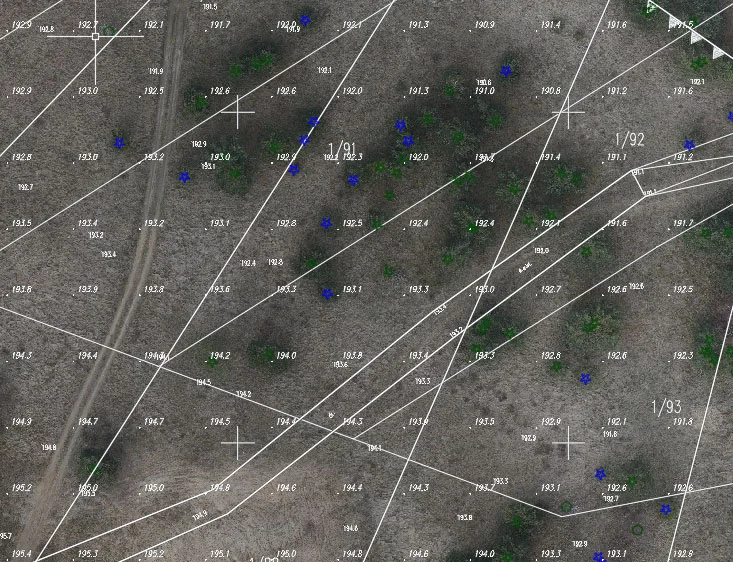
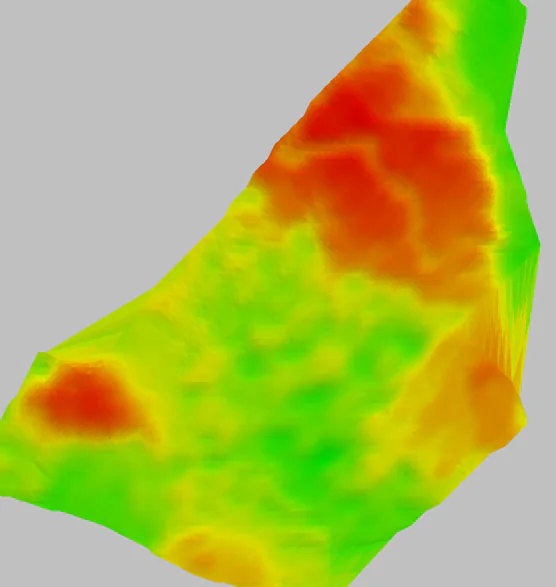
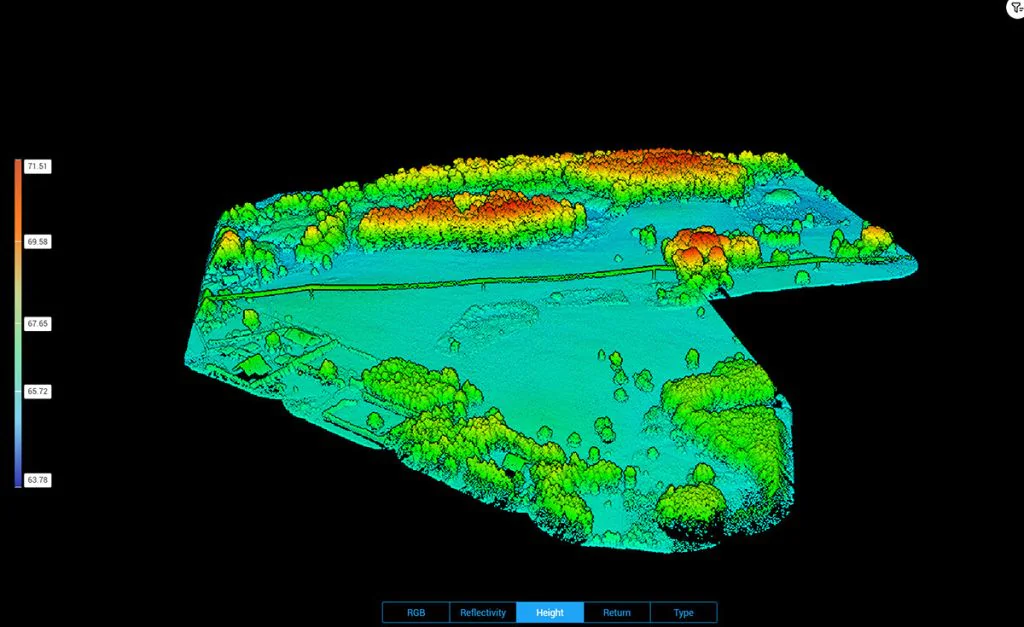
ScanM2 carried out a LiDAR drone scanning project for a resort development covering 100 hectares of land. In just 1.5 days, a complete survey dataset was collected, and within two weeks the client received a full deliverable package: a 3D model compatible with ArchiCAD, 2D maps with elevation and tree density analysis, as well as precise measurements of distances from the lake and nearby roads. This allowed the investor to plan the placement of holiday cottages in an environmentally friendly way while meeting all formal requirements.
Why It Matters: Future-Proofing Your Project
As-built documentation isn’t just a technical requirement — it’s an investment in your project’s success. Whether you’re documenting for permits, insurance, design, or sale, accurate surveys:
Reduce rework and costly surprises
Improve communication with stakeholders
Ensure regulatory compliance
Add long-term value and traceability
Drone and laser scanning technologies deliver fast, scalable, and reliable results. They’re not just futuristic tools — they’re already transforming industries today.
Conclusion
Drones and laser scanning are now the industry standard for as-built surveys. Lead with TLS for interior and façade precision, then add drones for fast roof and site coverage. The result—faster projects, lower cost per square foot, and reliable BIM-ready deliverables for contractors, architects, and facility managers.
Frequently Asked Questions (FAQ)
How much does a 3D as-built survey include?
A 3D as-built survey provides a precise digital record of a building or site in its current state. Depending on the project requirements, it may include interior and exterior point clouds, façade documentation, roof scans, site mapping, and deliverables such as 2D drawings, 3D models, or BIM-ready data.
Are drones accurate for building surveys?
Yes. Drones with RTK/PPK and LiDAR achieve accuracy of up to 2–3 cm, which is sufficient for surveying roofs, facades, and large outdoor areas. For interiors or elements requiring millimeter-level precision, terrestrial laser scanning (TLS) is used. The best results come from combining TLS with drone data for a complete picture of the building and its surroundings.
What deliverables can I expect from an as-built survey?
Typical outputs include dense point clouds (LAS, E57), 2D drawings (DWG, PDF), 3D models (RVT, SKP, OBJ, IFC), and orthophotos or digital elevation models from drone flights. These can be directly integrated into CAD and BIM workflows.
When is an as-built survey needed?
As-built surveys are essential for renovation and restoration projects, facility management, real estate transactions, clash detection in design, and post-construction verification. They ensure that design teams, contractors, and owners work with accurate, up-to-date information.
Check our activity on:
Laser Scanning for Roof Inspections: What You Need to Know
Roof inspections have always been one of the most challenging aspects of building maintenance and construction. Whether it’s a commercial facility, an industrial plant, or a residential property, ensuring safe access to the roof and accurately assessing its condition is never simple. Traditional methods usually require scaffolding or ladders, which are time-consuming and put workers at risk.
This is where laser scanning for roof inspections (also known as 3D roof inspection or LiDAR roof survey) changes the game. Thanks to advanced technology, inspectors can capture highly accurate roof data without stepping onto hazardous surfaces.
How Laser Scanning for Roof Inspections Works
Laser scanning uses LiDAR (Light Detection and Ranging) to record millions of points per second. In roof inspections, this data is processed into a high-resolution 3D model that shows:
Dimensions and geometry
Surface condition (cracks, sagging, deformation)
Slope, pitch, and drainage patterns
Structural irregularities or weak zones
Scanning can be carried out in different ways depending on roof type and accessibility:
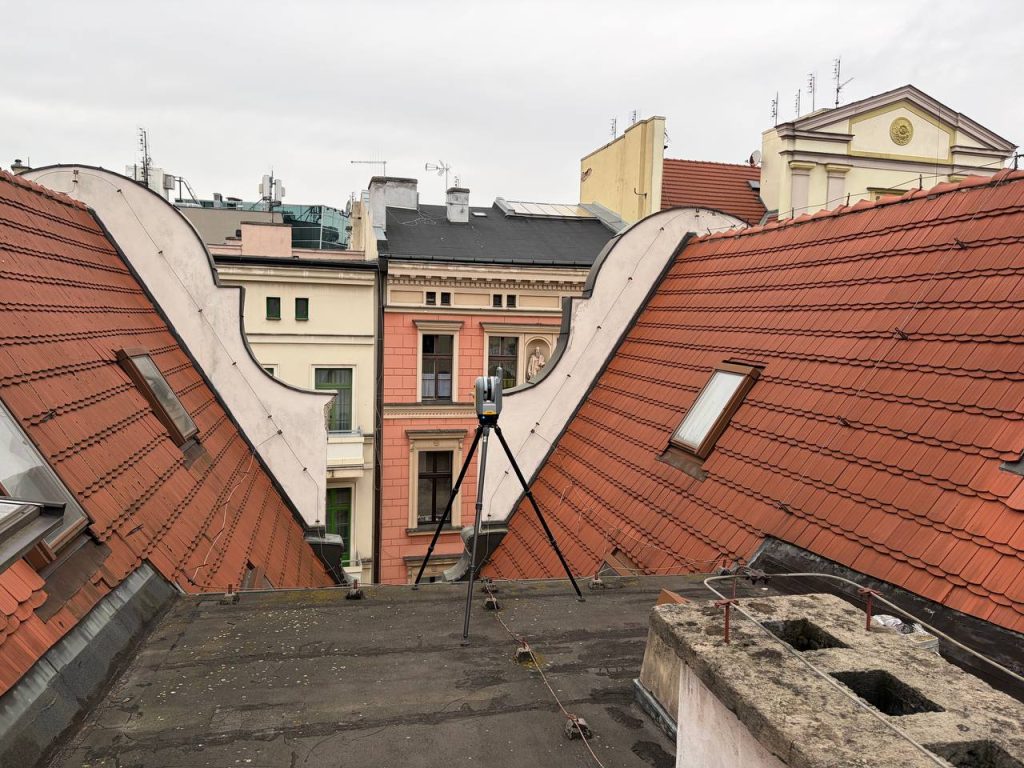
Tripod-mounted scanners: ideal for flat roofs or those safe for technician access. Walking directly on the surface with a scanner delivers millimeter precision.
Drones with LiDAR or photogrammetry: the best choice for high, complex, or unsafe roofs, providing full aerial coverage.
Mobile mapping systems: suitable for large industrial sites or multi-building properties where speed is essential.
The result is an accurate, measurable “digital twin” of the roof, which can be analyzed remotely and stored for future reference.
Why Laser Scanning Is a Game-Changer
Safety first — reduces or eliminates rooftop climbing and fall hazards. Unmatched accuracy — delivers millimeter-level measurements for confident planning and verification. Time and cost savings — a drone or tripod scan can be finished in under an hour without renting scaffolding or lifts. Comprehensive data — captures hard-to-reach areas and full structural geometry. Long-term documentation — models can be archived and compared to track roof condition over years.
Structural Assessments Identify sagging, deformation, or uneven surfaces that could indicate underlying structural problems.
Leak Investigations Map slope and drainage to identify areas prone to water pooling, which often leads to leaks.
Pre- and Post-Construction Surveys Document the condition of a roof before starting construction work and verify results after completion.
Solar Panel Installations Accurate roof geometry ensures optimal panel placement and load assessment.
Historical Building Preservation For heritage buildings, non-invasive roof scanning is essential to document original structures and plan restoration without physical damage.
Choosing the Right Laser Scanning Partner
Selecting the right provider for roof inspections is crucial for accurate results and safety compliance. Here’s what to consider:
Experience with Roof Projects Not all laser scanning companies have expertise in rooftops. Ask for references and past project examples.
Safety Standards Roof scanning often requires drone flights or work near edges—make sure your provider follows strict safety protocols and local regulations.
Equipment and Technology Advanced LiDAR scanners and high-resolution cameras ensure optimal data quality.
Data Processing Skills Capturing the scan is only part of the job. Your provider should deliver a clear, usable 3D model and detailed analysis.
Why Work with Scan M2
At ScanM2, we have the equipment, experience, and trained team to perform roof inspections safely and effectively.
Minimal disruption to building operations
Precise measurements for planning and maintenance
Full compliance with safety and legal requirements
Custom deliverables tailored to architects, engineers, and facility managers
When it comes to laser scanning roof inspections, working with a trusted partner like Scan M2 means your project will be handled with accuracy, speed, and professionalism.
The Future of Roof Inspections
Laser scanning is quickly becoming the industry standard for roof inspections, and its capabilities will only expand with advancements in drone autonomy, AI-based defect detection, and cloud-based data sharing. Future developments will allow for near-real-time monitoring of roof conditions, enabling proactive maintenance and extending the lifespan of roofing systems.
FAQ: Laser Scanning for Roof Inspections
How much does a laser scan roof survey cost?
Pricing depends on roof size, complexity, and required level of detail. A small residential roof may cost a few hundred dollars, while industrial sites with multiple levels or obstructions require a higher budget. Contact us for a tailored scan to BIM cost estimate.
Is drone roof inspection better than tripod LiDAR scanning?
Not always. Drones are ideal for tall, complex, or unsafe roofs, while tripod-mounted scanners work perfectly for flat or accessible roofs. The choice depends on site conditions.
What is the accuracy of a 3D roof scan?
Modern LiDAR scanners achieve millimeter-level accuracy. This precision is crucial for structural assessments, solar panel placement, and leak detection.
Does laser scanning save money compared to traditional inspections?
Yes. It reduces labor time, eliminates the need for scaffolding or lifts, and minimizes rework by providing accurate data from the start.
Conclusion
Laser scanning provides a safer, more precise, and more efficient way to inspect roofs compared to traditional methods. From commercial flat roofs to complex industrial structures and heritage buildings, 3D roof scans deliver the reliable data you need without the risks.
Check our activity on:
Digital Twin in Construction – The Future of Building Industry
In recent years, digital twin in construction has become one of the most transformative technologies in the building industry. But what is a digital twin, and why does it matter for contractors, architects, and developers? A digital twin is a virtual representation of a physical asset, system, or process that integrates real-time data, advanced modeling, and analytics. For the construction industry, this technology provides unmatched accuracy, lifecycle insight, and cost savings, making it an essential tool for the future.
Looking for professional Digital Twin Scanning Services? Learn more about our Digital Twin Services and see how we can support your project.
Digital Twin in the Construction Industry
Definition of Digital Twin Construction
A construction digital twin is a dynamic, data-driven model that mirrors the physical structure throughout its lifecycle. Unlike traditional CAD drawings or static BIM models, digital twins continuously update with information from IoT sensors, drones, and laser scans.
While a digital twin is often associated with complex, data-rich systems, it does not always have to be highly sophisticated from the start. In some cases, a digital twin can begin as a detailed 3D model enriched with additional parameters such as materials, structural properties, or energy performance. As more data sources are integrated — such as IoT sensors, drones, or facility management systems—the model evolves into a fully dynamic digital twin. In this sense, every digital twin contains a 3D model at its core, but not every 3D model qualifies as a twin unless it reflects real-world conditions or performance.
How the Concept Evolved
Digital twinning in construction emerged from aerospace and manufacturing industries, where precision and predictive maintenance were crucial. Today, it is widely adopted in complex infrastructure and building projects.
Key Areas of Application
Planning and design optimization for contractors and developers
Construction sequencing and monitoring
Asset and facility management
Safety and compliance assurance
Digital Twin Technology in Construction
Integration with BIM and CAD Workflows
Digital twin technology in construction seamlessly integrates with BIM and CAD workflows, extending the capabilities of traditional models with real-time updates and predictive insights.
Role of IoT, Sensors, and Real-Time Data
By connecting IoT devices, drones, and monitoring sensors, digital twins capture real-time data on temperature, humidity, structural loads, and equipment performance. This allows contractors and facility managers to make data-driven decisions instantly.
Benefits of Digital Twin in Construction
Improved Quality Control and Error Reduction
A digital twin in construction reduces errors by detecting issues early through continuous data comparison between design and actual conditions.
Cost Savings and Resource Optimization
Digital twin cost savings come from preventing rework, optimizing resource use, and reducing delays. Studies show that projects using digital twins achieve 10–20% overall cost efficiency.
Predictive Maintenance and Lifecycle Management
One of the most powerful applications is predictive maintenance digital twin technology, which helps identify issues before they occur. This supports long-term lifecycle management digital twinstrategies, extending the asset’s durability and value.
Digital Twin Examples in Construction
Some digital twin examples in construction include smart office buildings, hospitals, and large infrastructure projects where continuous monitoring ensures safety and efficiency.
Digital twin construction case study
A hospital project used a digital twin construction case study approach to track HVAC performance, reducing energy use by 15%.
A high-rise residential building implemented a building digital twin to monitor structural loads and prevent safety risks.
Infrastructure projects such as bridges rely on digital twin for construction projects to detect material degradation in real time.
Future Trends and Perspectives
Digital Twins and Marketing: The Key to Speed, Precision, and Profits
In times of rapid changes in consumer behavior and strong competition, success comes not to the biggest players but to those who adapt the fastest. That is why market leaders—from fast-food chains and supermarkets to banks and telecoms—are increasingly turning to digital twins as next-generation marketing tools.
A digital twin in marketing is not just a 3D visualization but an interactive platform that replicates physical points of sale, restaurants, bank branches, or service zones. It allows teams to plan and test layouts, promotional materials, and customer flows before anything is physically implemented. This means campaigns can be launched faster, with fewer errors and greater alignment with brand standards.
Practical uses include:
Planning POS placement and merchandising layouts in advance.
Designing campaigns without time-consuming site visits.
Reacting to seasonal changes and trends in real time.
Approving concepts remotely with partners or headquarters.
Enforcing consistent brand identity across multiple locations.
The foundation of such digital twins in retail, gastronomy, or banking is precise 3D laser scanning, which creates accurate point clouds of real spaces within hours. From this data, marketing teams can generate models for campaign testing, visual merchandising, or investor presentations.
This approach is scalable: from small businesses planning seasonal promotions to large retail or food chains standardizing layouts across hundreds of branches. Digital twins in marketing make decision-making faster, more precise, and fully aligned with operational and design teams.
Where the Industry Is Heading
The future of digital twin in construction points toward broader adoption across all project scales—from small residential designs to mega infrastructure projects.
Opportunities for Developers, Architects, and Contractors
Digital twin for architects: enhanced design precision and sustainable performance simulations
Digital twin for contractors: real-time construction monitoring
Digital twin for developers: better ROI through lifecycle insights
Digitalization as a Global Standard
Digitalization in construction is becoming a global standard, with digital twin technology leading the way toward smarter, greener, and safer projects.
Conclusion
The role of digital twin in construction is clear—it transforms how projects are designed, built, and maintained. By integrating digital twin technology in construction, stakeholders gain better quality control, predictive insights, and cost savings. As the industry evolves, the digital twin is not just an innovation but a necessity for shaping the future of construction.
Check our activity on:
CAD Outsourcing – Flexibility and Efficiency in Modern Design
Digitization and the growing pace of project delivery make CAD outsourcing increasingly popular in the construction, architectural, industrial, and MEP sectors. Instead of expanding in-house design teams, many companies in the USA, Europe, and the UAEchoose to entrust technical documentation to specialized external partners.
This approach provides access to experienced engineers, shortens project preparation time, and optimizes costs. CAD outsourcing services are no longer just a trend but a proven tool supporting competitiveness across international markets.
What is CAD Outsourcing?
CAD outsourcing (Computer-Aided Design) means delegating the preparation of technical documentation to an external company. Typical services include:
3D CAD modeling – steel structures, prefabricated elements, industrial components,
workshop and construction documentation,
updates and revisions of existing projects,
HVAC, sanitary, and electrical design support.
Thanks to CAD outsourcing companies, firms in regions like North America, Western Europe, and the Middle East gain flexibility, savings, and access to skilled CAD designers without the need to expand internal teams.
CAD Based on 3D Laser Scanning
One of the most important areas of outsourcing CAD is the conversion of 3D scans (point clouds) into CAD documentation.
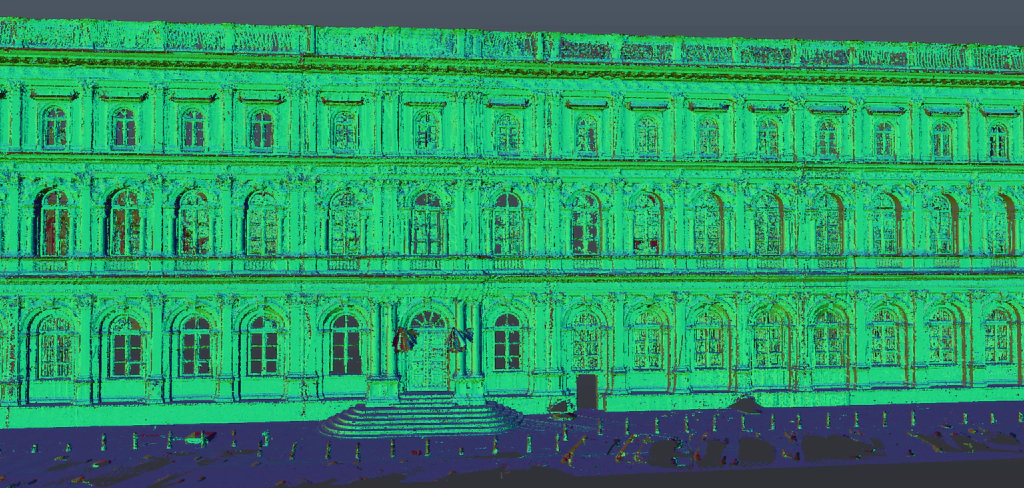
3D laser scanners record millions of XYZ points, creating an accurate digital representation of an object. From this data, specialists deliver:
3D scanning technology ensures accuracy at the level of 2–5 mm, and in the case of handheld scanners, even submillimeter precision. As a result, CAD drafting outsourcing based on point clouds is not only fast but also free from typical measurement errors.
In practice, this means that designers and contractors worldwide — from the USA to Europe and the UAE — work on data fully consistent with reality, minimizing the risk of clashes and costly rework.
Who Uses CAD Outsourcing Services?
Outsource CAD design is applied across multiple sectors:
architectural studios – support during high workloads,
construction companies – preparation of shop drawings and execution documentation,
structural engineers – delegating parts of documentation to subcontractors,
facility managers – modernization and inventories of existing buildings,
industrial and tech firms – precise models of production lines and equipment.
In the USA, outsourcing CAD supports large-scale infrastructure and commercial projects. In Europe, it is widely used in industrial modernization and sustainable design. In the UAE and the Middle East, CAD outsourcing aligns with ambitious mega-projects and fast-paced urban development.
Key Benefits of CAD Outsourcing
Cost savings – no need for expensive licenses, hardware, or new hires.
Flexibility and scalability – adjust resources depending on project workload.
Faster project delivery – external teams work in parallel with in-house staff.
Access to experts – professionals in Revit, ArchiCAD, AutoCAD, and Navisworks.
Standardized documentation – compliance with international standards such as ISO, DIN, and AIA.
industrial projects – models of production lines, tanks, platforms.
Trends and Challenges in CAD Outsourcing
Integration with BIM – CAD outsourcing services are increasingly tied to BIM modeling for better collaboration.
Growth of 3D scanning – more projects rely on accurate point cloud documentation.
Data security – secure data exchange and NDAs are crucial across global markets.
Globalization of services – CAD outsourcing in the USA, Europe, and the UAE is part of a wider nearshoring/offshoring trend.
Conclusion
Outsource drafting services are a proven way to increase efficiency, reduce costs, and improve documentation quality. In the era of digital transformation of construction and architecture, CAD outsourcing services are becoming one of the key tools supporting investment delivery worldwide.
Companies in the USA, Europe, and the UAE that adopt CAD drafting outsourcing gain flexibility, access to specialists, and a competitive edge in a rapidly evolving global market.
Check our activity on:
Precision Measurement for Facade Glazing Replacement
Glass facades have become one of the defining architectural features of the 20th and 21st centuries. Their transparency, lightness, and aesthetic appeal made them the hallmark of modern buildings. However, buildings with extensive glazing also come with specific operational challenges. Over time, especially in aggressive environments such as coastal areas or regions with high temperature variations, facade glazing units reach the end of their service life and require replacement.
The first step in replacement of facade glazing units or a complete facade recladding project is an accurate survey of existing structures. Before installation, each panel must be measured with precision to ensure proper fit, durability, and performance. Any error in dimensioning can result in delays, additional costs, or even compromise the safety and functionality of the building envelope.
Why High-Precision Measurement Matters
When an elevational survey or facade surveying is conducted, accuracy is paramount. Traditional methods often fall short when dealing with complex geometries, tall buildings, or irregular deformations that occur over time. This is where the integration of advanced technologies becomes essential.
3D Facade Scanning: Digital Accuracy for Modern Projects
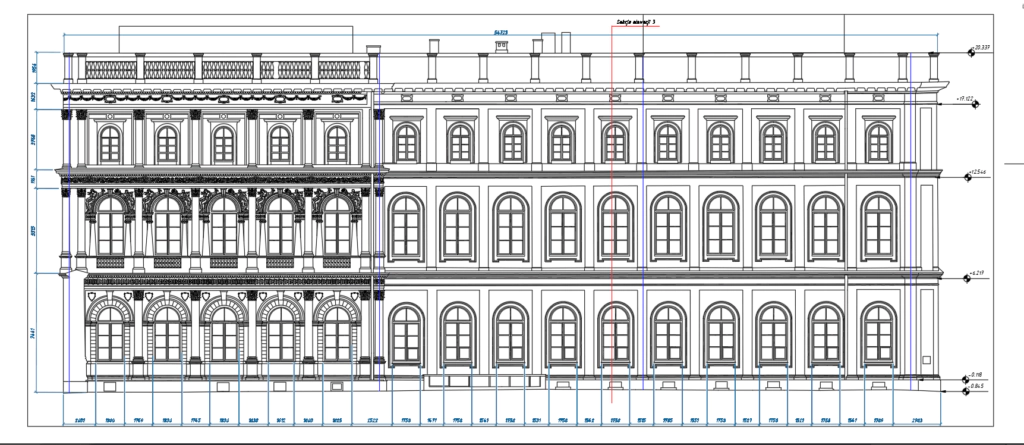
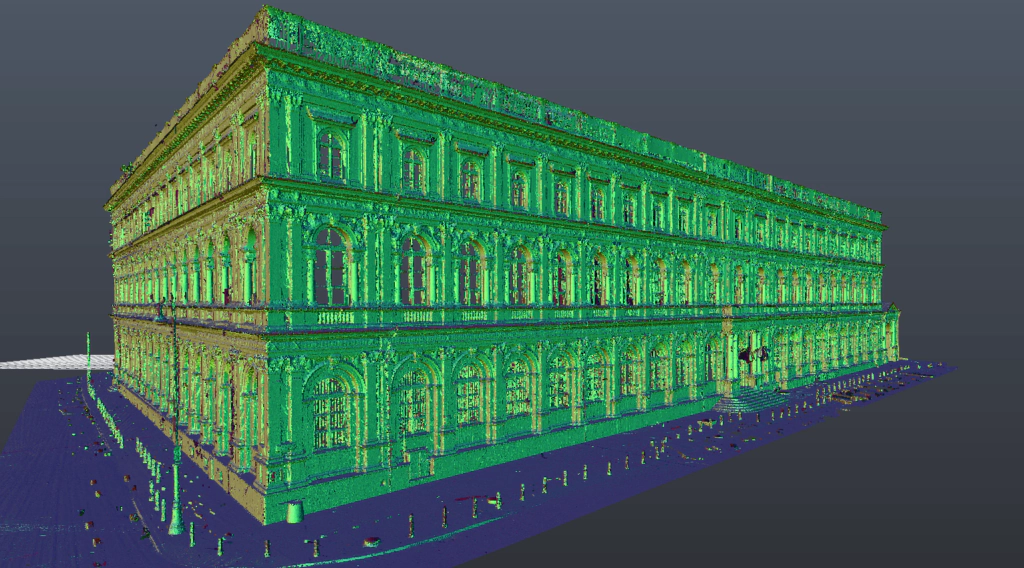
3D facade scanning provides a complete digital record of a building’s envelope. Using millions of measurement points, the process generates a high-resolution model that reveals the true geometry of the facade. This enables architects, engineers, and contractors to detect deformations, plan replacement works, and reduce installation risks.
Our Facade Surveying Scanning Projects
×
Laser Scanning of Facades Combined with Geodetic Surveying
While laser scanning provides a detailed cloud of points, combining it with a geodetic survey of the facade using a total station (tachymeter) ensures the highest level of dimensional accuracy. A tachymeter allows for exact georeferencing of the scan data, ensuring that measurements of facade panels align perfectly with design requirements. The hybrid approach guarantees that the measurement of facade panels is both comprehensive and precise.
Applications of Facade Surveying
ScanM2 specializes in facade measurement by combining two technologies: high-resolution laser scanning and geodetic tachymeter surveying. This dual method provides both the detailed geometry of 3D facade scanning and the exact control points from classical geodesy. As a result, clients receive accurate data necessary for:
Replacement of facade glazing units
Facade recladding / re-cladding of facade projects
Documentation of existing building conditions
Quality control in construction and refurbishment works
Global Presence
If you are facing a similar challenge with glass facade replacement or re-cladding, our team is ready to assist. We operate internationally with offices in the United Arab Emirates, the European Union, the United States, and the United Kingdom.
Accurate measurement is the foundation of successful facade replacement. With the right combination of technologies, you ensure safety, efficiency, and a seamless architectural result.
FAQ – Frequently Asked Questions about Facade Surveying and Recladding
What is the difference between traditional geodetic facade surveying and 3D facade laser scanning?
Traditional surveying relies on selected points measured with a total station, while 3D facade scanning captures millions of points to create a complete digital model. Combining both ensures maximum precision.
Why is a facade survey essential before facade glazing replacement?
An accurate facade survey ensures that new glazing panels fit perfectly, avoiding costly delays and guaranteeing safety and durability of the curtain wall.
What problems may occur without precise facade panel measurement?
Without exact facade panel measurements, errors may lead to leaks, installation issues, or even loss of warranty for facade cladding and glazing systems.
Can facade laser scanning detect deformations and structural shifts?
Yes, laser scanning of facades identifies even the smallest distortions, settlement, or irregularities that are not visible to the naked eye.
What does a complete facade modernization (recladding) project include?
Facade modernization (recladding) involves more than replacing glass or cladding. It includes facade inspection, adjustment of fixing systems, improvement of insulation, and full as-built documentation.
Is it possible to measure high-rise building facades without scaffolding?
Yes – using 3D scanning and geodetic surveying allows safe and precise measurements of tall buildings without scaffolding or physical access to each facade panel.
Check our activity on:
Heritage Documentation Services in UAE: As-Built, BIM & Laser Scanning
Preserving the architectural integrity and historical value of heritage buildings requires more than traditional surveying. Whether you’re restoring a cultural landmark in Sharjah, digitizing a historic museum in Abu Dhabi, or planning adaptive reuse in Dubai, working with a professional heritage surveyor UAE ensures accuracy, compliance, and long-term preservation.
At SсanM2, we are proud to be recognized as one of the best heritage survey company in UAE, specializing in heritage documentation services and offering a full suite of heritage surveyor services — from 3D laser scanning to BIM modeling — tailored specifically for cultural heritage projects.
Why Hire a Heritage Surveyor in UAE?
Heritage buildings require a delicate balance between preservation and modernization. Errors in documentation or construction can compromise historical authenticity or even violate cultural heritage regulations.
Benefits of Professional Heritage Surveying:
Accurate measurements without physical contact, preserving fragile surfaces.
Millimeter-level 3D data for every structural detail, from domes to columns.
Digital archives that ensure future generations can access and protect what’s built.
Regulatory compliance with UAE heritage authority standards and international conservation guidelines.
Our team uses cutting-edge architectural survey for heritage buildings UAE, capturing millions of data points per second to create true-to-life models for architects, conservationists, and government authorities.
Our Services for Historic Building Documentation
We provide comprehensive heritage surveyor services in UAE, designed specifically for cultural, historic, and religious architecture.
Services include:
3D Laser Scanning for Heritage Buildings – Non-invasive, fast, and highly accurate.
Measured Building Surveys for Restoration – Including wall thicknesses, floor levels, and structural detail.
Façade and Elevation Documentation – Capture every ornament, molding, and material layer.
Floor Plans and Cross-Sections – For permits, restoration drawings, or retrofits.
BIM Modeling for Cultural Assets – From as-built models to advanced LOD 300–400.
Digital Preservation and Heritage Archives – Point clouds and BIM serve as permanent digital records.
As-Built Documentation for Heritage Sites – Accurate to the last brick, ready for reconstruction or facilities management.
Whether you need to restore a mosque, palace, or colonial-era villa, we provide detailed, clean documentation for every architectural and structural element.
Areas We Serve: Dubai, Abu Dhabi, Sharjah
Our heritage survey company in UAE supports projects throughout the Emirates. From UNESCO sites to private collections, our localized teams understand both the cultural and technical demands of heritage work.
Localized Expertise:
We proudly serve clients across all seven Emirates, including:
Dubai – Urban conservation projects, digital twins for old neighborhoods, and adaptive reuse developments.
Abu Dhabi – Scanning of museums, mosques, and nationally significant landmarks.
Sharjah – Historic building documentation, especially within restoration zones like the Heart of Sharjah.
In addition to these major cities, our team operates throughout the UAE, offering the same high standard of heritage surveying and documentation services anywhere from Al Ain to Fujairah.
We collaborate with architects, municipalities, ministries of culture, and real estate developers to support both documentation and digital preservation.
Project Example: Heritage Villa Documentation
One of our recent projects involved a villain the UAE — an architectural gem with ornate façades, arched windows, and traditional decorative elements.
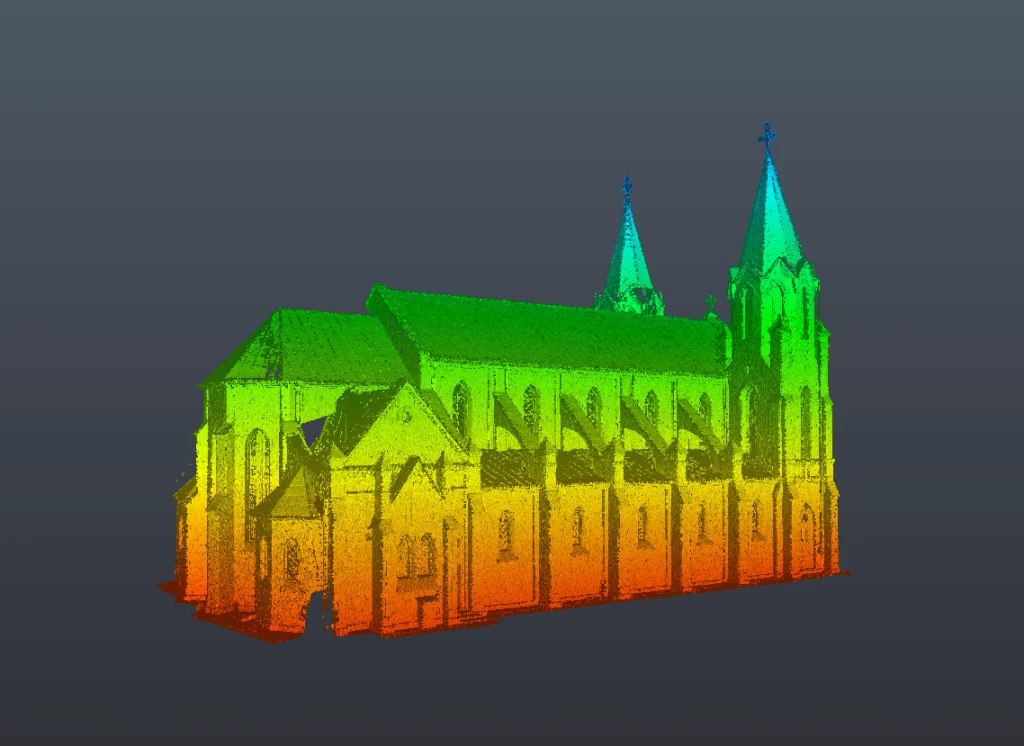
Using heritage 3D scanning UAE, we captured millions of measurement points, ensuring millimeter precision without touching fragile surfaces. The villa’s full survey included:
Measured building surveys for restoration – Capturing wall thicknesses, floor levels, and all decorative features.
Façade and elevation documentation – Preserving every cornice, window arch, and carved ornament.
BIM services for heritage UAE – Creating detailed as-built BIM models for adaptive reuse planning.
Digital preservation and heritage archives – Permanent records for future restoration work.
From royal palaces in Abu Dhabi to museums in Sharjah and historic homes in Dubai, ScanM2 delivers as-built documentation for heritage sites that meets both UAE heritage authority standards and international conservation guidelines.
Heritage Villa Documentation Project Example
×
How Much Does a Heritage Survey Cost in UAE?
The cost of heritage survey in UAE depends on several factors:
Size and complexity of the structure
Accessibility and safety of the site
Level of Detail (LOD) required for documentation or modeling
We understand that no two heritage sites are alike. Each building comes with its own story, condition, and technical requirements. That’s why we provide fully customized pricing based on your specific needs, the scope of documentation, and the level of historical and architectural complexity. Our team will assess the site, consult with you on goals and timelines, and provide a transparent, fixed-price offer — tailored to your project, with no hidden fees.
FAQ: Heritage Surveying in UAE
How do I hire a heritage surveyor in Dubai?
Contact SCANM2 with your project details — site location, purpose (restoration, BIM, permit), and any existing plans or photos. We’ll schedule a site visit and send you a free quote within 24 hours.
What is included in heritage documentation services?
Our standard package includes 3D laser scanning, point cloud processing, 2D drawings (plans, elevations, sections), and optional BIM models. We can also deliver mesh models, textured façades, and files compatible with major BIM platforms, including Revit, ArchiCAD, and Navisworks.
What technology do you use for heritage site scanning in Abu Dhabi?
In UAE, we use advanced scanners from the FARO brand, specifically the FARO Focus 3D and handheld SLAM scanners, allowing us to capture everything from large façades to delicate interiors with sub-millimeter precision.
Can you scan heritage buildings that are hard to access?
Absolutely. Our mobile teams use compact and portable LiDAR units capable of capturing complex spaces like narrow staircases, ceiling vaults, or high minarets.<!– wp:acf/regionsblock {“name”:”acf/regionsblock”,”data”:{“region_0_region_title”:”UAE”,”_region_0_region_title”:”field_673468bbbed38″,”region_0_subregions_0_subregion_title”:”SCANM2 in “,”_region_0_subregions_0_subregion_title”:”field_673468efbed3a”,”region_0_subregions_0_city”:”Dubai”,”_region_0_subregions_0_city”:”field_67346902bed3b”,”region_0_subregions_0_contact_info_0_phone”:”+971504804130″,”_region_0_subregions_0_contact_info_0_phone”:”field_6734693cbed3d”,”region_0_subregions_0_contact_info_0_email”:”dubai@scanm2.com”,”_region_0_subregions_0_contact_info_0_email”:”field_6734694bbed3e”,”region_0_subregions_0_contact_info_0_working_hours”:”Mon-Fri 9.00AM-6.00PM”,”_region_0_subregions_0_contact_info_0_working_hours”:”field_67346960bed3f”,”region_0_subregions_0_contact_info_0_address”:””,”_region_0_subregions_0_contact_info_0_address”:”field_67346984bed40″,”region_0_subregions_0_contact_info”:1,”_region_0_subregions_0_contact_info”:”field_67346914bed3c”,”region_0_subregions_1_subregion_title”:”SCANM2 in “,”_region_0_subregions_1_subregion_title”:”field_673468efbed3a”,”region_0_subregions_1_city”:”Abu Dhabi”,”_region_0_subregions_1_city”:”field_67346902bed3b”,”region_0_subregions_1_contact_info_0_phone”:”+971504804130″,”_region_0_subregions_1_contact_info_0_phone”:”field_6734693cbed3d”,”region_0_subregions_1_contact_info_0_email”:”abu-dhabi@scanm2.com”,”_region_0_subregions_1_contact_info_0_email”:”field_6734694bbed3e”,”region_0_subregions_1_contact_info_0_working_hours”:”Mon-Fri 9.00AM-6.00PM”,”_region_0_subregions_1_contact_info_0_working_hours”:”field_67346960bed3f”,”region_0_subregions_1_contact_info_0_address”:””,”_region_0_subregions_1_contact_info_0_address”:”field_67346984bed40″,”region_0_subregions_1_contact_info”:1,”_region_0_subregions_1_contact_info”:”field_67346914bed3c”,”region_0_subregions_2_subregion_title”:”SCANM2 in “,”_region_0_subregions_2_subregion_title”:”field_673468efbed3a”,”region_0_subregions_2_city”:”Sharjah”,”_region_0_subregions_2_city”:”field_67346902bed3b”,”region_0_subregions_2_contact_info_0_phone”:”+971504804130″,”_region_0_subregions_2_contact_info_0_phone”:”field_6734693cbed3d”,”region_0_subregions_2_contact_info_0_email”:”sharjah@scanm2.com”,”_region_0_subregions_2_contact_info_0_email”:”field_6734694bbed3e”,”region_0_subregions_2_contact_info_0_working_hours”:”Mon-Fri 9.00AM-6.00PM”,”_region_0_subregions_2_contact_info_0_working_hours”:”field_67346960bed3f”,”region_0_subregions_2_contact_info_0_address”:””,”_region_0_subregions_2_contact_info_0_address”:”field_67346984bed40″,”region_0_subregions_2_contact_info”:1,”_region_0_subregions_2_contact_info”:”field_67346914bed3c”,”region_0_subregions”:3,”_region_0_subregions”:”field_673468dfbed39″,”region”:1,”_region”:”field_67346828bed37″},”mode”:”edit”} /–>
Ready to Preserve History with Precision?
ScanM2 is one of the best heritage survey companies in UAE, known for fast, accurate, and respectful documentation of the region’s most valuable architecture. Whether for regulatory compliance, renovation, or preservation — we deliver clarity where every millimeter matters.
Contact us today to schedule a heritage survey in Dubai, Abu Dhabi, Sharjah, or anywhere across the Emirates.
Creating Accurate As-Built Drawings for Residential Renovations
Modern home renovations require a solid foundation in the form of precise documentation of existing conditions. Without it, design errors, delays, and unnecessary costs are far more likely. Thanks to advanced 3D laser scanning and BIM modeling technologies, it’s possible to create highly accurate as-built drawings that ensure complete control over the renovation process.
Why Accurate As-Built Drawings Matter in Home Renovations
When planning a residential renovation, starting with reliable and up-to-date documentation is critical. As-built drawings — also known as as-built documentation — record the actual dimensions, layouts, and systems of a property after construction or during its current condition. Unlike original design plans, they reflect all modifications made over the years, whether intentional or as a result of on-site changes.
Provide a trustworthy basis for renovation design.
Prevent costly mistakes caused by outdated or incomplete plans.
Support permit applications and compliance with building codes.
Facilitate precise cost estimating and material ordering.
The Role of 3D Laser Scanning in As-Built Documentation
Traditional measuring methods can be slow and prone to errors — especially in older homes with irregular layouts. 3D laser scanning for houses solves these issues by capturing millions of measurement points in minutes, producing a point cloud that represents every visible surface in exact scale.
Tools for Creating Accurate As-Built Drawings
Producing high-quality residential as-built drawings demands the right combination of technology and expertise:
Laser Scanners – Capture millions of points per second with exceptional accuracy, ideal for both compact homes and complex multi-story residences.
BIM Software – Transforms raw scan data into interactive, data-rich 3D models, enhancing precision and enabling better collaboration across all stakeholders.
Point Cloud Processing – Converts laser scan data into CAD or BIM formats for detailed analysis and documentation.
Drone Technology – For properties with challenging access or large plots, drones provide aerial imagery and measurements, enriching the final as-built documentation.
Case Study: Luxury Estate in Los Angeles
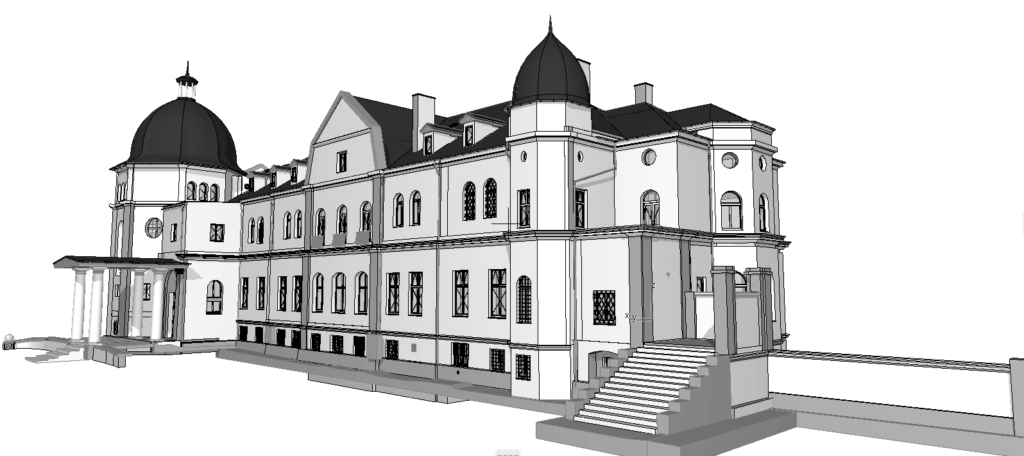
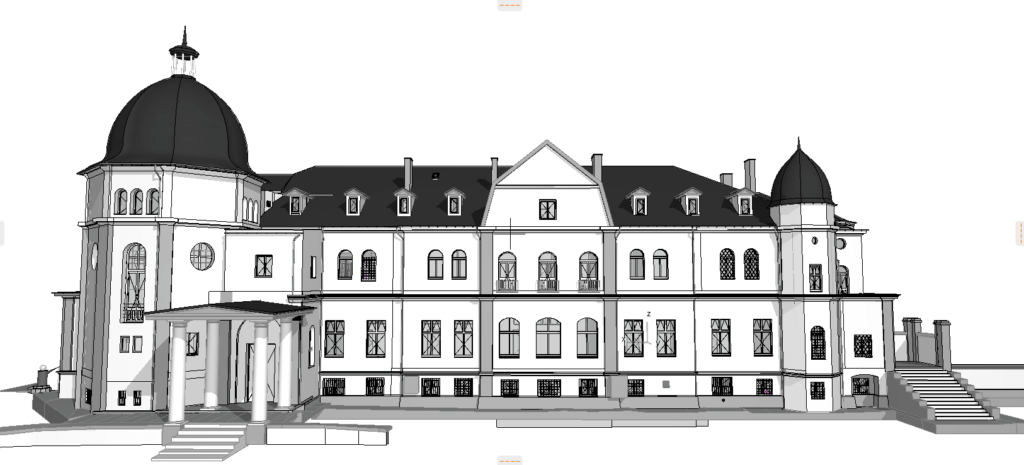
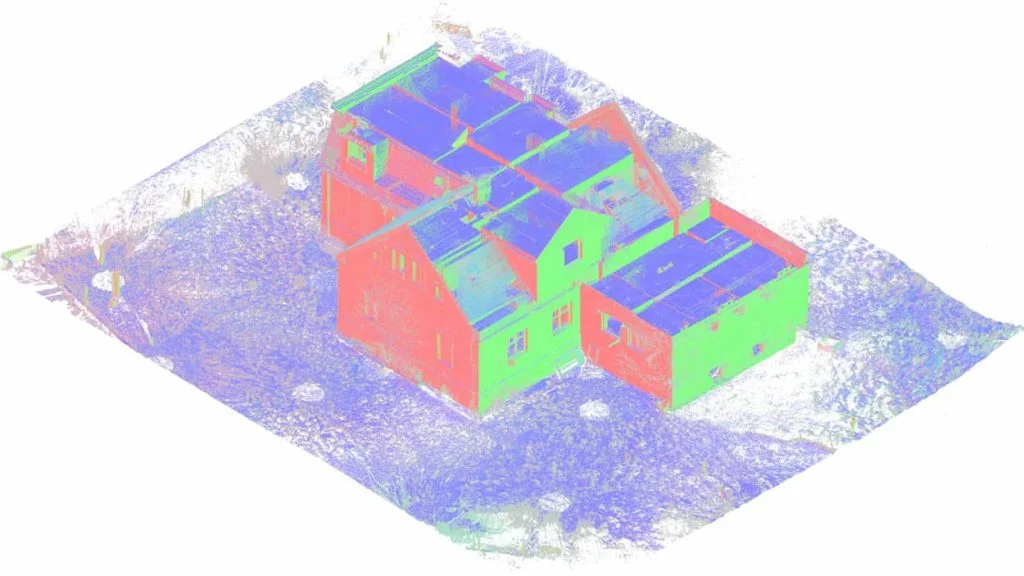
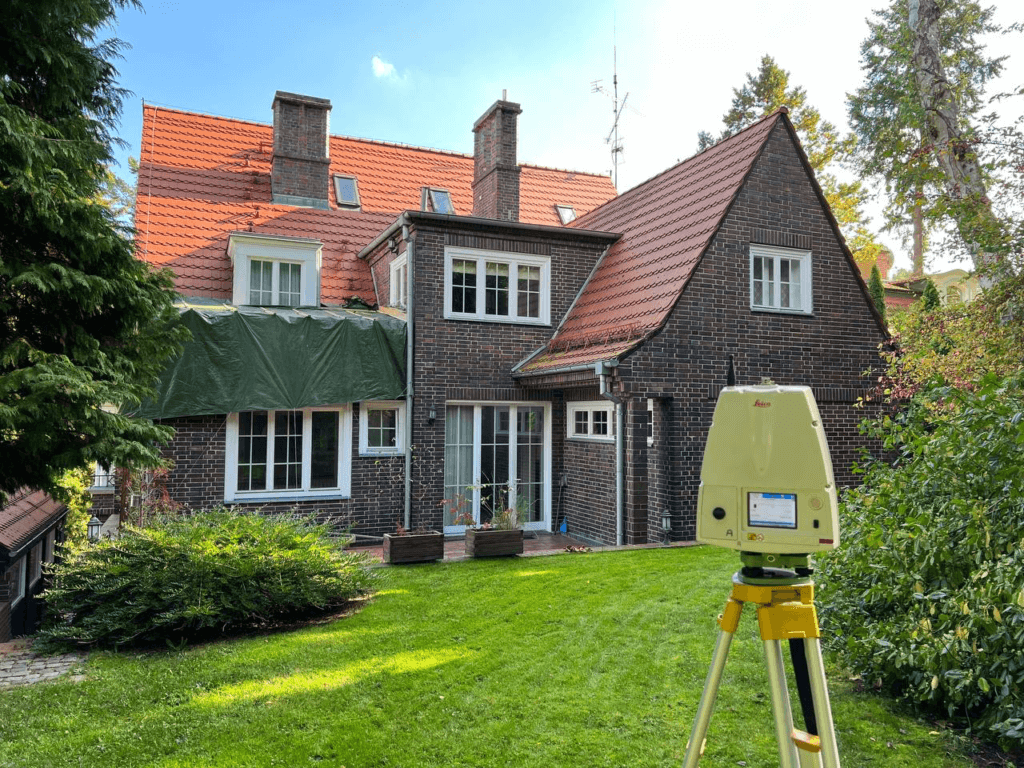
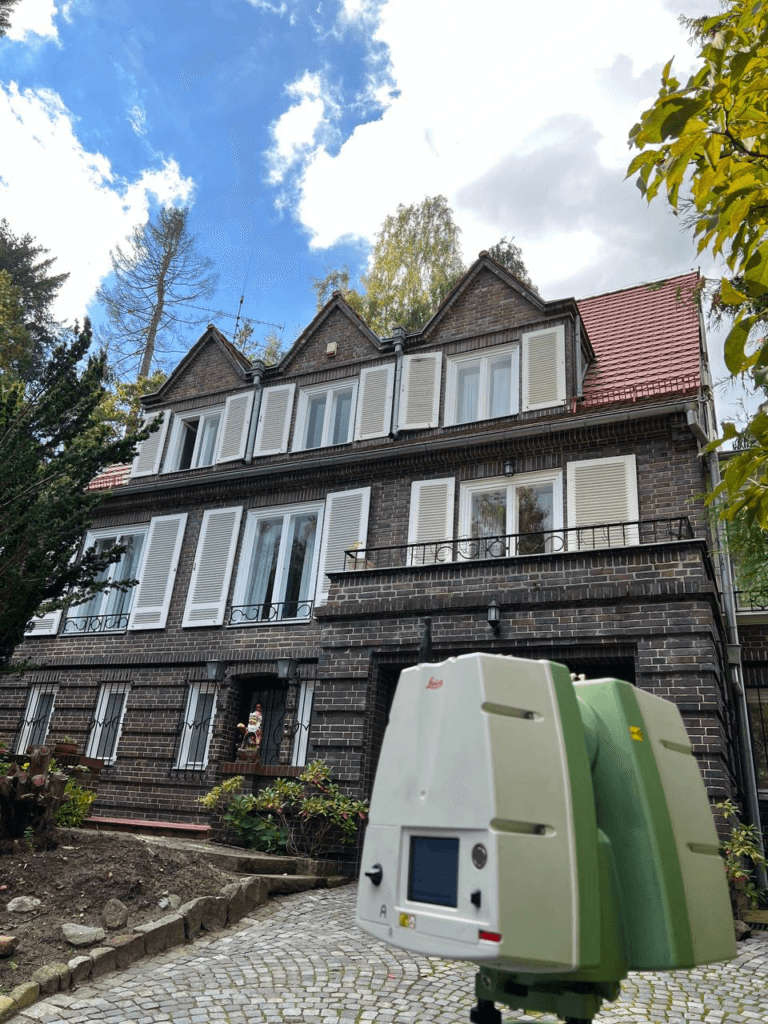
One example of our residential scanning expertise is the Luxury Estate in Los Angeles project. Our team conducted comprehensive 3D laser scanning of an expansive property, including both the main residence and its surrounding grounds. Using a combination of terrestrial laser scanners and drone-based imaging, we captured every architectural detail — from interior layouts and façade elements to complex rooflines and landscaping features. The resulting point cloud was transformed into an accurate BIM model, providing the client and design team with a precise foundation for future renovations and maintenance.
Typical Workflow for Residential As-Built Documentation
Project cost and time assessment – Define estimated timelines and budget.
3D Laser Scanning – Capture interior, exterior, and site geometry in high detail.
Data Processing – Create a registered and optimized point cloud.
BIM Modeling – Develop a parametric Revit as-built model or CAD plans.
Drawing Production – Generate residential as-built plans, elevations, and sections from BIM or point cloud for 2D documentation.
Delivery & Review – Provide editable files, PDFs, and point cloud archives.
Future Trends in Residential As-Built Documentation
The future of as-built precision will continue to evolve with technological innovations:
AI Integration – Automated detection of structural anomalies and faster quality checks.
Cloud-Based Collaboration – Real-time sharing and updates to as-built drawings between design, construction, and renovation teams.
Augmented Reality (AR) – On-site overlay of digital as-built models directly onto the physical environment for enhanced decision-making.
Choosing the Right Partner for As-Built Services
For homeowners and renovation professionals, achieving precise as-built documentation depends on choosing a skilled partner. At scanm2.com, we specialize in delivering residential as-built plans using advanced laser scanning, BIM modeling, and point cloud processing. Our experienced team ensures accuracy, efficiency, and safety in every project phase — from initial surveys to renovation planning.
Conclusion
Precision in as-built documentation is more than a technical requirement — it’s the key to success in home renovation projects. By combining 3D laser scanning, BIM modeling, and the latest advancements in data processing, you can eliminate uncertainty and confidently move forward with your renovation plans. Partner with ScanM2 to experience the transformative benefits of accurate residential as-built drawings.
Check our activity on:
Top 5 Benefits of 3D Laser Scanning for Interior Design
Interior design is the art of combining aesthetics with functionality, but also a process that requires precision, thorough coordination, and the ability to anticipate potential problems. Every measurement error can result in delays, additional costs, and stress. 3D laser scanning allows a project to start with an accurate, digital representation of the space, minimizing the risk of mistakes and significantly improving collaboration between all project participants.
1. Unmatched Measurement Accuracy
3D laser scanners record millions of points in just a few seconds, creating a dense point cloud with millimeter accuracy. This ensures that every element – from kitchen cabinetry to lighting fixtures – fits perfectly into the actual geometry of the interior. It eliminates the need for rework and prevents material waste.
2. Time Savings at the Survey Stage
Traditional measurements can take many hours or days, especially in complex buildings. 3D scanning enables a complete survey in as little as a few minutes. The data can be instantly shared with the entire project team, which is particularly beneficial for remote or international projects.
3. Better Visualization and Communication with the Client
Not all clients can interpret 2D drawings. An interactive 3D model allows them to see the design in the context of the actual interior – with proposed materials, colors, and layout. This shortens the decision-making process, reduces misunderstandings, and gives the client real influence on the final result.
4. Accurate Documentation of the Existing State
For renovations and remodels, it is extremely important to have up-to-date data about the property. 3D scanning creates precise documentation that can be used for planning, obtaining permits, or archiving. In the case of historic buildings, it allows for preserving a digital copy of the interior for future work.
5. Lower Costs and Fewer Errors
Accurate measurements mean fewer mistakes during implementation, which directly translates into savings. All project participants work from the same data set, and potential issues can be detected at the concept stage. This guarantees that the project will stay on schedule and within budget.
3D Scanning and Integration with Interior Design Software
A huge advantage of this technology is its seamless integration with popular design tools – such as Autodesk Revit, ArchiCAD, SketchUp, 3ds Max, and others. This allows designers to import the point cloud directly into their working environment, creating models and visualizations based on actual geometry. It speeds up the design process and minimizes the risk of errors.
Technology Supporting Creativity Although 3D scanning is primarily associated with precision, it also has enormous creative potential. A realistic model of the space enables experimenting with layout, color schemes, and lighting before starting construction work. Designers can test various scenarios and quickly compare results, helping to find the best solutions.
Example – How 3D Laser Scanning Changed the Look of a Brooklyn Beauty Salon
During the renovation of a luxury beauty salon in New York, 3D scanning made it possible to create an accurate interior model at the very beginning of the work. This allowed designers to prepare realistic visualizations, and contractors to perfectly match the fixtures and finishes. The result? No costly rework and on-time completion.
Bonus: Virtual Tour of the Scanned Interior
Once scanning is completed, it is possible to prepare a virtual 3D tour. This allows you to navigate the property in 360° panoramas, switch to point cloud view, create cross-sections, take measurements, and analyze the room layout. To use this feature, simply download the free Leica TruView software from Leica’s official website and open the LSG file provided with the project.
Conclusion
Implementing 3D scanning in interior design changes the way designers plan, visualize, and execute projects. From precise measurements to immersive client presentations – the benefits go far beyond simple surveying. At ScanM2, we have been working with architects and interior designers for years, providing accurate data and digital models that allow them to focus on creativity while leaving the technical side to specialists. Whether it’s a small apartment or a large commercial property – we guarantee the highest measurement quality and full support at every stage of the project.
FAQ – 3D Laser Scanning in Interior Design
What is 3D laser scanning in interior design?
It’s a technology that records millions of precise measurements of a space in just a few seconds, creating a detailed digital 3D model. This model is used for design, planning, and execution, ensuring maximum accuracy and alignment with reality.
How accurate is 3D laser scanning?
Professional scanners guarantee an accuracy of ±1–2 mm. This precision ensures perfect fitting of furniture, built-ins, and decorative elements, eliminating installation errors.
Can 3D scanning be used in small residential projects?
Yes. 3D scanning is suitable for both a single-room renovation and a complete home remodel, providing valuable data at every project stage.
How can SCANM2 help with my interior project?
We offer fast and precise scanning services tailored to the needs of interior designers. We deliver point cloud data and ready-to-use 3D models, allowing you to focus on the creative aspects while we handle the technical work.